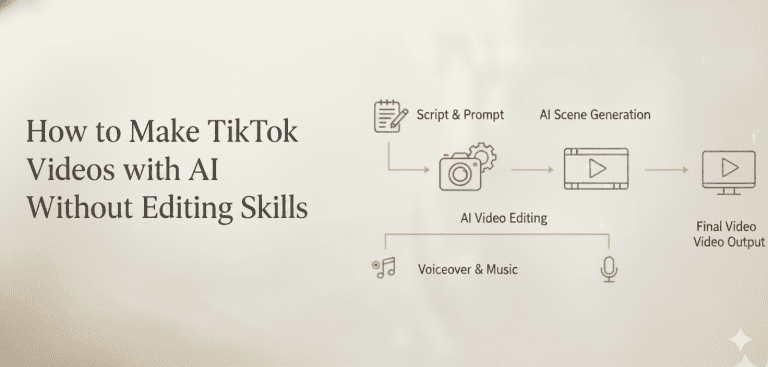
Introduction: The AI Video Race is On
The world of AI-generated video has been buzzing lately, and at the center of it all is OpenAI’s Sora 2. As one of the leading players in this field, Sora has captured the imagination of creators, marketers, and tech enthusiasts alike. But the race to dominate AI-powered video generation is far from over.
Enter Google Veo 3.1: a new contender that’s set to shake things up. With its cutting-edge capabilities, Veo 3.1 promises to take video creation to the next level, challenging Sora’s hold on the market.
In an official tweet, Google stated that “Veo is undergoing a major upgrade.” However, based on real-world testing by various parties both domestically and internationally, the transition from Veo 3 to Veo 3.1 has indeed been a minor iteration, as its name suggests.
Improvements in image quality and physical rendering are not significant. In areas such as AI audio and automatic scene segmentation, it falls short of Sora 2. Nevertheless, Veo 3.1 delivers more prominent lighting effects and faster generation speeds.
In this blog, we’ll dive deep into what Google Veo 3.1 is all about, how it stands out from the competition, and what it means for the future of video content creation. Whether you’re a content creator, a marketer, or just someone interested in the future of AI, this is a conversation you don’t want to miss.
What Exactly is Google Veo 3.1?
Google Veo 3.1is an advanced AI tool that generates high-definition video clips from text descriptions, images, or even other videos. In simple terms, you can provide it with a prompt—whether it’s a sentence, a picture, or a video—and Veo will create a brand-new video based on that input.
It’s like having an AI-powered video director that takes your ideas and brings them to life in stunning detail.
This isn’t just any video generator, though. Google Veo is the company’s most capable video model to date.
It builds on Google’s previous work with models like Imagen 2 and Lumiere, which were designed for creating high-quality images and animations. With Veo, Google has taken the next logical step: applying that expertise to the world of video, making it a serious competitor in the AI video space.
The Key Features that Make Veo 3.1 Stand Out
Google Veo 3.1 isn’t just another AI video generator. It comes with a set of powerful features that set it apart from the competition, making it an exciting tool for creators of all kinds.
High-Definition & Duration
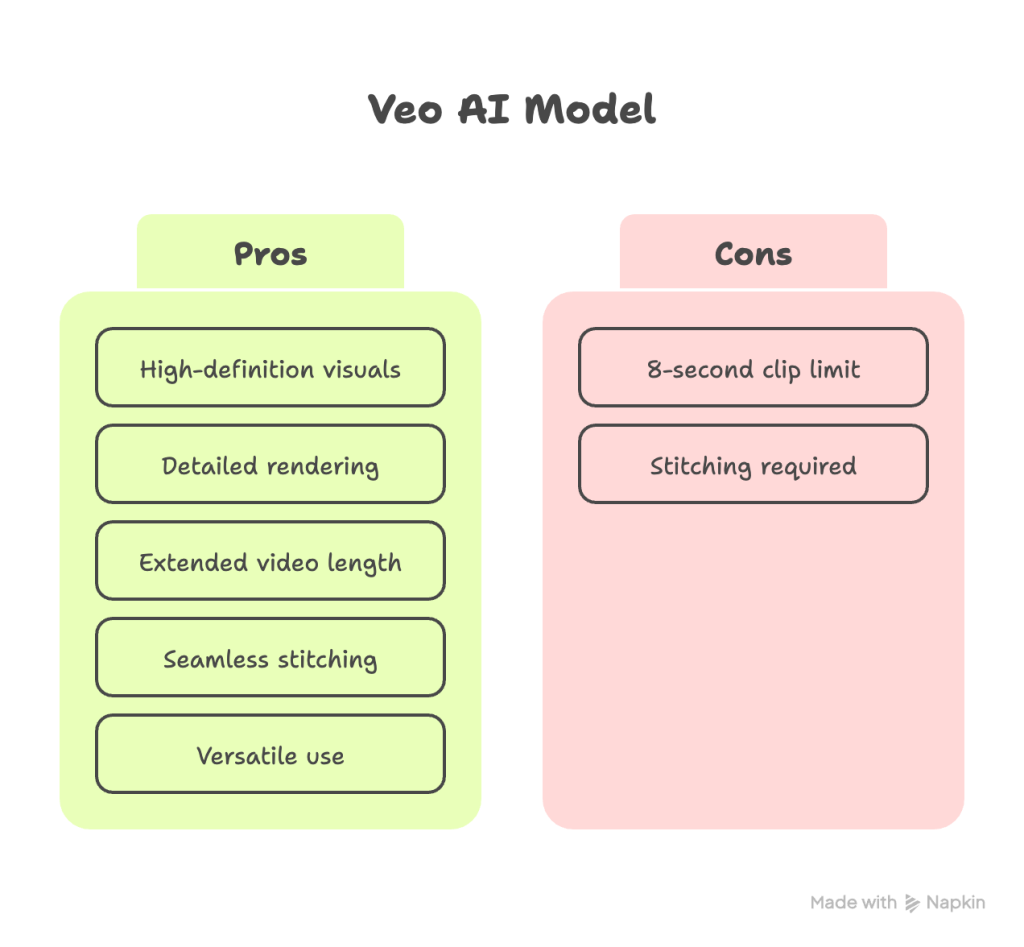
1080p Video Quality: Veo 3.1 generates high-definition videos at 1080p resolution, delivering clear, sharp visuals perfect for professional use.
Higher resolution allows the model to render fine details with much greater accuracy. This includes textures on clothing, individual leaves on a tree, reflections in water, and subtle facial expressions. This level of detail is crucial for creating believable and visually compelling scenes.
Extended Video Length: Unlike many AI models that produce short clips, Veo can generate videos that last for over a minute, making it ideal for more complex and dynamic content. For creators, longer clips are far more useful.
Veo 3.1 finally resolves the much-criticized time limit issue. While individual clips remain capped at 8 seconds, the “Extend” feature allows multiple 8-second segments to be seamlessly stitched together.
They can be used as establishing shots, background plates for visual effects, or complete scenes in a narrative. It reduces the need to string together multiple short, disconnected clips, which often results in a jarring and inconsistent final product.
Understanding Cinematic Language
Cinematic Prompts: Veo 3.1 can comprehend prompts that reference specific cinematic techniques, such as “timelapse,” “aerial shot of,” or “drone footage.” This gives creators more control over the style and feel of the video, allowing them to direct the scene as if they were working with a real film crew.
Combined with its understanding of cinematic prompts (like “aerial shot” or “timelapse”), the 1080p resolution allows Veo 3.1 to create footage that doesn’t just show an action, but does so with artistic quality that mimics professional cinematography.
Native Audio Support
The standout feature of Veo 3.1 is undoubtedly its native audio support. Previously, users had to manually add audio after generating videos. Now, whether creating videos from text, converting images to video, or extending existing videos, you can directly produce complete works with sound effects.
This is undoubtedly a major boon for users needing to produce complete video content. Imagine the time saved: previously, you had to find background music and add sound effects after generating a video. Now, it’s all done with a single click, significantly boosting your creative efficiency.
Unprecedented Consistency
Consistency Across Shots: One of the biggest challenges for AI video generation is maintaining consistency across scenes. Veo excels in this area by ensuring that people, animals, and objects stay consistent throughout a shot, reducing the risk of awkward visual jumps or changes that were common in earlier models.
Advanced Editing Tools
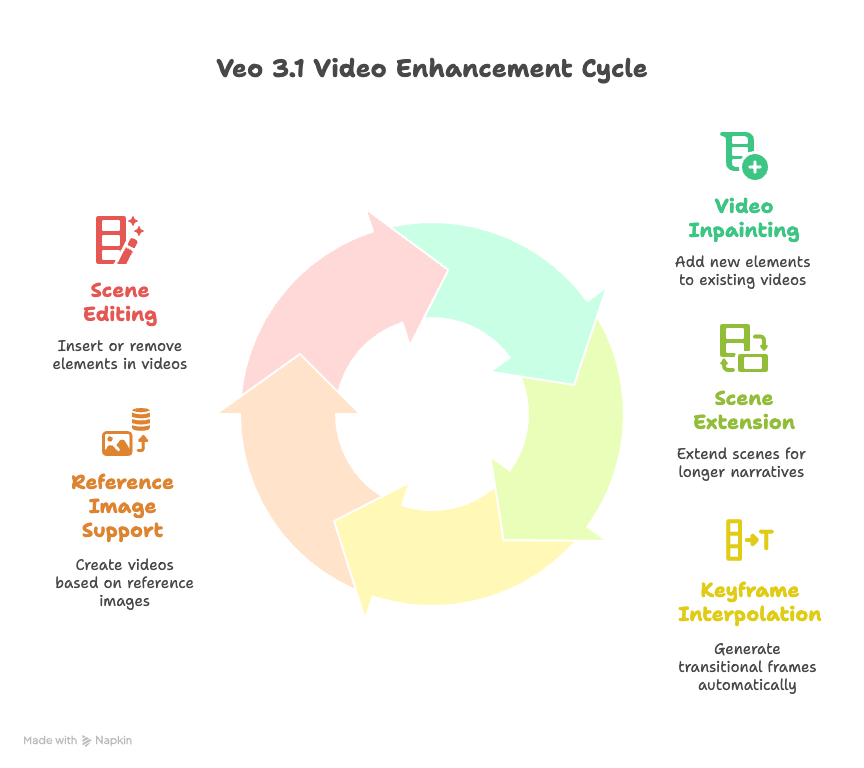
Video-Inpainting: Veo 3.1 allows creators to add new elements to an existing video, such as characters, objects, or background details, with a feature known as video-inpainting. This makes it easier to customize or enhance videos post-production.
Scene Extension: Not only can you generate new video clips, but you can also extend a scene, adding more footage to an existing video to create longer or more complex narratives.
Veo 3.1 also brings significant enhancements in creative control
Keyframe Interpolation: This feature is exceptionally practical. Users simply set the first and last frames of their video, and Veo 3.1 automatically generates the transitional frames in between. For creators requiring specific camera movements, this is a game-changer.
Reference Image Support: Upload up to three reference images, and the model will generate videos based on their style and elements. This greatly aids in maintaining brand consistency or achieving specific visual aesthetics.
Scene Editing: New insert and remove functions allow adding or deleting objects, characters, and other elements within generated videos. Note that not all features are currently accessible via the API.
Veo 3.1 vs. Sora 2: A Quick Comparison
Google’s Veo 3.1 and OpenAI’s Sora 2 are two leading AI video generation tools with distinct strengths that cater to different creative needs. Veo 3.1 is designed for longer, narrative-driven videos with advanced scene control, allowing clips up to 60 seconds and features like “Ingredients to Video” for synchronized sounds and multi-shot editing.
It offers native audio integration and tools for consistency across scenes, making it well-suited for storytelling, marketing, and cinematic projects. However, its video generation speed is somewhat slower, taking up to 45 seconds per clip.
Sora 2, on the other hand, excels in realism and physics-based motion, producing highly authentic and lifelike visuals with synchronized dialogue and ambient sounds. Its maximum clip length is typically shorter (10–20 seconds) but is favored for quick content creation, especially social media videos.
Sora 2 uses a TikTok-style interface emphasizing viral sharing and remixing, making it popular among creators prioritizing high realism and social engagement.
Similarities: High Realism & Text-to-Video Capabilities
- Realistic Visuals: Both models produce high-quality, realistic videos from text prompts, capturing intricate details and lifelike movements.
- Text-to-Video Generation: Users can input descriptive text, and the AI generates corresponding video content, streamlining the creative process.
- Both support 1080p resolution but differ in platform access (Veo via Google Cloud, Sora via invite-only or limited API).
Differences: Video Length & Platform Integration
- Video Duration:
- Veo 3.1: Supports longer video clips, allowing for more detailed storytelling.
- Sora 2: Primarily designed for shorter video segments, catering to quick, impactful content.
- Sora 2 provides superior micro-realism, motion physics, and faster generation for short videos.
- Veo 3.1 focuses on story development and professional control, while Sora 2 prioritizes realism and viral social media appeal.
- Platform Integration:
- Veo 3.1: Integrated into Google’s ecosystem, including YouTube Shorts, enabling seamless content creation and sharing.
- Sora 2: Accessible via OpenAI’s platform, offering flexibility for developers and creators within the OpenAI ecosystem.
In summary, while both Veo 3.1 and Sora 2 excel in generating realistic videos from text, Veo 3.1 offers extended video lengths and deeper integration with Google’s platforms, making it ideal for creators seeking comprehensive storytelling tools. Sora 2, on the other hand, provides a versatile solution for rapid content creation within the OpenAI ecosystem.
Google Veo 3.1 Actual Test Results
Based on current community testing and feedback, Veo 3.1 appears to offer no significant improvement in generation quality beyond its expanded feature set (considering Veo 3 already delivered solid output).
Matt Shumer, founder of AI tool company Otherside AI, bluntly expressed his disappointment on X, stating that Veo 3.1 is “clearly inferior to Sora 2” and “much more expensive.”
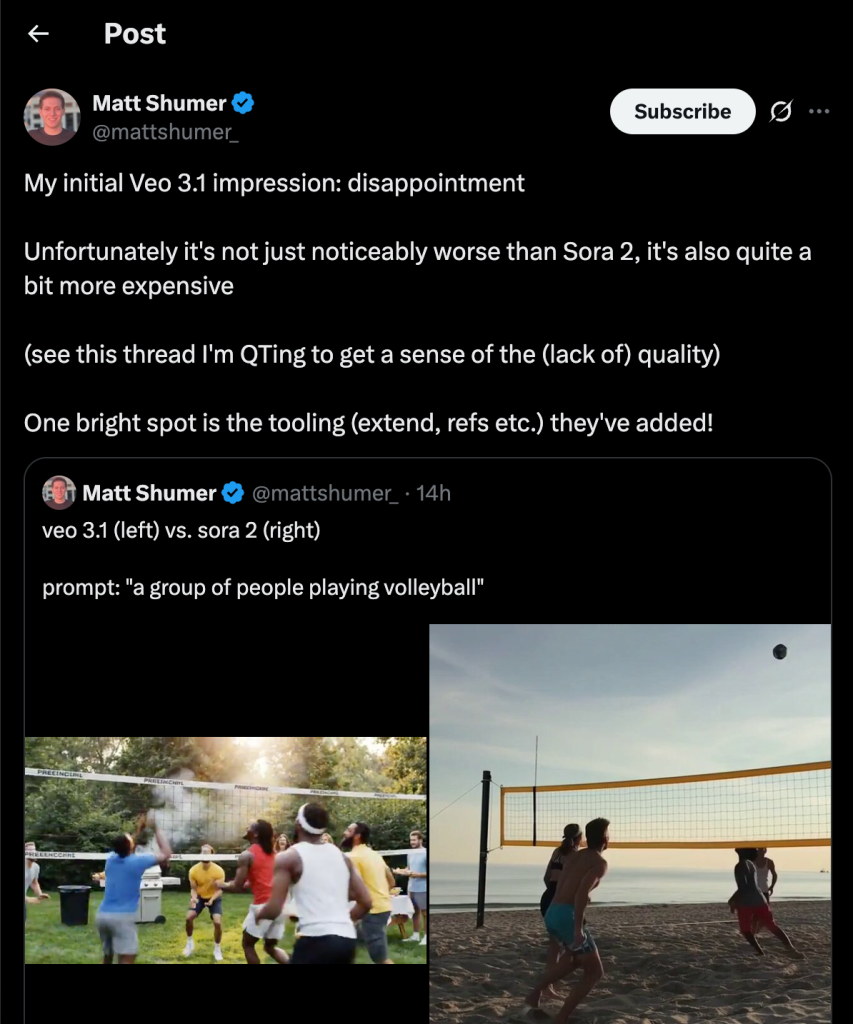
Google Veo 3.1 has made improvements in sound effects and dialogue generation.
After thorough testing, some bloggers have noted that Veo 3.1 does show improvements in sound effects and dialogue generation, particularly with enhanced spatial awareness in ambient sounds. However, the system still lacks custom voice support, preventing users from selecting specific voice styles for generation—a major drawback for commercial projects requiring brand consistency.
When camera angles shift, Veo 3.1 often produces inconsistent facial features and clothing details in generated characters, requiring creators to meticulously craft prompts to mitigate this issue. Sora 2 handles such transitions far more naturally.
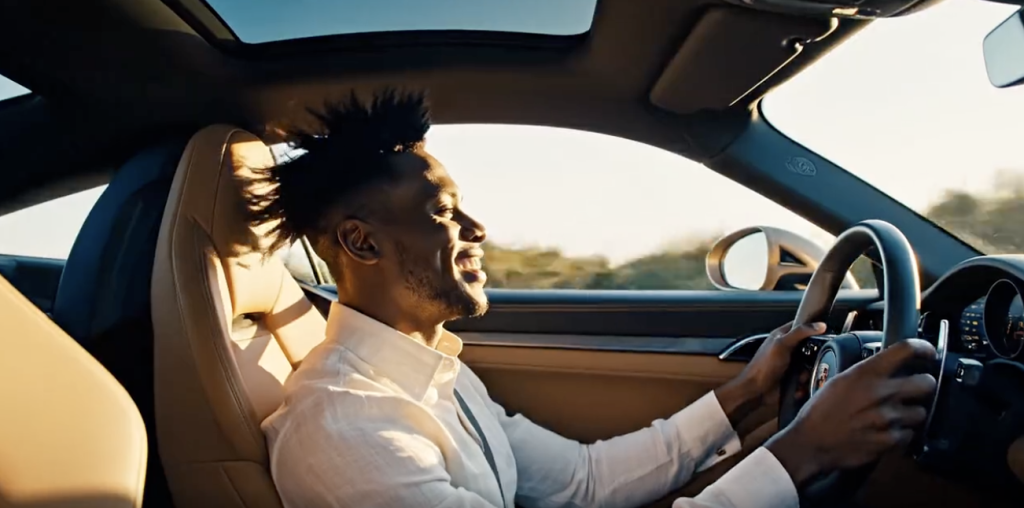
We also conducted some basic tests, confirming that Veo 3.1 maintains Veo 3’s consistent excellence in visual refinement and physical realism.
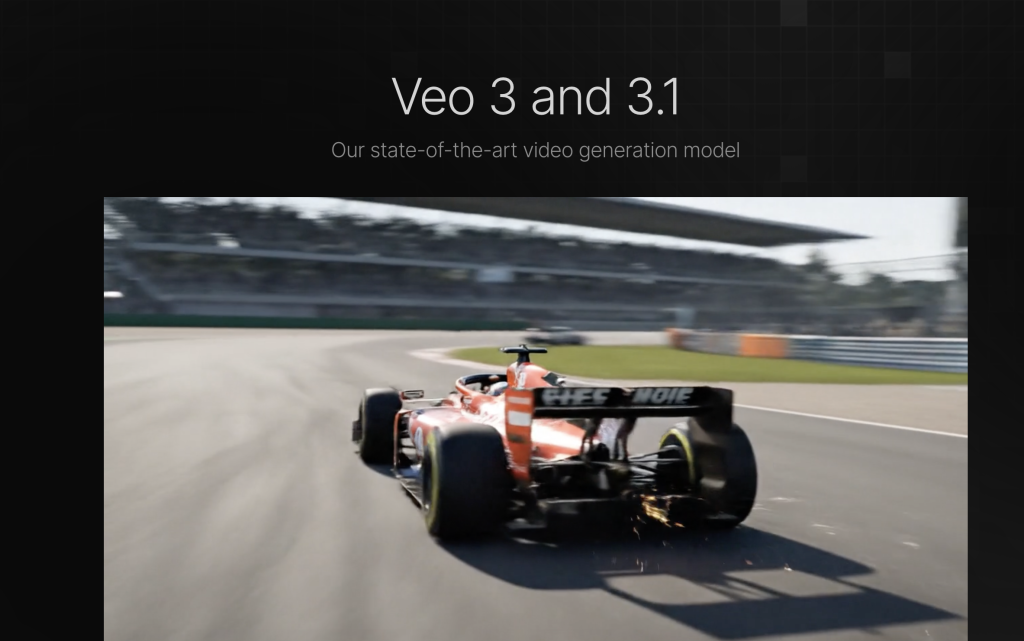
For instance, in scenes depicting sports car driving, its performance remains outstanding. Whether capturing the glossy finish of the vehicle, the shifting light and shadow on coastal highways, or the motion blur from high-speed driving, Veo 3.1 handles these elements effectively, continuing its strength in producing cinematic, advertising-grade visuals.
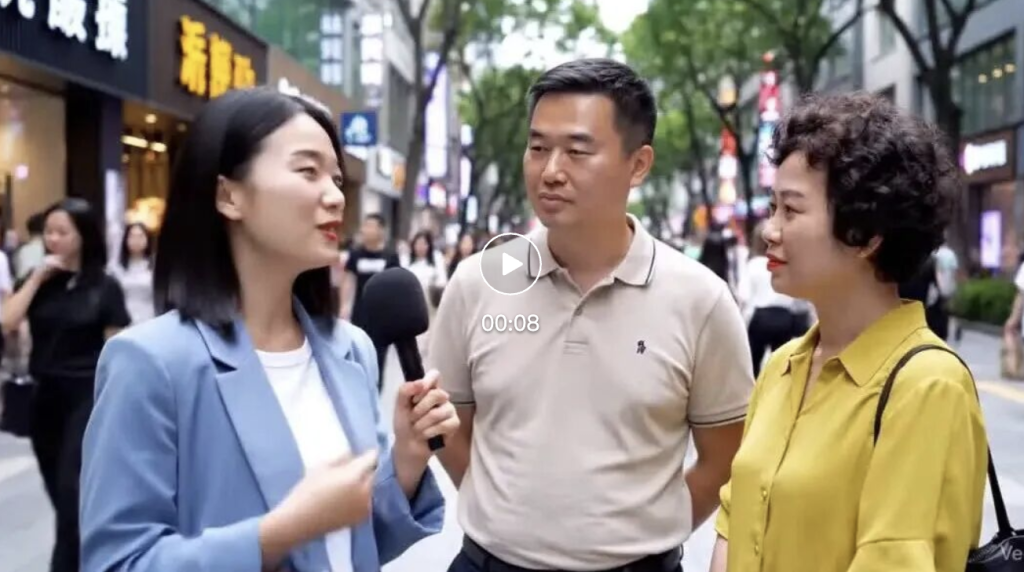
AI street interviews
In scenarios like the “AI street interviews” that went viral on Sora 2, Veo 3.1 also performed quite well. From the videos I generated, the characters’ lip movements generally matched their speech, and their expressions and demeanor appeared natural. Background pedestrians moved realistically, with no obvious continuity errors.
The shortcomings of Veo 3.1
However, once the scenario becomes more complex, especially in short video contexts, its shortcomings begin to surface…
When I attempted to generate a short video of an person gaming in an internet cafe, while the main content was largely achieved, numerous flaws appeared in the details. The Chinese text displayed in the video remained garbled.
More importantly, the audio—the core feature—performs very inconsistently. Sometimes the generated videos have no sound at all; other times, while dialogue is present, the pronunciation of certain (Chinese) words is clearly wrong, sounding very awkward.
not a huge improvement – the main issue with this vs sora 2 is the robotic human emotions/responses. sora 2 is fooling people with deepfakes because the emotions on peoples faces and their voices are so life-like.
that video of the woman in the hotel or whatever – that scene still has the stiff/cold/robotic/ai problem. so higher quality or not it just doesnt it cut it besides like stock footage and the occasional funny clip.
Why is Veo 3.1 different from Sora 2?
Veo’s videos resemble high-budget commercials—visually polished yet perpetually haunted by an “overly perfect” detachment (and occasional greasiness); Sora 2, on the other hand, feels more like amateur videos on TikTok or Instagram Reels—imperfect, shaky, yet precisely because of this, it feels authentic and believable (and Sora 2’s innate, inexplicable sense of humor seems unmatched by other video generation software).
This difference becomes especially apparent when generating social media content—Veo’s “cinematic” quality becomes a liability when users need that handheld, spontaneous feel.
How to Use Veo 3.1: Step-by-Step Practical Guide
Let’s walk through the essential steps to create videos smoothly with Veo 3.1.
1. Set Up Your Account
- Sign up or log in to the Veo 3.1 platform via Google Cloud.
- Confirm your credentials and select your workspace.
2. Start a New Video Project
- Click ‘New Project’ and give it a descriptive name.
- Choose your video resolution, typically 1080p for HD output.
3. Enter Your Script
- Use the ‘Script Input’ section to type or paste your story, scene by scene.
- Veo supports “Ingredients to Video” where you can add sounds or specific details linked to scenes.
4. Customize Your Scenes
- Use the scene editor to adjust backgrounds, characters, lighting, and camera angles.
- Add or trim shots to set the pacing.
5. Add Audio
- Integrate dialogue or sound effects directly or upload custom audio files.
- Synchronize audio with your video using the timeline tool.
6. Preview and Edit
- Generate a preview clip (up to 60 seconds).
- Review each scene’s flow, then adjust text, visuals, or audio as needed.
7. Export Your Video
- Once satisfied, export the video in your desired format.
- Veo allows export at 1080p.
What’s Next? The Future is Generated
Google Veo 3.1 is more than just a tool—it’s a catalyst for transformation across industries. Its capabilities are poised to reshape how we create, consume, and verify video content.
🌟 Impact on Industries
- Marketing & Advertising: Brands can now produce high-quality, cinematic videos at scale, enhancing storytelling and engagement without the need for expensive production teams. This democratizes content creation, allowing even small businesses to compete with larger enterprises.
- Filmmaking & Entertainment: Independent filmmakers and studios can leverage Veo 3.1 to craft intricate narratives with consistent characters and settings, reducing production costs and time. The integration of audio and video editing features further streamlines the filmmaking process.
- Education & Training: Educators can create dynamic, personalized learning materials, such as explainer videos and interactive simulations, enhancing student engagement and understanding. This is particularly beneficial in remote learning environments.
🛡️ Ethical Considerations: Google’s Approach to Safety
With the power to generate realistic videos comes the responsibility to ensure ethical use. Google addresses this through its SynthID technology, which embeds imperceptible watermarks into AI-generated content, including videos created with Veo 3.1. These watermarks allow for the identification of AI-generated content, promoting transparency and accountability (Google AI for Developers).
Additionally, Google has introduced the SynthID Detector, a tool that enables users to verify whether content has been generated using Google’s AI tools. This initiative aims to combat misinformation and ensure that AI-generated content is used responsibly (The Verge).
As AI continues to evolve, the integration of such safety measures is crucial in maintaining trust and integrity in digital content.
In conclusion, Google Veo 3.1 represents a significant leap forward in AI video generation, offering powerful tools that can revolutionize various industries. Coupled with ethical safeguards like SynthID, it sets a new standard for responsible and innovative content creation.
Conclusion: A New Era of Storytelling
Google Veo 3.1 has introduced a new frontier in video creation, offering unparalleled realism and control over content. From generating high-definition videos based on simple text prompts to its ability to maintain consistency across shots, Veo empowers creators to craft intricate stories with ease. Its cinematic capabilities, combined with advanced editing tools like video-inpainting and scene extension, elevate video production to an entirely new level.
Moreover, with its integration into Google’s ecosystem and the added layer of ethical safeguards like SynthID, Veo is not only a game-changer for industries like marketing, filmmaking, and education, but it also ensures responsible content creation.
As we enter this new era of AI-driven creativity, one question remains: What would you create with this technology?
Reference
- https://currently.att.yahoo.com/att/google-unveils-veo-3-1-230125136.html
- https://www.tomsguide.com/ai/google-gemini/google-veo-3-1-just-launched-and-its-already-a-better-upgrade-than-sora-2
- https://mashable.com/article/openai-sora-2-vs-google-veo-3-ai-video
- https://flux-ai.io/blog/detail/Introducing-Veo-3-1-Google-s-Next-Leap-in-AI-Video-vs-Sora-2-AI-7b3703f50054/
- https://higgsfield.ai/posts/7o7Yhqfq8Atqmt8HTppC8W
- https://skywork.ai/blog/veo-3-1-vs-sora-2-2025-comparison/
- https://www.linkedin.com/posts/charlie-obrien01_is-google-veo-31-a-sora-2-killer-heres-activity-7384541180560162816-XfSd
- https://www.skool.com/aifilmacademy/just-compared-veo-31-vs-sora-2-heres-what-i-found-free-deep-research-report
- https://www.youtube.com/watch?v=Md6ntID-Ky4
- https://www.reddit.com/r/singularity/comments/1o7fco8/introducing_veo_31_and_advanced_capabilities_in/
- https://www.youtube.com/watch?v=Ycm-eG6ovEE
- https://www.youtube.com/watch?v=aOW29_TCh_k
- https://videoweb.ai/blog/detail/Veo-3-1-vs-Sora-2-Which-AI-Video-Model-Performs-Better-971170a6901e/
- https://platform.openai.com/docs/models/sora-2
- https://higgsfield.ai/posts/1R0CcxHHI8FiBbQCMgdbqj
- https://higgsfield.ai/sora-2-reels