Hello, my friends. I’m Dora. Last weekend, I opened Replit for a “quick test” and fell into a rabbit hole. I had a tiny product teaser to ship for a friend, and I didn’t want to wrangle After Effects or pray to an AI video model. I just needed clean motion graphics, fast you know. I kept seeing people mention “Replit animated videos,” so I gave it a shot.
What surprised me wasn’t flashy AI magic. It was the feeling of building motion like I’d build a small web app: text, shapes, timing, easing, click run, loop. It felt almost… calming? That rare mix of control and speed, without weird AI artifacts. Here’s exactly what I learned. Let’s go on.
What Replit Animated Videos Actually Are
Programmatic motion graphics, not AI-generated video
When people say “Replit animated videos,” they’re talking about programmatic motion graphics running inside a Replit project. Think: text, shapes, logos, charts, gradients, animated with code. You’re not generating frames from a text prompt like you would with Runway or Pika. You’re instructing motion the way you’d style a web component: declare states, apply easing, sequence events.
In practice, it looks like this: a React component (or a few) control an animation timeline. You tweak sizes, colors, durations, and easing curves. Hit Run. The preview plays a loop so you can feel the rhythm. If you’re comfortable with CSS/JS, it’s weirdly intuitive. If you’ve never coded motion before, you’ll pick it up, like learning the knobs on a new camera.
React-based libraries, not Remotion
I’ll say the quiet part loud: this is not Remotion. If you need frame-accurate video rendering and a full NLE-style pipeline in React, Remotion is fantastic. But Replit’s approach here is lighter-weight and closer to web animation, React + Canvas/SVG + motion utilities, fast preview, quick edits, instant loops. It favors iteration speed over heavy render pipelines.
What that means for you: great for motion graphics, snappy demos, and short promos you can export as web video (or capture to MP4/WebM/GIF with a simple script and ffmpeg). Not ideal if you need complex compositing, footage editing, or 3D scenes.
How Replit Agent Generates Your Video
Two ways to start
I tested this twice to see how consistent it felt.
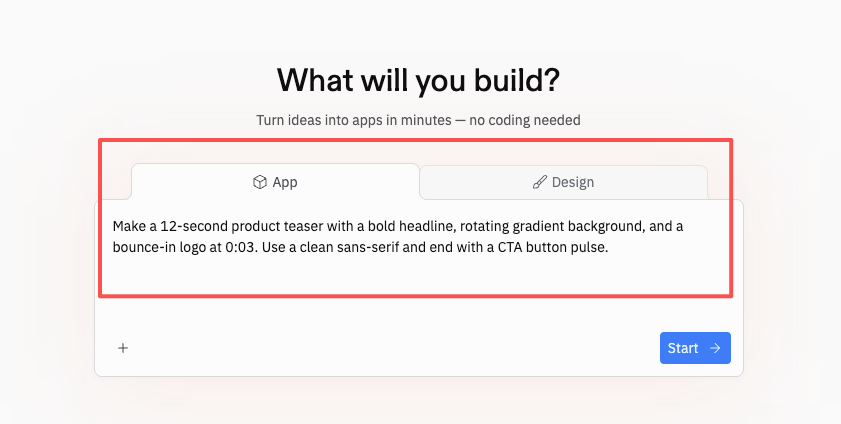
- Describe the concept in natural language. I asked Replit Agent: “Make a 12-second product teaser with a bold headline, rotating gradient background, and a bounce-in logo at 0:03. Use a clean sans-serif and end with a CTA button pulse.” The Agent scaffolded a React project, set up a timeline, and wired in easing.
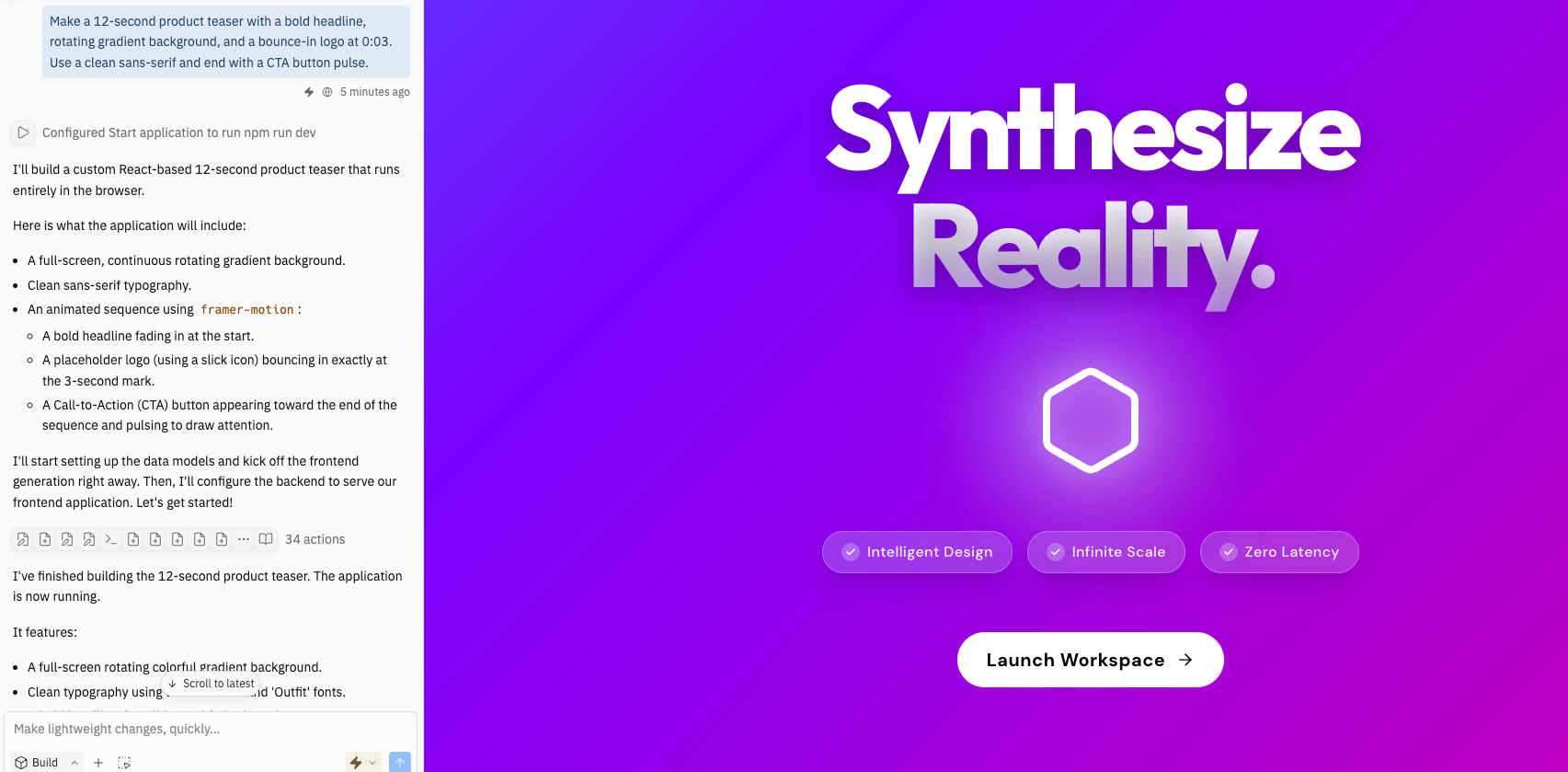
- Paste a brief or data spec. I dropped a short JSON-style brief with brand hex colors, font choices, and a three-beat storyboard (intro headline, logo lockup, CTA). The Agent mapped those into props and created reusable components. I didn’t expect it to line up so neatly, but it did, and it saved me about 30–40 minutes of setup.
Auto-play loop in preview
The small delight: the preview runs on an auto-play loop. It sounds minor, but it changed how I worked. I’d nudge an easing curve, hit Run, watch two loops, and decide in seconds if the movement felt right. It’s like tapping a metronome while you adjust tempo, you feel the timing in your body, not just your eyes.
For exports, I used a simple frame-capture utility plus ffmpeg in the Replit shell to produce a WebM and MP4. My 12-second 1080×1080 test averaged ~1–2 minutes to export to MP4 on Feb 24 (hardware and complexity will change your mileage). That’s not real-time, but it’s plenty fast for social promos.
What You Can Create
Product launch promos
If you’re announcing a feature or running a small launch, this hits the sweet spot. You can animate a headline, slip in a logo, show a quick value prop, and land on a clean CTA. On Feb 18, I mocked a 10-second launch bumper with a rotating gradient, kinetic type, and a logo flip. Start-to-post took about 90 minutes, including two style passes.
Tips that helped:
- Use short beats: 0–3s hook, 3–7s core benefit, 7–10s CTA.
- Keep type large and high-contrast for mobile.
- Add one subtle parallax or noise layer so it doesn’t feel flat.
Explainer videos
You can wire basic charts, icons, and labels to animate in sequence. Great for “how it works” slides: step 1 → step 2 → payoff. Because it’s code, you can sync animations with real values (e.g., animate a bar from 0 to 42% using actual data). If you work in SEO or content ops, imagine animating a short clip of a workflow metric climbing over a week or highlighting a before/after time-save.
For narration: I recorded a 12-second VO in Audacity and timed keyframes to beats (0.5s in for headline, 2.3s for icon pop, 5.0s for CTA subline). You get enough precision to sync motion with VO without going full compositor.
Social media motion graphics
Square and vertical exports are easy to plan because you’re designing at exact pixel sizes from the start. I tested 1080×1350 for Instagram and 1080×1920 for Reels/TikTok. The Agent updated the layout math when I switched aspect ratios, handy. Pro move: keep safe margins generous: vertical feeds crop oddly across apps. Also, one high-energy move per scene is usually enough. Over-animating looks cheap fast.
Key Limitations
No generative visuals
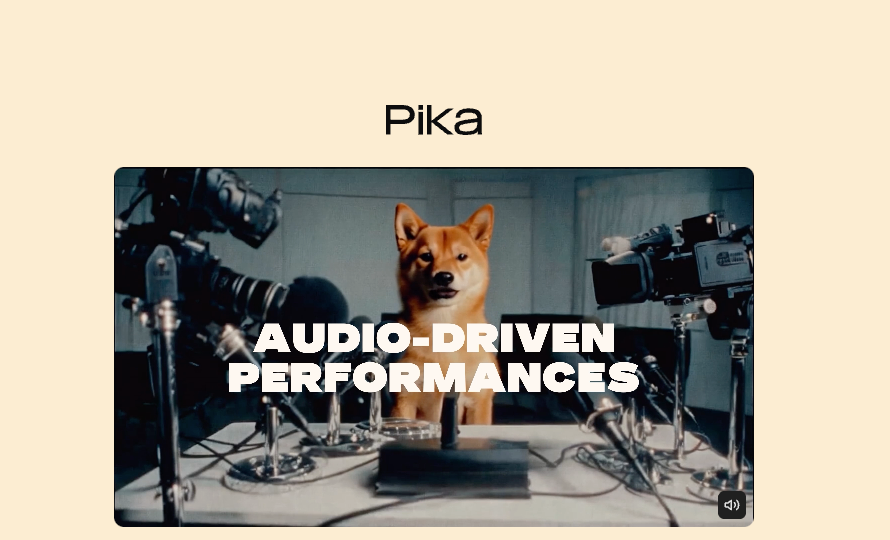
There’s no “make a mountain at sunrise” button. If you want photoreal scenes or live-action transformations, use an AI video model like Runway Gen-3 or Pika. Replit animated videos shine when your building blocks are design primitives, logos, and text, not cinematic worlds.
Render time on complex animations
Most simple clips preview instantly. But if you stack heavy blurs, particle fields, or large canvas effects, the export step slows down. My heaviest test (lots of glow + grain + masked text) took ~4–5 minutes to produce a 12-second 1080p MP4 in late February. That’s fine for social output, but if you need dozens of variations per hour, plan a queue.
2–3 iterations typically needed
The Agent’s first pass is a solid scaffold, not a final cut. Expect to tweak timing, type sizes, and easing. I usually needed 2–3 loops per scene to dial in the vibe. That’s normal design work, but worth calling out if you’re hoping for one-shot magic. The upside: changes are code-level precise, so you can lock brand consistency and reuse components across campaigns.
Animated Videos vs AI Video Models
Here’s the simple mental model I landed on:
- Replit animated videos = deterministic motion graphics. You tell it exactly what to do. Great for brand-safe promos, explainers, data-driven motion, and consistent typography.
- AI video models (Runway, Pika, Stability, Sora previews) = generative footage. Amazing for mood pieces, cinematic shots, and visual exploration, but results can drift, break continuity, or require many re-generations.
Why this matters for work:
- Brand control: If your CMO needs the logo to move 16px over 300ms on a cubic-bezier curve, Replit’s approach nails it.
- Speed-to-iteration: Replit is fast for small edits. AI models can be slow or unpredictable if you’re chasing a very specific look.
- Cost predictability: Coding motion costs time and compute for export, not per-generation credits.
If you do want a hybrid workflow, I’ve had luck generating a short AI background plate (e.g., abstract texture) and overlaying title animations from Replit. Best of both worlds, without surrendering legibility or timing.
Who It’s Built For — and Who It’s Not
Built for:
- Makers who like control. If you enjoy tinkering with props, easing, and breakpoints, you’ll feel at home. The Agent gets you 70% there: you guide the last 30%.
- Marketing and content teams who need on-brand motion fast. Reuseable components = quick campaign refreshes.
- SEO/content ops folks who love data visuals. You can animate real metrics without screenshots.
Not ideal for:
- Cinematic storytellers chasing photoreal scenes or character acting. Use AI video models or a proper NLE stack.
- Long-form edits (talking heads, interviews). This isn’t Premiere or DaVinci.
- People who want one-click magic. You’ll still make small choices, timing, type, color, spacing. The Agent helps, but you’re the director.
Practical callouts if you’re considering a try:
- Bring a 1–2 page brief: message, beats, aspect ratio, brand tokens. The clearer your brief, the smarter the Agent’s scaffold.
- Lock type first. Good typography solves 70% of social motion design. Honestly.
- Keep scenes short. 8–12 seconds often outperforms 30s for scroll-stopping.
Final thought, friend to friend: if you’ve got a small promo to ship this week, Replit animated videos are a calm way to get there. You keep control, dodge AI weirdness, and still move fast. And yes, I did hit publish before my coffee got cold, which feels like a tiny miracle.