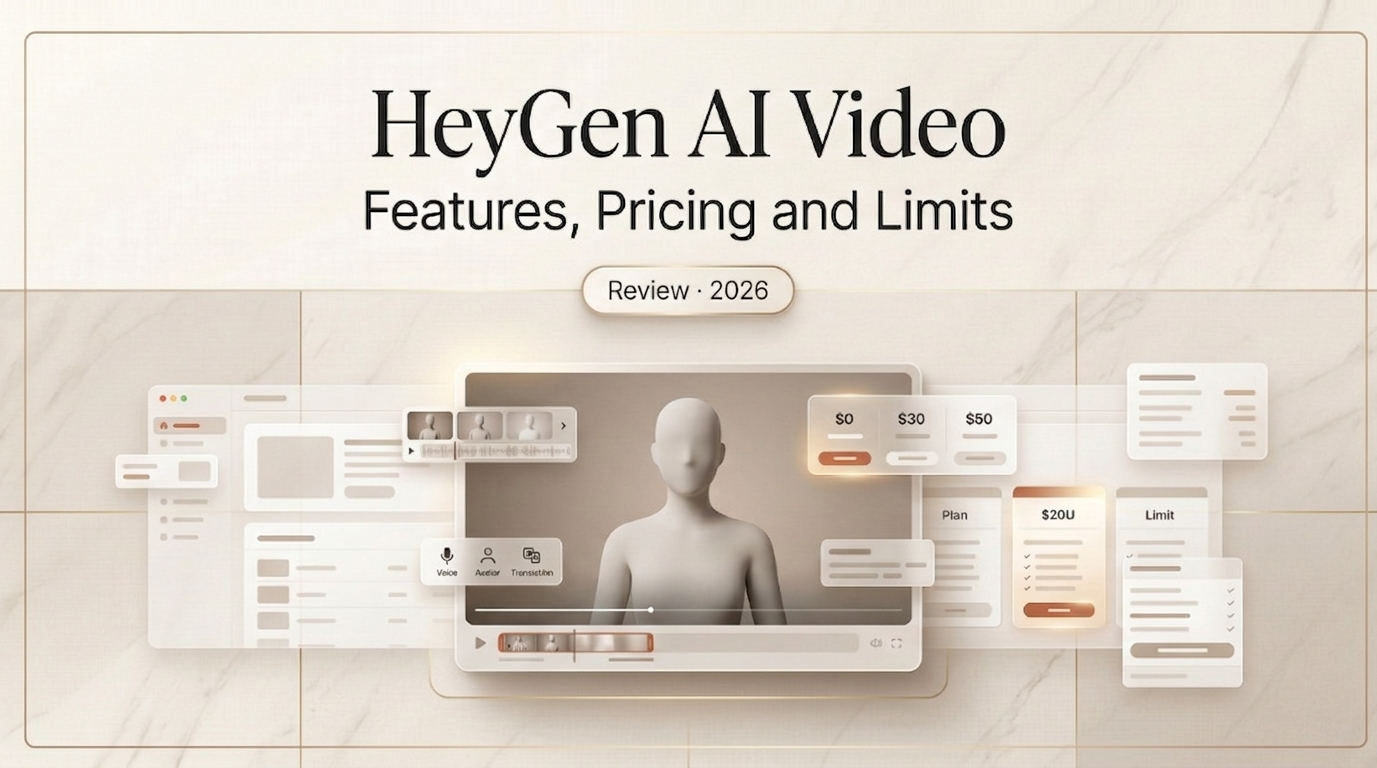
“Just use HeyGen.” A friend in a Slack group said so. I’d heard the buzz, but never given it a shot — until that hint largely saved me from my usual workflow, which, at first, was going to cost me three days and a lot of coffee.
In this very cover, therefore, you guys and I together are going to go through a two-week experience where I jumped in, burned through the free trial, upgreaded to the Creator plan, and put HeyGen through serious stress tests.
What Is HeyGen and What Does It Do
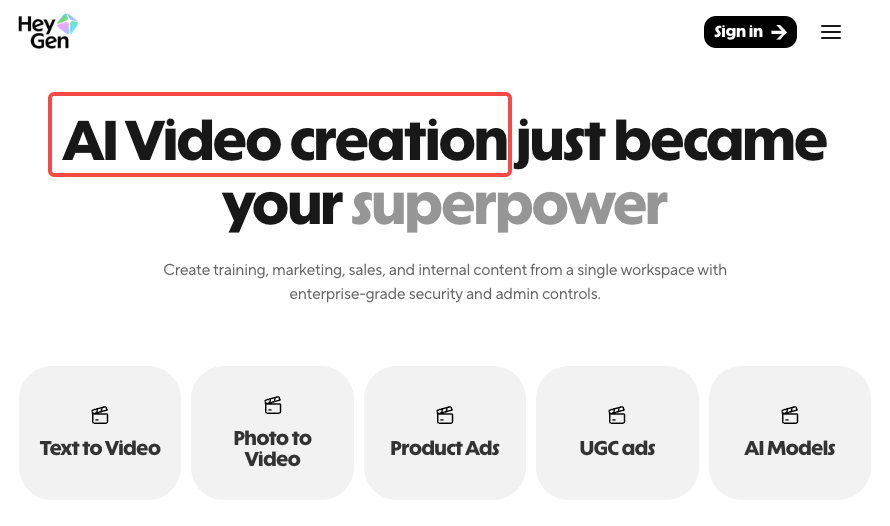
HeyGen is an AI video platform built around one specific idea: you shouldn’t need a camera, crew, or on-screen talent to produce professional-looking video content. You write a script, pick an avatar, choose a voice, and HeyGen renders a talking-head video in minutes.
What separates it from most AI video tools is the avatar-first approach. Instead of recording yourself, you type or paste text, pick an avatar, choose a voice, and HeyGen renders a studio-style video that looks like a presenter speaking. The avatars are the product — everything else (voice, translation, templates) is built around making those avatars as convincing and scalable as possible.
In practice, HeyGen handles four main workflows:
- Text-to-avatar video: Script → avatar → rendered video, entirely in-browser
- Video translation: Upload an existing video, get a lip-synced version in another language
- Custom avatar creation: Build a digital clone of yourself from a short recorded video
- Video Agent: A newer prompt-to-video pipeline that handles scripting, visuals, and editing automatically
HeyGen supports integration with a variety of platforms and includes features such as background customization, voice cloning, and automated translation to streamline the localization and personalization of video assets.
Core Features Tested
AI Avatar Generation
This is HeyGen’s main event, and it’s genuinely impressive — with caveats.
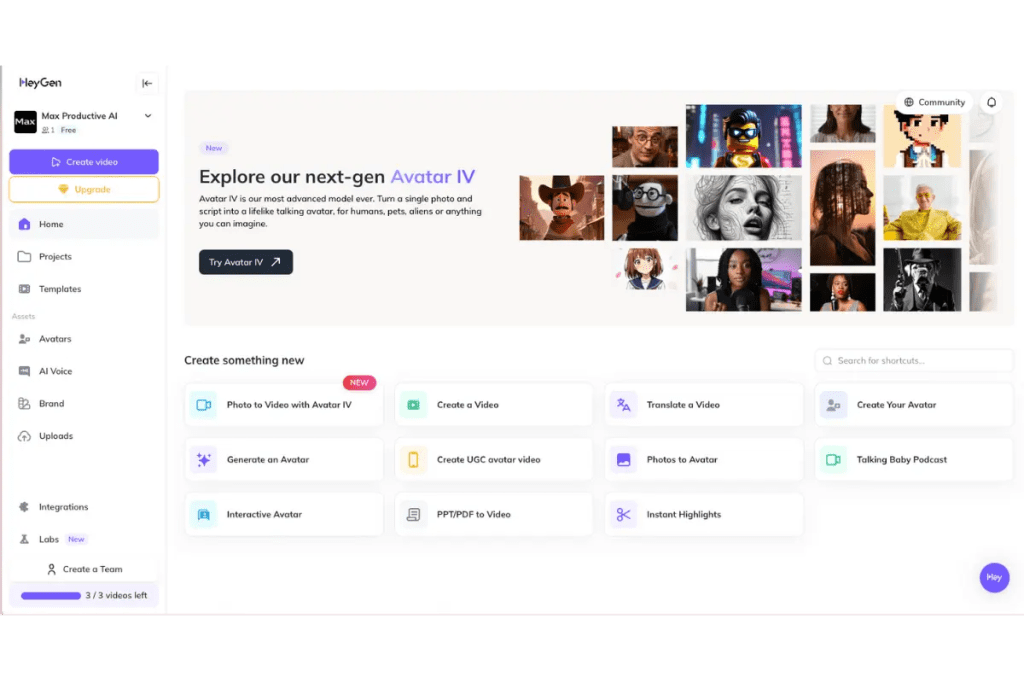
HeyGen’s current top-tier model is Avatar IV, released in August 2025. Avatar IV delivers genuine improvement: full-body motion, micro-expressions, natural head movements, and hand gestures that sync with the script’s emotional tone. When tested with a product demo script, the avatar’s movements felt organic — not indistinguishable from human footage, but professional enough that viewers engage with the content rather than the uncanny valley.
In my own testing, I ran the same 90-second product script through three different stock avatars. All three held up well at 1080p — consistent lighting, natural framing, nothing that screamed “AI generated” at normal viewing distance. That’s genuinely useful for corporate or marketing content.
Custom avatar creation (uploading your own footage to build a personal digital clone) is more involved than the marketing suggests. Custom avatar setup is harder than the marketing suggests. You need to record a specific consent video, meet strict technical requirements — lighting angle, background, camera distance — then wait up to 24 hours for processing. I did it. The result was good. But it took two attempts to get the source footage right.
Voice Cloning
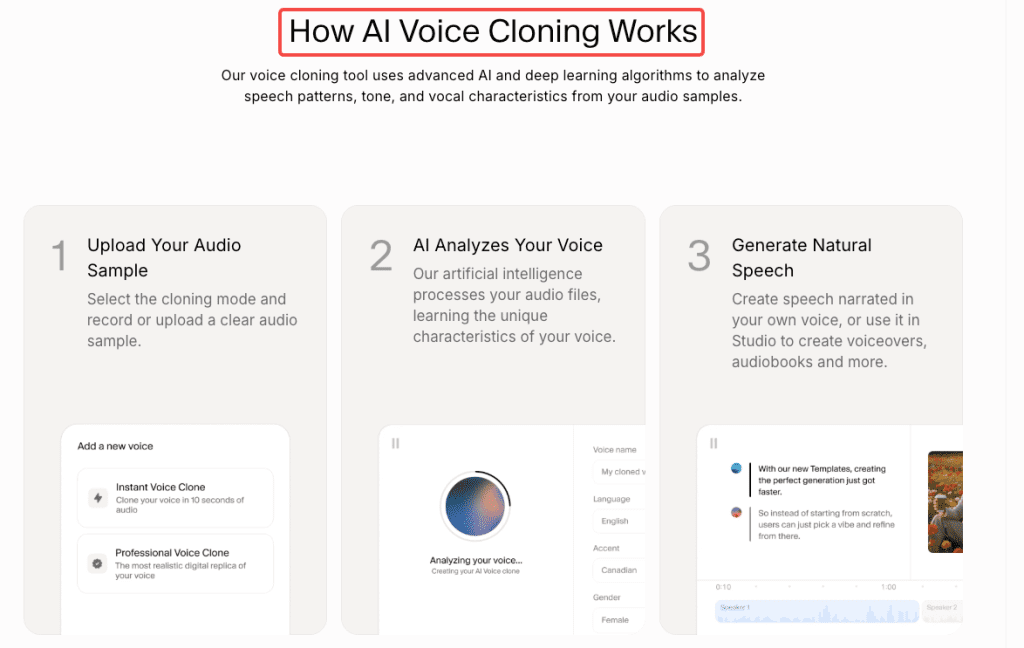
HeyGen includes voice cloning, but it’s worth knowing how it actually works under the hood.
HeyGen’s voice cloning is actually powered by ElevenLabs. The basic version only needs 30 seconds to 2 minutes of audio. The speech flow isn’t 100% natural and there’s a slight robotic quality. Accuracy is rated 3/5 — the clone doesn’t sound exactly like the original speaker, and tone can be slightly off.
One tester found HeyGen gave their cloned voice a British accent when the original wasn’t British at all — a known quirk of the accent detection in the underlying model.
In practice, voice cloning now sounds human enough to raise real questions. Simple scripts work best. Strong emotion exposes sync issues in many languages. Arabic, Mandarin, and Brazilian Portuguese slip when emotion rises — the tone is accurate, but the lips struggle to keep up.
The official HeyGen documentation emphasizes consent requirements: you must only clone voices you have explicit permission to use. Unauthorized uploads can get your workspace suspended.
Template Quality
HeyGen ships with a large template library — and the quality is genuinely varied.
The product explainer and corporate training templates are well-structured. You get sensible scene breaks, branded lower thirds, and captions that sync cleanly. I found about a dozen that I could drop a script into and publish with minimal editing.
The social media templates (vertical, short-form) are more hit-or-miss. Some feel a bit 2023 in their aesthetic — stock-ish backgrounds, predictable avatar positions. Fine for high-volume content where you’re A/B testing scripts, less ideal when you need something visually distinct.
The platform supports many templates, export options, and direct avatar creation from a short uploaded video or photo. It’s fast: generating a 3-minute video consistently took 6–8 minutes in testing — not instant, but reasonable for the output quality.
Video Agent (HeyGen’s newer prompt-to-full-video pipeline) is worth a separate mention. A single prompt generated a script with three scenes, selected B-roll from integrated Sora 2 and Veo 3.1 libraries, chose an appropriate avatar, added transitions and captions, and delivered a polished video in under 4 minutes. The script was generic — hitting typical talking points — and one B-roll clip needed swapping. But what used to take a freelance team two days took about 15 minutes of refinement.
HeyGen Pricing: Free Plan, Limits, and Paid Tiers
This is where things get genuinely complicated — and where I think HeyGen could be more transparent with first-time users.
⚠️ Pricing data verified against official HeyGen documentation as of March 2026. HeyGen changes pricing frequently — confirm current rates at HeyGen price pagebefore purchasing.
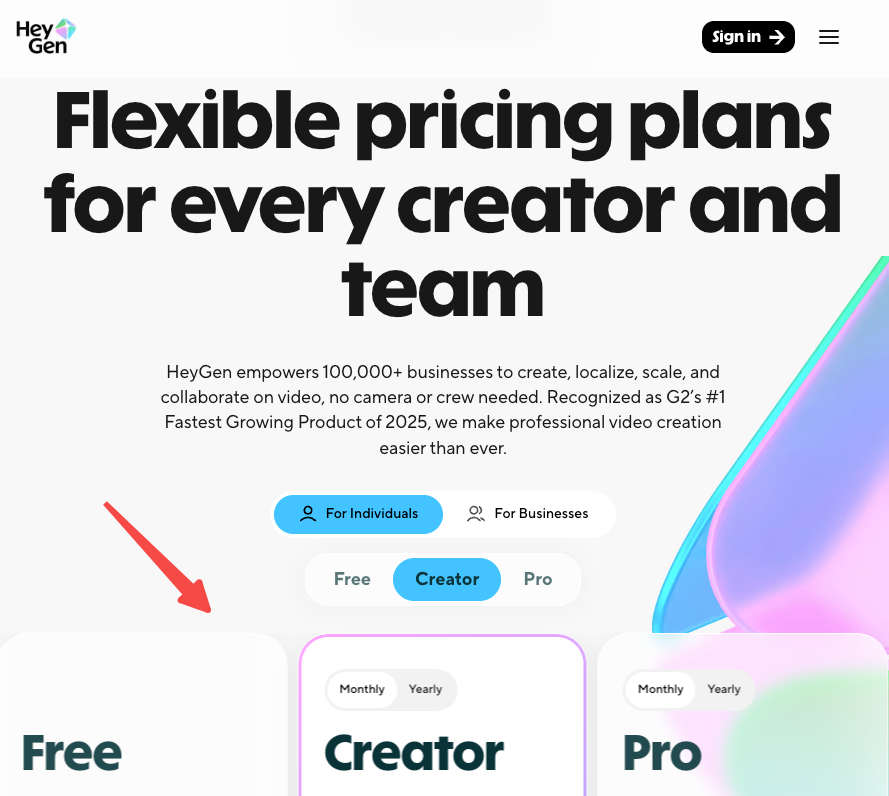
Here’s the current tier structure:
| Plan | Monthly Price | Annual Price | Key Limits |
| Free | $0 | — | 3 videos/month, 720p, watermark |
| Creator | $29/mo | $24/mo | Unlimited avatar videos, 1080p, no watermark, 200 premium credits |
| Pro | $99/mo | $79/mo | 2,000 premium credits, priority processing |
| Business | $149/mo | ~$119/mo | 4K export, team features, 3 seats included |
| Enterprise | Custom | Custom | Contact sales |
As of February 2026, HeyGen rebranded “Generative Credits” to “Premium Credits” and added clearer labeling throughout the product. Audio dubbing — video translation with audio overlay (no lip-sync) — is now fully unlimited. Unused credits do not roll over — they reset with your billing cycle.
The free plan reality: The free plan won’t let you finish a real video in most cases. Set up an avatar, write a 95-second script, go to export — and hit the wall. One credit per month. One minute of video. Watermark locked on. No voice cloning. No custom avatar. The frustrating part isn’t the limit itself — free tiers are always limited. It’s that you go through the full avatar setup before you discover the wall.
Use the free plan to test the avatar quality and UI. Don’t expect to publish anything usable from it.
The “unlimited” confusion: The Creator plan advertises “unlimited avatar videos” — which is technically true for standard Avatar III videos. But Avatar IV (the realistic model everyone actually wants) eats into a separate pool of Premium Credits. The Creator plan’s 200 monthly credits translate to roughly 10 minutes of Avatar IV video, which can feel restrictive for heavy users.
Output Quality: Real Results
I ran a consistent test prompt across HeyGen and noted what came back:
Test prompt:“60-second product explainer for a project management app. Presenter style: professional but warm. One speaker, front-facing, studio background.”
What I got:
- Clean 1080p output, no visible compression artifacts
- Avatar lip-sync: accurate on standard words, slight drift on technical terms (“asynchronous,” “integration”)
- Voice (stock, not cloned): natural cadence, mild synthetic quality on sentence-final words
- Render time: 6 minutes for a 60-second video
- Captions: auto-generated, 90%+ accurate on clear speech
The output was genuinely publishable — I’d use it for a product page or LinkedIn post without hesitation. For a paid ad or brand video, I’d want to tweak the script phrasing to match how the voice model naturally speaks.
What HeyGen Does Well
After two weeks of testing, these are the areas where HeyGen is legitimately strong:
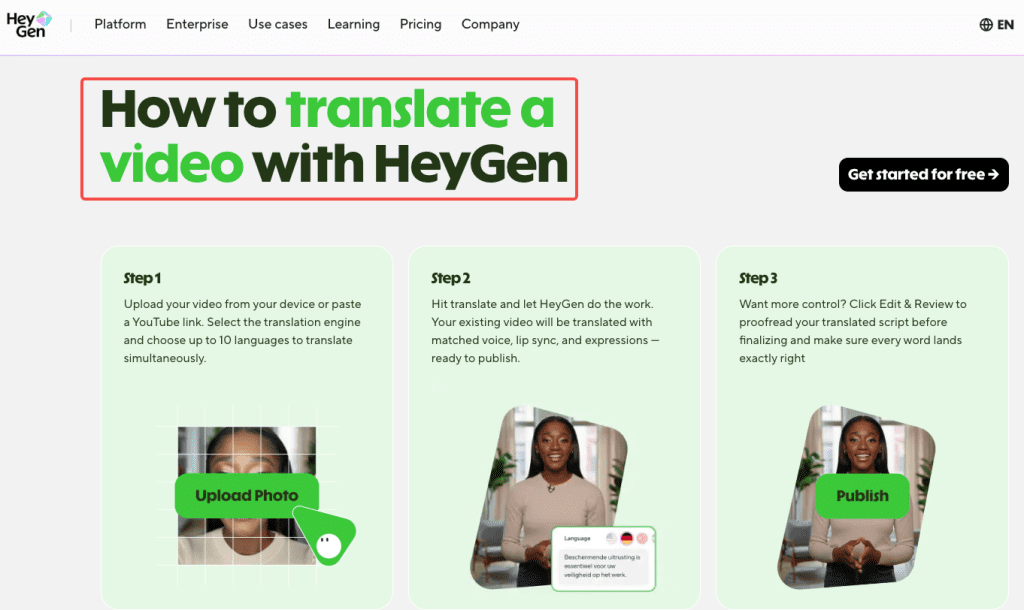
Multilingual video translation. This is the standout feature that most reviews undervalue. HeyGen supports 170+ languages and its video translation feature is particularly powerful — you can upload any existing video and HeyGen will translate the speaker’s words to another language while maintaining lip-sync and voice tone. This works on videos not even created in HeyGen.
Speed for volume content. If you need 10 product videos in five languages by end of month, HeyGen is the right tool. The workflow is fast enough to actually use at scale.
Avatar consistency. Once you’ve set a look — avatar, voice, background — you can reproduce it exactly, every time. That brand consistency across a content series is genuinely valuable.
Accessibility. Users appreciate HeyGen’s straightforward interface, making it easy to create content even without video production experience. First AI site encountered with such great documentation.
Where HeyGen Falls Short
It’s not a video editor. HeyGen has no timeline, no cuts, no pacing control. If your content needs rhythm or storytelling, you’ll feel stuck fast. You’re writing a script and hoping the render matches your pacing intent. For structured, information-dense content that’s fine. For anything creative or cinematic, you’ll need to take the export into Premiere or CapCut.
Premium credit opacity. Even after February 2026’s transparency updates, the credit system is still confusing. Most users don’t realize how quickly Avatar IV minutes burn through their monthly allocation until they’re mid-project and getting a “purchase more credits” prompt.
Voice cloning limitations. As noted above, the basic-tier cloning is powered by ElevenLabs but without the granular controls ElevenLabs gives you directly. If you need emotional range or accent precision, you’re better off using a dedicated voice tool and importing the audio.
Customer support. On Trustpilot, negative reviews cluster around three themes: unexpected pricing changes mid-subscription, confusing “unlimited” terminology, and slow customer support response times. I didn’t hit a support issue in my testing, but it’s a pattern worth knowing before you commit to an annual plan.
HeyGen vs Alternatives
When to Use HeyGen
HeyGen is the right call when your priority is avatar realism + multilingual translation at scale. If you’re a marketer, content creator, or small business owner trying to reach social media audiences, HeyGen is the clear winner. Its realistic avatars and deep creative controls are designed to produce authentic, human-centric content that genuinely connects with people.
Specific use cases where it wins:
- Multilingual product explainers (the translation workflow is genuinely faster than any alternative)
- Consistent presenter-led video series without filming
- Sales prospecting videos with a human face attached
- E-learning content at scale where you need one avatar across 20 modules
When to Switch
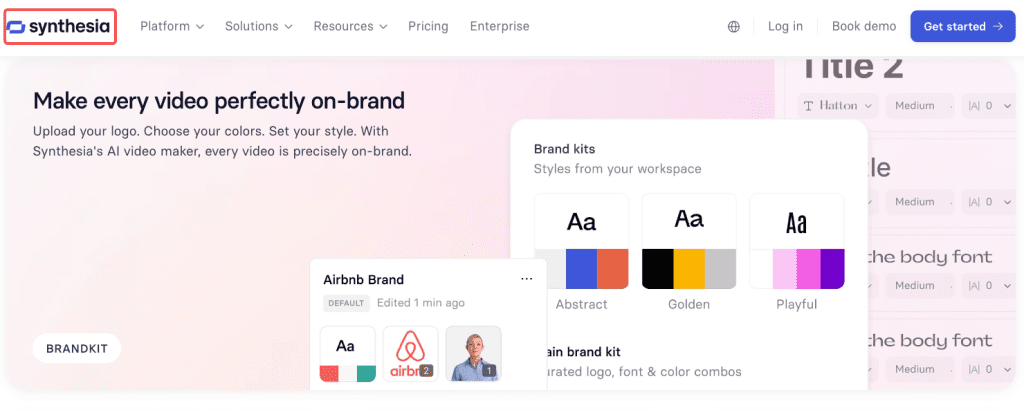
Choose Synthesia instead if your primary use case is internal enterprise communications or corporate L&D. Synthesia is the clear winner for enterprise needs: SOC 2 compliance, GDPR-ready processing, SSO, role-based access, approval workflows, and version history are all built in. HeyGen is catching up but Synthesia’s enterprise infrastructure is more mature. Synthesia also starts at $18/month (annual), undercutting HeyGen’s Creator tier.
Choose Runway or Kling instead if you need generative, cinematic video rather than talking-head avatar content. HeyGen is an avatar platform — it doesn’t compete with tools built for creative scene generation.
Choose ElevenLabs + a different editor if voice quality is your #1 priority. The voice cloning inside HeyGen is good enough for most use cases, but ElevenLabs as a standalone gives you far more control over emotion, pacing, and accent.
Here’s a quick decision matrix:
| Need | Best Tool |
| Avatar video at scale | HeyGen |
| Multilingual translation + lip-sync | HeyGen |
| Enterprise L&D with compliance needs | Synthesia |
| Cinematic / creative AI video | Runway / Kling |
| Voice quality above all else | ElevenLabs |
| Social short-form, no avatar | Pika / CapCut |
Who Is HeyGen For
After two weeks, my honest read on the fit:
This is genuinely useful for:
- Solo content creators who appear in explainers and want to stop filming every iteration
- Marketing teams producing product videos in multiple markets — the Creator plan at $24/month (annual) covers most solo workflows
- Course creators who want a consistent presenter across 20+ modules without re-shooting
- Agencies building localized video pipelines for international clients
This will frustrate you if:
- You’re on the free plan expecting to do real work — three videos per month at 720p with a watermark isn’t a production tool
- Your content needs emotional nuance, comedic timing, or cinematic camera work
- You’re making very long videos frequently — the premium credit allocation on Creator caps Avatar IV usage around 10 minutes/month
- You need a real video editor, not a script renderer
Conclusion
HeyGen is one of the most genuinely useful AI tools I’ve tested in a while — for a specific type of work. If your content is structured, script-driven, multilingual, and needs a human face in front of it, there’s nothing faster or more capable at this price point in 2026.
But it’s not magic. The credit system is more complicated than the “unlimited” marketing implies. Voice cloning has real limits. And if you’re hoping it’ll replace a video editor or a cinematographer, it won’t.
For the right use case, it’ll save you days of production time. For the wrong one, it’s a beautiful tool that doesn’t fit the job.
FAQ
Q: How realistic are HeyGen’s avatars?
A: Avatar IV (the latest model as of 2026) is genuinely impressive for structured, script-based content. It handles natural head movement, micro-expressions, and basic gesture sync. It breaks down on emotional range and complex body movement. Most users won’t notice at normal social media viewing — it doesn’t hold up under close scrutiny in cinematic contexts.
Q: Can HeyGen translate videos into other languages?
A: Yes — this is one of HeyGen’s strongest features. It supports 175+ languages with lip-sync translation on videos created in HeyGen, and translation on externally uploaded videos. Quality is best on front-facing single-speaker footage with clear audio.
Q: Is HeyGen better than Synthesia?
A: Depends on use case. HeyGen has more realistic avatars and better translation features for creators and marketers. Synthesia is stronger for enterprise teams needing compliance, collaboration, and L&D infrastructure. For solo creators, HeyGen generally offers better value at the Creator tier.
Previous Posts: