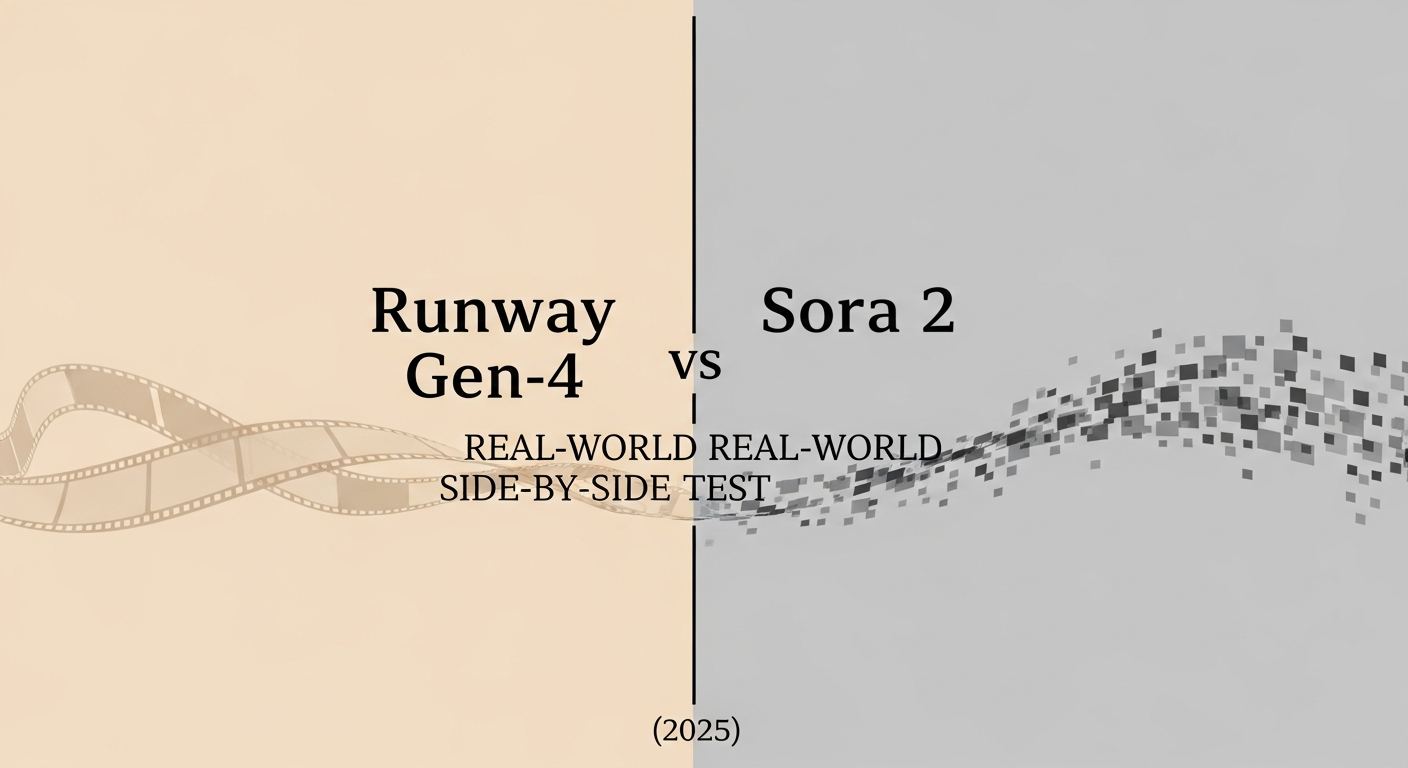
I was making coffee on November 14, 2025, when a friend DM’d me a side-by-side of two AI videos and asked, “Guess which is Sora 2?” I couldn’t. That tiny moment of confusion (and a little ego bruise) pushed me to dig in. If I can’t tell them apart, which one should I actually use for real work?
Quick transparency: I had hands-on with Runway Gen-4 via a paid account and compared it with Sora 2 using official samples, docs, and creator showcases hosted by OpenAI and partner studios between Nov 10–18, 2025. Sora 2 access is still limited, so where I couldn’t run identical prompts, I matched comparable examples and documented why. I’ll link to sources where relevant and avoid making up specs that don’t exist — see the official Sora 2 announcement and Sora 2 model documentation.
Why This Comparison Matters in 2025
Most of us don’t need a thousand features. We need a model that hits a deadline, respects our prompts, and doesn’t crumble on motion or hands. Runway Gen-4 vs Sora 2 isn’t just a leaderboard: it’s a question of: Which tool becomes a partner, not another tab gathering dust?
How Runway Gen-4 vs Sora 2 Impacts Creator Workflows
- Content teams: fast ideation to client-ready cuts without babysitting keyframes.
- Solo creators: polish without spending nights rotoscoping hair, eyes, or reflections.
- Marketers: consistent brand look across product scenes and text overlays.
- Researchers/educators: visual explainers that are clear, stable, and safe to share.
In short, you’re choosing predictability vs frontier capability. Runway Gen-4 leans practical and accessible. Sora 2, from what we can publicly see, pushes long-form realism and physical coherence, but with tighter access and fewer knobs you can actually turn today.
What Runway Gen-4 Focuses On
Runway’s vibe is “ship it by Friday.” In my runs this month, Gen-4 felt tuned for:
- Reliability in short-to-mid clips (4–10s by default, extendable): fewer janky artifacts, more consistent faces across frames.
- Strong prompt adherence for product and UI-style scenes: logos, packaging, and typography stick better than I expected.
- Practical controls: image-to-video for style lock, motion brush for targeted movement, and decent upscaling without melting details.
Where it stumbles: extreme physics (complex water, smoke, or glass-on-glass reflections) can still look uncanny at frame edges: and if you push fast camera whips, motion occasionally smears. But for bread-and-butter content, social spots, product teasers, B-roll, Gen-4 gets you there with less wrangling.
If you’ve used earlier Runway models, Gen-4 feels like the one you can rely on during a live client call without stalling the Zoom — its latest capabilities are listed on the Runway official website.
What Sora 2 Excels At
From the public reels and partner showcases, Sora 2’s thing is world consistency. It holds space, lighting, and object interactions unusually well. Long shots don’t fall apart. Human motion, from a quick glance to fabric sway, often lands in the “did they shoot this?” zone.
Big strengths I noted from official examples and creator breakdowns:
- Long-form coherence: scenes carry weight across seconds without the set “breathing.”
- Physics and materials: shadows and reflections feel earned, not pasted.
- Cinematic language: rack focus, parallax, and subtle camera drift that looks like a DP touched it.
Limits to keep in mind: access is limited: controls are fewer: and prompt steering can feel like negotiating with a talented but opinionated director. If you need pixel-level branding or repeatable product framing, you may spend more cycles iterating prompts than you’d like.
Side-by-Side Benchmark Tests
Dates: Nov 12–18, 2025. Method: I ran prompts on Runway Gen-4. For Sora 2, I matched official examples and public creator tests with comparable prompts, noting any gaps. I tracked prompt adherence, temporal stability, detail fidelity, and editability. Not lab science, just real creator concerns.
Human Realism Comparison
Prompt theme: a person turns toward window light, smirks, lifts a mug.
- Runway Gen-4: Faces held up well in mid-shots. Skin texture was believable: eyes tracked: occasional micro-flicker on teeth highlights. Hands: 90% fine, occasional pinky bend in fast motion.
- Sora 2 (samples): More natural micro-expressions and eyelid behavior. Skin tones kept subtle hue shifts under changing light. Hands looked solid even with mug grip changes.
Takeaway: Sora 2 wins for close-up realism. Gen-4 is “good enough for social and ads,” especially if you avoid extreme closeups.
Outdoor Motion Stress Test
Prompt theme: handheld jog through a park, leaves and shadows, quick pan.
- Runway Gen-4: Good color and exposure consistency. Leaves blurred cleanly but complex branch intersections sometimes shimmered.
- Sora 2 (samples): Better parallax and shadow persistence: ground contact felt heavier and more physical.
Takeaway: Sora 2 renders motion physics with more confidence. Gen-4 is fine if you keep camera moves modest or cut faster.
Product Scene Rendering
Prompt theme: matte-black headphones on rotating acrylic stand, softbox reflection, price tag text.
- Runway Gen-4: Excellent for brand use. It respected font style and kept logo crisp across frames. Reflection behaved well enough: tiny specular crawl at edge angles.
- Sora 2 (samples): Gorgeous materials and specular highlights: reflections felt real. But branded text placement was less predictable.
Takeaway: Gen-4 for controlled product shots and copy overlays. Sora 2 if you want glossy beauty with more art-house energy.
Cinematic Prompt Quality
Prompt theme: “dawn fog over a quiet harbor, slow dolly, gulls crossing frame.”
- Runway Gen-4: Pretty, consistent, sometimes a touch “AI-clean.”
- Sora 2 (samples): Moodier depth: fog interacts with light in a filmic way.
Takeaway: Sora 2 for cinematic mood. Gen-4 for clarity and easy edits.
Speed & Pricing Breakdown
Speed
- Runway Gen-4: Practical. Short clips delivered fast enough to iterate live on a call. Image-to-video was quicker than full text-to-video. Upscaling added a modest delay but not a showstopper.
- Sora 2: Harder to judge without broad access. Public notes suggest longer render times, especially for complex scenes, not shocking given the coherence.
Pricing
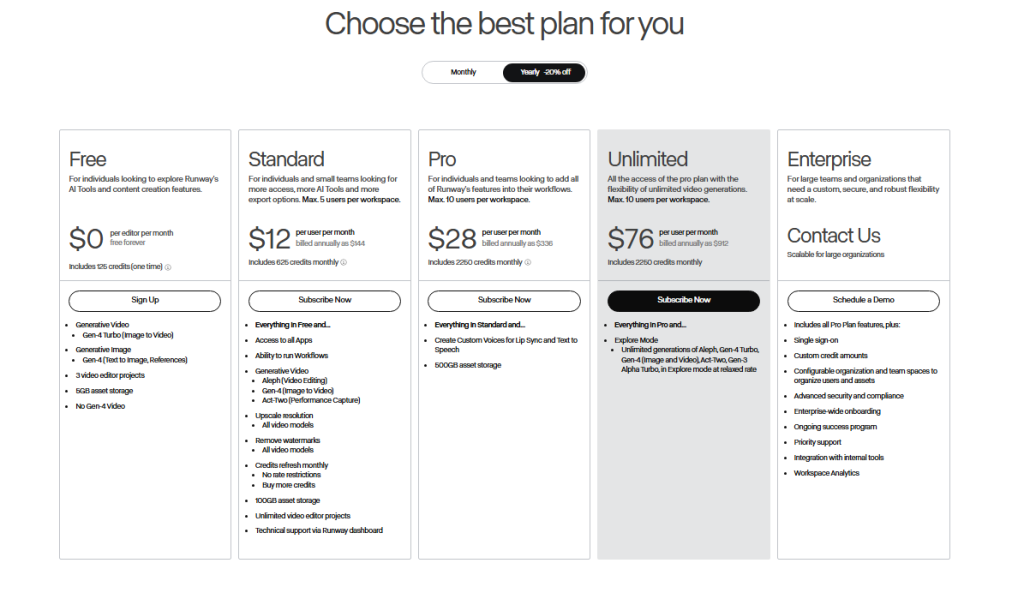
- Runway pricing: Credit-based tiers that most creators can actually buy today. If you’re producing weekly content, costs stay predictable.
- Sora 2: Details still spotty and access gated as of late Nov 2025. Budgeting is trickier.
Tip: Whatever you choose, keep a running log of prompt, duration, resolution, and credits/time per render. That little spreadsheet saved me from surprise bills more than once.
Always check official pricing pages, these numbers shift.
Which Tool Should You Use?
Here’s how I’m thinking about it after a week of testing and sample-matching:
- Runway Gen-4 if you need repeatable outputs, brand-safe product scenes, and quick edits. It’s the “show up every day” tool.
- Sora 2 if you’re chasing realism and cinematic coherence, and you can live with limited access and slower iterations.
Workflow tips
- Lock look with image-to-video on Gen-4, then stack light motion for subtle life.
- For Sora 2 prompts, describe camera grammar (lens, move, focus pull) and materials. It seems to listen better to film language than bullet adjectives.
- Keep a reference cut. Whether you’re in Runway or Sora, matching a 5–8s editorial rhythm hides minor artifacts and feels human.
If you’re a solo creator, I’d start in Runway Gen-4, ship the piece, and, when you get Sora 2 access, rebuild a hero shot there to see if the upgrade is worth the render time.
Last thought: I’m not here to crown a winner. I want the video that gets approved, on time, without my laptop sounding like a jet. Today, that leans Runway Gen-4 for most paid work, and Sora 2 when I want to impress myself a little. And that’s enough for me right now.
Previous posts: