Character consistency in AI videos is the difference between a watchable story and a distracting jumble of faces. We’ve all seen it: the protagonist’s jawline shifts between shots, hair color changes mid‑scene, or an outfit mutates as the camera cuts. In this guide, we’ll share what’s worked for us to lock identity, maintain continuity, and get reliable results when generating story-driven sequences, without babysitting every single frame.
Why Character Consistency Matters
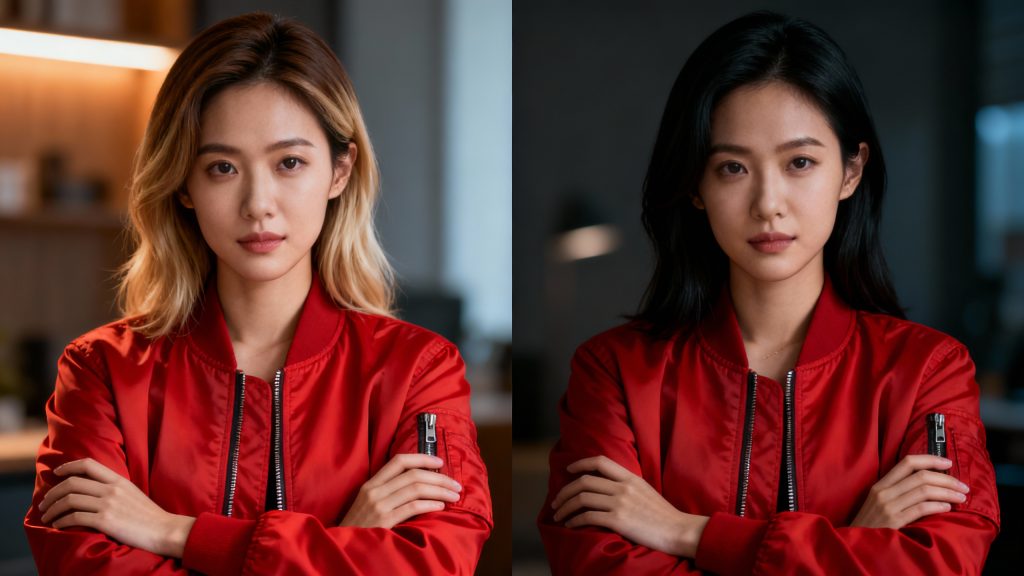
Challenges in AI Video
Consistency breaks don’t just look odd, they disrupt comprehension. Our brains track characters by a bundle of cues: facial geometry, hair shape, color palette, wardrobe details, even micro-asymmetries. AI models, but, optimize frame-by-frame fidelity, not long-range identity. That’s why we see:
- Identity drift across cuts (nose shape, eye size, face width)
- Wardrobe “hallucinations” (logos appear/disappear, buttons migrate)
- Style creep when prompts change slightly from shot to shot
- Continuity loss when lighting or angle shifts confuse the model
When we’re telling a story, these slips compound. Viewers stop following the plot and start noticing artifacts. The goal isn’t photoreal perfection: it’s stable, recognizable identity under different angles, lighting, and motion.
Role of Reference Frames
Reference frames anchor identity. Think of them as a visual contract with the model: “This is the person, keep them.” We’ve had the best luck when we assemble a tight reference set that covers:
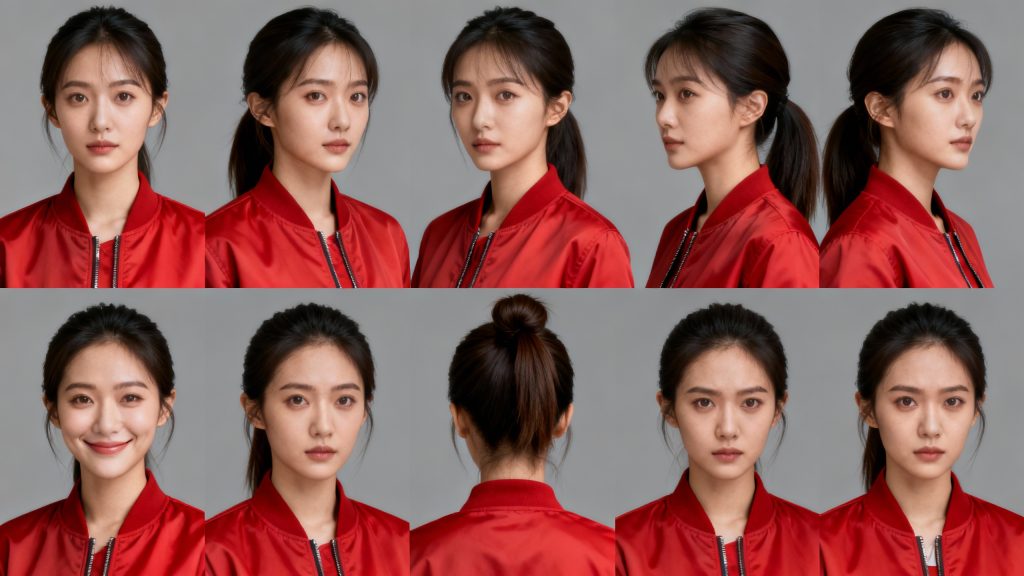
- Front, 3/4, and profile angles
- Neutral expression plus 1–2 key emotions we’ll need
- Hair tied up and down if the story requires it
- A single, well-lit outfit per scene
We avoid cluttered backgrounds and heavy makeup in our references: both can bleed into generations. High-resolution, sharp images beat long reels of so-so frames. And we keep reference cropping consistent: head and shoulders framed similarly, eyes near the same vertical position.
Using Runway Gen-4
Upload Reference Images Runway Gen-4 handles identity better when we feed it clean, diverse stills. Our baseline workflow:
- Curate 6–10 reference images of the character for the specific scene. Keep wardrobe and hair consistent with the target shots.
- Start with a neutral expression reference as the primary image: attach secondary angles for coverage.
- In the prompt, describe immutable traits first (age range, ethnicity, hair length/color, signature features), then scene details.
- If Gen-4 reference strength or guidance weight is available, we nudge it higher on the first pass to lock identity, then gently lower it to unlock motion nuance.
Where available, we reuse seeds for adjacent shots. Seed consistency helps, but we don’t rely on it alone, references carry the heavy lift.
Multi-Angle Setup
We pre-plan a “look bible” per character and per scene:
- Angle set: front, left 3/4, right 3/4, profile
- Emotion set: neutral, mild smile, determined, worried
- Lighting set: key/frontal soft, side-lit, backlit rim
For each shot type (close-up, medium, wide), we test a 1–2 second snippet to confirm identity holds at that angle. If the jaw or eyes drift, we swap in the most similar reference angle and retest. For moving shots, we generate the hero close-up first (highest scrutiny), then match mediums and wides using the same reference bundle and style notes. Consistency cascades outward.
Practical Tips
Lighting & Expression Optimization
Lighting consistency is half the battle. We keep:
- Single dominant light direction per scene. If the key flips sides mid-sequence, identities wobble.
- Color temperature notes. Warm tungsten vs cool neon shifts skin tone and hair cues: we lock a Kelvin range in our prompt.
- Contrast control. Extremely low-key lighting hides landmarks (brow ridge, jawline), making the model guess. We add a faint fill or rim for facial structure.
Expressions matter more than we expect. Big teethy smiles, wide-open mouths, or mid-blink frames destabilize identity. Our rule of thumb:
- Capture references with relaxed mouth positions and eyes clearly visible.
- In action beats, ask for “subtle determination” or “micro-smile” rather than extremes.
- For lip movement, generate with calmer expressions, then consider a targeted pass for dialogue using a specialized tool if needed.
Wardrobe is the silent villain. Busy patterns and reflective textures mutate frame to frame. We favor simple silhouettes, solid colors, and notable but minimal anchors (a red jacket, a silver pendant) that help the model remain consistent.
Technical nits that pay off:
- Keep subject size similar across shots when possible: massive scale jumps invite drift.
- If available, use a mask or subject tracking to prioritize the face during motion.
- Batch variations in small prompt increments. Changing three variables at once hides what actually broke identity.
Pika 2.5 Comparison
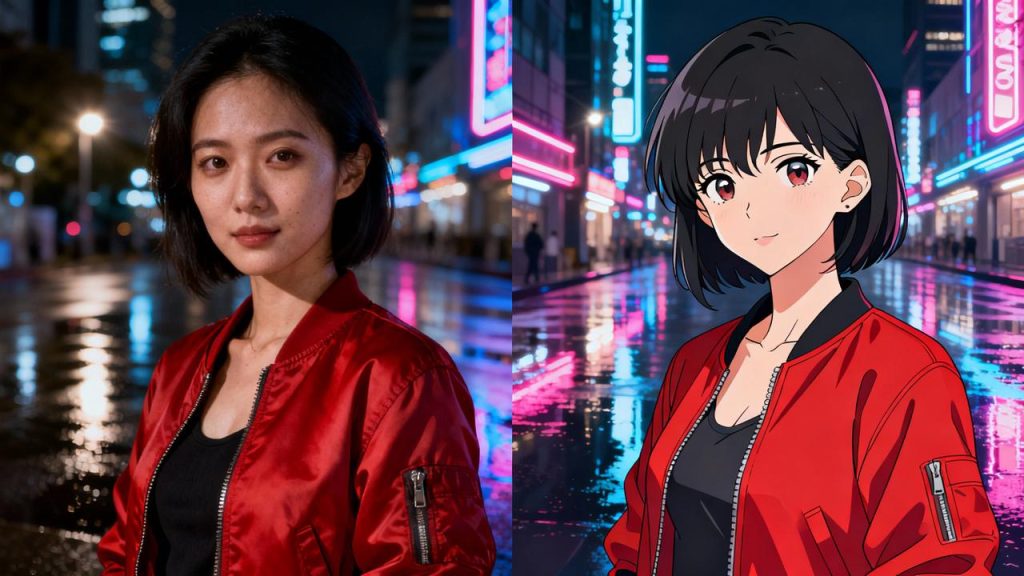
Runway Gen‑4 excels for cinematic texture and coherent motion when guided with strong references. Pika 2.5, in our testing, tends to be snappier for short clips and can cling to stylized identities surprisingly well, especially in animation-like aesthetics. Where we’ve noticed differences:
- Identity adherence: Gen‑4 often holds more nuanced facial geometry in live-action looks: Pika 2.5 can be very stable in stylized or slightly toon-shaded outputs.
- Motion handling: Gen‑4 is strong on camera movement and scene cohesion: Pika 2.5 shines with crisp, energetic micro-movements in short beats.
- Prompt sensitivity: Pika 2.5 sometimes reacts more literally to wardrobe and prop prompts: Gen‑4 benefits from stronger visual references rather than verbose identity text.
We’ll prototype style and poses quickly in Pika 2.5, then lock hero shots in Gen‑4 when realism and continuity are critical. It’s not either/or: we pick per scene.
Case Study
Short Film Example
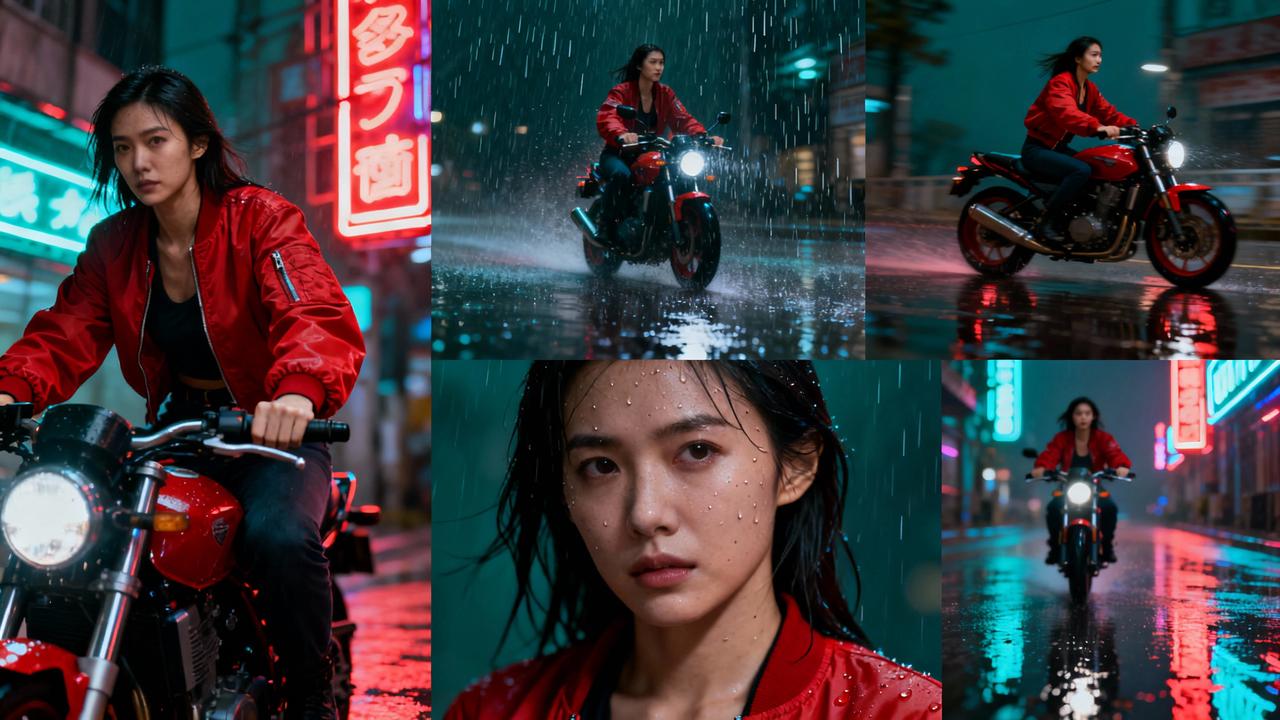
We recently produced a 90‑second micro‑short featuring a courier weaving through a rain-soaked city at night. Early tests gave us three different couriers in five shots, classic drift. We fixed it with a tighter pipeline:
- Built a 12-image reference pack of the same outfit (red bomber, black beanie), front/3/4/profile under soft neon and cool streetlight variants.
- Generated a hero close-up in Runway Gen‑4 using high reference strength to lock identity. Once locked, we reduced strength slightly for natural motion.
- Matched medium shots with the same reference bundle and reused the seed where available. We kept the key light right-of-camera across the sequence and noted “cool 4300K, soft rain reflections.”
- For a dynamic bike pass, we tried Pika 2.5 first to explore motion: then we re‑rendered in Gen‑4 to align the face and wardrobe with our hero shot.
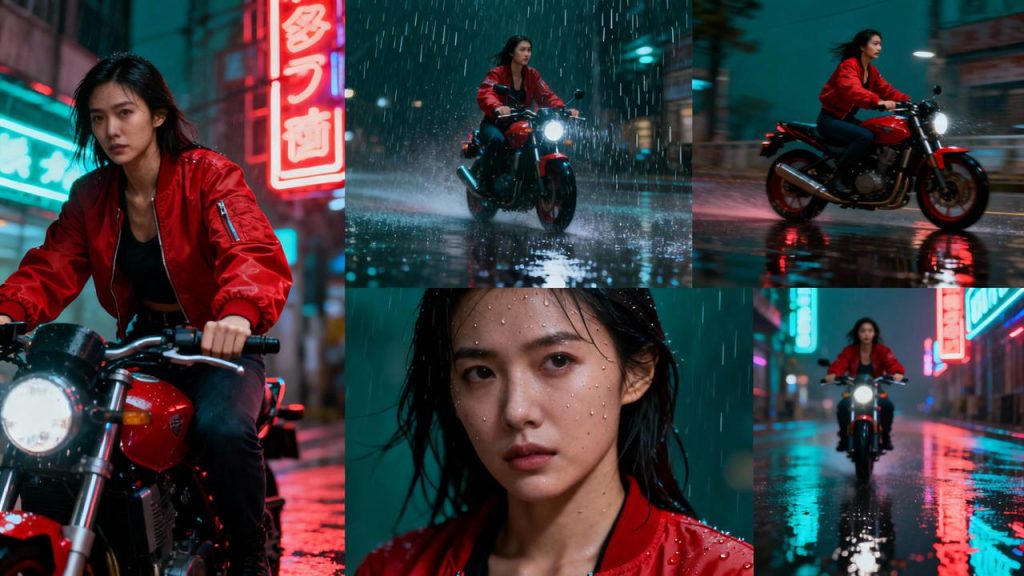
Result: one coherent protagonist across eight cuts. Viewers commented on the vibe, not the artifacts, exactly what we want. The lesson: consolidate references, control lighting, and commit to a single look per scene before you chase fancy camera moves.