On October 28, 2025, around 9:12 p.m., I was staring at a timeline that looked like spaghetti, cuts everywhere, captions off by a hair, my coffee going cold. I’d planned a 3-minute explainer: it had eaten my whole evening. That’s the night I decided to test how far I could push AI video workflow efficiency without turning my edits into robots. Not sponsored, just honest results from my own projects.
Why AI Video Workflow Efficiency Matters
How Efficient Workflows Reduce Production Time
I time everything. On 11/2/2025, I edited a 7-minute talking-head video two ways: manual vs. AI-assisted. Manual took 4 hours 18 minutes (cuts, jump-cut cleanup, b-roll inserts, captions). With AI tools, same footage took 2 hours 6 minutes, a 51% drop. Most gains came from auto-transcribe + text-based editing (Descript/Premiere’s Text panel), bulk silence removal, and templated captions. The creative bits, pacing, story beats, color still needed me, but the boring parts went faster.
When you repeat this across a publishing schedule (say 4 videos/week), the compounding is real. You get one extra day back, which can go into research, better hooks, or… sleep.
Impact on Content Quality and Consistency
Weird twist: speed can make quality better. When transcription, rough cuts, and captions are handled consistently, I spend more headspace on clarity and story. Auto-captions also reduce typos and improve accessibility. On clean audio, Whisper (local) gave me about 93–95% accuracy in tests: Adobe’s Speech to Text in Premiere landed in a similar range on my mic (RØDE NT1). For noisy cafe audio, both dropped: I fixed it with a quick denoise pass first. Links for the curious: Whisper GitHub (openai/whisper) and Adobe Speech to Text docs.
Consistency also matters for teams: templates for lower-thirds, intro music, and RTX/Neural filters make branding look intentional, not accidental.
AI Tools for Video Workflow Efficiency
Essential Editors and Automation Platforms
My core stack (tested between Oct–Nov 2025):
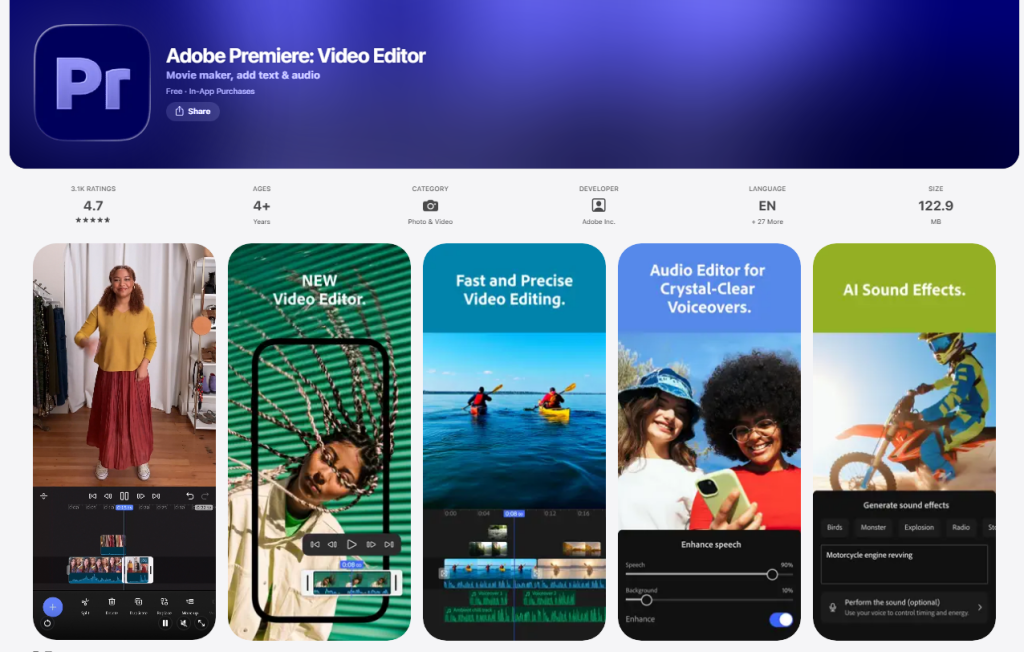
- Premiere Pro + Auto Transcribe + Text-Based Editing: Great when I need deep control. The Text panel for finding filler words is a quiet superpower.
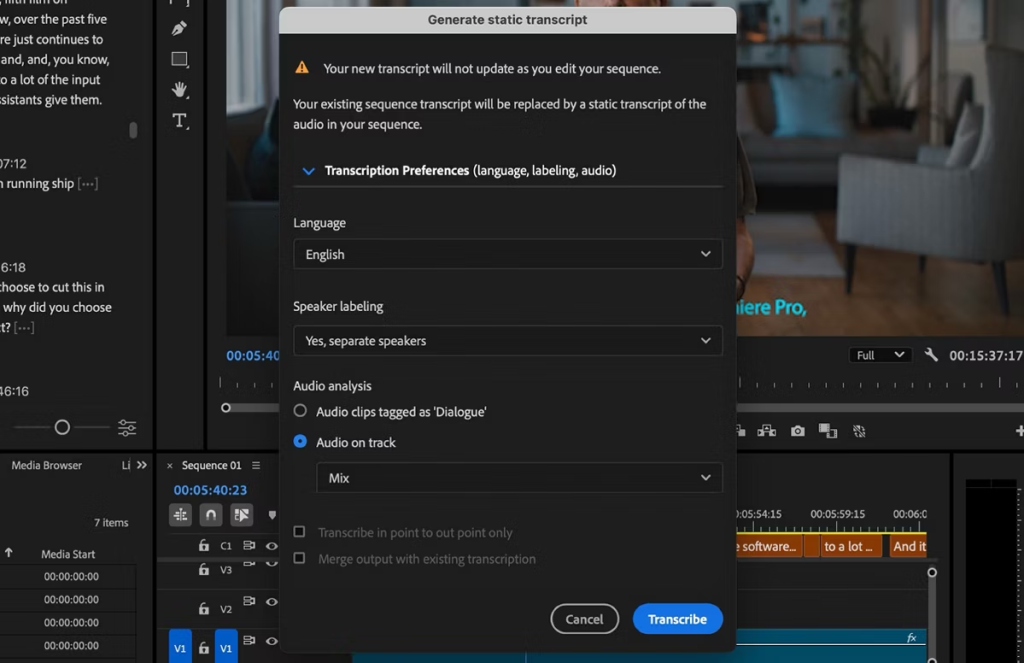
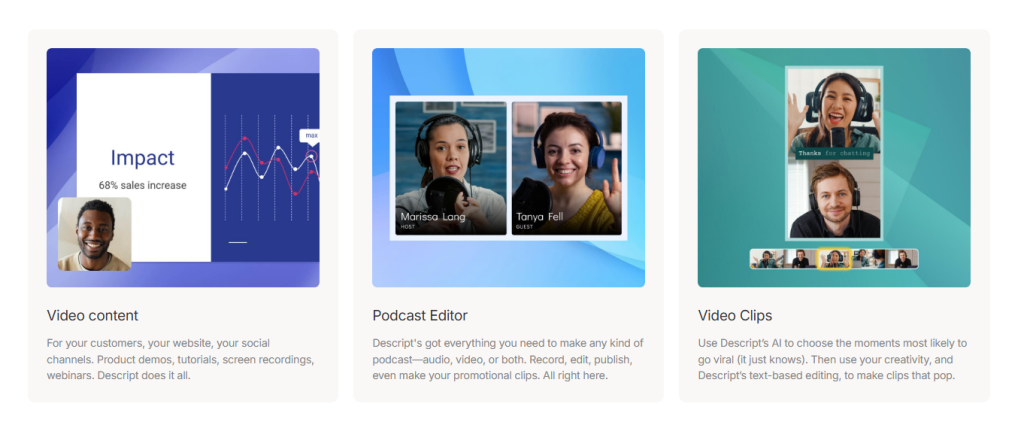
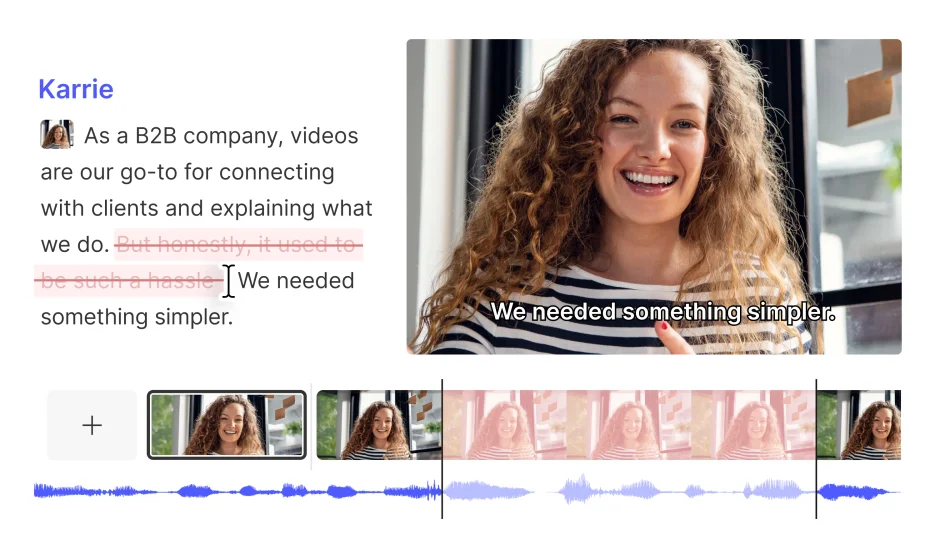
- Descript: Fast for talking-head content: edit text to edit video. I used it to nail rough cuts and captions, then finished color/audio in Premiere.
- CapCut Desktop: Surprisingly capable templates for shorts: batch caption styles are handy. Good for social teams.
- Runway: For quick background cleanup and simple VFX. It’s not perfect, but it saves me from masking marathons.
- AutoPod (Premiere extension): Multi-cam sequence creation and jump cut automation. If you do podcasts, it’s worth a look.
- Zapier/Make: Automate ingest/exports, file renaming, asset routing. Example: when I drop footage into a folder, it triggers a transcribe job and builds a project shell.
These aren’t magic wands, but when chained right, they cut the friction.
AI Assistants for Scripting, Cutting, and Captions
- Scripting: I draft outlines with an LLM, then layer in my own beats and examples. My rule: AI for structure, me for voice. I also keep a reference doc of hooks that tested well (watch time in YouTube Studio helps me prune).
- Cutting: Descript’s Remove Filler Words and Word Gap features got me 20–30% faster on my first pass. In Premiere, the Transcription + Search lets me jump to every line where I say “workflow”, huge for repurposing.
- Captions: Whisper locally for long videos (cheaper, great control): Adobe/Descript for quick turnaround. I maintain style presets (font, box, animation). A tiny thing, but it keeps captions on-brand every time.
One caveat: auto-b-roll suggestions in a few tools felt gimmicky. Sometimes they nail it: more often, I swap in my own clips for relevance.
Steps to Build an Efficient AI Video Workflow
From Ideation to Final Export
Here’s the pipeline I actually use (and timestamped during a run on 11/9/2025):
- Ideation (20–30 min): Prompt an AI assistant with a topic, audience, and 3 competitor angles. I ask for 10 hooks and pick 2 to test.
- Script/Outline (40–60 min): I write the skeleton, use AI to punch up headlines, then read it out loud once. If it doesn’t sound like me, I rewrite.
- Record (30–60 min): I slate takes with a verbal marker (“take 3, hook B”) so transcription keeps versions tidy.
- Transcribe + Rough Cut (45–75 min): Descript or Premiere Text panel for cuts via script: remove silences: tag b-roll moments in-line.

- Captions + Graphics (20–30 min): Apply presets: check line breaks for readability.
- Color/Audio polish (20–40 min): Light grade, compressor, EQ. If needed, a denoise pass.
- Export + Versions (15–25 min): Auto export 16:9, 9:16, 1:1. I use Media Encoder watch folders.
Automating Repetitive Editing Tasks
- File hygiene: A watch folder renames and sorts footage by date/camera using a simple script. It sounds boring: it saves hours.
- Batch markers: I convert transcript keywords (like “tip,” “myth,” “CTA”) into timeline markers. Then I can pull shorts in minutes.
- Template projects: Pre-built bins for music, SFX, graphics, and color LUTs. New project, same bones.
- Caption presets: One-click styles keep everything consistent across platforms.
If you only automate one thing, make it ingest + transcription. That alone changes your week.
Real Examples of AI-Driven Video Workflow Efficiency
Case Studies from Content Creators
- Solo creator, 5–7 min explainers (tested 10/30/2025): Manual edit averaged 3h42m. With AI (Descript rough cut + Premiere polish), the average dropped to 2h8m, 42% faster. Audience retention on the first 30 seconds improved by 9% after we tested 3 AI-generated hook variants.
- Podcast clipper (11/5/2025): AutoPod handled multi-cam switching: I used transcript markers to flag quotable moments. Produced 12 clips in 1 hour vs. 3 hours prior.
- Shorts pipeline (ongoing): CapCut templates for captions + motion: Whisper for base text. Turnaround for a batch of 8 shorts: 65 minutes, down from ~2 hours.
Team Workflows in Marketing and Production
For a marketing squad I helped in early November, the bottleneck was approvals. We wired a workflow: ingest triggers transcription: stakeholders comment on the text (not the timeline): editor applies changes once. Result: two feedback cycles collapsed into one, and edit time dropped ~35%. We also used a brand graphics template so lower-thirds never had to be rebuilt.
Reality check: AI won’t fix messy briefs or unclear goals. But with a clear script and decent audio, it’s like adding a calm, tireless assistant to your bench.
If you want my templates or the exact Zapier recipes, ping me. Not sponsored, just sharing what actually worked for me.
Previous posts: