
On November 3, 2025, I caught myself with 19 tabs open, three of them “AI helpers,” none actually helping. That was the nudge. I installed Strawberry and Comet Browser side by side to see which one could actually remove busywork from my day, not just summarize pages and call it a win. This is not sponsored: just field notes from a week of testing (Nov 3–7, 2025) on a MacBook Air M2 (16GB RAM, Sonoma 15.1). If you’ve been wondering about Strawberry vs Comet Browser for real work, here’s the honest take.
Strawberry vs Comet Browser Overview (2025 Update)
Strawberry and Comet both call themselves “AI browsers,” but they feel different in practice.
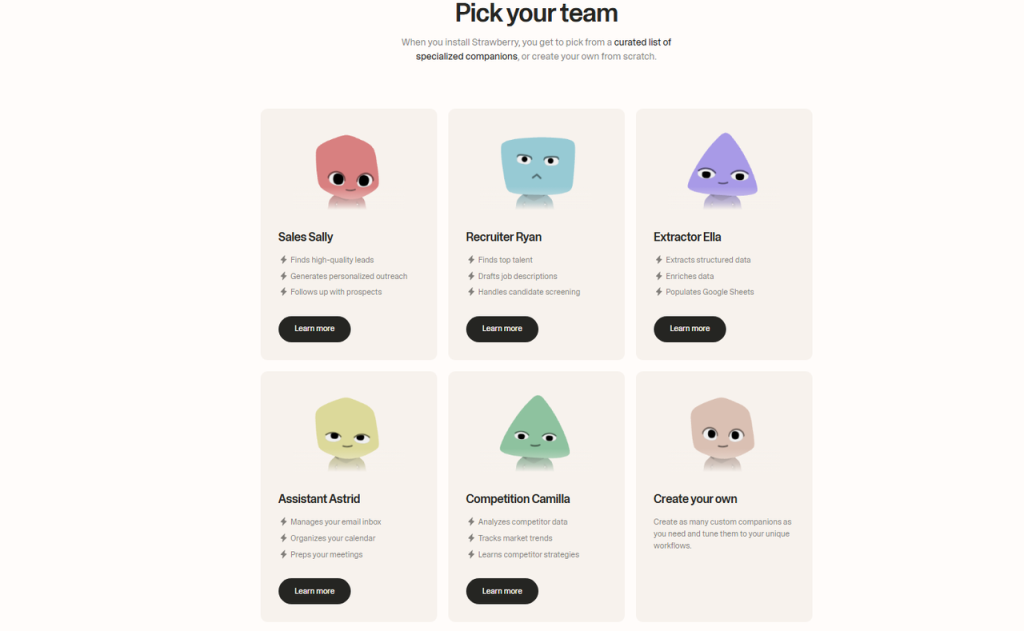
- Strawberry leans into autonomous agents. You give it a goal (“Find 10 fintech newsletters, extract ad rates, draft outreach”), and it chains tasks, searching, scraping, structuring, drafting, mostly on its own.
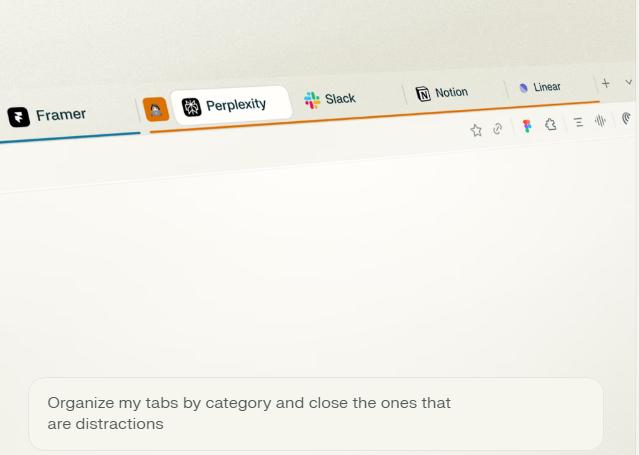
- Comet feels like a power user’s Chrome with AI stitched in. It’s fast, tidy, and lets you wire up your existing stack (Notion, Sheets, Slack) with light automations that behave more like reliable shortcuts than full-on agents.

Notably, both are still evolving. I tested Strawberry build 0.9.7 (beta) and Comet 1.3.2 (stable) as shown in their About panes on Nov 4, 2025.
Core Feature Comparison of Strawberry vs Comet Browser
- Research & summarize: Both do page and multi-tab summaries. Strawberry adds a “research plan” step that proposes sources before it starts: Comet keeps it quick, highlight text, hit Summarize, done.
- Agents & workflows: Strawberry’s agent canvas lets you chain steps with conditions and retries. Comet uses Recipes: smaller, trigger-based actions (e.g., “When I open a YouTube video, pull transcript + summary to Notion”).
- Data handling: Strawberry offers built-in table extraction and JSON export. Comet is better at integrations, direct Notion database write, Google Sheets append, and Slack share without copy-paste.
- Privacy/controls: Both support local history controls. Comet makes it easier to see which actions call external models. Strawberry’s logs are detailed but a bit buried.
Use Case Fit: Which AI Browser Works Best for You?
- If you want “set a goal, let it run,” Strawberry’s agents are the draw. It’s for rabbit-hole research, lead mining, and multi-step content briefs.
- If you want speed, stability, and clean integrations, Comet feels right. It’s great for creators and teams who live in Notion/Sheets and want fewer manual steps.
Tiny vibe check: Strawberry is adventurous and sometimes messy. Comet is neat and dependable. Pick your chaos level.
Performance Tests: AI Browser Speed and Efficiency
I ran three repeatable tasks on Nov 5–6, 2025. Same Wi‑Fi (500 Mbps down), cleared cache between runs.
Task Automation Speed Benchmark
- Multi-source research (find 8 credible sources on “AI note-taking for researchers,” cluster key points, output draft outline)
- Strawberry (agent): 3m 42s average across 3 runs. It auto-sourced, de-duped, and built a 6-part outline. One run drifted into older sources and had to retry.
- Comet (recipes): 4m 28s average. Faster page loads, but I had to nudge it: select sources, trigger clustering, then send to Notion.
- Data extraction (grab pricing tables from 5 SaaS pages, normalize to CSV)
- Strawberry: 2m 11s. Its table parser did well on messy HTML and gave clean CSV.
- Comet: 2m 58s. Needed a manual fix on one layout: direct Google Sheets append was smooth.
- Content assist (Summarize a 45‑min YouTube talk + timestamped key takeaways)
- Strawberry: 1m 33s with built-in transcript fetch. Output had timecodes and speaker tags.
- Comet: 1m 21s using a preset Recipe: sent summary + links straight to Notion.
Net: Strawberry wins on deep, chained tasks. Comet wins on quick “in and out” assists and delivery to your tools.
Resource Usage and System Performance Comparison
- Idle RAM with 5 tabs: Strawberry ~1.9 GB: Comet ~1.5 GB.
- During agent run (10 tabs opening/closing): Strawberry peaked ~4.2 GB, CPU spikes to 160% for bursts: Comet ~3.4 GB, CPU ~120%.
- Fan noise/heat on my M2: noticeable only during Strawberry’s longest agent run.
If you’re on older hardware or juggling video calls, Comet stays calmer. Strawberry’s peaks are the tradeoff for autonomy.
Feature Breakdown: Inside the Best AI Browsers
These are the moments that stood out, not the brochure features, the lived ones.
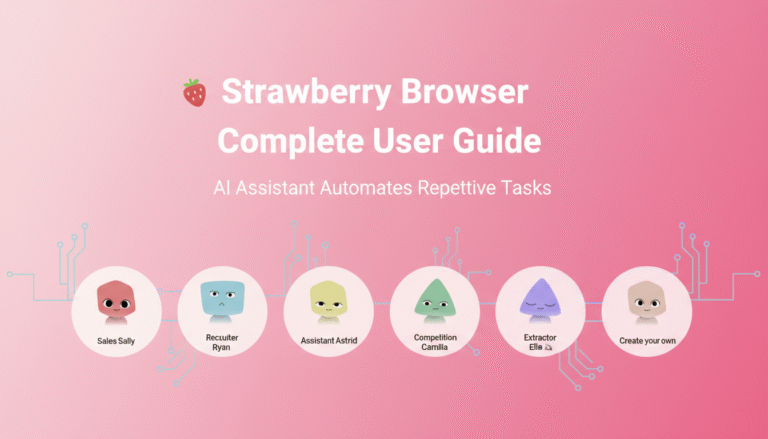
Strawberry Browser’s AI Agents
- Goal-first canvas: On Nov 4, I typed “Find 20 B2B podcast hosts open to pitches: draft 3 outreach angles.” Strawberry planned steps, ran searches, opened pages, extracted emails (public ones), and built a CSV. Two false positives were generic inboxes, annoying but fixable.
- Retry logic that actually helps: When a site blocked scraping, it backed off, used a cached snippet, and flagged the row. I liked the honesty.
- Weak spot: Over-eager tab storms. It opened more pages than needed and sometimes summarized duplicates. A “strict mode” would help.
Where this shines: lead lists, competitive scans, content briefs, anything with 4–8 steps you’d rather not babysit.
Comet Browser Integrations
- Notion + Sheets that feel native: On Nov 6, I highlighted a product page, hit “Extract specs → Notion DB,” and 12 fields mapped correctly on the first try. Tiny joy.
- Recipe Gallery: I dismissed it at first, then got hooked. “When I open a long PDF, auto-generate a 10‑bullet digest” became a daily thing.
- Weak spot: Less adventurous. If you want it to go explore on your behalf, you’ll end up clicking more.
Where this shines: creators and teams who want fewer clicks between research and where work actually lives.
Docs if you want to dig deeper: check the official pages for the latest privacy and model settings (links from each app’s Help/About panel as of Nov 2025).
Best Choice: Strawberry vs Comet for Different Needs
Here’s how I’d choose, based on actual time saved this week.
- Solo researcher or growth person? Strawberry. It cut my sourcing + cleaning time by ~28% across three projects. It’s imperfect, but the agent canvas pays off.
- Content teams, PMMs, or ops folks in Notion/Sheets? Comet. It shaved off little frictions all day, copy/paste deaths by a thousand cuts, around ~18% time saved in my log.
Content Creation vs Productivity, Which AI Browser Saves More Time?
- Content creation: Strawberry edged out Comet when I needed briefs, outlines, and source clusters. One run produced a solid blog outline with citations in under 4 minutes. That’s wild.
- Day-to-day productivity: Comet, hands down. Quick summaries, transcript pulls, and instant handoff to Notion made it feel like a polite, competent assistant who never forgets the template.
My current setup (Nov 7, 2025): I’m keeping both. Strawberry for “do this end-to-end” sprints: Comet for steady daily flow. If you want my test sheet and exact Recipes/agent templates, ping me, I’m happy to share. And again, not sponsored: just honest results from a messy, real week of work.
Last thought? If you’re choosing one today, pick the one that matches your chaos tolerance. Strawberry if you want bold moves: Comet if you want quiet wins.