
I’m Dora. I’ll be upfront: I didn’t plan to test Seedance 2.0 this week.
Then a friend sent me a 12-second video of Tom Cruise and Brad Pitt fighting on a rooftop, and he said, “Two-line prompt. No editing. Seedance 2.0.” I stared at it for a solid minute. The lighting shifted realistically. The jackets moved with the wind. The punches had actual impact sounds that lined up perfectly with the action. I thought, “Okay. I need to see what this actually is — and whether it’s useful beyond going viral.”
So I spent the last week testing it. Here’s what I found.
What Seedance 2.0 Actually Is (In Plain Language)
Seedance 2.0 is an AI video generation model built by ByteDance — yes, the same company behind TikTok and CapCut. It was officially unveiled on February 12, 2026, and within 72 hours it had become arguably the most-talked-about AI tool on the internet. Elon Musk tweeted three words: “It’s happening fast.”
But strip away the noise, and what is it really?
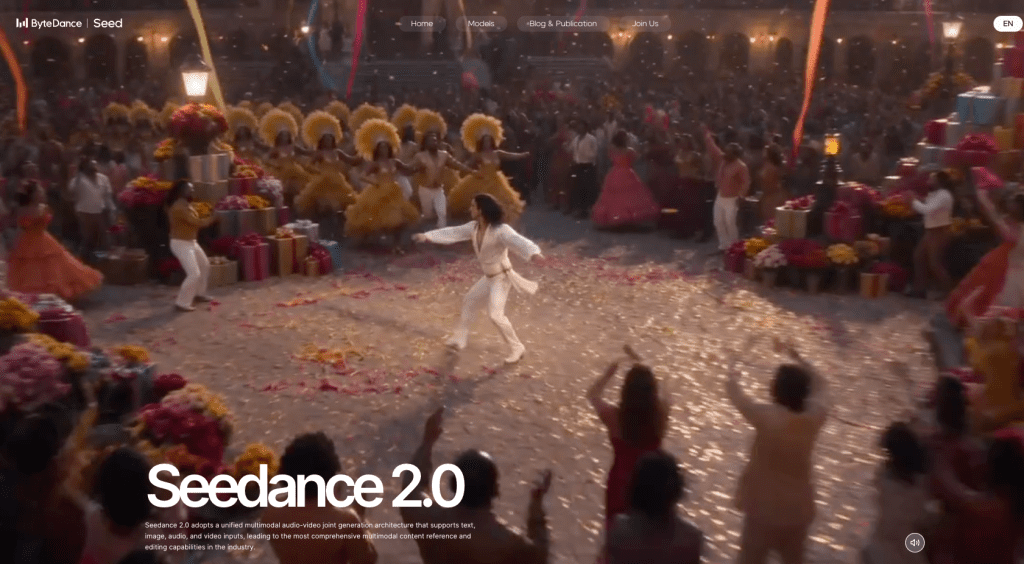
Think of it as a video director that takes your raw ingredients — a text description, a photo, a reference clip, even an audio file — and assembles them into a short cinematic video. The key word is multi-modal. Seedance 2.0 adopts a unified multimodal audio-video joint generation architecture that supports text, image, audio, and video inputs simultaneously. No other major model at launch could accept all four input types at once.
It outputs videos up to 15 seconds long at resolutions up to 1080p (with internal benchmarks reportedly showing near-2K quality on some outputs).
Generation time for a 15-second clip at 720p runs roughly under four minutes — about 30% faster than its predecessor. If you’re curious how much of a leap this really is, I previously broke down Seedance 1.5 Pro’s strengths and limitations before 2.0 raised the ceiling.
You access it through ByteDance’s platforms like Jianying (China) and the upcoming CapCut integration (global users), or through third-party wrappers that have already started appearing.
That’s the plain-language version. Now let’s get into what it actually does well.
What It’s Genuinely Good At
Honestly, a few things surprised me here.
Motion realism and physics. This is where Seedance 2.0 earns its reputation. Objects obey gravity. Fabrics drape and fold. Figure skaters land without clipping through the ice. Independent testing from Artificial Analysis showed Seedance Pro matching or exceeding OpenAI’s Sora on motion realism scores — which, if you’ve seen Sora’s output, is a meaningful benchmark.
Audio-visual sync — out of the box. Most AI video tools still treat audio as an afterthought you layer on in post-production. Seedance 2.0 generates sound and visuals together — not as separate passes stitched in post. Footsteps land when feet hit the ground. Dialogue gets lip-synced automatically across multiple languages. For marketers producing multilingual ad content, that last part alone saves hours.
Character consistency across cuts. This was the feature I least expected to work well, and it genuinely impressed me. I uploaded a reference image of a product and a brand persona, and the model kept both visually consistent across a three-shot sequence. No drift, no strange artifacts between transitions. Faces, clothing, even small text — everything stays consistent throughout the video.
Multi-shot storytelling. The model plans shot transitions on its own. I didn’t manually define camera angles — I described the scene in natural language, and Seedance 2.0 interpreted the cinematography. For a solo creator who doesn’t come from a film background, that’s a genuine unlock.
What It’s Not Built For — Honest Limitations
I want to be clear here, because a lot of what you’ll read online right now is either breathless hype or panicked doom. Neither is useful.
Clip length caps at 15 seconds. If you need long-form storytelling — interviews, explainer videos, mini-documentaries — this isn’t your tool. Kling’s ceiling sits at two minutes. For long-form narrative content, Seedance 2.0 is a component, not a complete solution.
Hands and fine typography are still weak. Hands and fine typography remain weak spots across the entire AI video space, Seedance included. I tested a product demo where the character was supposed to type on a keyboard. The result was… impressionistic. You’ll want to avoid close-up hand shots or any scene requiring readable on-screen text.
Copyright guardrails are a real concern right now. Seedance quickly drew criticism for an apparent lack of guardrails around the ability to create videos using the likeness of real people, as well as studios’ intellectual property. The Motion Picture Association and Disney have both issued cease-and-desist letters to ByteDance. If you’re using this for commercial work, avoid feeding it any reference material featuring real celebrities or brand IP you don’t own. Seriously.
Global access is still patchy. As of late February 2026, direct access for users outside China still depends on third-party platforms or the upcoming CapCut rollout. Expect some friction.
Who Should Use It (Use-Case Fit Map)
Let me break this down practically — not by job title, but by what you’re actually trying to do.
It’s a strong fit if you’re: a social media creator producing short-form content who wants cinematic quality without a film crew; a marketer building product demo clips, ad concepts, or social media assets at volume; an educator creating animated explainers or historical reconstructions; a freelancer who wants to offer video services without expensive production setups.
It’s a weaker fit if you’re: producing videos longer than 15 seconds that need narrative continuity; working with tight brand guidelines that require specific actor likenesses; in an industry where deepfake risk or IP compliance is a primary concern (legal, finance, journalism).
To put a number on it: for short-form content, product demos, ad concepts, and social media clips, the output quality has crossed a threshold that production teams are starting to take seriously. That’s the sweet spot.
How It Fits Into a Real Production Workflow
Here’s how I’m actually thinking about incorporating Seedance 2.0 into content workflows — not as a replacement for everything, but as a specific acceleration layer.
Pre-production: Use it for concept visualization. Instead of commissioning a storyboard artist for every idea, I now generate 2-3 rough video concepts in under 20 minutes to show stakeholders. It’s faster and more visceral than static moodboards.
Content at scale: Reference a proven video format (a high-performing ad template, a viral Reel structure) and use Seedance’s reference-input feature to recreate it with your own product or character. Being able to reference trending video templates and recreate them with your own style can dramatically increase content output — something I’ve seen firsthand in the past week of testing.
Multilingual versioning: The native audio sync across languages is genuinely useful here. Generate a base video, then create language variants without re-shooting. For global campaigns, this cuts localization time meaningfully.
What I’d suggest: treat Seedance 2.0 like a very capable production assistant with specific strengths. Give it clear references. Keep prompts descriptive but not overcrowded. And for anything that needs longer than 15 seconds, hand the output to a human editor to extend and stitch.
The honest bottom line? Seedance 2.0 is the most capable AI video tool I’ve tested for short-form cinematic content. The multi-modal input is genuinely different from what’s come before — not a gimmick. The copyright situation is a real thing to watch, and the 15-second limit is a genuine constraint.
But for what it does? It does it well enough that I’ve already changed how I pitch video concepts to clients. That’s a meaningful shift.
Test it yourself. See what sticks.
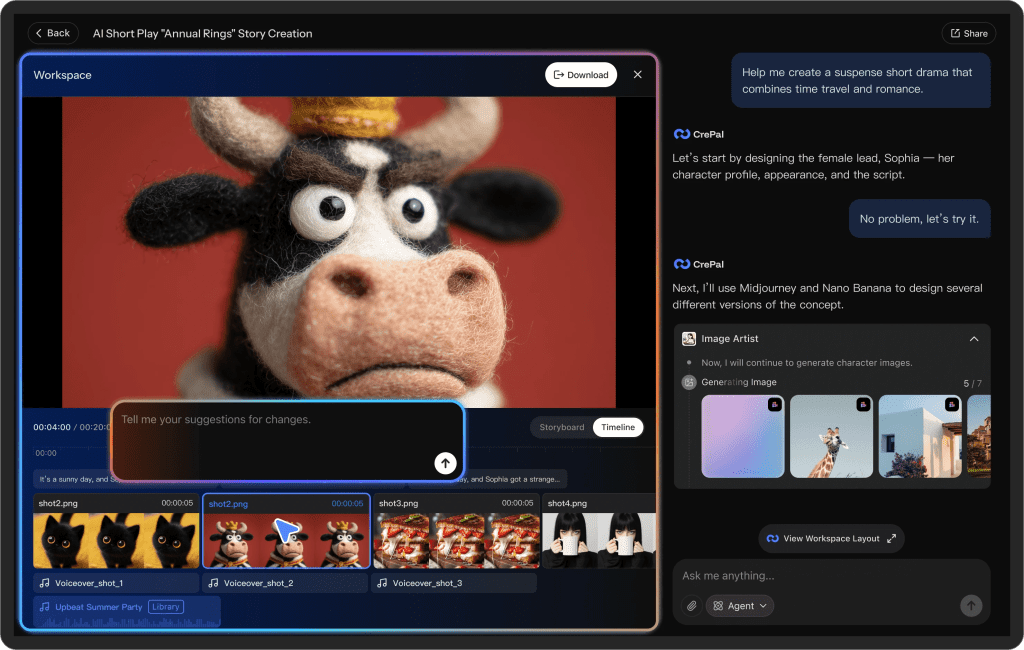
And once you start experimenting with tools like this, you’ll probably notice something: the real friction isn’t generation — it’s managing all the versions, clips, references, and exports across platforms.
We built Crepal to make that part easier. It helps organize image, video, and audio generation in one place, so you’re not bouncing between tabs when turning concepts into actual content.
Previous posts:






