
Meta: Create SaaS explainer videos with AI faster. Learn a practical workflow for turning product messaging into scenes, voiceover, captions, and polished demo-style videos.
Every SaaS company eventually faces the same bottleneck. The product works, the docs are solid, and the landing page copy has been rewritten four times—but visitors still bounce because they cannot picture what the product actually does.
An explainer video fixes that gap in under ninety seconds. It translates abstract software value into something a viewer can see, hear, and feel. The problem has never been knowing you need one. The problem is making one without a five-figure budget, a two-week production cycle, and a creative agency that asks for “just one more revision round.”
AI video generation has changed the math entirely. Today, a single product marketer can go from messaging doc to finished explainer in an afternoon. This article walks through the exact process: what makes a SaaS explainer video actually convert, where most teams go wrong, and how to use an AI-powered workflow to produce polished, demo-style videos that communicate clearly and drive signups.
What Makes a Great SaaS Explainer Video
Before touching any tool, it helps to understand the structure that separates an effective explainer from a forgettable one. The best SaaS explainer videos follow a pattern that has been proven across thousands of product launches.
The Classic Explainer Framework
A high-performing explainer video almost always follows a four-part arc:
- The Hook (0–10 seconds) Open with the problem your audience already feels. Not a logo. Not a tagline. A specific, recognizable frustration. “You spend three hours every week manually updating reports that nobody reads” hits harder than “Welcome to DataSync.”
- The Problem Amplification (10–25 seconds) Show what happens when the problem goes unsolved. Wasted time, lost revenue, frustrated teammates. This section builds emotional tension that makes the viewer want a solution.
- The Solution Walkthrough (25–60 seconds) Introduce your product as the answer. Show how it works—not every feature, but the core workflow that eliminates the pain described above. This is where demo footage or UI animations earn their keep.
- The CTA and Proof (60–90 seconds) Close with a clear action (“Start your free trial”), reinforced by a quick proof point—a metric, a customer quote, or a before/after comparison. The viewer should feel both informed and motivated.
This structure works because it mirrors how humans process decisions: feel the pain, see the fix, trust the source, take action.
Why 90 Seconds Is the Sweet Spot
Data from Wistia and Vidyard consistently shows that engagement drops sharply after two minutes for product videos. Ninety seconds forces you to prioritize. Every sentence must earn its place. If a line does not clarify value or move the viewer toward action, it gets cut.
Common Messaging Mistakes SaaS Teams Make in Explainer Videos
Most SaaS explainer videos fail not because of poor visuals but because of poor messaging. The script carries the video, and script problems start long before anyone presses record.
Mistake 1: Leading with Features Instead of Outcomes
“Our platform offers real-time collaboration, automated workflows, and granular permissions” tells the viewer what the product has. It does not tell them what their life looks like after using it.
Fix: Start every scene with the outcome. “Your team ships campaigns in half the time” is a reason to keep watching. The feature list can live on your pricing page.
Mistake 2: Trying to Explain Everything
SaaS products are complex. That complexity is a strength in a sales call. In a 90-second video, it is a conversion killer. Teams panic and try to cram the entire feature set into one video. The result is a rushed script that explains nothing well.
Fix: Choose one use case or one workflow. Go deep on that. If you serve multiple personas, make multiple videos. One clear message always beats three fuzzy ones.
Mistake 3: Using Internal Language
Your team says “pipeline orchestration.” Your customer says “I need my leads to stop falling through the cracks.” Every piece of jargon that makes it into the script creates a tiny moment of confusion, and confused viewers do not convert.
Fix: Run your script through the “would my mom understand this sentence” test. If the answer is no, rewrite it.
Mistake 4: Forgetting the Emotional Layer
SaaS marketers often default to rational persuasion—specs, comparisons, ROI numbers. These matter, but they work best after the viewer already cares. Emotion opens the door. Logic walks through it.
Fix: Use your hook and problem sections to create genuine empathy. Show the frustration of the manual process. Show the relief of the automated one. Let the viewer feel the contrast before you explain the mechanics.
From Messaging Doc to Scene List: A Practical Workflow
This is where the work becomes concrete. You have a messaging framework. You need to turn it into a scene-by-scene plan that an AI video tool can execute.
Step 1: Extract Your Core Narrative
Open your product messaging doc, your positioning statement, or even your best-performing landing page. Pull out three things:
- The primary pain point your product solves
- The single clearest benefit a user gets
- The one workflow that demonstrates both
Write a one-paragraph summary that connects all three. This paragraph becomes the backbone of your script.
Example: “Marketing teams waste hours reformatting content for different channels. Repurpose.io lets them paste one blog post and get a LinkedIn carousel, an Instagram reel script, and a Twitter thread in two clicks. Teams using it publish 3x more content without hiring additional staff.”
Step 2: Break the Narrative into Scenes
Map your paragraph onto the four-part explainer framework:
| Scene | Duration | Content | Visual Direction |
| Scene 1: Hook | 8 sec | “Your team creates great content. But reformatting it for every channel eats your entire afternoon.” | Marketer at desk, surrounded by open tabs, looking overwhelmed |
| Scene 2: Problem | 12 sec | “Manual reformatting means slower publishing, inconsistent branding, and burnout.” | Split-screen showing same person copy-pasting across platforms, clock speeding up |
| Scene 3: Solution | 35 sec | “Repurpose.io takes one piece of content and generates platform-ready versions instantly. Paste your blog. Pick your channels. Click generate.” | Product UI walkthrough—paste input, select outputs, results appear |
| Scene 4: CTA | 15 sec | “Teams publish 3x more content in half the time. Start free today.” | Results dashboard showing metrics, then CTA screen with URL |
This table is your scene list. It tells you—and your AI video tool—exactly what each moment needs to show and say.
Step 3: Write the Voiceover Script
Using your scene list, write the narration line by line. Keep sentences short. Read them aloud. If you run out of breath, the sentence is too long.
Target roughly 150 words per minute for a natural voiceover pace. A 90-second video needs approximately 220 words of narration.
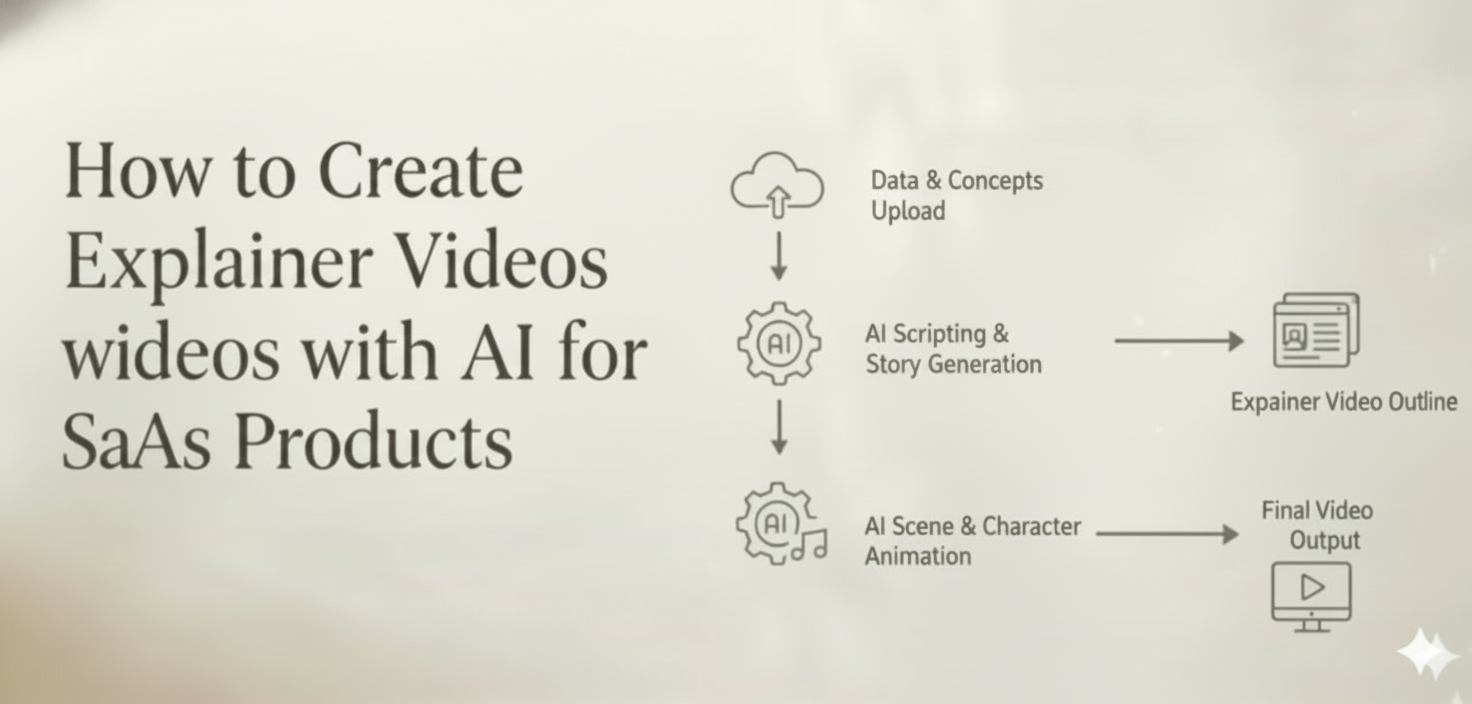
Step 4: Generate with an AI Video Creation Workflow
This is where an AI Director Agent like CrePal becomes genuinely useful. Instead of manually finding a screen recorder, an animator, a voice actor, and an editor, you feed your scene list into a single conversation.
With CrePal, the workflow looks like this:
- Describe your video concept — paste your scene list or even just your one-paragraph narrative. CrePal’s AI Director Agent breaks it into scenes, selects the right AI models, and generates a complete storyboard.
- Review and refine through conversation — want Scene 2 to feel more urgent? Need the color palette to match your brand? Just say so. Conversational editing means you direct the changes in plain English.
- Export a polished multi-scene video — complete with voiceover, background music, captions, and transitions. No switching between six different tools.
The key advantage for SaaS teams is speed and consistency. CrePal coordinates multiple AI models—handling visual generation, voice synthesis, soundtrack, and subtitle rendering in one unified flow. You maintain character and style consistency across every scene without manually stitching clips from different sources.
Turn your first video → Try CrePal.ai free
Balancing Clarity and Conversion in Every Scene
The tension in every explainer video is between explaining and selling. Lean too far toward education and you get a tutorial nobody acts on. Lean too far toward promotion and you get an ad nobody trusts.
The 70/30 Rule
Aim for roughly 70% clarity, 30% conversion intent across your video. In practice, this means:
- Scenes 1 and 2 are almost entirely about the viewer’s world. No product name. No features. Just their problem, clearly articulated. This builds trust.
- Scene 3 introduces your product as the solution. This is where clarity and conversion overlap—you are explaining the product, but every sentence is also a reason to sign up.
- Scene 4 is the only pure conversion moment. Keep it short, direct, and confident.
Show, Do Not Claim
“The fastest way to repurpose content” is a claim. Showing a blog post transforming into five channel-ready pieces in a 10-second animation is proof. Every scene should prioritize demonstration over declaration.
For SaaS products, this often means including actual UI or UI-inspired visuals. Even stylized or animated versions of your product interface communicate more than a stock-footage montage of people smiling at laptops.
Use Captions as a Conversion Layer
Over 80% of social video is watched without sound. Your captions are not an accessibility afterthought—they are a primary communication channel. Use them strategically:
- Bold key phrases that reinforce your value proposition
- Keep caption timing synced tightly with scene transitions
- Use captions to add data points that the voiceover does not cover
When generating videos with CrePal, captions are included automatically and can be styled and edited through conversation—no separate subtitle tool required.
Combining Product Demo and Brand Story
The most effective SaaS explainer videos do not choose between “product demo” and “brand story.” They weave both together so the product feels like a natural part of a larger narrative.
The Story-Demo Hybrid Approach
Instead of a dry walkthrough of features or a vague brand anthem, structure your video so the story creates context for the demo:
Brand story layer: A content marketer named Sarah is drowning in cross-platform publishing. Her team is small but ambitious. They create incredible content that never reaches its full audience.
Demo layer: Sarah pastes her latest blog post into Repurpose.io. In two clicks, she has a LinkedIn carousel, a Twitter thread, and an Instagram caption. Her team publishes across every channel before lunch.
The story gives the demo emotional weight. The demo gives the story credibility. Together, they create a video that is both watchable and persuasive.
When to Use Each Approach
| Video Context | Recommended Approach | ||
| Homepage hero video | Story-demo hybrid — broad appeal, emotional hook, quick product glimpse | ||
| Feature launch announcement | Demo-forward — existing users need specifics, not narrative | ||
| Paid social ad (cold audience) | Story-forward — stop the scroll with a relatable scenario, flash the product briefly | ||
| Sales enablement | Demo-heavy with outcome framing — prospects need to see the product solve their exact problem | ||
| Conference or event intro | Brand story — build credibility and vision before diving into features |
Maintaining Visual Consistency Across Both Layers
One challenge of the hybrid approach is visual coherence. Story scenes might use illustrated characters or real-world footage. Demo scenes need to show the product interface. If the transition between these two visual languages feels jarring, the video loses its flow.
This is where multi-model AI generation offers a genuine advantage. CrePal’s AI Director Agent selects the right visual model for each scene type while maintaining consistent color palettes, character design, and pacing across the full video. The result is a cohesive piece that moves smoothly between narrative and demonstration without looking like two different videos stitched together.
A Quick-Start Checklist for Your First AI Explainer Video
If you are ready to create your first SaaS explainer video using AI, here is a streamlined action plan:
- Extract your one-paragraph narrative from your existing messaging or landing page copy.
- Build a four-scene table using the Hook → Problem → Solution → CTA framework.
- Write 200–220 words of voiceover script, keeping sentences under 15 words where possible.
- Feed your scene list into CrePal — describe the concept in natural language, and let the AI Director Agent handle scene generation, model selection, voiceover, music, and captions.
- Refine through conversation — adjust pacing, tone, visuals, and captions by simply telling CrePal what to change.
- Export and distribute — use the final video on your homepage, in paid campaigns, in onboarding emails, and across social channels.
The entire process, from messaging doc to finished video, can be completed in a single afternoon. No agency. No editing software learning curve. No six-week timeline.
Start Creating SaaS Explainer Videos That Convert
A strong explainer video is one of the highest-leverage assets a SaaS company can produce. It compresses your entire value proposition into a format that is easier to watch than a landing page, easier to share than a case study, and easier to remember than a feature list.
The barrier was always production. AI has removed it.
With CrePal’s AI Director Agent, you go from a one-sentence product description to a complete, multi-scene explainer video—with voiceover, music, captions, and consistent visuals—through a single conversation. No tool-switching. No creative bottleneck. Just your idea, turned into a video that explains your product and moves viewers to act.
Try CrePal Free → Create Your SaaS Explainer Video Today
FAQ
Q: How long should a SaaS explainer video be? A: Aim for 60 to 90 seconds. Engagement data consistently shows that product videos lose most viewers after two minutes. A 90-second video forces you to prioritize your strongest message and eliminates filler content that dilutes conversion.
Q: Can AI-generated explainer videos include my actual product UI? A: Yes. You can incorporate screenshots, screen recordings, or stylized UI visuals into your scene descriptions. With CrePal, you describe the scenes you need—including product interface moments—and the AI Director Agent generates visuals that match your direction while maintaining style consistency across the full video.
Q: What is the difference between a product demo video and an explainer video? A: A demo video walks through specific features and workflows for prospects who already understand the product category. An explainer video starts with a problem and positions your product as the solution for viewers who may not yet know they need your tool. The most effective SaaS videos combine both approaches.
Q: Do I need a professional voiceover for my explainer video? A: Not anymore. AI voice synthesis has reached a quality level suitable for most SaaS marketing videos. CrePal generates natural-sounding voiceover as part of the video creation process, matched to the tone and pacing of your script.
Q: How many explainer videos should a SaaS company have? A: At minimum, one for your homepage covering your core value proposition. Beyond that, create separate explainer videos for each major use case, persona, or product feature. Since AI video generation dramatically reduces production time and cost, there is no reason to force one video to serve every audience.






