
meta:No editing skills? No problem. Learn how to make TikTok videos with AI using CrePal’s AI Director Agent — one prompt, stunning video in minutes. Try free.
You’re not alone if you’ve ever stared at a blank editing timeline and thought, “This isn‘t for me.”
TikTok has over a billion active users scrolling through their feeds every single day. It’s one of the most powerful platforms on the planet for building an audience, growing a brand, or just having fun with creative content. But here’s the uncomfortable truth: the vast majority of people who want to post never actually do — because making videos feels too complicated.
Between writing a script, finding the right clips, syncing music, adding captions, and figuring out transitions, traditional video creation demands hours of work and a skill set most people simply don’t have. Even “beginner-friendly” editing apps still require you to learn timelines, layers, and export settings.
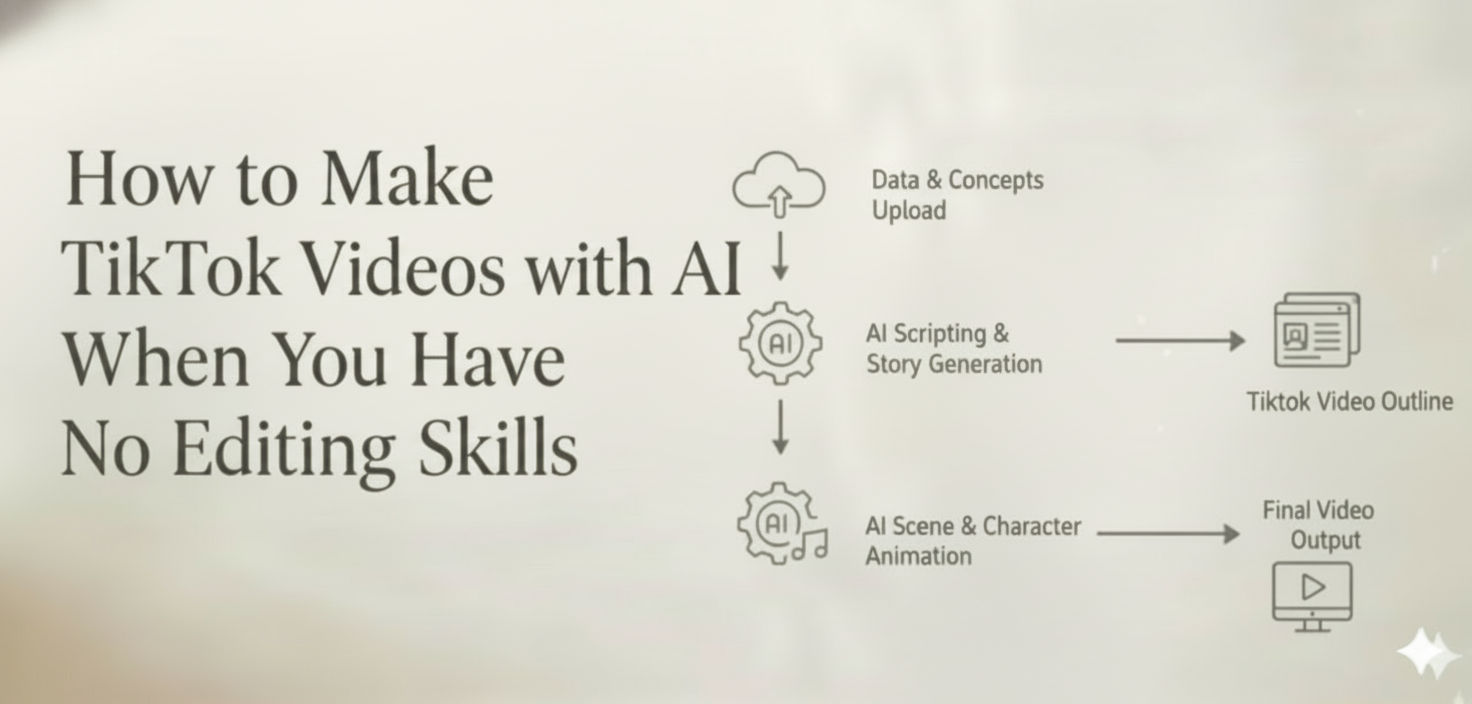
That’s exactly where AI is changing the game. Today, tools like CrePal’s AI Director Agent let you skip the entire learning curve. You describe what you want in a single sentence, and the AI handles everything else — from scriptwriting and scene planning to visual generation, music, and final editing. No software to learn. No tutorials to watch. Just your idea, turned into a stunning TikTok video in minutes.
In this guide, you’ll learn why AI video tools are becoming essential for TikTok creators, what to look for in the right tool, how to create your first video step by step, and the insider tips that can help your content go viral — all without touching a single editing button.
Why TikTok Creators Are Turning to AI Video Tools
The TikTok content landscape in 2025 is brutal. Algorithms reward creators who post frequently, and audience expectations for visual quality keep climbing. What used to get thousands of views two years ago barely gets noticed today unless it’s polished, fast-paced, and visually engaging.
For professional creators and social media teams, keeping up is already a challenge. For everyone else — small business owners, solo entrepreneurs, hobbyists, students — it can feel downright impossible. The traditional video production pipeline looks something like this:
- Write a script or outline
- Shoot footage or source stock clips
- Import everything into editing software
- Cut, arrange, and add transitions
- Find and sync background music
- Add text overlays and captions
- Export in the right format and resolution
That process can easily consume four to eight hours for a single 30-second TikTok. And if the result doesn’t perform well? You get to do it all over again.
This is why zero-experience creators face three massive barriers: a steep learning curve with editing tools, an enormous time investment per video, and inconsistent quality that makes it hard to build a recognizable brand.
AI video tools have evolved rapidly to solve these exact problems. Early AI tools could generate a single image or a short clip from a text prompt. But in 2025, we’ve entered the era of AI video agents — intelligent systems that don’t just generate one asset at a time but orchestrate an entire production pipeline from start to finish.
The paradigm shift is profound. Instead of learning the tool, you simply describe the idea. The AI becomes your director, your editor, your music supervisor, and your post-production team, all rolled into one.
What Makes an AI Video Tool Ideal for TikTok Content
Not every AI video generator is built for TikTok. Some tools focus on long-form horizontal content. Others produce isolated clips that still require manual assembly. If you’re creating for TikTok specifically, here’s what actually matters.
TikTok-Native Format Support
TikTok is a vertical-first platform. Your tool needs to natively support 9:16 aspect ratios without awkward cropping or black bars. It should also handle the time formats TikTok audiences prefer — 15 seconds, 30 seconds, and 60 seconds — with pacing that matches the platform’s fast-scroll culture. Quick cuts, dynamic transitions, and punchy visual rhythms aren’t optional; they’re expected.
One-Prompt Video Generation
The biggest advantage of a true AI video agent is the ability to go from a single sentence to a complete, multi-scene video. That means automatic script generation, intelligent scene planning, visual creation for each shot, and assembly into a cohesive final product. You shouldn’t need to generate individual clips and then stitch them together yourself — that defeats the entire purpose.
Trending Music and Sound Integration
Sound is arguably the most important element on TikTok. A video with the right audio track can outperform a visually superior video with generic music by a factor of ten. The ideal AI tool either integrates with trending sound libraries or generates original AI music that matches the mood, tempo, and energy of your content. Automatic beat-syncing — where scene transitions align with musical beats — elevates production quality instantly.
Character and Style Consistency
If you’re building a personal brand or creating serialized content on TikTok, visual consistency is everything. Your audience needs to recognize your style within the first frame. The best AI video tools maintain consistent character appearances, color palettes, and visual aesthetics across multiple scenes and even across multiple videos. Without this, AI-generated content looks disjointed and amateur.
How to Make TikTok Videos with AI — Step-by-Step Guide Using CrePal
Let’s get practical. Here’s exactly how to go from zero to a published TikTok video using CrePal’s AI Director Agent, even if you’ve never edited a single frame in your life.
Step 1 — Describe Your Idea in One Sentence
Open CrePal and type what you want to create. That’s it. No storyboard required. No shot list. No technical specifications.
Your prompt can be as simple or as detailed as you’d like. Here are a few examples:
- “A 30-second TikTok showing a day in the life of a cute cat exploring Tokyo, lo-fi aesthetic with soft pastel colors.”
- “A fast-paced product showcase for wireless earbuds, dark background, electronic music, bold text overlays.”
- “An explainer video about how compound interest works, animated style, friendly voiceover tone, 45 seconds.”
CrePal’s AI Director Agent reads your prompt and understands not just what you want, but the mood, pacing, visual style, and structure that will make it work on TikTok. Think of it as describing your vision to a professional director who instantly gets it.
Step 2 — Let the AI Director Plan Your Video
This is where CrePal fundamentally differs from basic AI clip generators. Instead of producing a single shot, the AI Director Agent:
- Writes a complete script with scene breakdowns and narrative flow
- Plans the visual sequence — determining how many scenes you need, what each scene should show, and how they connect
- Select the optimal AI models for each element of your video. It might use Google Veo for cinematic scene generation, Pika Labs for stylized motion, Suno for original music, and other models for specific effects — all automatically
You don’t need to know what these models are or how they work. The AI Director handles the model selection behind the scenes, combining the strengths of multiple AI systems to deliver the best possible result for your specific video.
Within moments, you’ll see a preview of your planned video — scenes laid out, music matched, pacing set.
Step 3 — Review and Edit Through Conversation
Here’s where the “no editing skills” promise becomes real. Instead of dragging clips on a timeline or adjusting keyframes, you simply talk to CrePal.
Don’t like the second scene? Type: “Make the second scene more dramatic with a closer angle.”
Want different music? Say: “Change the background music to something more upbeat and energetic.”
Need to adjust the length? Ask: “Shorten the whole video to 20 seconds and speed up the transitions.”
CrePal’s conversational editing understands natural language. You describe what you want changed the same way you’d explain it to a human editor, and the AI Director makes it happen. No menus to navigate. No tools to learn. No YouTube tutorials required.
You can iterate as many times as you need until the video matches your vision perfectly.
Step 4 — Export and Post to TikTok
Once you’re happy with the result, export your video in a TikTok-ready format. CrePal automatically:
- Renders in the correct resolution and aspect ratio (9:16 vertical)
- Generates captions and subtitles (with multi-language support)
- Optimizes file size for fast uploading
Download the file, open TikTok, upload, add your hashtags, and hit publish. From idea to posted content — often in under five minutes.
TikTok Video Ideas You Can Create with AI Right Now
Not sure what to make? Here are five proven TikTok content formats that CrePal handles exceptionally well.
- AI Storytelling Videos
Use CrePal’s AI Story feature to generate short narrative animations — fairy tales, horror micro-stories, motivational parables, or fictional “what if” scenarios. Storytelling content consistently ranks among TikTok’s highest-engagement formats, and AI makes it possible to produce episodic series without any animation skills.
Example prompt: “A 45-second animated story about a robot who learns to paint, warm color palette, gentle piano music.”
- Product Showcase and Ads
If you’re selling a product, CrePal’s AI Ads Video feature creates scroll-stopping promotional content. Describe your product, its key benefits, and the vibe you want, and the AI generates a professional-quality ad with dynamic visuals, text overlays, and music — the kind of content that used to require a production agency.
Example prompt: “A 20-second TikTok ad for a minimalist leather wallet, dark luxury aesthetic, deep bass music, ‘Less is More’ tagline.”
- Explainer and Educational Content
Educational TikTok — sometimes called “EduTok” — is one of the fastest-growing niches on the platform. CrePal’s Explainer Video feature transforms complex topics into clear, visually engaging videos. Teachers, coaches, financial advisors, and knowledge creators can produce weeks of content in a single afternoon.
Example prompt: “Explain how the stock market works in 30 seconds, animated infographic style, casual and fun tone.”
- AI Music Videos
Got an original track or want to create visuals for a trending song? CrePal’s AI MV Generator pairs music with AI-generated cinematics that match the song’s mood, tempo, and lyrics. Musicians, fans, and content creators use this to produce visually stunning music content without a camera crew or a budget.
Example prompt: “A cinematic music video for an emotional R&B ballad about heartbreak, rainy city at night, neon reflections, slow motion.”
- Talking Avatar Videos
Don’t want to show your face? CrePal’s AI Talking Avatar feature creates realistic or stylized virtual presenters that deliver your script on camera. This is ideal for anonymous creators, news commentary channels, language learning content, or anyone who wants a consistent on-screen presence without filming themselves.
Example prompt: “A professional female avatar presenting three productivity tips, clean white background, friendly and confident tone.”
CrePal vs. Other AI Video Tools — Why It’s Built for TikTok Creators
The AI video space is crowded in 2025, so let’s be direct about what sets CrePal apart.
| Feature | CrePal.ai | Typical AI Video Tools |
| Creation approach | One prompt → complete multi-scene video | Generate individual clips, assemble manually |
| AI models | Multi-model intelligent selection (Google Veo, Pika Labs, Runway, Suno, etc.) | Single model |
| Editing method | Conversational natural language editing | Timeline or interface-based editing |
| Character consistency | Automatic across all scenes | Requires manual adjustments |
| TikTok optimization | Native vertical format + AI music + auto-captions | Manual format adjustment required |
| Learning curve | Zero — if you can type, you can create | Requires learning the interface |
Most AI video tools are exactly that — tools. They give you components and expect you to assemble them. CrePal is fundamentally different because it’s not a tool; it’s a video creation partner. The AI Director Agent thinks like a director, plans like a producer, and executes like an editing team. You bring the idea; CrePal brings everything else.
The multi-model integration deserves special attention. Instead of being locked into one AI model’s strengths and weaknesses, CrePal dynamically selects the best model for each part of your video. One model might excel at generating realistic human faces. Another might produce the best cinematic landscapes. A third generates superior music. CrePal’s AI Director orchestrates all of them so you don’t have to evaluate, choose, or switch between platforms.
For TikTok creators specifically, this means every video gets the best possible combination of visual quality, audio impact, and stylistic consistency — automatically.
Pro Tips to Make Your AI TikTok Videos Go Viral
Creating the video is only half the battle. Getting it seen is the other half. Here are six data-backed strategies to maximize your reach.
Tip 1: Hook Viewers in the First 1–2 Seconds. TikTok’s algorithm heavily weights watch time. If viewers scroll past your video in the first second, it’s dead on arrival. Use your AI prompt to specifically request a strong opening — a surprising visual, a bold statement, or an immediate pattern interrupt. For example: “Start with a dramatic close-up zoom-out reveal.”
Tip 2: Keep It Under 30 Seconds. Shorter videos have significantly higher completion rates, and TikTok’s algorithm rewards videos that get watched all the way through (or replayed). For most content types, 15–30 seconds is the sweet spot. You can always create a longer version for YouTube Shorts or Instagram Reels.
Tip 3: Use Trending Sounds and AI Music. TikTok’s discovery algorithm gives a measurable boost to videos that use trending audio. CrePal’s AI music generation through Suno integration lets you create original tracks that match trending styles without copyright concerns. Pair that with beat-synced transitions for maximum impact.
Tip 4: Always Add Captions. An estimated 85% of TikTok videos are watched with the sound off, especially during commutes and in public spaces. Captions aren’t just an accessibility feature — they’re a retention strategy. CrePal auto-generates captions during export, so there’s no excuse to skip them.
Tip 5: Post consistently with AI Batch Creation. The TikTok algorithm rewards consistent posting — typically 1–3 times per day for growth. This is where AI-powered creation becomes a strategic weapon. With CrePal, you can batch-create a week’s worth of TikTok content in a single sitting, maintaining quality while dramatically increasing your output.
Tip 6: Iterate Based on Performance. When a video performs well, don’t just celebrate — analyze why and create variations. CrePal’s conversational editing makes it easy to take a successful video concept and tweak it: “Same concept but change the setting to a beach” or “Make a version with faster pacing.” This lets you capitalize on what works without starting from scratch.
Frequently Asked Questions
Can I really make TikTok videos with AI if I have zero editing experience?
Absolutely. CrePal’s AI Director Agent handles everything — scriptwriting, scene planning, visual generation, music selection, and editing. You describe your idea in plain language, review the result, and make changes through simple conversation. If you can type a sentence, you can create a TikTok video.
How long does it take to create a TikTok video with CrePal?
Most videos are ready in two to five minutes. Type your prompt, let the AI Director generate the video, make any conversational edits you’d like, and export. Compare that to the four-to-eight-hour average for traditional video production.
Is CrePal free to use for TikTok video creation?
Yes. CrePal offers a free plan with credits to get you started. You can create and export TikTok videos without paying anything upfront. For higher volume creation and access to premium AI models, you can upgrade to Plus, Pro, or Max plans.
What AI models does CrePal use to generate videos?
CrePal integrates top-tier AI models including Google Veo, Pika Labs, Seedance, Runway, Suno, and more. The AI Director Agent automatically selects the best combination of models for your specific video, so you always get optimal results without needing to understand the technical details.
Can I create a series of TikTok videos with consistent characters?
Yes. CrePal’s character and style consistency feature ensures that characters maintain the same appearance, clothing, and visual attributes across multiple scenes and even across separate videos. This is essential for serialized TikTok content, brand mascots, and recurring character formats.
Start Creating — Your First TikTok Video Is One Sentence Away
Here’s the bottom line: not knowing how to edit video is no longer a valid reason not to create on TikTok. The barriers that used to exist — expensive software, technical skills, hours of production time — have been eliminated by AI.
CrePal’s AI Director Agent was built specifically for this moment. It’s not another tool that adds to your workflow; it’s a creative partner that replaces the workflow entirely. You bring the idea. CrePal turns it into a stunning, TikTok-ready video in minutes.
The creators who will win on TikTok in 2025 aren’t necessarily the ones with the best cameras or the most editing experience. They’re the ones who move fast, post consistently, and use every advantage available to them.
AI is that advantage.
Start creating your first AI TikTok video for free at CrePal.ai — “One prompt is all you need.






