
Meta: Learn how to turn product photos into video ads with AI. See a simple workflow for scripts, scenes, voiceover, variations, and export for TikTok, Reels, and paid ads.
Most brands already have product photos. They have clean packshots, lifestyle images, launch visuals, and assets from old campaigns sitting in folders.
What they often do not have is enough time to turn those assets into fresh video ads.
That gap matters more than ever. Short-form platforms reward motion, pace, clarity, and creative variation. Paid social teams need more ad versions. Ecommerce brands need more testing velocity. Small marketing teams need more output without hiring an editor for every new idea.
That is why more brands are trying to turn product photos into video ads with AI.
Instead of planning a full shoot every time they want to test a new angle, they can start with the assets they already own. With the right workflow, static product images can become short, platform-ready video ads for TikTok, Instagram Reels, YouTube Shorts, and paid social.
In this guide, you will learn how to turn product photos into video ads with AI, what assets to prepare, how CrePal fits into the end-to-end workflow, how to create multiple versions faster, and what mistakes to avoid.
Why this use case keeps growing
This is not just a creative trend. It solves a real operating problem.
Brands need more video, but traditional production is still expensive and slow. Even when teams already have excellent product photography, they often cannot move from static assets to testable ad creative quickly enough.
Turning product photos into video ads with AI helps solve three problems at once.
- You can reuse existing assets
If you already have strong product photos, you are not starting from zero. Your packshots, detail shots, and lifestyle images can become the foundation of an ad.
- You can create more variations faster
AI workflows make it easier to generate different hooks, different CTAs, different lengths, and different platform versions from the same asset set.
- You can test before investing in a bigger production cycle
Instead of guessing which angle will work, you can build multiple ads quickly, test them, and use the results to guide future shoots or creative budgets.
That is why this use case is so practical. It is not just about saving time. It is about speeding up the loop between positioning, creative execution, and performance.
What you need before you start
If you want better outputs, start with better inputs.
You do not need a long creative brief, but you do need enough information for the workflow to understand the product, the audience, and the goal.
At minimum, prepare:
- 3 to 10 product photos
- the product name
- 1 to 3 key product benefits
- the target platform
- the target audience
- the preferred video length
- a rough CTA
If you have them, these can make the result much stronger:
- product page copy
- customer reviews
- founder notes
- brand colors and fonts
- examples of ad hooks you like
- competitor positioning
- visual references
The core idea is simple: AI can help generate, sequence, and edit. But it still needs clear direction.
What kinds of product photos work best?
Not every image translates equally well into a video ad.
If you want stronger results, use product photos that are:
- high resolution
- well lit
- visually clean
- focused on one clear subject
- consistent in style
Lifestyle images can be especially effective when they show the product in context. A hand holding the product, someone applying it, a close-up of texture, or a packaging interaction gives the ad more storytelling range than a static catalog image alone.
In general, the best source photos are not just attractive. They are easy to understand quickly.
That matters because good short-form ads need visual clarity in the first second or two.
Start with the ad angle, not the animation
This is one of the biggest mistakes teams make.
They jump from image folder to generation tool without first deciding what the ad is trying to say.
A product video ad is not just movement layered onto a photo. It needs a clear message.
Before you generate anything, choose one angle.
Common angles include:
- problem-solution
- benefit-led
- product demo
- social proof
- before-and-after
- launch announcement
- seasonal campaign
- UGC-style recommendation
For example, the same skincare product could become very different ads:
- “Dry skin by noon? Try this lighter daily serum.”
- “A travel-friendly skincare essential.”
- “Hydration without the greasy finish.”
- “The 15-second routine upgrade for busy mornings.”
Same product. Same photos. Different angle.
That is why message comes before motion.
How to turn product photos into video ads with AI
The best way to think about this workflow is not “photo in, video out.”
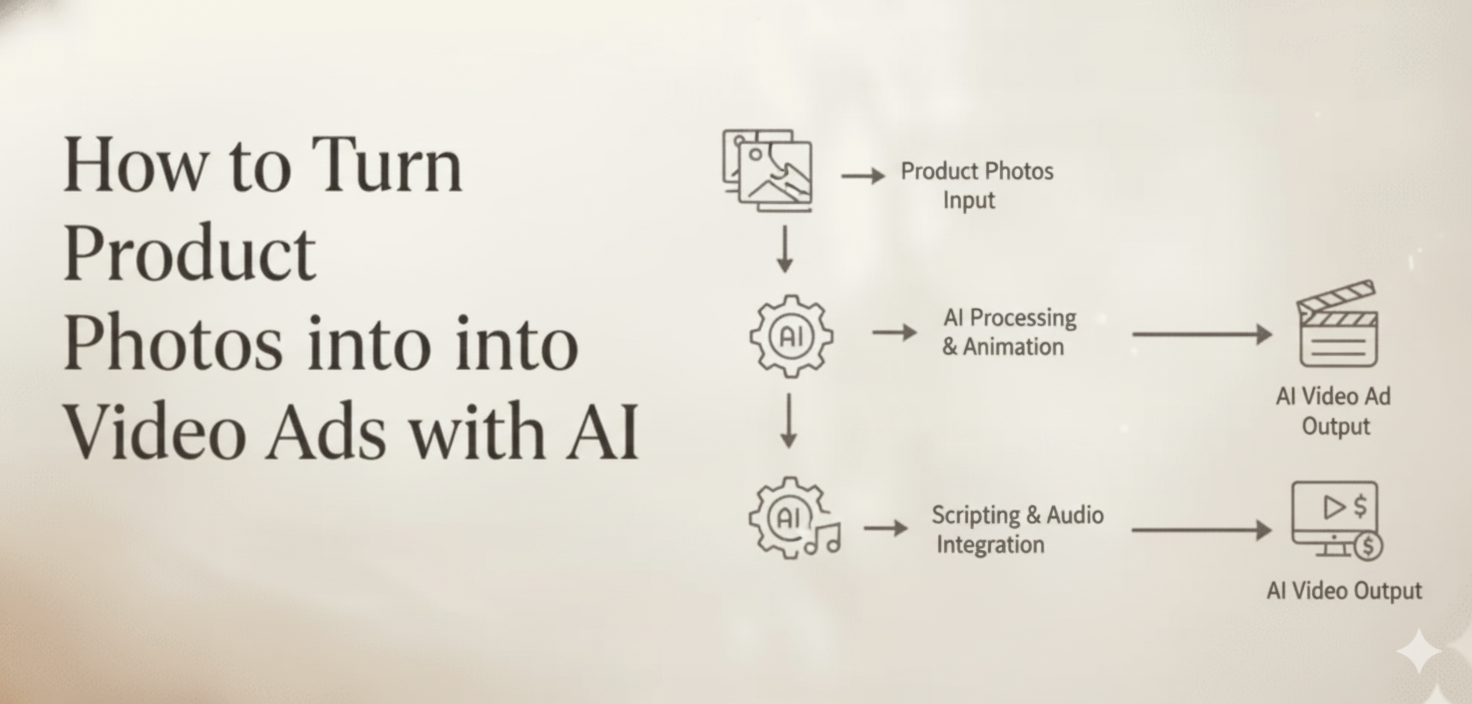
It is better to think in stages:photos -> angle -> script -> scenes -> motion -> voiceover/captions -> versions -> export
That is also why an AI video creation agent can be more useful than a basic one-step generator. You are not only asking a tool to animate an image. You are asking it to help turn static product assets into a complete ad workflow.
CrePal is built around that broader process. As an AI video creation agent, it is designed to help users move from idea to multi-scene video with planning, generation, editing, and export connected in one workflow.
Here is what that process looks like.
Step 1: Turn the product photos into a simple ad script
Every short ad needs structure.
Most product ads work well with a sequence like this:
- Hook – What makes someone stop scrolling?
- Product reveals – What is the product?
- Key benefit – Why should the viewer care?
- Proof or supporting detail – Why should they believe it?
- CTA – What should they do next?
Let’s say you are building an ad for a serum. A simple script could look like this:
- Hook: Tired of skincare that feels heavy by noon?
- Product reveal: Meet the serum made for lightweight daily hydration
- Key benefit: Fast-absorbing, easy to layer, non-greasy
- Proof: Loved by customers who want glow without residue
- CTA: Try it now
This does not need to be long. In fact, short, clear, and direct is often best for paid social.
What matters is that the ad has a job to do.
Step 2: Map the script into scenes
Once the message is clear, turn it into a scene plan.
For a 15-second ad, that often means four to six scenes.
A simple structure might look like this:
- Scene 1: Hook – Use a bold crop, fast text reveal, or product detail close-up to grab attention.
- Scene 2: Product reveal – Show the hero product image with clean branding.
- Scene 3: Benefit – Use a lifestyle or texture image and pair it with one key claim.
- Scene 4: Proof – Add a review snippet, visual detail, or contextual support.
- Scene 5: CTA – Return to a clear hero frame with action-oriented copy.
This is where CrePal’s features matter. The platform is not only about generation. It is built to support the wider workflow, including multi-model creation, real-time progress visibility, and conversational editing.
That matters when the job is not “make one clip,” but “turn these product assets into a complete ad.”
Step 3: Add motion that actually supports the message
Motion is important, but movement alone does not make an ad effective.
The goal is not to create a slideshow with zoom effects. The goal is to guide attention.
Useful motion patterns include:
- slow zooms for premium positioning
- punchy crops for hook-driven ads
- text reveals tied to benefits
- quick transitions between scene beats
- subtle movement on product textures
- timing aligned to voiceover or music
The first two seconds matter the most.
That opening should do at least one of these clearly:
- show a problem
- reveal the product
- make a strong claim
- introduce a compelling benefit
If the first moment feels passive, the whole ad often feels passive.
This is one reason CrePal’s AI Video Director positioning is interesting. Instead of asking users to manually stitch together scripting tools, image tools, video tools, and editors, the workflow is closer to directing the outcome through one interface.
That is especially useful for marketers who care more about message speed and creative testing than frame-by-frame manual editing.
Step 4: Add voiceover, captions, and music
High-performing product ads usually communicate on multiple layers at once.
The visuals attract attention. The text adds clarity. The voiceover adds explanation. Music improves pacing.
You do not always need all four, but you usually need more than one.
A practical stack for many product ads looks like this:
- clear visual scenes
- short on-screen copy
- captions or subtitles
- optional voiceover
- light background music
Captions are especially important because many people watch with the sound low or off. If the value proposition only exists in the audio, the message gets lost.
Voiceover is useful when the product needs a bit more explanation, especially in categories like beauty, supplements, software, wellness, or home products.
On CrePal, the export workflow can include subtitles, voiceover, and background music, which makes the process more complete. The fewer disconnected tools you need, the faster you can move from draft to test.
Step 5: Create multiple versions instead of one final ad
This is where the real value of AI workflows shows up.
You should rarely make just one ad.
A single set of product photos can support multiple creative versions, such as:
- a 15-second TikTok version
- a 20-second Instagram Reels version
- a square retargeting ad
- a cleaner brand edit for organic posting
- a UGC-style version
- a more premium visual version
You can also test:
- different opening hooks
- different CTAs
- different scene order
- different lengths
- different value propositions
- different audience framing
That is one reason this workflow is so attractive to paid teams. It turns static assets into a testing engine.
If you want a broader sense of how the product supports different formats and categories, CrePal’s use cases page is a useful reference point.
How CrePal fits the end-to-end process
Many AI tools can help with one task.
Some can animate an image. Some help with captions. Some help with script writing. Some handle export.
But turning product photos into video ads with AI usually involves more than one isolated step.
You need to:
- define the ad angle
- shape the script
- build a scene sequence
- generate motion
- revise quickly
- adapt to platform formats
- export multiple versions
That is why CrePal’s workflow matters. It is designed as a connected process, not just a single-function generator.
For teams creating ads, that difference is important. The real bottleneck is often not generation quality alone. It is workflow fragmentation.
If a marketer has to switch between five tools just to produce one ad draft, the speed advantage disappears.
CrePal is better understood as an orchestration layer for creative production. It helps connect the planning, generation, editing, and export stages so teams can move faster from static product photos to ad-ready video outputs.
If your team is evaluating where AI fits into paid creative, it is also worth looking at CrePal’s guide to the best AI video models for ads for more context on how quality and workflow differ across tools.
Common mistakes to avoid
Even with strong tools, weak execution can still produce generic ads.
Here are the most common mistakes.
Mistake 1: Starting with effects instead of strategyGood animation does not fix a weak message. Always choose the angle first.
Mistake 2: Using too many photosMore assets do not always create a better ad. Too many unrelated images make the pacing feel scattered.
Mistake 3: Making the ad feel like a slideshowIf the result is only slow zooms and fades, it may still feel static. Ads need direction and rhythm.
Mistake 4: Ignoring platform contextA TikTok ad and a homepage brand video are not the same thing. Hook style, pacing, aspect ratio, and CTA all need to reflect the platform.
Mistake 5: Creating one version and stopping there. The biggest strength of this workflow is iteration. If you only make one version, you miss most of the upside.
Who should use this workflow?
This approach is especially useful for:
- ecommerce brands with strong image libraries
- DTC teams producing paid social creatives
- Startup testing product messaging
- small marketing teams without in-house editors
- agencies creating more client variations
- founders who want faster creative feedback before committing to production
It is not always a replacement for a full live-action shoot. But it is often the fastest path from existing product assets to testable video ads.
Final thoughts
If you already have product photos, you are much closer to launching video ads than you think.
The real challenge is not whether AI can animate an image. It is whether your workflow can turn static assets into a clear, persuasive, platform-ready story.
That means choosing the right angle, turning it into scenes, adding motion that supports the message, and creating multiple versions for testing.
When done well, product photos stop being static assets. They become the starting point for scalable video creative.
If you want to test more ad ideas without building a full production workflow from scratch, CrePal gives teams a faster way to turn product photos into structured, multi-scene video ads they can actually iterate on.
FAQ
Can AI turn product photos into video ads?
Yes. AI can turn product photos into short video ads by combining scene planning, motion, text overlays, captions, voiceover, music, and export formatting. The final quality depends on the source images, the ad angle, and the workflow used.
What kind of product photos work best for AI video ads?
High-resolution, well-lit, visually clean product images usually work best. Lifestyle images can also perform well, especially when they show the product in use or communicate context quickly.
How many product photos do I need?
In most cases, 3 to 10 strong product photos are enough for a short-form ad. It is usually better to use a smaller set of clear, consistent images than a large set of mixed-quality assets.
Can I use AI-generated product video ads for TikTok and Instagram Reels?
Yes. AI-generated product video ads can be adapted for TikTok, Instagram Reels, YouTube Shorts, and paid social placements. The key is to adjust the format, pacing, captions, and hook style for each platform.
Why use an AI video agent instead of a basic AI video generator?
A basic generator often only animates images. An AI video agent like CrePal supports the full workflow: scripting, scene planning, motion, voiceover, revisions, multi-version creation, and platform export. This reduces tool switching and speeds up the entire creative process from idea to testable ad.






