meta: Learn how to turn blog posts into engaging educational videos using AI. This step-by-step guide shows how CrePal’s AI Director Agent repurposes your content into stunning videos in minutes.
You spent hours crafting the perfect blog post — researching, writing, editing — only to watch it reach a fraction of the audience it deserves. Here’s the reality in 2026: over 90% of consumers prefer video content, and viewers retain 95% of a message through video compared to just 10% through text. Your blog isn’t underperforming. It’s just trapped in the wrong format.
The good news? Turning blog posts into educational videos is now the highest-ROI content repurposing strategy available — and with an AI Director Agent like CrePal, you can do it in minutes without touching a single editing tool.
This guide walks you through the exact process, step by step.
Why Repurpose Blog Posts into Educational Videos?
Video dominates every major platform algorithm in 2026. YouTube, TikTok, Instagram Reels, and LinkedIn all prioritize video content in feeds and search results. Educational videos, in particular, are experiencing explosive growth as audiences seek quick, visual explanations over long-form reading.
Repurposing your existing blogs into video lets you:
- Expand your reach from readers to viewers across multiple platforms
- Boost SEO by embedding videos that increase page dwell time and reduce bounce rates
- Maximize content ROI without creating anything from scratch
- Distribute everywhere — one blog becomes a YouTube explainer, a TikTok clip, and a LinkedIn insight video
The problem? Traditional blog-to-video conversion requires scriptwriting, storyboarding, recording, editing, and sound design. That’s hours of work and hundreds of dollars per video — or it used to be.
How AI Changes Everything
Basic AI video tools have been around for a few years. Most of them apply templates to your text and produce generic, flat results. They don’t understand narrative structure, can’t maintain visual consistency, and offer limited creative control.
An AI Director Agent works fundamentally differently. CrePal’s AI Director Agent reads your blog content, understands the logical flow, and automatically plans a multi-scene video — selecting the optimal AI models for each element. It coordinates Google Veo, Pika Labs, Runway, Suno, and other leading models to handle visuals, transitions, voiceover, music, and subtitles in one unified workflow.
Think of it as having a professional video director who reads your blog and produces a polished educational video — in minutes, not days.
Step-by-Step: Blog to Educational Video with CrePal
Step 1 — Pick the Right Blog Post
Not every blog translates equally well into video. The best candidates are:
- How-to tutorials (step-by-step processes visualize naturally)
- Listicles (each item becomes a distinct scene)
- Concept explainers (abstract ideas benefit from visual metaphors)
- Case studies (data and results come alive with dynamic visuals)
Choose a post with clear structure and strong takeaways.
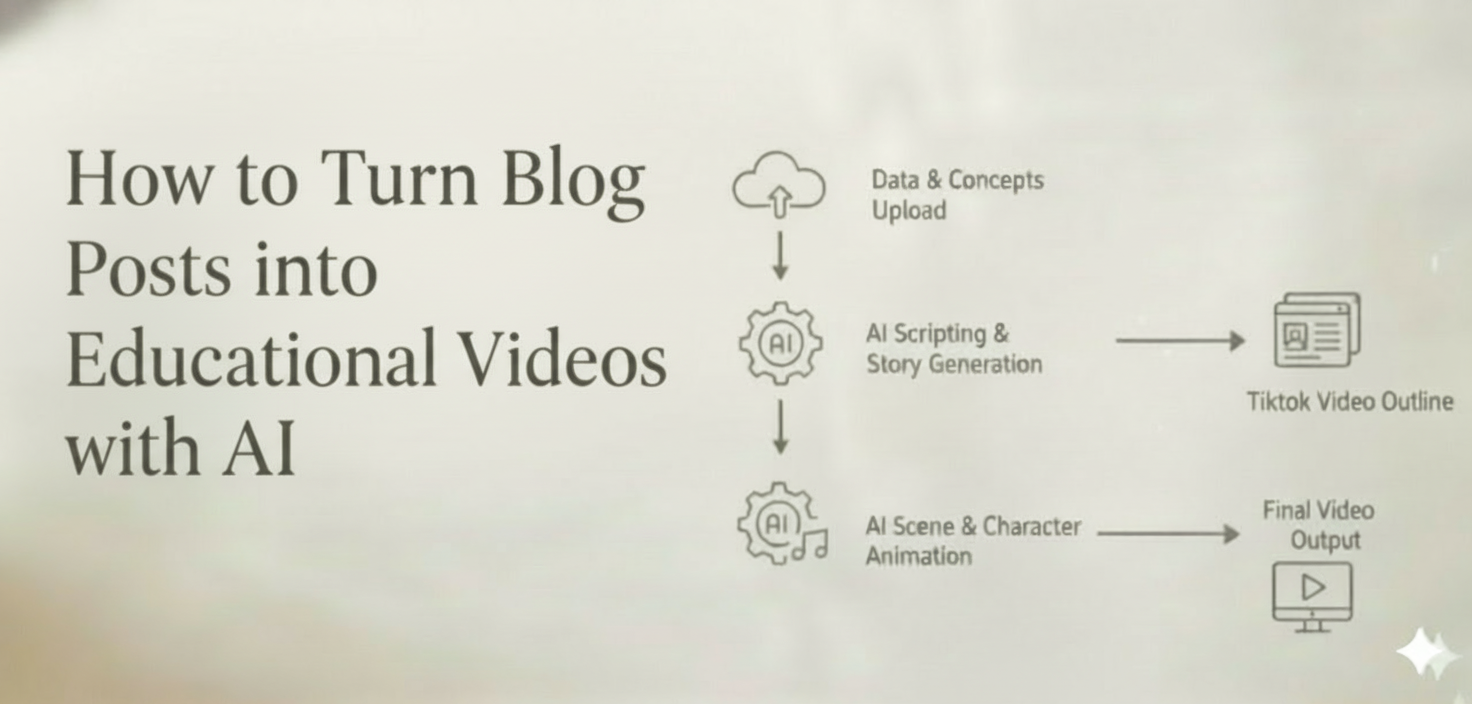
Step 2 — Feed Your Content to CrePal
You have multiple input options: paste the full text, summarize the key points, or use CrePal’s PDF to Video feature to upload the content directly. Then write a single prompt like:
“Turn this blog about content marketing strategies into a 2-minute educational video with clear visuals, voiceover, and background music.”
That’s it. One prompt is all you need.
Step 3 — Let the AI Director Plan Your Video
CrePal’s AI Director Agent analyzes your content, extracts the core knowledge points, and builds a multi-scene video structure automatically. It follows proven educational video frameworks: hook → key concepts → examples → summary → call to action. You’ll see a complete script and scene breakdown before anything is generated.
Step 4 — AI Generates Everything
Multiple AI models work simultaneously. Visuals are generated scene by scene. Background music matches the tone. Subtitles are added automatically. Character and style consistency is maintained across the entire video — no jarring shifts between scenes.
Step 5 — Refine Through Conversation
This is where CrePal truly stands apart. Instead of learning complex editing software, simply type:
- “Make the opening more engaging”
- “Slow down the explanation in scene 3”
- “Switch to a warmer color palette”
The AI Director adjusts instantly. Conversational editing means anyone can produce professional-quality results.
Step 6 — Export and Distribute
Export your video in platform-optimized formats: landscape for YouTube, vertical for TikTok and Reels, square for LinkedIn. Embed the video in your original blog post to boost SEO. One blog post, multiple video assets, maximum reach.
CrePal vs. Other Methods
| Factor | Manual Production | Template Tools | CrePal AI Director Agent |
| Time | 4-8 hours | 30-60 min | 5-10 min |
| Skill Required | High | Medium | None |
| Visual Quality | Varies | Template-limited | AI-generated, cinematic |
| Narrative Logic | Manual planning | Basic | AI-planned multi-scene |
| Editing Style | Pro software | Drag-and-drop | Natural conversation |
| Cost | $$$ | $$ | $ |
Quick Best Practices
- Keep it concise — a 2,000-word blog becomes a 2-3 minute video. Focus on core insights.
- Hook viewers in the first 5 seconds — lead with the most compelling takeaway.
- Always add captions — over 85% of social videos are watched on mute.
- Embed videos in your blog — it improves page dwell time and search rankings.
- Repurpose into multiple formats — one full video can become 3-4 platform-specific clips.
Start Turning Your Blogs into Videos Today
In 2026, leaving your best content locked in text format means leaving audience, engagement, and revenue on the table. The blog-to-video workflow that once required a production team and a serious budget now takes one prompt and a few minutes.
CrePal.ai — your video creation partner who helps turn your ideas into stunning videos.
Ready to transform your blog posts into engaging educational videos?
Try CrePal.ai free today — one prompt is all you need.
FAQ
Q: Can I turn any blog post into a video with AI? A: Most blog formats work well — especially how-to guides, listicles, explainers, and case studies. CrePal’s AI Director Agent analyzes your content structure and automatically adapts it into a multi-scene video.
Q: How long does it take to convert a blog post into a video? A: Most conversions take just 5-10 minutes. Paste your content, write one prompt, and CrePal handles scripting, visuals, music, and subtitles automatically.
Q: Do I need video editing skills? A: Not at all. CrePal uses conversational editing — type what you want to change in plain language, and the AI handles the rest.
Q: What platforms can I export videos for? A: CrePal supports YouTube (landscape), TikTok and Reels (vertical), LinkedIn, and web embedding formats.
Q: How does CrePal keep the video visually consistent? A: The AI Director Agent coordinates multiple AI models under unified visual parameters, maintaining character, style, and color consistency across every scene.