
Hey guys, I’m Dora. On January 9, I was doomscrolling X at 1:07 a.m. —yeah, classic late-night rabbit hole— when I watched a 21‑second clip about “quiet hiring” hit 480k views in under 24 hours. The content was good, sure. But the real magic? Crisp captions, fast pacing, native ratio, and a hook that landed in the first second. I closed the tab and thought: okay, fine, it’s time to redo my video stack for X.
Over the next ten days, I tried and re‑tried a bunch of Twitter/X video tools with actual posts: short explainers, screen shares, and two talking‑head clips. Below are my notes, what sped me up, what broke, and what earned a permanent spot in my workflow.
Quick Picks: Top Tools by Task
- Create fast (AI text-to-video): Crepal for idea-to-render in minutes: Pika/Runway if you want pure generative visuals.
- Template-based creation: CapCut templates for trends: VEED for brand kits and simple overlays.
- Edit & repurpose long to short: Descript for transcript-first edits: OpusClip or Munch for auto clip detection.
- Captions & styles: Submagic for punchy animated captions: Captions (mobile) for quick talking-heads: VEED for branded subtitles.
- Sizing/compression: HandBrake or FFmpeg for precise control: Shutter Encoder as a friendly middle ground.
- Scheduling: Typefully or Hypefury for X-native features: Buffer if you need cross-platform simplicity.
If you just want one starting point in 2026: Crepal + Descript + Typefully covers most solo creator needs without feeling heavy.
What “Twitter Video Tools” Actually Means
We say “Twitter video tools,” but that lumps four different jobs into one box. Knowing which job you’re solving makes the tool choice obvious.
Create (AI generation + templates)
This is anything that turns a script or idea into visuals, either with AI (text-to-video) or by snapping your content into a polished template. It’s great when you’re short on time or want a consistent style.
Edit (trim, repurpose, resize)
This is where you cut fluff, pace the beats, and adapt a YouTube or podcast into X-friendly clips. The best tools make timing easy and keep aspect ratios clean.
Caption (auto subtitles, styles)
Captions drive watch time on mute. Good captioning tools let you fix errors fast, add brand fonts, and export burned-in text (so X doesn’t compress it into mush).
Post (schedule, optimize)
Scheduling and basic analytics help you test hooks, thumbnails, and timing. “Optimize” here isn’t magic, it’s simple: post consistently, test variations, and watch retention.
Best Tools for Creating Videos
On Jan 12, I ran a small test: one AI-led explainer and one template-based short, both under 30 seconds. My goal was to go from idea → post in under an hour without feeling like a robot.
AI text-to-video (Crepal, etc.)
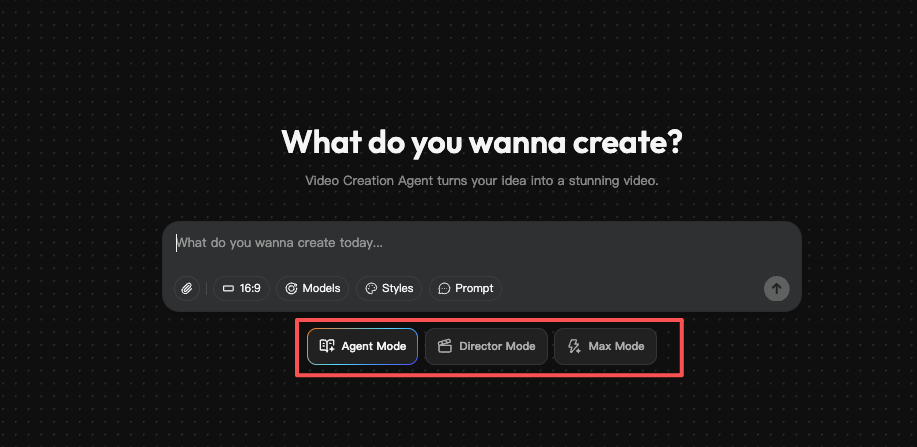
- Crepal: I fed a 90‑word script about “AI briefs vs. brand briefs.” Crepal generated a clean storyboard, stock b‑roll, and dynamic text in 7 minutes. I tweaked the color palette and swapped two clips: total time to publish: 31 minutes. The tone stayed human because I wrote the script, not the tool. Delight moment: the beat‑matched transitions just worked, no fiddling with keyframes.
- Runway/Pika: If you want fully generated visuals (stylized, surreal, or product mockups), these are fun. For X, though, I found them better as accents, a 3‑second generative cutaway, rather than full posts. Pure AI visuals can feel “demo-ish” and hurt watch time unless the story is tight.
Where Crepal wins for me: speed + structure. It keeps me honest about pacing, which matters more on X than fancy effects.
Template-based tools
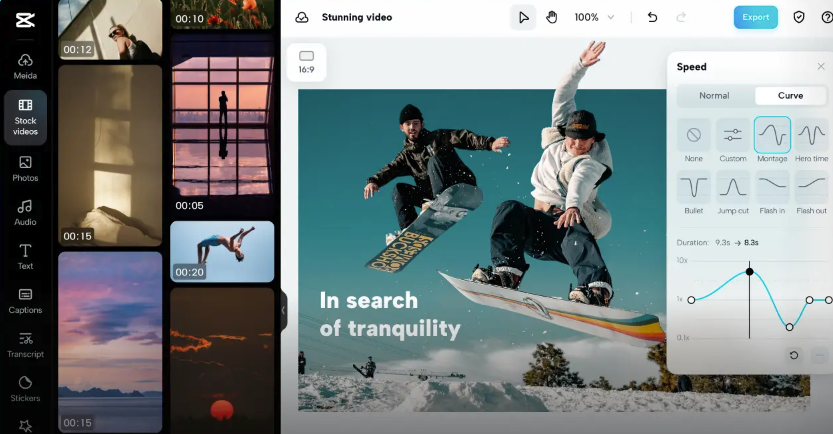
- CapCut templates: For trends or fast listicles, CapCut still slaps. I used a split‑screen template for a “myth vs fact” post: it took 18 minutes including color tweaks. Downsides: you’ll see the same styles everywhere. Fine for speed, not great for brand.
- VEED: Better when you care about brand kits. I set up fonts, colors, and lower thirds once. After that, dropping in a script or voiceover felt smooth. Rendering was stable, and the captions didn’t wobble after export (a tiny but real thing).
Honest note: Template fatigue is real. If I ship too many template‑driven clips, engagement dips. I rotate between Crepal (script-led) and simple A‑roll to keep it human.
Best Tools for Editing & Repurposing
On Jan 15, I chopped a 12‑minute Loom into three X clips. Here’s what held up:
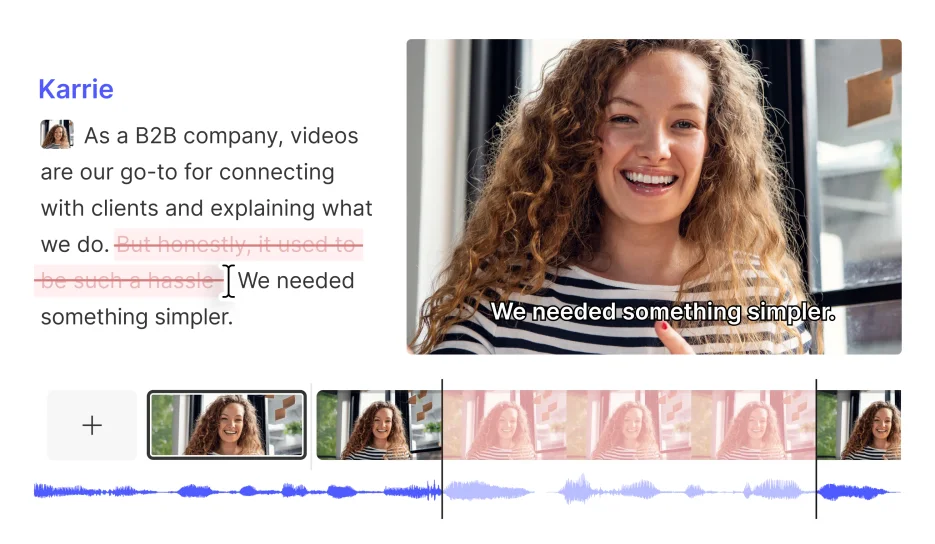
- Descript: Transcript-first editing is still elite for repurposing. I removed filler words with one click, then tightened gaps by editing text. Exported vertical 1080×1920 for a face-cam, and square 1080×1080 for a quote card. The multicam feature saved me from re‑recording a reaction shot. Minor gripe: the auto-leveling sometimes over-compresses audio: I lowered it by ~2 dB.
- OpusClip: Fast auto‑detect of “viral moments.” It surfaced three decent hooks: I kept one, rewrote two. Great for discovery, but I always rework captions and B‑roll.
- Munch: Similar to OpusClip but with more brand options. It caught a strong insight at 07:43 I’d missed. Export naming is tidy, which matters when you juggle 20 files.
If you already edit in Premiere/Final Cut: keep them. For repurposing, Descript + a clip finder (Opus/Munch) is just faster.
Best Tools for Captions & Accessibility
I tested captions across four tools with a 38‑second clip (American accent, 30 fps) on Jan 16.
- Submagic: Best balance of speed + style. It nailed punctuation and timing, and the animated word highlights stayed readable after X compression. I export burned-in subtitles to avoid platform quirks.
- Captions (iOS/Android): Shockingly good for talking-heads on the go. I recorded in a quiet room, and it got names like “Satya Nadella” right. Editing typos on mobile is still fiddly, but fine for quick posts.
- VEED: Strong when you need brand fonts and precise line breaks. It’s my pick for client work.
Tip: Keep lines under ~32 characters and avoid neon yellow. Also, don’t over-animate, movement should guide, not distract.
Best Tools for Sizing/Compression
The boring stuff makes or breaks delivery. On Jan 17, I ran the same 45‑second clip through different exports and measured size and quality.
- HandBrake: My default. H.264, Constant Quality RF 20–22, High Profile, 4.2 level. It shaved a 1080×1920 file from 84 MB to 28 MB with minimal banding. Batch export is a win.
- FFmpeg: Ultimate control if you’re comfy with the command line. I use libx264, CRF 21, preset medium, and tune film for smoother gradients. If that sentence annoyed you, use HandBrake.
- Shutter Encoder: Friendlier interface than FFmpeg with similar power. It’s my recommendation if HandBrake feels limited.
Formats for X that keep me safe: MP4 (H.264), AAC audio, 30 or 60 fps, bitrates around 4–8 Mbps for 1080p. If you’re not on X Premium, stay near 140 seconds or less: Premium users can upload longer, check the latest limits on the X Help Center using “Upload media requirements.”
Best Tools for Scheduling
I posted six videos between Jan 11–20 at different times. Scheduling helped me test hooks without living in the app.
- Typefully: My favorite X‑first scheduler. Threads, A/B hook drafts, and a clean media workflow. The “ideas” board stopped me from losing half-written scripts.
- Hypefury: Strong on growth features (auto‑retweets, evergreen queues). It’s a little busier UI‑wise, but power users love it.
- Buffer: Cross‑platform and simple. If you also manage LinkedIn/TikTok, this keeps everything tidy. Analytics are broad, not deep.
Light optimization that actually helps: post native (don’t link out in the first tweet), watch 3‑second retention, and test the first line more than you test hashtags.
Recommended Workflow (Crepal-centric)
Here’s the flow I settled on after two weeks of posting and tweaking. It keeps me fast without sanding off my voice.
- Script or outline (5–10 min)
I write a 60–120‑word script with a 1‑second hook. If I’m lazy, I draft bullets and speak naturally.
- Create in Crepal (10–20 min)
Drop the script into Crepal. Pick a clean style, swap any stock that feels fake, and lock colors to brand. I keep cuts every 1–2 seconds for X.
- Polish in Descript (10 min)
Remove filler words, tighten gaps, and normalize audio gently. If the rhythm feels robotic, I re‑record one line instead of forcing edits.
- Captions in Submagic or VEED (5–10 min)
Burn them in. Two lines max, high contrast, no neon. Add an on‑screen CTA like “save for later” only if it fits.
- Export + compress (5 min)
MP4 H.264, 1080×1920 or 1080×1080. If the file’s chunky, run it through HandBrake at RF 20–22.
- Schedule in Typefully (5 min)
Write two hook variants. I’ll post the second version 48 hours later with a different thumbnail if the first underperforms.
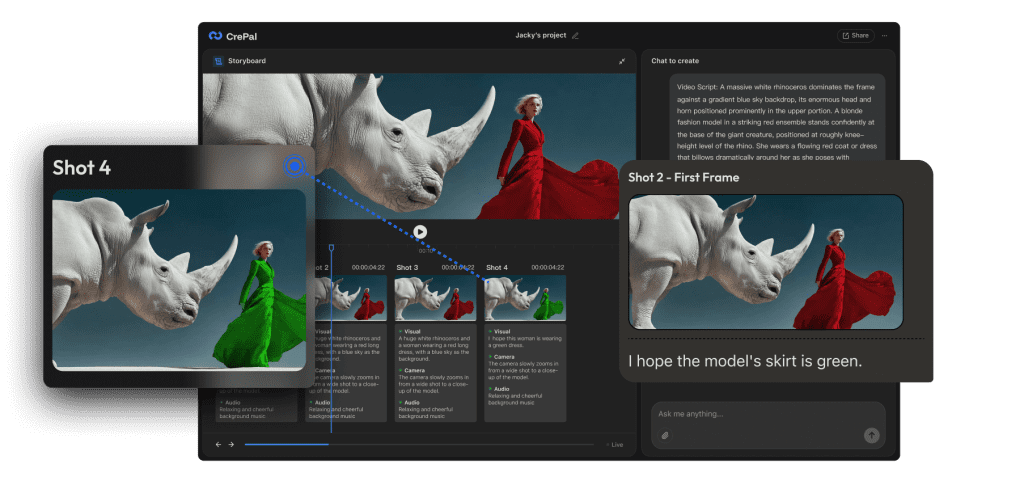
Where Crepal shines: It gets me from blank page to a publishable first cut fast, so I spend energy on story and hook, not keyframes. Try our Crepal here!
Previous posts:






