
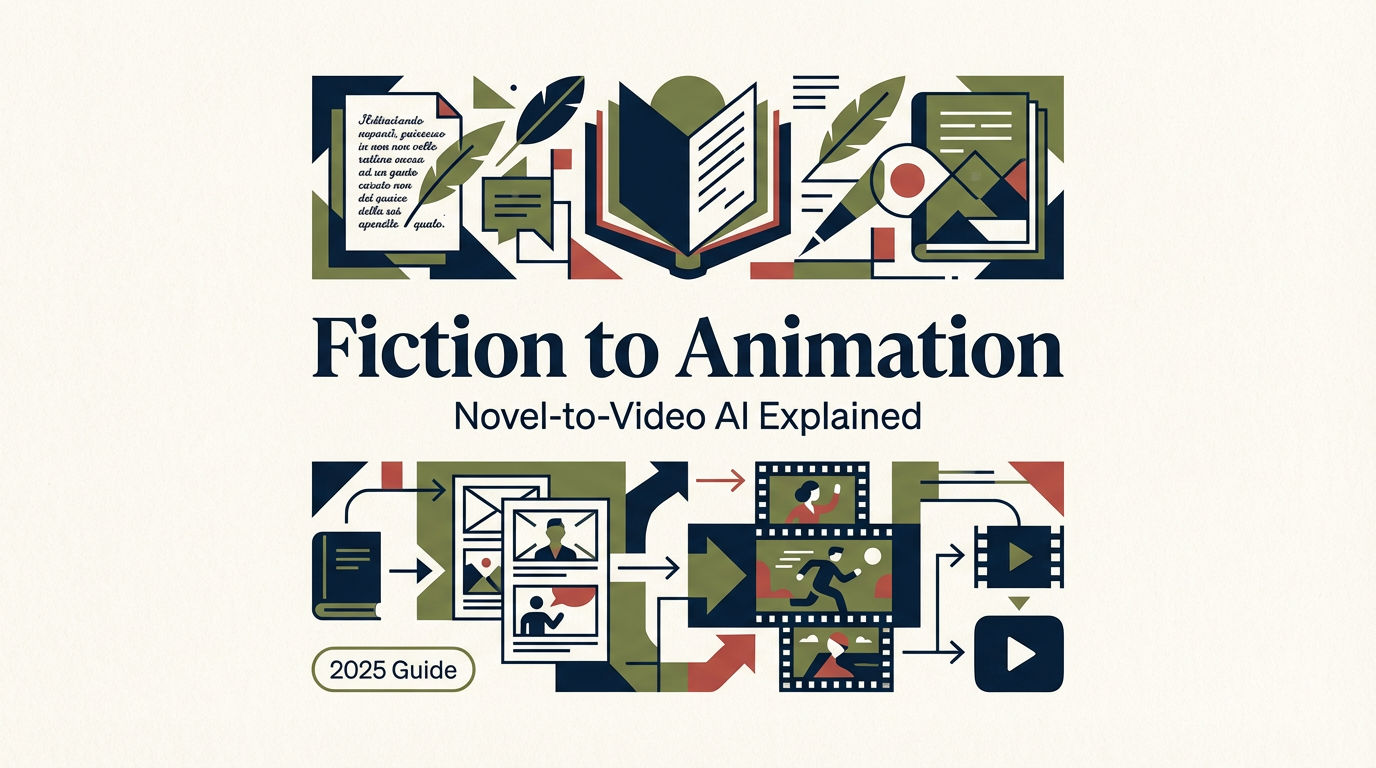
Hey, I’m Dora. On October 22, 2025, I was up way too late, staring at a half-finished short story and a blinking cursor. I wondered: could I turn this into a little film without pulling an all-nighter in After Effects? That curiosity pulled me into the rabbit hole of “fiction to video.” Not sponsored, just me, coffee, and a stack of tabs.
I tested a few setups across late October and early November (Runway Gen-3, Luma Dream Machine, Pika 1.0). Some parts felt like magic. Others…are not so much. Here’s what actually helped me turn words into watchable videos, without the hype.
Why Fiction Works Well for Video Adaptation
Understanding the Benefits of Converting Stories from Fiction to Video
I used to think turning fiction into video would flatten the imagination. Strange twist: it can do the opposite when you guide it.
Here’s why fiction works well for video:
- Built-in structure: Stories already have beats, setup, rising tension, payoff. That gives AI a spine to follow. When I broke my microfiction into 7 beats (Oct 24 test, 1,180 words → 90 seconds), the scene cuts felt intentional instead of random.
- Mood-first visuals: Fiction leans on tone. AI models respond to adjectives surprisingly well. “Sodium-lit alley, anxious camera, brittle footsteps” gave me better shots than “alley at night.”
- Efficient asset generation: I don’t have to model everything. For my test, I generated keyframes (6 images via Stable Diffusion XL) and let Luma Dream Machine sweep in camera movement. It cut production time by ~60% vs. keyframing a motion comic.
- Accessibility: My friend who doesn’t read much fiction watched the 90-second cut and got the entire arc. That’s a win if your audience scrolls more than they read.
Caveats? Character consistency is the biggest issue. If your protagonist has red hair in scene 1, they might morph into auburn by scene 3. More on fixes below.
How AI Understands Story Structure for Fiction to Video
Key Techniques AI Uses to Interpret Narrative Flow
I wanted to know what’s actually happening under the hood, not just “the model is smart.” Here’s the practical breakdown of how tools interpret narrative flow, plus what mattered in my tests (Oct 22–Nov 3, 2025):
- Beat extraction with an LLM: I ran my story through an outline prompt to chunk it into beats (setup, inciting incident, midpoint shift, climax, denouement). LLMs are good at this, it’s almost like automated table-of-contents for your plot. Fewer beats = stronger cuts.
- Scene cards and shot lists: I converted each beat into a shot list: shot size (WS/MS/CU), lens vibe (35mm gritty, 85mm intimate), and motion (push-in, slow pan). Adding camera language improved outputs from Runway Gen-3 and Pika 1.0 by a mile.
- Entity and style anchors: I defined the protagonist with 3 anchors: age, signature object, color motif. Example: “Mara, 29, chipped teal lighter.” Repeating those anchors in every prompt boosted character continuity across clips.
- Sentiment-to-pace mapping: I tagged beats with “tension +2” or “calm -1.” Faster camera moves and tighter cuts on +2 beats felt right. Simple, but it gave a rhythm.
- Keyframe strategy: Instead of pure text-to-video, I used image-to-video for important shots (close-ups, reveal moments). Luma Dream Machine respected composition better when I fed it a designed keyframe.
What didn’t work great:
- Long monologues. Lip sync is still meh. Voiceover + B-roll cutaways worked better than trying to match a speaking mouth.
- Overly abstract directions. “Make it dreamlike” gave me mush. Concrete cues like “shallow DOF, dust motes, cyan spill” created a dream vibe without the fog machine effect.
Animation Techniques for Fiction to Video Projects
Creating Engaging Visuals from Story Content
Here are the techniques that actually made my cuts feel alive, without me fighting the timeline for hours.
- Motion comic with 2.5D parallax: I split foreground, midground, background in Photoshop, then used subtle parallax. It looks fancier than it is. Great for memory scenes or letters.
- Ken Burns, but precise: Micro-zooms on nouns that matter, the lighter flick, rain on a windshield, a receipt with a time stamp. Specificity beats constant movement.
- Style locking with reference frames: I generated a style board (five stills) and fed one into each video prompt. Kept color and grain consistent across tools.
- Loopable atmospherics: Ten-second loops of neon reflections, city steam, and static shots covered transitions. Cheap way to hide jumpy cuts.
- Image-to-video for hero shots: Text-to-video for connective tissue: image-to-video for the important frames. In my Nov 1 test, a single keyframe turned into a 4-second push-in that sold the mood.
Settings that helped me:
- Aspect ratio: 16:9 for YouTube: 9:16 vertical for social teasers. Don’t fight the crop later.
- Duration: 3–6 seconds per shot kept momentum. Anything over 8 seconds needed internal action.
- Negative prompts: “No extra characters, no logo, no deformed hands.” It reduced weird surprise cameos by ~30% in Runway Gen-3.
If you’re doing voiceover, I liked ElevenLabs for narration and Descript for timing the beats. Lip sync inside the generative video still isn’t there yet.
Examples of Successful Fiction to Video Adaptations
On Oct 28, 2025, I adapted my 1,180-word microfiction into a 92-second piece:
- Tools: Luma Dream Machine v1.6 (image-to-video for 7 key shots), Runway Gen-3 Alpha (connective shots), CapCut for assembly.
- Render time: ~28 minutes total on a Studio GPU: cost: ~$6 across credits.
- What worked: tone coherence, cinematic close-ups, a reveal that actually landed.
- What didn’t: the protagonist’s jacket changed texture twice: one shot added a stray background figure. I patched both with a re-render and a crop.
Public examples worth studying (not sponsored):
- Kaiber community shorts adapting public-domain Poe scenes show solid text-to-animatic workflows.
- Runway’s Gen-3 showcase highlights consistent motion and camera language on story beats (see their official gallery/docs).
- Note: OpenAI’s Sora (announced Feb 2024) still isn’t broadly available as of this writing: results look stunning but you can’t rely on it for production yet.
If you try one thing, try this: write a 400–600 word scene, extract 5 beats, and render one image-to-video hero shot per beat. You’ll learn more in an hour than a week of scrolling examples.
Lately, I’ve been experimenting with CrePal—it handles the whole process from script to finished video in one place, which saves a ton of switching between tools. Worth checking out if you want to jump straight in and test a story idea.
For keyframes, their free online access to Animagine XL 4.0 has been a game-changer for quick, detailed anime-style stills that feed right into Luma or Runway without extra hassle. Worth checking out if you want to jump straight in and test a story idea.
Last small note: I keep screenshots and timestamps for each run in a Notion page. When something looks great, I can actually reproduce it later, which is half the battle with generative video.
If you want my beat-sheet prompt or shot-list template, ping me. I’ll share the file. And if a tool burns through credits without results, I’ll say it, gently, but I will.
Previous posts:






