
Hey, I’m Dora. Remember me? I sat with a lukewarm coffee and a half-formed idea for a 45-second explainer. I opened my notes app, typed “brainstorm video ai,” and braced for the usual flood of vague suggestions. But this time, I treated it like an experiment. Different note formats. Different prompts. Real outputs, not just vibes. Not sponsored, just honest results.
Note Formats That Work Best for Brainstorming Video with AI
I tested four note styles across ChatGPT (o4-mini), Claude 3.5 Sonnet, and Gemini 2.0. I also ran a few outputs into Runway and Pika for motion tests. The winner wasn’t “the most detailed”, it was the clearest.
Here’s what consistently worked:
- Beat sheet with constraints: A simple 5–7 beat list with time stamps and one constraint per beat.
Example (from 12/28 at 10:42 AM):
0–3s: Cold hook (question). Must show phone screen.
4–10s: Problem in one sentence. No jargon.
11–20s: Demo 1 action. Include close-up.
21–30s: Demo 2 action. Add pop-up text.
31–45s: Payoff + CTA. Keep it human.
Why it works: Models latch onto structure and constraints without getting lost in prose.
- Two-column notes (idea vs. visual): Left column = point: right column = what we should see/hear.
When I fed this to Claude, it gave me crisp shot lists that translated well to Descript and CapCut.
- “Job to be done” one-liner up top: One sentence like, “Help solo marketers explain privacy-safe analytics in under a minute.” It kept outputs on message, especially with Gemini.
- A short style reference: “Tone: Vox-style annotation, quick cuts, no stocky b-roll.” Links help, but even a sentence works.
What didn’t help:
- Long narrative paragraphs. The models pulled random details and invented transitions that felt… mushy.
- Vague goals like “inspire” or “go viral.” You’ll get bland hooks. Use concrete viewer outcomes instead.
If you hate templates, keep it minimal: a one-line goal, a 5-beat list, and one style note. That combo gave me the best signal-to-noise across tools.
Understanding How AI Interprets Brainstorming Video Ideas
I wanted to see why some prompts clicked and others fizzled. So I compared responses side-by-side.
How AI Reads Context, Intent, and Structure
- Context: Models map your topic to known patterns. If you say “founder story,” they default to hero’s journey beats. Give one counterexample (“No origin story, start at tension”) to steer them.
- Intent: Words like “teach,” “demo,” or “convert” change pacing and CTA placement. When I used “reduce anxiety,” Claude slowed the opening and added reassurance lines. Useful for UX/product explainer vibes.
- Structure: Lists with timestamps generated more accurate hooks and shot lengths than paragraphs. OpenAI’s models, in particular, honored timing better when I used 0–3s, 4–10s blocks.
A quick way to calibrate outputs:
- Include a negative rule: “No stock phrases like ‘in today’s world.'”
- Add a measurable goal: “Viewer understands X in 45s.”
- Provide a failure test: “If this script could be read over generic b-roll, try again.”
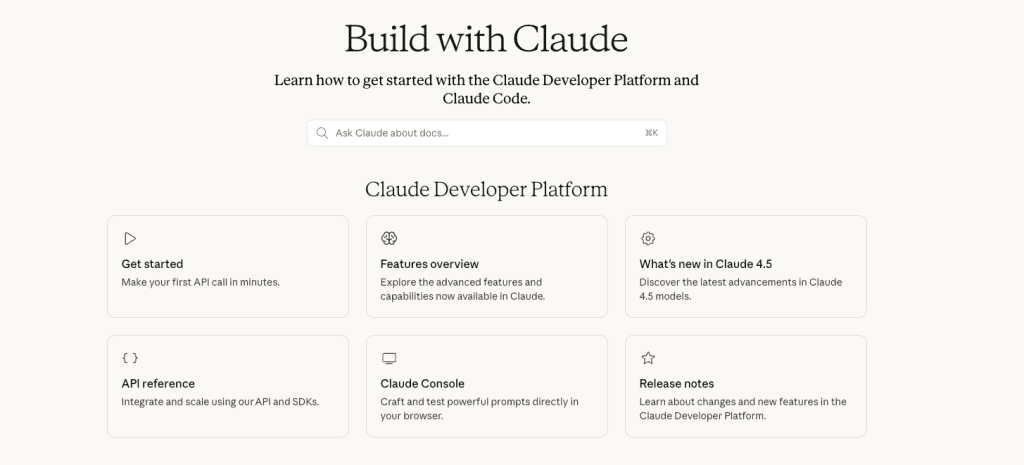
Docs if you want to go deeper:
They echo what I saw: structure + constraints beat poetic paragraphs.
Brainstorm Video AI Workflow: From Notes to Finished Concept
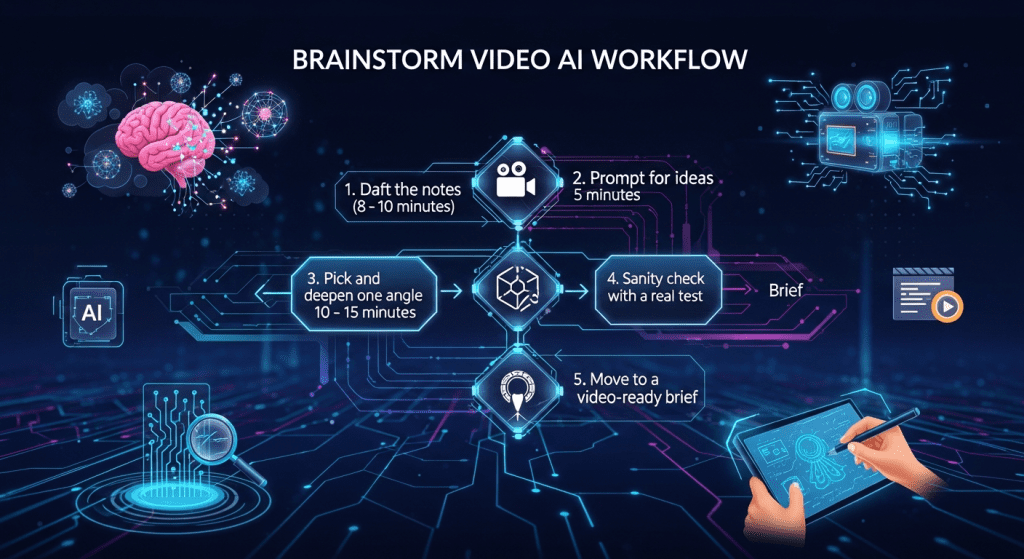
Here’s the flow I used across three projects this week. It’s simple enough to reuse, but specific enough to avoid generic soup.
- Draft the notes (8–10 minutes)
- Make the beat sheet with timestamps and one job-to-be-done line.
- Add two style signals: pacing and shot feel (e.g., handheld vs. locked-off).
- Prompt for ideas (5 minutes)
- Ask for 5–7 angles, not 50. Quantity kills judgment. I also request one surprising angle that breaks format.
- Pick and deepen one angle (10–15 minutes)
- I ask for a 45-second script, a visual plan per beat, and alt hooks.
- I ban clichés: “No ‘game-changer,’ ‘unlock,’ or ‘in today’s…'”
- Sanity check with a real test
- Read it aloud. If you stumble, viewers will too.
- Drop lines into a timeline to check actual duration.
- Move to a video-ready brief
- Turn the best script into a concise brief with deliverables.
Tools like Crepal fit naturally at this stage, taking a structured beat sheet and turning it into a first multi-scene draft, so you can focus on the idea instead of assembling clips.
For fast, scene-ready visuals during early testing, this free image generation workflow pairs especially well with concepting and angle exploration.
Idea Expansion and Angle Generation
I asked for angles on “privacy-friendly analytics for small teams.” Best outputs:
- “Show the anxiety first” angle: Quick chaos montage (tabs, emails), then a calm dashboard.
- “Myth vs. reality” angle: Rapid cuts busting 3 common beliefs.
- “One decision, three outcomes” angle: Choosing a metric changes the story: split-screen.
Tip: Ask the model to justify each angle in one sentence. The weak ones crumble fast.
Refining Concepts into Video-Ready Briefs
What I include in the final brief (this worked best across ChatGPT and Claude):
- Logline: One sentence with audience + outcome.
- 5-beat script with timing.
- Visuals per beat (shot size, motion, text on screen).
- Asset list: screens, icons, brand colors, music feel.
- Risks to avoid: cliché phrases, over-long intro, legal flags.
- Success measure: “Viewer can explain X back in one sentence.”
I pushed a brief into Runway for motion tests. The timing held up within ±2 seconds per beat. The model nailed quick punch-in moves: it struggled with precise screen legibility. For UI-heavy moments, I still prefer manual cuts in CapCut or Premiere. AI is great for concepting and motion feel: exact UI timing is still a human job, for now.
Brainstorm Video AI Examples in Real Scenarios
Three quick snapshots from this week:
- B2B product explainer (45s)
- Goal: “Reduce confusion about pricing tiers.”
- Result: Claude’s beat sheet + ChatGPT’s hook alts cut my scripting time from 70 minutes to 22. Metric: first draft read-through came in at 47s: final edit 44s. The hook that won: a question over a silent UI moment.
- Solo creator reel about study habits (30s)
- Gemini gave me a surprisingly fresh angle: “Show the ‘pretend research’ spiral.” I almost skipped it: it performed best in testing with 5 friends. Not everything needs a stat, sometimes the human moment carries.
- Sales micro-demo for a live webinar (20s)
- ChatGPT respected my “no fluff” rule and kept the CTA human: “Try it while we’re live: I’ll wait.” Tiny spark of delight.
Where AI fell short
- Generic transitions (“and then we show a dashboard”) crept in when I wrote long paragraphs. Fix: always return to timestamps.
- Visual metaphors can get cheesy fast. I now ask for two literal shots before any metaphor.
If you want my starter prompt, DM me, or try this structure: 1-line job, 5 beats with times, 2 style notes, 1 negative rule. That combo has been money.
I’ll keep testing across models and post updates. If you want deeper dives, my longer reviews link out to docs and examples, and I share raw drafts in my newsletter. This stuff isn’t magic, it’s just clearer notes meeting better models, and it makes brainstorming feel light again.
Previous posts:






