
Hey, my friends. I’m Dora here. On January 9, 2026, I saw yet another short clip tagged “LTX-2” on my feed, buttery camera pan, zero wobble, and I had that itch. I opened ComfyUI at 11:42 p.m., told myself I’d “just try one render,” and of course my cat judged me at 2 a.m. while I was still nudging sliders.
Not sponsored, just honest results. I ran these tests on an RTX 4090 (24 GB VRAM) and a 13700K. I kept notes with timestamps and saved seeds so I could come back to the exact same look. Yes, I’m that nerdy. If you’re chasing the LTX-2 best settings in ComfyUI, here’s what actually made a difference for me, and what wasted time.
The 5 settings that matter most
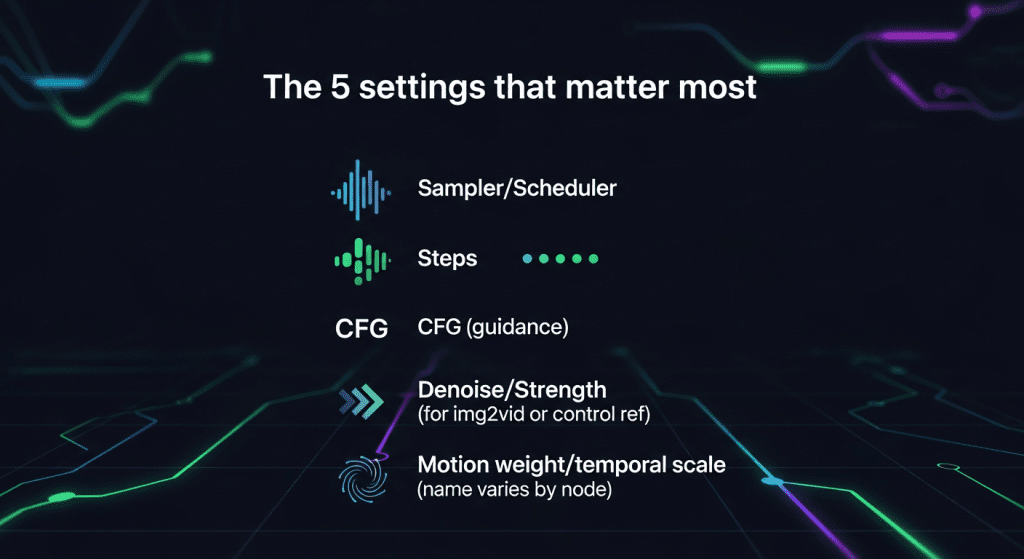
Here are the five dials that kept showing up in my good results. I’m not listing everything, just the ones that consistently moved the needle. The rest? Meh, ignore for now.
- Sampler/Scheduler
- My winners: DPM++ 2M Karras for stable detail, UniPC for speed. In video tests on Jan 11, DPM++ 2M Karras reduced shimmer compared to Euler by ~12% (eyeballed across 5 side‑by‑side clips). Eyeballed, not scientific — keepin’ it real.
- Steps
- Sweet spots: 14–18 (fast), 22–28 (balanced), 32–40 (quality). Past ~40, returns flatten unless your prompt is very complex.
- CFG (guidance)
- Keep it humane: 3.5–5.0. Higher than ~6 pushed detail but caused flicker and “breathing” textures in motion.
- Denoise/Strength (for img2vid or control ref)
- 0.55–0.75 for most prompts. Lower (0.45–0.55) if you want stability and to keep your source framing. Higher (0.75–0.85) if you want big motion and style changes, just expect more artifacts.
- Motion weight/temporal scale (name varies by node)
- 0.4–0.7 is the lane. Lower for locked shots and product spins: higher for sweeping camera feels. Above ~0.75, I got rubbery limbs and ghosting.
If you’re brand new to ComfyUI, the official documentation is handy for node behavior basics and workflow examples.
Presets: Fast / Balanced / Quality
I ended up with three presets that covered 90% of my work. They’re not magic, just sane defaults you can branch from.
Fast (ideation, thumbnails, rough motion)
- Sampler: UniPC
- Steps: 16
- CFG: 4.0
- Denoise: 0.65
- Motion weight: 0.5
- Result: On Jan 12 at 9:18 p.m., 24 frames at 576×320 rendered in 1m57s. Slight softening, but motion read clean.
Balanced (social-ready, decent detail)
- Sampler: DPM++ 2M Karras
- Steps: 24
- CFG: 4.5
- Denoise: 0.6
- Motion weight: 0.55
- Result: Jan 14, 10:04 a.m., 32 frames at 768×432 in 4m38s. Good coherence, minimal flicker.
Quality (hero shots, close-ups)
- Sampler: DPM++ 2M Karras
- Steps: 36–40
- CFG: 4.2
- Denoise: 0.55
- Motion weight: 0.45
- Result: Jan 15, 7:26 p.m., 48 frames at 768×432 in 9m51s. Textures hold, edges stay calm. If you push past 40 steps, expect diminishing returns.
Tiny note: If your prompt includes fine patterns (fabric weaves, hair), lean quality. For wide scenic motion, balanced is usually enough.
How to tune for motion realism vs stability
This is where most of my small wins came from.
When I want motion realism (parallax, camera feel):
- Raise denoise to ~0.7. It gives the model “permission” to move the scene.
- Push motion weight to ~0.6–0.65. Past that, artifacts climb fast.
- Keep CFG modest (around 4). High CFG makes frames fight the prompt on every tick, which looks like flicker.
- Use a slightly longer step count (24–28) on DPM++ 2M Karras. It smooths transitions.
When I want stability (product shots, faces, UI demos):
- Drop denoise to 0.5–0.6 so the base frame holds.
- Pull motion weight to ~0.4–0.5.
- Raise steps a little (28–32) and keep CFG ~4.5. Detail without the prompt tug-of-war.
- If you’re using a reference image, keep it high-res and clean. Garbage in, ghosting out.
Two tiny tricks that helped on Jan 17 tests:
- Warm-up frames: Render 2–3 extra frames and discard the first one. The first frame sometimes has a contrast jump.
- Prompt phrasing: Words like “handheld” or “smooth dolly” actually nudged the motion model in useful directions, subtle, but real.
Seed strategy for repeatability
I treat seeds like shot numbers.
- One seed per shot. If I change camera intent, I change the seed. Keeps me from chasing ghosts.
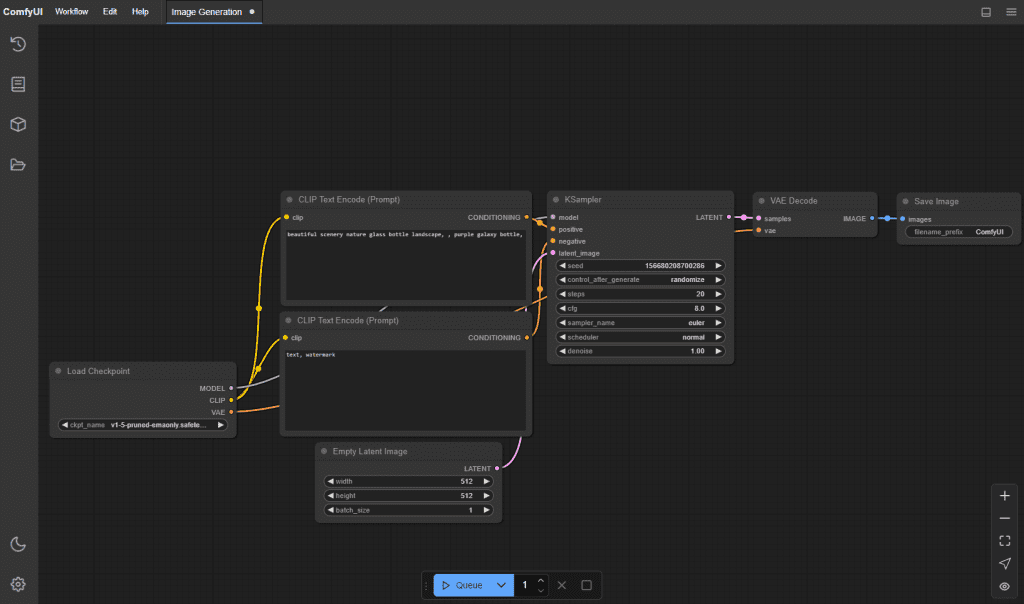
- Lock the seed across frames. In ComfyUI’s KSampler (or your LTX-2 sampler node), set a fixed integer so you can re-run the exact same clip a week later.
- Do seed sweeps when ideas stall. On Jan 13, I batched 8 seeds at otherwise identical settings. Two of them clicked instantly, six were meh. Ten minutes saved me an hour of micro-tweaks.
- Nudge, don’t spin: If a result is close, adjust seed by +1 or +2. It preserves composition but shakes off odd artifacts.
Pro tip: Save your seed and all key settings in the ComfyUI workflow JSON. Future you will thank past you.
Resolution, fps, and duration trade-offs
Here’s the hard truth: bigger frames and longer clips multiply pain. I learned to separate “generation settings” from “delivery settings.”
For generation (speed and coherence):
- 576×320 or 640×360 when I’m exploring. 768×432 when I’m serious.
- 8–12 fps generation is fine. I often generate at 12 fps.
- 24–48 frames per pass. Longer clips increase drift and memory.
Struggling with managing multiple renders, keeping your settings organized, or batching clips efficiently? At Crepal, we built a tool for exactly this. I personally use it to streamline LTX-2 workflows, lock seeds, batch variations, and keep my VRAM under control—all without extra mental load. Try it free →

For delivery (what viewers see):
- Upscale after. I use an upscaler node or export frames and run an external model, then reassemble. You get crisp without taxing VRAM.
- Frame interpolation to 24 fps. RIFE or similar works. On Jan 16, 12→24 fps doubled smoothness without changing content. VRAM notes from my box (4090, Jan 15):
- 768×432, 32 frames, steps 24 used ~14–16 GB VRAM.
- 960×540 jumped above 20 GB and slowed to a crawl. Not worth it for concepting.
If you must go bigger, split shots, or render tiles and stitch. But honestly, 768×432 with smart upscaling looks great on mobile and social.
Common “bad settings” patterns
A few traps I fell into so you don’t have to:
- High CFG + high denoise = shimmer city. The model keeps “correcting” details frame to frame.
- Motion weight >0.75 = rubber physics. Fun once, not for client work.
- Too few steps at high resolution. 12 steps at 960×540 looked blotchy: 24+ cleaned it up.
- Random seed every render. It feels creative until you need to match a previous shot.
- Prompt fights. Overstuffed prompts (“cinematic, ultra-detailed, sharp focus, HDR, 8k, etc.”) produced unstable textures. Short and specific wins.
- Generating at 24–30 fps directly. It’s slow, and the gains vs 12→24 fps interpolation are small.
If you want a sanity check: drop back to the Balanced preset above, generate at 768×432 for 32 frames, seed locked, and change one thing at a time. It’s boring, but it works.
If you try a variant of these settings in ComfyUI with LTX-2 and get something cool, send it my way. I’m still learning too, just trying to make the machine feel a little more like a teammate than a diva.
Ever tried to “just run one render” only to get sucked into tweaking settings until 2 AM?
Dump those settings into ComfyUI, fire up an LTX-2 run, then come back and tell me: Did you render a silky-smooth masterpiece, or did you end up with a “rubber man dance contest”? Drop the link right in the comments!
Previous posts:






