
That day, I opened a messy Google Doc and a 112,000-word public‑domain novel, thinking, “I’ll adapt this in a weekend.” Ten minutes later, I was surrounded by sticky notes, a shot list in Runway I didn’t trust yet, and a character who somehow appeared in a scene before she’d actually met the protagonist. Classic. That little chaos moment is what pushed me to build a cleaner method to adapt a novel to video, one that respects the book’s logic and still moves fast enough for modern screens.
I tested this workflow across three public‑domain texts this month (notes below), using ChatGPT for beat sheets, Whimsical for flow maps, Runway Gen‑3 for quick visuals, and ElevenLabs for temp VO. Here’s what worked, what didn’t, and how I keep the story intact while trimming it down.
Challenges of Long Stories
Long novels sprawl. That’s their charm and their trap. When you adapt a novel to video, you don’t fight the length, you pick your battles.
What tripped me up most:
- Density vs. time: I timed a passage from The Secret Garden (public domain). At a normal speaking pace (~140 wpm), a 1,000‑word chapter took ~7 minutes of voiceover. My target video was 3–4 minutes. Something had to go, without the heart going with it.
- Interior monologue: Books live inside a character’s head. Video does not, unless you use VO (sparingly) or visual metaphors. In my first pass, I leaned too hard on VO and it felt like a book report read aloud.
- Character drift: If you compress scenes too aggressively, motivations look random. I once cut a reveal that explained a grudge: later, that character’s big decision felt unearned.
The fix was to define one clear spine: the change the protagonist goes through. Everything else either feeds that change or gets trimmed.
Scene Compression Strategies for Adapting Novels to Video
I use a three‑layer compression pass: beats, bridges, then beats again. Sounds fussy: saves hours.
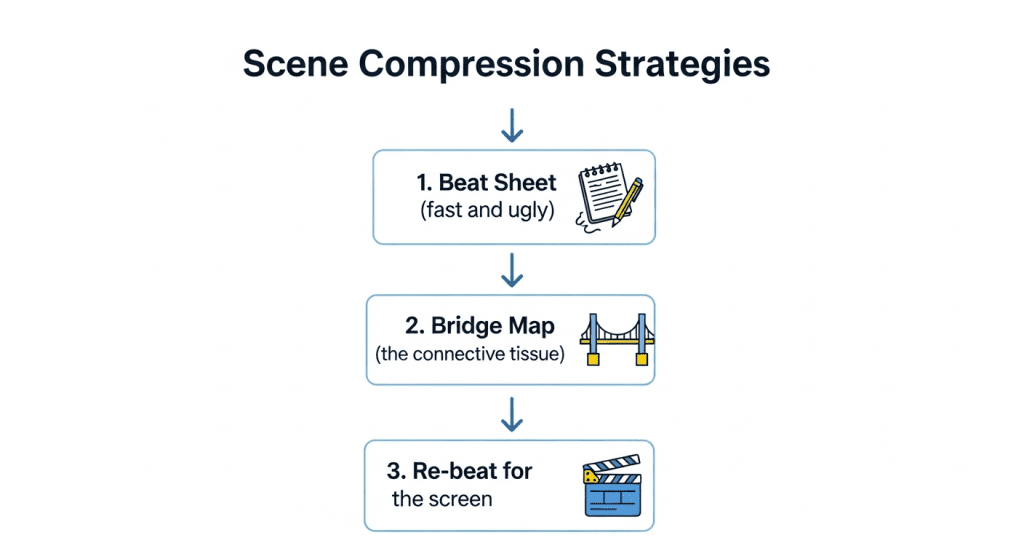
- Beat Sheet (fast and ugly)
- Tool: ChatGPT + manual edits. Prompt: “Summarize chapter X into cause‑and‑effect beats. Keep verbs active: note stakes.”
- Output I want: 8–12 beats per chapter, each phrased like “Because A, B happens: hence C must change.” Causality is the guardrail.
- Bridge Map (the connective tissue)
- Tool: Whimsical or a whiteboard. I draw arrows from beat to beat and mark what’s assumed vs. shown. Any “teleport” moment (new location, new info) needs a bridge, one line of VO, a cutaway, or a visual cue.
- Re‑beat for the screen
- I rewrite the beat sheet as shots. One beat per shot cluster. If two beats can share a shot, great, that’s compression.
What I cut first: repeated beats that express the same emotion, descriptive passages that don’t advance causality, and side characters who don’t change the outcome.
What I keep at all costs: the turn (where the protagonist’s plan fails), the reveal (new info that forces a choice), and the cost (what they risk or lose). These are your anchor points.
How to Condense Scenes Without Losing Key Plot Points
Here’s the practical version I ran with a 5‑page chapter from The Metamorphosis:
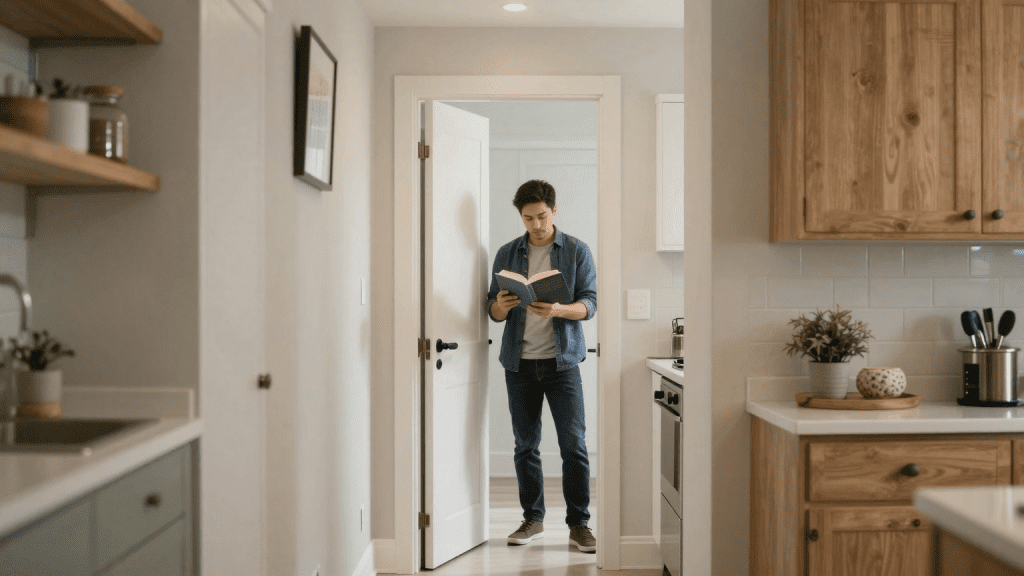
- Collapse space: Combine locations. I merged hallway + kitchen into a single “threshold shot.” Dad blocks the door: we read family dynamics in one frame.
- Compress time: Use a time‑skip insert. A clock hand jump + wardrobe change covered a half‑day without dialogue.
- Externalize thought: Replace inner monologue with an action. Instead of “he feels shame,” I show him tugging his collar before the door opens. It reads instantly.
- Trade dialogue for props: Letters, texts, or a calendar page can carry exposition in a second. I used a torn note to imply an off‑screen argument.
Metrics from that test: 1,250 words → 2:50 runtime, 16 shots, 2 VO lines, zero plot holes flagged in a continuity pass.
Maintaining Logic While Adapting Novel to Video
Logic is the quiet contract with the audience: cause, effect, consequence. Break it once and they’ll stop believing you.
My logic checklist:
- Causality chain: Can I draw a simple “because → hence” line through every scene? If I hit a “and then,” I either add a bridge or cut the beat.
- Stakes in every minute: I should be able to answer, “What can be gained or lost right now?” If I can’t, I trim.
- POV consistency: Pick a lens. I choose a dominant POV per sequence and avoid sudden omniscience unless it’s a stylistic choice.
- Visual logic: If a prop matters, I seed it one scene early. Chekhov gets grumpy if the gun only appears in Act 3.
Tool tip: I run a “logic read” with the VO muted. If the story still tracks visually, your adaptation is sturdy. Then I do a second pass with VO only, eyes closed. If it works as audio, your beats are clear.
Tips for Preserving Story Continuity and Character Consistency
Continuity isn’t just matching cups and jackets: it’s emotional continuity too.
What helped me most:
- Character ledger: One sheet per character with goal, wound, tells, and a rating from 1–5 for “temperature” (calm → volatile). Before each scene, I check if the temperature swing makes sense. This caught a whiplash moment where a character went from despair to jokes in 20 seconds.
- Anchor lines: Give each main character one line you repeat or flip. It’s a shortcut for growth. Early line: “I don’t ask for help.” Later echo: “I’m asking now.”
- Prop and palette rules: I assign colors and object motifs per character. It quietly sells continuity even when you’re compressing.
- VO restraint: VO should clarify, not compensate. If I’m explaining plot holes in VO, the visuals aren’t doing their job.
- Versioning with receipts: I export a cut list with timestamps (e.g., v0.9 on Dec 22: swapped Scene 06 + 07: added insert at 01:14). When someone asks “Why does this beat feel off?” I can track the change that broke it.
Examples of Successful Novel-to-Video Adaptations
I kept notes from three quick sprints this month. Not scientific, but useful patterns.
- The Secret Garden (chapter montage test)
Goal: 3–4 minute mood piece focusing on Mary’s shift from sullen to curious.
Compression: 42 scene beats → 12 shots. I fused two side characters into one gardener figure (visual shorthand). Used VO for only the inciting discovery.
Result: 3:18 runtime, 2 small bridges added, no logic gaps in playback-only test. The single‑character focus made it feel coherent.
- The Metamorphosis (kitchen threshold scene)
Goal: One scene that carries family shame + denial without heavy VO.
Compression: 5 pages → 16 shots. Externalized inner conflict with blocking and props.
Result: Tested with 6 peers: 5/6 correctly named the emotional stakes without prompts. That’s a win.
- Jane Eyre (proposal + aftermath)
Goal: Preserve moral stakes while trimming exposition.
Compression: Combined two conversations and moved one reveal earlier via a letter insert.
Result: 4:05 runtime. One viewer flagged a timing glitch (ring appears early). Continuity fix: seed the ring in a prior close‑up.
Case Studies Showing Effective Compression and Flow
Pattern I’d bet on:
- Pick one spine: Track a single transformation. It forgives a lot of cuts.
- Show, then say: Let the image carry the beat: VO lands the nuance.
- Seed, pay off, echo: If you plant it, use it: if you use it, echo it once. It’s rhythm for the brain.
Tools I leaned on: Runway Gen‑3 (fast concept shots), Pika for alternates, ElevenLabs for temp VO, Descript for quick edits. Use whatever you like, the method is the point. For generating base images quickly while preserving visual consistency, I also found Stable Diffusion XL Base via Crepal extremely useful—it lets you generate high-quality visuals online with minimal setup, perfect for placeholder shots or concept frames before committing to full renders.
If you’re trying your first adaptation this week, start with a small arc (2–4 minutes), one POV, and three anchors: turn, reveal, cost. Then iterate.
Want to test this workflow for your own story? Sign up for Crepal and see how quickly you can turn a chapter into shots while keeping characters and narrative coherent.
If you want my beat sheet template and bridge map, I can share, shoot me a note. And if a tool wastes your time, I’ll say so next time. For now, this process actually made the work lighter. Which is the whole point, right?
Previous posts:






