Hello there! I‘m Dora. Last month a brand I work with sent me a brief: “We need 12 lifestyle shots of a model wearing each SKU. Budget: $0 for a shoot.” I said okay, gave myself a weekend, and went down a very deep rabbit hole testing every AI outfit generator I could find.
What I discovered is that this category has matured dramatically since 2024 — and split into two very different types of tools with different strengths. This guide is what I wish someone had handed me before I started.
What a Custom Outfit Generator AI Actually Does
Try-On Simulation vs Full Outfit Generation — Key Difference
These two things sound similar and are often marketed interchangeably, but they’re genuinely different workflows:
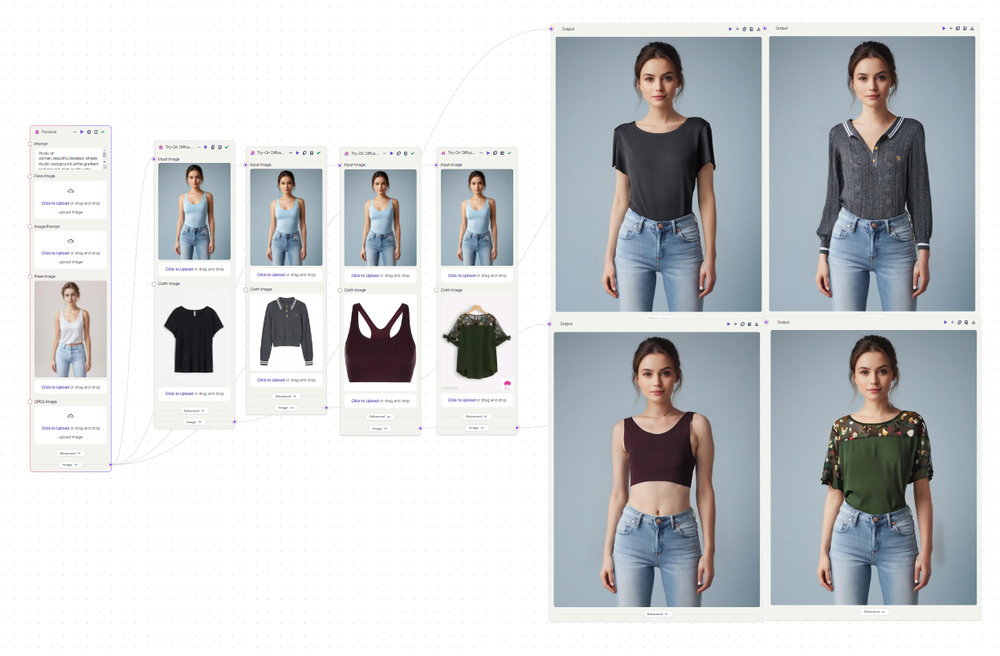
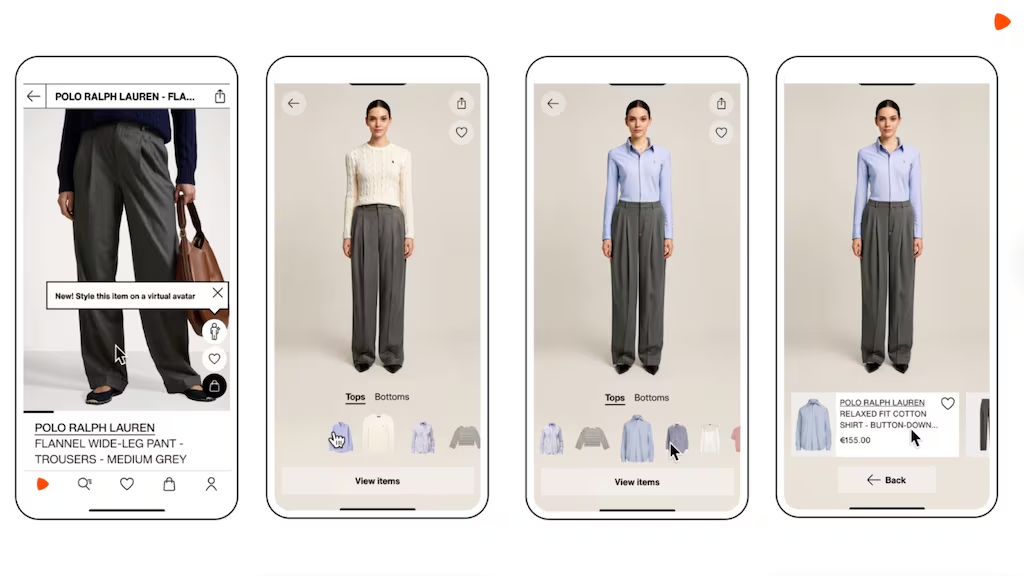
Virtual try-on simulation takes an existing garment image and composites it onto a model or person. You’re starting with a real product photo and digitally dressing someone in it. The output looks like a photo of someone wearing your specific item — because technically, it is.
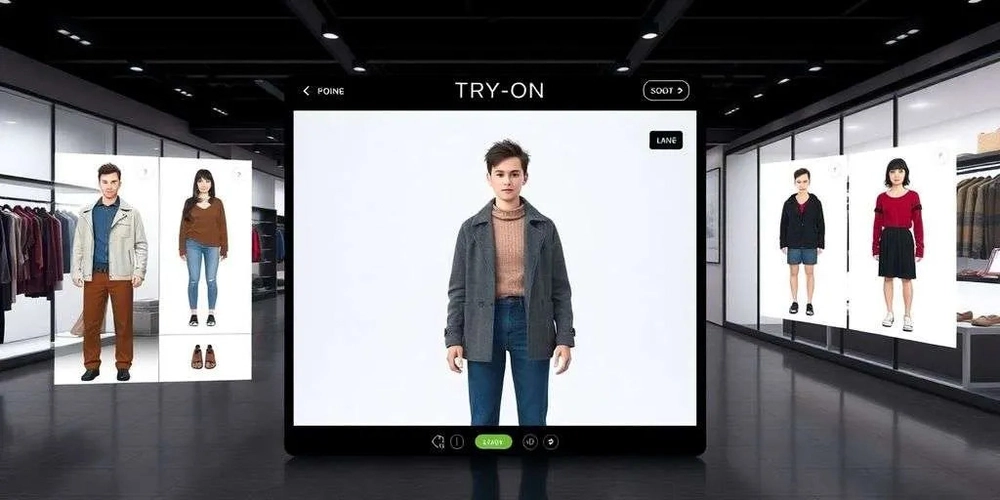
Full outfit generation creates an entirely new outfit image from a text prompt or reference image. There’s no real garment being composited; the AI is generating a look from scratch. Useful for concept work, mood boards, and content creation — not for showing a specific SKU accurately.
The distinction matters a lot in practice. If you’re an e-commerce seller, you need try-on simulation. If you’re a fashion content creator building aesthetic content, full generation is often faster and more flexible.
Use Cases: Fashion Creators, E-Commerce, Personal Styling
Fashion content creators use these tools to generate outfit inspiration content, lookbook visuals, and Reels/TikTok assets without a full production budget. The volume play — 20 variants in an afternoon — is the real value.
E-commerce teams use them to replace or supplement model photography. AI fashion model generators can cut e-commerce production costs by 80–90% and speed up production by 3–10 times for standard catalog content. According to McKinsey’s State of Fashion Guide, over 70% of fashion executives named AI-driven design and merchandising tools a top-three digital investment priority — hero campaigns are still better served by real shoots, but for everyday product listings, the ROI math is compelling.
Personal stylists use them to visualize client wardrobes before committing to purchases, or to demo looks in client presentations.
How We Evaluated These Tools
I ran each tool through four scenarios in March 2026:
- Single garment on a model — basic flatlay-to-model conversion, standard lighting
- Full outfit assembly — top + bottom + shoes, assembled from separate images
- Diverse body type test — how each tool handles non-standard proportions
- Prompt-driven generation — text-only input, no garment image
I scored on: garment identity preservation (does the specific item still look like itself?), body proportion accuracy, fabric texture rendering, and free tier practical value. I also documented commercial licensing terms, since that’s where most creators get tripped up.
Best Custom Outfit Generator AI Tools (Ranked)
Tool 1 — Best for Fashion Content Creators
WearView is my top pick for creators who need a full content pipeline in one place. WearView combines AI model generation, virtual try-on, flatlay-to-model conversion, video generation, and pose control in a single workspace — which means you’re not switching between three tools to get a finished piece of content.
Write a text prompt describing your model (ethnicity, age, body type, pose, setting) and get a photorealistic fashion photo in about 30 seconds. You can also upload garment images and swap them onto your generated model with consistent identity across a whole shoot.
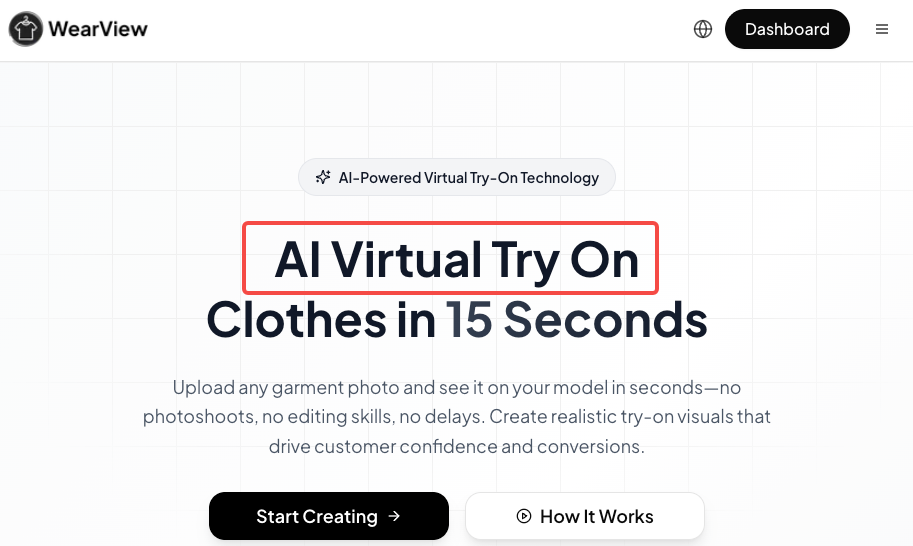
What sold me on this for creator workflows specifically: the pose control. I tested a reference-image pose match and it was accurate enough to build a consistent visual series — same model, different outfits, matched poses. That’s something I used to spend hours in Photoshop approximating.
Output resolution goes up to 4K. The free trial gives you enough to evaluate the quality before committing to a paid plan. Commercial use is permitted on paid tiers.
Tool 2 — Best for E-Commerce Product Shots
For e-commerce specifically, FASHN.ai is purpose-built in a way general tools aren’t. FASHN AI develops in-house AI models focused on premium PDP imagery and try-on experiences — and the try-on studio lets you swap clothes on model photos while preserving the product, pose, lighting, and background consistently.
In my SKU test, it preserved the garment identity better than any other tool I tested. The specific weave pattern on a textured knit came through. The color didn’t shift. The logo on a graphic tee stayed legible. That level of product accuracy matters when the image is going on a product page where a customer is making a purchase decision.
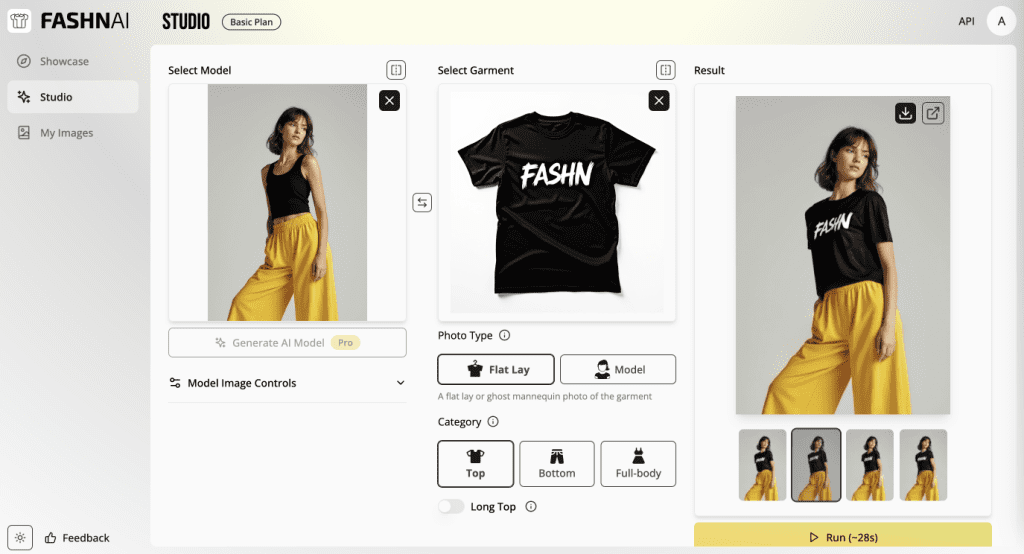
FASHN also recently open-sourced FASHN VTON v1.5 — a segmentation-free virtual try-on model that generates photorealistic results directly in pixel space — signaling genuine technical investment rather than just interface polish.
Tool 3 — Best Free No-Signup Option
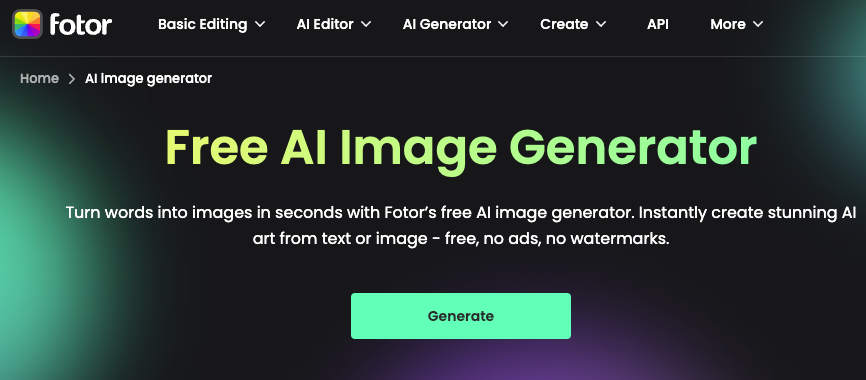
For creators who want to test the technology without friction, Fotor’s AI Fashion Generator is the lowest-barrier entry point. It handles both text-to-outfit generation and photo-based outfit swaps, and the free tier doesn’t require a credit card or account to run your first few tests.
The output quality sits below WearView and FASHN on realism, but it’s genuinely usable for social content — especially short-form video thumbnails, mood board assets, and concept mockups. The “Custom” text prompt mode is more flexible than the preset style selector, and in my tests, detailed prompts produced noticeably better results.
Free tier gives you daily credits with no watermark on standard resolution exports. For a creator testing workflows before budgeting a paid tool, it’s the right starting point.
Tool 4 — Best for Consistency Across Multiple Outfits
If you’re generating images for an entire collection — or need a consistent model identity across 20+ product shots — Modelia‘s character consistency engine is the most reliable I tested. Modelia offers AI model photos plus video generation with consistent character identity across your catalog, which is the specific problem most tools fail at once you go past 5–6 images.
I ran a 10-image batch test using the same model with different outfits. Modelia kept facial features, skin tone, and body proportions stable across all 10. A competitor tool I tested alongside it drifted noticeably by image 4.
Native Shopify integration is available, and the video generation feature produces short animated clips usable for social commerce — similar to what Pixa does with runway walks. Commercial license is included on all paid plans.
Feature Comparison Table (Free Tier / Watermark / Style Range / Realism / Commercial License)
| Tool | Free Tier | Watermark (Free) | Style Range | Realism Score | Commercial License |
| WearView | Trial credits | Yes | Very broad (text + image) | ⭐⭐⭐⭐⭐ | Paid plans only |
| FASHN.ai | Limited credits | Yes | Fashion-focused | ⭐⭐⭐⭐⭐ | Paid plans |
| Fotor | Daily credits | No (standard res) | Moderate | ⭐⭐⭐ | Paid plans |
| Modelia | Trial credits | Yes | Broad | ⭐⭐⭐⭐ | All paid plans |
Prompt Patterns That Work
After two weeks of testing, these five templates consistently produced the best output quality across tools:
H3 5 Prompt Templates with Example Outputs Described
Template 1 — Specific garment description (try-on)
[garment type] in [specific color], [fabric/texture detail], worn by a [age range] woman with
[skin tone] skin, standing in [setting], [lighting type], editorial photography style
Example result: a rust-colored linen blazer with visible weave texture, worn by a 30s South Asian woman in a minimal studio, soft diffused light — garment preserved accurately, clean background.
Template 2 — Full look assembly (generation)
Complete outfit: oversized cream trench coat, straight-leg dark wash jeans, white sneakers,
worn by [model description], street style photography, natural afternoon light
Example result: coherent outfit assembly, proportions correct, shoe detail slightly generic but usable for content.
Template 3 — E-commerce clean shot
[garment] on a female model, white studio background, direct front-facing pose, product
photography, no shadows, high key lighting, 4K resolution
Example result: clean enough for product listings on WearView and FASHN; Fotor added slight background grey on free tier.
Template 4 — Lookbook editorial
Fashion editorial photo: [outfit description], model in confident mid-stride pose, urban
background, golden hour, film grain, Vogue aesthetic
Example result: strong aesthetic quality on WearView; Modelia tended toward a slightly flatter editorial style.
Template 5 — Diverse body type test
[outfit] on a plus-size model, size 18 body type, full body visible, natural confident pose,
studio lighting, fashion photography
Example result: WearView and FASHN handled this best; Fotor showed mild proportion distortion on the lower body.
Where These Tools Still Fall Short
Fabric Texture Accuracy, Body Proportion Issues
Even the best tools on this list have consistent failure modes worth knowing before you budget them into a workflow.
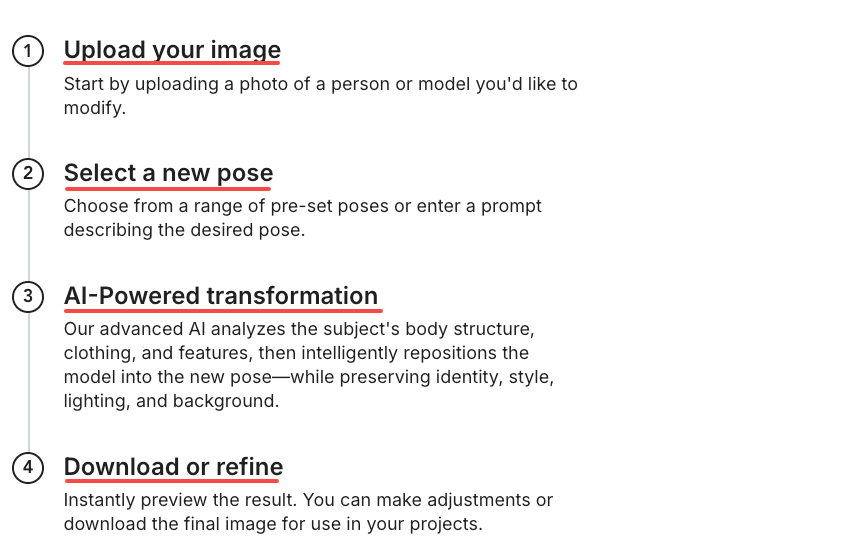
Fabric texture accuracy is the biggest gap between marketing claims and reality. Complex garments — items with intricate details, patterns, or unusual constructions — don’t always render accurately; the technology works best for simple, structured pieces. In my tests: solid colors and minimal textures came through cleanly. Fine knits, lace, sequins, and sheer fabrics all produced inconsistencies — either flattened texture or completely wrong material feel. Denim is improving — as Business of Fashion reported, generative AI has gotten closer to accurately depicting denim, which can carry up to 100 sizes — but it’s still not reliable for technical outerwear or intricate embroidery.
Body proportion issues surface most on non-standard body types. Research on virtual try-on systems identifies texture preservation and identity retention across different garments and poses as two of the core remaining limitations — the AI can lose garment consistency when the pose or body shape varies significantly from training data norms. In my plus-size test, lower body proportions were the most common failure point: hips and thighs often rendered slightly undersized compared to the torso.
Practical workaround: test your specific garment category and target body type before committing to a tool. Free trial credits are exactly what they’re for.
FAQ
Q: Can I use AI-generated outfit images commercially?
A: On paid plans, yes — WearView, FASHN.ai, Modelia, and Fotor all grant commercial usage rights at the paid tier level. Free tier output is generally limited to personal, non-commercial use. Always check the specific tool’s current terms of service before using generated images in paid campaigns, as licensing terms can update.
Q: Do AI outfit generators work for plus-size or diverse body types?
A: Coverage is improving but inconsistent. Modern AI virtual dressing room tools now support a wide range of body types, skin tones, and sizes, and this is increasingly a stated priority across the industry. In my March 2026 tests, WearView and FASHN produced the most accurate results for diverse body types; Fotor struggled most with plus-size lower-body proportions. Run your own test before relying on any tool for inclusive marketing content.
Q: How accurate are AI outfit generators for specific fabric textures?
A: Solid fabrics, cotton, and structured wovens render most accurately. Sheer fabrics, sequins, lace, and fine knits are still challenging — the AI tends to smooth or flatten high-frequency texture detail. AI color-matching and texture realism improved by 60% during recent years, so the trajectory is positive, but complex materials still need human quality review before going live on a product page.
Who Should Use Which Tool
| Use Case | Recommended Tool | Why |
| Fashion content at volume | WearView | Pose control + text + image inputs in one place |
| E-commerce product shots | FASHN.ai | Best garment identity preservation |
| First-time tester, no budget | Fotor | No signup, daily free credits |
| Full catalog consistency | Modelia | Best cross-image character stability |
| Video + stills combined | Pixa or Modelia | Runway animation feature |
Verdict
For fashion content creators: WearView is the most complete creative toolkit in this category right now. Pose control, text-to-model, video generation — it covers the full content workflow.
For e-commerce product photography: FASHN.ai wins on garment accuracy. If the image is going on a product page, that’s the non-negotiable metric.
For free testing: Fotor gets you in the door without friction.
Previous Posts: