
I was scrolling after midnight on November 22, 2025, and a clip of a paper airplane gliding past a neon street stall popped up. “Kling did this? No way.” I’d already used Runway for a few client mockups this fall, so curiosity won. I brewed tea, opened tabs, and ran the same prompts through both.
If you’re trying to decide between Kling AI vs Runway for video generation, here’s what I found after a weekend of testing short 5–8 second clips at 1080p, using identical prompts and seed-style guidance when available. I focused on realism, physics, camera movement, and actual workflow speed, the boring-but-important stuff that decides whether a tool sticks in your daily flow or becomes another forgotten icon.
Why Compare Kling AI vs Runway
Runway (Gen-3) is the familiar choice for creators who need consistent results, solid UI, and quick iteration.

Kling is the newer name in my circle, famous for physics and texture sharpness in demos. Both promise

“cinematic” output. But which one holds up when you need:
- Believable human faces and hands
- Natural fabric, water, and hair movement
- Clean motion without distracting glitches
- Control over camera language (tracking, dolly-in, depth of field)
- A workflow that won’t derail your production day
So I ran a simple set of tests:
- Human portrait talking to camera (5s)
- Golden retriever running on a wet beach (8s)
- City scooter shot with a slow orbit (6s)
- Close-up of coffee pour with steam (5s)
Settings: 1080p where available, default length unless noted, re-prompted twice if the first pass missed the brief. Tests done Nov 22–23, 2025. Tools: Runway Gen-3 web app: Kling web beta (public access).
Realism & Sharpness in Kling AI vs Runway
I care about shots that don’t scream “AI.” If I’m making a product teaser or B-roll for social, the viewer shouldn’t pause because a hand looks plasticky or a background warps.
Human Details Comparison

The portrait test (soft window light, 35mm lens feel, subtle head nod) surprised me. Runway Gen-3 gave me a stable face with decent skin microtexture, and teeth that didn’t go uncanny. Hands (a quick gesture at second 3) were fine, not perfect, but no extra fingers. Kling’s face detail was sharper, especially pores and eye moisture. It felt like a half-step closer to a mirrorless camera. But on take one, Kling introduced a tiny lip-sync drift when I added a “whispering” hint in the prompt: take two fixed most of it, still a hair off.
If you need talking heads: Runway is steadier for mouth shapes and blink cadence. Kling wins on microtexture and catchlights. I’d pick Runway for interview-style shorts: Kling for hero close-ups where the subject isn’t speaking.
Environment Texture Comparison
The beach dog test is where Kling flexed. The wet sand reflection, paw splashes, and fur shimmer looked… real. Not documentary real, but close enough to fool a casual viewer. Runway handled motion well, but the reflections looked softer and the water interaction felt less punchy. In the coffee-pour macro, Kling again pulled ahead on glass refraction and steam curl detail. Runway’s steam was cleaner (less noise) but flatter.
If your video leans on materials, glass, metal, fabric, water, Kling often renders richer surfaces. Runway still does a great job, just with gentler contrast and fewer “wow” moments.
Motion & Physics Differences
Physics is where hype meets reality. I tried the slow scooter orbit shot with traffic in the background.
- Kling: Beautiful parallax and believable wheel rotation. The background cars had correct motion blur. Minor hiccup: a blink-and-you-miss-it wobble on a curb line at second 2.
- Runway: Smoother global motion and fewer geometry hiccups, but less punch in micro-physics. The wheel blur looked a bit uniform.
On hair, cloth, and liquid, Kling tends to add convincing secondary motion, the little flutters and swirls that sell the shot. Runway gets the macro movement right and rarely breaks, which matters when a client expects consistency. If you’re doing kinetic product shots with splashes or flowing fabric, Kling gave me more “cinematic” feel. For storyboarded scenes where continuity matters, Runway stayed safer.
Camera Composition Analysis: Kling AI vs Runway
I’m picky about camera language. A shot can be sharp and still feel wrong if the lens and movement don’t match the prompt.
Runway:
- Responded well to lens cues like “35mm handheld” or “85mm portrait.”
- Depth of field behaved predictably. No random rack focus mid-shot.
- The orbit and dolly-in felt stable, less micro-jitter, more editorial.
Kling:
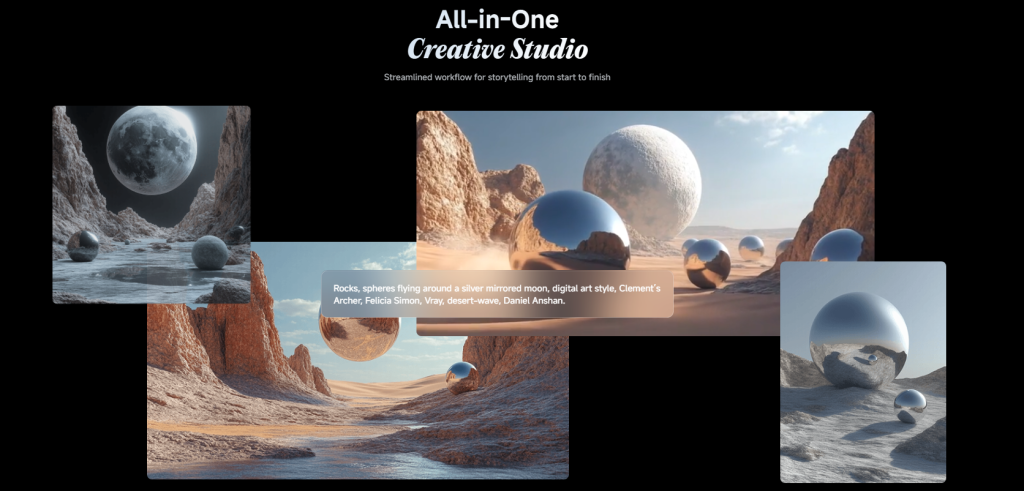
- Nailed dramatic compositions. It leaned into leading lines and layered foreground elements that added depth.
- Depth of field was creamier, sometimes too aggressive out of the box. I had to tone down “shallow DOF” wording.
- Occasional micro-judder on complex camera paths, though the parallax payoff was worth it.
If you want restrained, controlled camera behavior, Runway listens better. If you want stylish shots with bold depth and textures, Kling feels like a DP that drank an espresso.
Speed & Workflow Differences
Time matters. Here’s what I logged over the weekend (1080p, ~5–8s shots, standard settings):
- Runway: 40–90 seconds per render, low queue times. Iterating prompts felt snappy. I liked the timeline-like history, plus easy version comparison and quick trims. Gen-3’s consistency cut my retries.
- Kling (web beta): 90–180 seconds per render, occasional queue. Some retries when physics got too ambitious. The UI is clean but simpler, fewer on-rails guardrails, which is a pro for power users and a con if you need precise repeatability.
Features that helped in real work:
- Runway’s control: image reference, negative prompts, and shot-to-shot consistency tools made it better for sequences. Storyboarding several clips felt doable.
- Kling’s strength: image-to-video gave me lush transformations from a single reference still. Great for B-roll or mood pieces.
Docs and limits change fast: check official pages if you’re reading this later: Runway Gen-3 docs and Kling’s official site or help center if you have access.
Verdict: Which Is Better — Kling AI or Runway?
Short answer: it depends on the shot and your tolerance for variance.
- Pick Runway if you need reliability, clean camera control, decent human realism, and faster iteration. It’s the safer daily driver.
- Pick Kling if you chase rich textures, dramatic depth, and more lifelike physics in water, fabric, and reflections. It shines for hero shots and evocative B-roll.

My own split after Nov 22–23 tests:
- Client work with deadlines: 70% Runway, 30% Kling for standout moments.
- Personal reels and concept art: 60% Kling, 40% Runway.
If you’re on the fence, try this: run your exact use case, one talking head, one product macro, one motion shot, and time the full loop from prompt to export. Save your clips, compare frame-by-frame, and decide with your eyes, not a feature list.
And if you find a magic prompt for hands and steam, send it my way. I’ll trade you my beach dog settings. Not kidding.
Prevous posts:






