How you guys doing? This is Dora again! Last week I was budgeting a batch of product videos — 30 clips, five seconds each. I opened the LTX 2.3 pricing page, stared at it for three minutes, and realized I genuinely didn’t know whether to use Fast or Pro, 1080p or 1440p, or whether fal.ai and ltx.io were charging the same rates. The page lists numbers. It does not tell you what those numbers mean in practice.
So I did the math for both of us.
This article breaks down every LTX 2.3 API pricing tier, explains the actual quality difference between Fast and Pro, and gives you a real cost estimator so you know exactly what you’ll spend before you generate a single frame.
How LTX 2.3 API Pricing Works (Per-Second Billing Explained)
LTX 2.3 uses straightforward per-second billing — you pay for the duration of the video you generate, not for compute time or queue time. No subscriptions, no seat fees, no minimums.
The model is pay-per-second with no minimums, covering text-to-video, image-to-video, audio-to-video, extend, and retake endpoints.
The billing unit is seconds of output video, with the rate determined by three variables:
- Model variant — Fast or Pro
- Resolution — 1080p, 1440p, or 2160p (4K)
- Endpoint type — text-to-video, image-to-video, audio-to-video, retake, or extend
One thing that trips people up: portrait and landscape formats are priced identically at the same resolution tier. Portrait and landscape generations are priced identically at the same resolution tier, so switching your 16:9 clips to 9:16 for Reels won’t cost you more.
Fast vs Pro Variants: What’s Different in Quality and Speed
This is the question I get asked most. Here’s the honest answer.
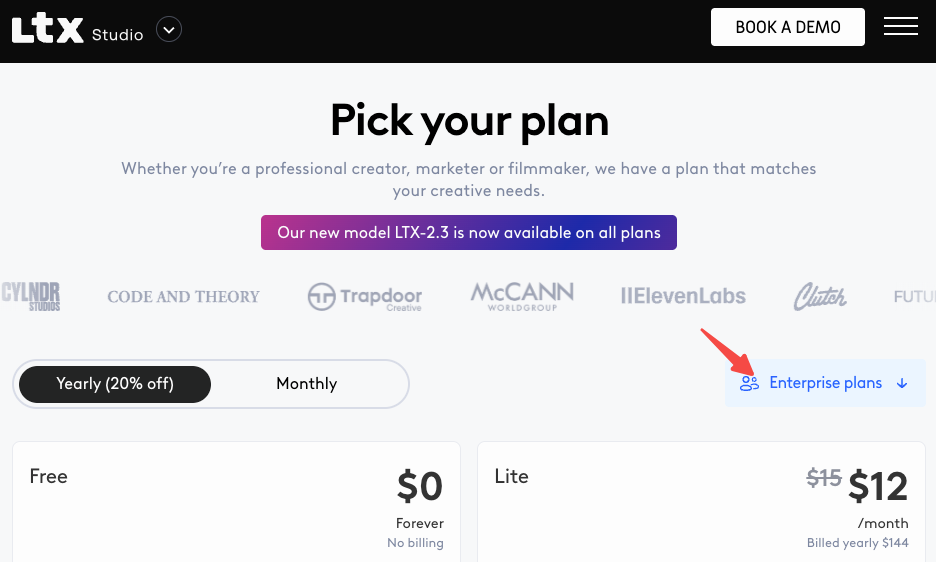
ltx-2.3-fast is optimized for speed and cost efficiency, making it suitable for high-volume or iterative generation. ltx-2.3-pro is optimized for higher visual quality and advanced use cases, with higher per-second pricing.
In practice, the difference matters a lot for certain content types and barely at all for others:
Use Fast when:
- You’re doing concept iteration (testing prompts before final renders)
- The clip will appear small on screen (thumbnails, background elements, lower-third overlays)
- You’re generating high volumes of social-first content where time-to-publish matters more than cinematic fidelity
- Budget is the primary constraint
Use Pro when:
- The clip is a hero shot, product showcase, or anything the viewer will scrutinize
- You need stronger temporal stability (characters or objects that need to look consistent frame-to-frame)
- You’re delivering to a client or publishing to a professional channel
- You’re generating at 1440p or 4K — the quality delta between Fast and Pro widens at higher resolutions
One thing I confirmed through testing: LTX-2.3 brings four major improvements over LTX-2, including a redesigned VAE that produces sharper fine details, more realistic textures, and cleaner edges. This improvement applies to both Fast and Pro — so even Fast in 2.3 produces noticeably sharper output than the previous generation.

720p vs 1080p Pricing Tiers
Quick clarification: LTX 2.3’s native API does not offer a 720p tier. The entry-level resolution is 1080p (1920×1080 or 1080×1920 portrait). The tiers are 1080p → 1440p → 2160p (4K).
If you’re seeing 720p outputs somewhere, that’s either a downscale applied in post, or you’re using an older model variant (LTX-2 or earlier). For LTX 2.3 via the official API at docs.ltx.video, the floor is 1080p.
Pricing Comparison Table (All Variants)
Here are the current rates via the LTX native API, with April 1 updates noted:
Text-to-Video & Image-to-Video
| Model | Resolution | Current (pre-Apr 1) | Post-Apr 1, 2026 |
| ltx-2-fast | 1080p | $0.04/s | No change |
| ltx-2-fast | 1440p | $0.08/s | No change |
| ltx-2-fast | 2160p (4K) | $0.16/s | No change |
| ltx-2-pro | 1080p | $0.06/s | No change |
| ltx-2-pro | 1440p | $0.12/s | No change |
| ltx-2-pro | 2160p (4K) | $0.24/s | No change |
| ltx-2.3-fast | 1080p | $0.04/s | $0.06/s |
| ltx-2.3-fast | 1440p | $0.08/s | $0.12/s |
| ltx-2.3-fast | 2160p (4K) | $0.16/s | $0.24/s |
| ltx-2.3-pro | 1080p | $0.06/s | $0.08/s |
| ltx-2.3-pro | 1440p | $0.12/s | $0.16/s |
| ltx-2.3-pro | 2160p (4K) | $0.24/s | $0.32/s |
Specialty Endpoints (Audio-to-Video, Retake, Extend)
| Endpoint | Model | Resolution | Cost/second |
| Audio-to-Video | ltx-2-pro / ltx-2.3-pro | 1080p | $0.10/s |
| Retake (video editing) | ltx-2-pro / ltx-2.3-pro | 1080p | $0.10/s |
| Extend (video extension) | ltx-2-pro / ltx-2.3-pro | 1080p | $0.10/s |
Supported Platforms (fal.ai, ltx.io)
LTX 2.3 is accessible through two main API routes, and the pricing structure differs slightly between them.
ltx.io (Official API) The native LTX API at console.ltx.video — direct access, consistent with the pricing table above, with clear documentation at docs.ltx.video. Best for developers who want a stable endpoint and direct relationship with Lightricks.
fal.ai hosts LTX-2.3 as a serverless endpoint — install the fal.ai SDK (Python or JavaScript), grab an API key from your dashboard, and make your first request in three lines of code. The API is serverless, so no GPUs to manage, no infrastructure to set up.

fal.ai pricing for LTX-2.3 currently mirrors the official API rates ($0.04/s Fast 1080p, $0.06/s Pro 1080p), but fal.ai’s advantage is infrastructure: regional GPU routing sends requests to the nearest available cluster, a custom CDN delivers generated content with minimal latency, and the system expands from zero to thousands of GPUs based on demand without any configuration.
For most individual creators, either platform works. For production pipelines where queue latency matters, fal.ai’s autoscaling infrastructure gives it an edge.
Here’s a minimal fal.ai Python call to generate a 5-second 1080p clip:
import fal_client

handler = fal_client.submit(
    "fal-ai/ltx-2.3/text-to-video",
    arguments={
        "prompt": "A product shot of a glass bottle rotating slowly on a white surface, cinematic lighting",
        "duration": 5,
        "resolution": "1920x1080",
        "model": "ltx-2-3-pro"
    },
)

result = handler.get()
print(result["video"]["url"])
# Cost: 5s × $0.06/s = $0.30
When to Use API vs Running Locally
Here’s the decision I spent the most time thinking about — and the answer genuinely depends on your volume and hardware situation.
Use the API when:
- You don’t own a GPU with 32GB+ VRAM (the requirement for full-quality local generation)
- You need a fast turnaround without setup overhead
- You’re building an app or automation that generates video programmatically
- Privacy is not a concern
Run locally when:
- You own or have access to an RTX 4090 (24GB VRAM) or RTX 50 Series
- You’re generating high volumes — 100+ clips per month — where API costs add up fast
- You need LoRA fine-tuning for character/style consistency (this is local-only)
- You want full data privacy
For local video generation on Windows, the system requires an NVIDIA GPU that supports CUDA and has at least 32GB of VRAM, along with at least 16GB of RAM (32GB recommended).
NVFP4 support for LTX-2.3 is coming soon to ComfyUI, which will deliver up to 2.5x performance gains and 60% lower memory usage — meaning the local option is getting significantly more accessible in the near term.
The LTX team officially recommends ComfyUI as the primary interface for local use, with pre-built workflows available via the ComfyUI Manager.
Cost Estimator: How Much Does 10s / 60s / 5min of Video Cost?
Let me put concrete numbers on it. All calculations use current pre-April rates. Add ~33% for ltx-2.3-pro post-April 1.
ltx-2.3-fast at 1080p ($0.04/s current → $0.06/s)
| Output Duration | Current Cost | Post-Apr 1 |
| 10 seconds | $0.40 | $0.60 |
| 60 seconds (1 min) | $2.40 | $3.60 |
| 5 minutes (300s) | $12.00 | $18.00 |
| 100 × 5s clips | $20.00 | $30.00 |
ltx-2.3-pro at 1080p ($0.06/s current → $0.08/s)
| Output Duration | Current Cost | Post-Apr 1 |
| 10 seconds | $0.60 | $0.80 |
| 60 seconds (1 min) | $3.60 | $4.80 |
| 5 minutes (300s) | $18.00 | $24.00 |
| 100 × 5s clips | $30.00 | $40.00 |
ltx-2.3-pro at 4K ($0.24/s current → $0.32/s)
| Output Duration | Current Cost | Post-Apr 1 |
| 10 seconds | $2.40 | $3.20 |
| 60 seconds (1 min) | $14.40 | $19.20 |
| 5 minutes (300s) | $72.00 | $96.00 |
My personal benchmark for context: I ran 30 five-second product clips using ltx-2.3-fast at 1080p. Total cost: $6.00. About 40% of those were discards or needed retakes — so effective cost per usable clip was closer to $0.33. That’s competitive compared to alternatives: Kling 2.5 Turbo Pro runs $0.07/second and Veo 3.1 (no audio, 1080p) costs $0.20/second on fal.ai.
Free Tier and Limits
Neither the official LTX API nor fal.ai currently offer a free tier for LTX 2.3 specifically. Both platforms are strictly pay-as-you-go.
What you do get:
- fal.ai: $1 in free credits on new account signup (enough for about 16 seconds of Fast 1080p)
- ltx.io: A playground at console.ltx.video for manual testing — not billed as API calls
- Open source: The model weights are fully free under Apache 2.0 for local use, including commercial projects under $10M annual revenue
There’s no monthly cap on the API — you can generate as much or as little as you need with no commitment.
Is It Worth It vs Running Locally?
Honest answer: it depends entirely on your volume and hardware.
At 100 five-second clips per month with ltx-2.3-fast at 1080p, you’re spending $20–30/month on the API. That’s less than most SaaS tools. For casual and mid-volume creators, the API wins on simplicity alone — no GPU, no setup, no maintenance.
But if you’re consistently generating 500+ clips per month, or if you need LoRA-based style/character training (which delivers dramatically better consistency), the math shifts toward local. You can train a LoRA adaptor on 50–100 frames of reference footage in about 30 minutes on an RTX 4090, producing a lightweight file (typically 100–300 MB) that biases the model toward your specific visual style or character appearance. That’s a capability the API simply doesn’t give you at this level of control.
My personal approach: I use the API for client work where I need fast turnaround and can’t risk local setup issues. I run locally for personal projects and style exploration where I want LoRA flexibility.
Both paths lead to the same model. Pick the one that fits how you actually work.
FAQ
Q: Does LTX 2.3 API charge for failed or cancelled generations?
A: Yes — billing starts when generation begins, not when it successfully completes. If a generation fails due to an API error on LTX’s side, you’re typically not charged. If it fails due to an invalid prompt or parameter error on your side, you may still be billed for any compute used. Check fal.ai and ltx.io’s error-handling docs for specifics on refund policies.
Q: What’s the maximum clip length via the API?
A: LTX-2.3 supports up to 20 seconds of output per generation. For longer content, use the Extend endpoint to add frames to existing clips (billed per second of the extended portion plus context frames, capped at 505 total billed frames).
Q: Will fal.ai pricing change on April 1 along with the official API?
A: As of nowadays, fal.ai has not announced matching price changes for April. The LTX official pricing update at docs.ltx.video specifically covers the native API. Check fal.ai’s pricing page directly before April if you’re planning a production run.
Q: Can I run ltx-2.3-fast and ltx-2.3-pro through the same API endpoint?
A: Yes. All models share the same endpoint — you specify your preferred model via the model parameter. Switching between Fast and Pro is a single parameter change, not a different endpoint.
Previous Posts: