HEY fellows! I`m Dora, as usual. Lately, one problem that sent me down this rabbit hole was embarrassingly simple: I was making an episodic short-form series for a client, and every time I generated a new clip, the main character looked like a different person. Same prompt, same seed range, same style LoRA — different cheekbones, different eyes, different voice tone. Consistent identity across video clips has been the hardest unsolved problem in AI video generation for a while.
IC-LoRA in LTX 2.3 is the most practical answer I’ve found so far. It’s not magic, but it’s real, it just got proper native ComfyUI support. This guide covers what it actually does, how to train one, and what you should realistically expect from your output.
What IC-LoRA Is and Why It Matters for Video
IC-LoRA stands for In-Context LoRA — a training approach where the LoRA learns to condition generation on reference inputs rather than just text. Standard LoRAs teach the model “what this concept looks like” through captions and training clips. IC-LoRA teaches it something more structured: “given this reference image and this reference audio, produce a video where the subject looks and sounds like the reference.”
The practical payoff for creators: you provide a single reference image (a face, a character, a product) and a short audio clip (a voice sample), and LTX 2.3 generates a video where that person is speaking, moving, and looking consistent with the reference — synchronized audio included. That’s genuinely different from text-prompt consistency tricks, which always drift across generations.
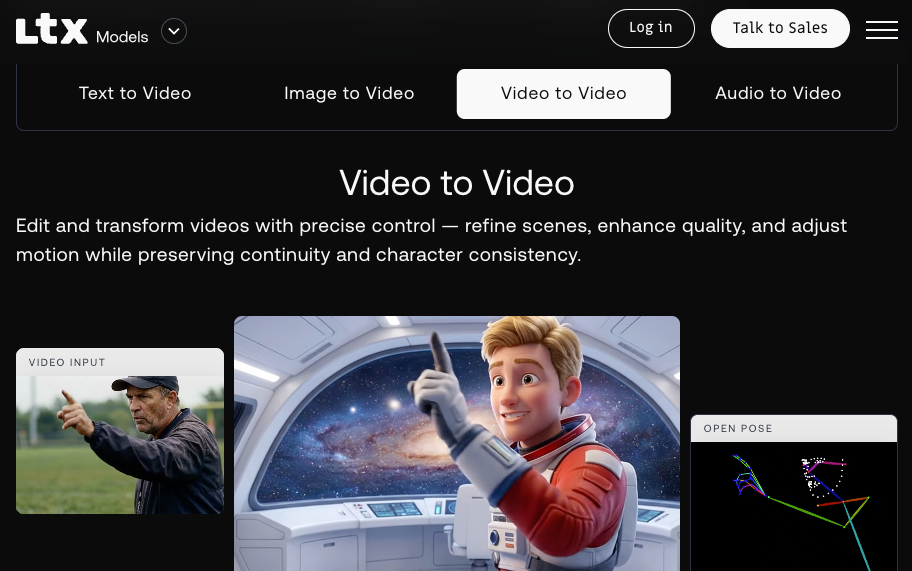
This matters most for anyone building recurring characters: virtual hosts, brand mascots, indie animation, AI-assisted narration series, or product spokespersons. The goal isn’t photorealistic deepfakes — it’s controllable, repeatable identity that holds up across a content pipeline.
IC-LoRA vs Standard LoRA in LTX 2.3
Understanding the difference prevents a lot of wasted training time:
| Standard LoRA | IC-LoRA | |
| Activation | Text trigger token | Reference image + audio at inference |
| What it learns | Style, concept, motion pattern | Identity mapping from reference to output |
| Dataset type | Video clips + text captions | Video clips + paired reference frames/audio |
| Training complexity | Lower | Higher — paired data required |
| Use case | Style transfer, character aesthetics | Face/voice identity preservation |
| Inference input | Text prompt only | Text + reference image + (optionally) audio |
| Training steps | 1000–2000 typical | 4000–6000 for identity (ID-LoRA rank 128) |
The key distinction: a standard LoRA activates on a text token. IC-LoRA activates a reference input at inference time. You don’t need a trigger word — you hand it a photo and voice clip, and the model does the rest.
Prerequisites (Dataset, VRAM, ltx-trainer Version)
Hardware: An H100 80GB is the officially documented reference. In practice, an RTX 4090 (24GB) works with gradient checkpointing enabled and resolution capped at 768×432. IC-LoRA at rank 128 (the ID-LoRA configuration) requires more memory than rank 32 standard LoRA — budget for slower training or cloud GPU time. A100 80GB on RunPod or vast.ai runs the full job in under 3 hours at reasonable cost.
ltx-trainer version: Use the version from the Lightricks/LTX-2 monorepo, specifically the ltx-trainer package. For the identity-audio variant (ID-LoRA), use the ID-LoRA/ID-LoRA repository which builds on top of ltx-trainer with the audio_ref_only_ic training strategy. As of March 24, 2026, native ComfyUI support for ID-LoRA was merged upstream (PR #13111) — you no longer need a custom node fork.
Model assets required:
LTX-2.3 base checkpoint (~44 GB)       → models/checkpoints/
Gemma text encoder (~6 GB)             → models/text_encoders/
Spatial upscaler (~700 MB)             → models/latent_upscale_models/
Temporal upscaler                      → models/latent_upscale_models/
Distilled LoRA (~900 MB)               → models/loras/
Download all assets from HuggingFace before starting. The distilled LoRA is required for the two-stage pipeline that IC-LoRA uses at inference. The official LTX-2 model card on HuggingFace lists all required assets with direct download links and notes that IC-LoRA training in many settings takes under an hour.

Training an IC-LoRA with ltx-trainer
Dataset Requirements for Consistent Identity
This is where IC-LoRA training succeeds or fails. The dataset requirement is more demanding than standard LoRA because you’re teaching a paired relationship — what goes in (reference) must clearly correspond to what comes out (generated video).
Minimum viable dataset:
- 30–50 video clips of the subject
- Each clip: 3–10 seconds, consistent lighting, face clearly visible
- Paired reference frames for each clip — typically the first frame or a held portrait shot
- For voice identity: 5–10 audio reference clips of the subject speaking, each 5–15 seconds
Caption format for IC-LoRA identity training:
[
  {
    "video_path": "data/clip_001.mp4",
    "reference_image": "data/ref_001.jpg",
    "reference_audio": "data/voice_001.wav",
    "caption": "person speaking directly to camera, natural lighting, slight smile"
  },
  {
    "video_path": "data/clip_002.mp4",
    "reference_image": "data/ref_002.jpg",
    "reference_audio": "data/voice_002.wav",
    "caption": "person walking outdoors, casual clothing, daylight"
  }
]
Keep captions descriptive but generic — don’t over-specify physical features in the caption text. The reference image carries the identity signal; the caption describes the scene and action. If your captions say “brown-haired woman” but your reference frames show a bald man, the model gets confused about what it’s supposed to learn.
Training Configuration
Clone and set up the ID-LoRA repository for LTX-2.3:
git clone https://github.com/ID-LoRA/ID-LoRA.git
cd ID-LoRA
# Switch to LTX-2.3 workspace
# Edit pyproject.toml: members = ["ID-LoRA-2.3/packages/*"]
uv sync --frozen
source .venv/bin/activate
The training config for identity IC-LoRA (based on the published training_celebvhq.yaml):
model:
  checkpoint_path: /path/to/ltx-2.3-22b-dev.safetensors
  text_encoder_path: /path/to/gemma-3-12b-it-qat-q4_0-unquantized

dataset:
  dataset_file: dataset.json
  resolution_buckets:
    - "768x432x49"

training_strategy: audio_ref_only_ic   # IC-LoRA strategy

optimization:
  learning_rate: 1.0e-4
  batch_size: 1
  max_train_steps: 6000
  gradient_checkpointing: true

lora:
  rank: 128          # ID-LoRA uses rank 128 for identity fidelity
  alpha: 128

validation:
  validation_steps: 500
  reference_image: /path/to/validation_ref.jpg
  reference_audio: /path/to/validation_voice.wav
  validation_prompts:
    - "person speaking calmly, neutral background"

output:
  output_dir: ./outputs/identity_ic_lora_v1
Run training:
uv run python ID-LoRA-2.3/packages/ltx-trainer/scripts/train.py \
  ID-LoRA-2.3/configs/training_celebvhq.yaml
Key difference from standard LoRA: training_strategy: audio_ref_only_ic tells ltx-trainer to use reference conditioning instead of text-only supervision. Rank 128 is significantly higher than standard LoRA (rank 32) — this is what gives IC-LoRA the capacity to encode detailed identity features, but it also means higher memory usage and longer training.

Loading IC-LoRA in ComfyUI Workflow
As the upstream ComfyUI merge (PR #13111), IC-LoRA loading no longer requires a custom node installation. The two nodes you need are now at the core:
LTXICLoRALoaderModelOnly— loads your IC-LoRA.safetensorsand extracts the reference downscale factorLTXAddVideoICLoRAGuide— attaches the reference image/audio as a conditioning guide to the generation pipelineLTXVReferenceAudio— handles reference audio for voice identity transfer
Workflow setup:
[Load LTX-2.3 Checkpoint]
       ↓
[LTXICLoRALoaderModelOnly] ← ic_lora_weights.safetensors
       ↓
[LTXAddVideoICLoRAGuide] ← reference_image.jpg + reference_audio.wav
       ↓
[LTX Sampler / KSampler]
       ↓
[VAE Decode → Video Output]
Copy the trained LoRA to COMFYUI_ROOT/models/loras/ and load it via LTXICLoRALoaderModelOnly. Per the official IC-LoRA workflow documentation on HuggingFace, always use the LTXAddVideoICLoRAGuide node to pass the reference — don’t use the standard LoRA loader, which bypasses the reference conditioning mechanism entirely.
Prompting Tips for Identity Consistency
IC-LoRA changes how you should write prompts. Because identity is carried by the reference input, you don’t need to describe the subject’s appearance in the text prompt — doing so can actually create conflicts.
Do:
"person speaking directly to camera, warm indoor lighting, natural expression"
"subject walking through a park, relaxed pace, late afternoon sunlight"
"presenter gesturing while explaining, clean white background, professional"
Avoid:
"young woman with brown curly hair and green eyes speaking..."Describing physical traits in the prompt competes with the reference image signal. The model has two sources telling it what the subject looks like — and they won’t agree perfectly, causing drift or feature blending.

Keep scene and action descriptions concrete. Vague motion descriptors (“moving naturally”) produce inconsistent results. “Slowly turns head left while speaking” gives the model clearer direction. For audio identity, the reference audio clip handles the voice — your text prompt should describe the scene and tone, not vocal characteristics.
Limitations (Drift, Multi-Subject)
Identity drift over long clips: Identity consistency holds well for 5–20 second clips, which maps neatly to LTX 2.3’s generation range. For longer sequences, drift accumulates — the character may look subtly different at second 25 vs second 5. The practical fix is generating in segments and cutting at natural edit points. Whether longer generation windows will maintain identity is still an open research problem.
Multi-subject generation: IC-LoRA is trained on single-identity reference inputs. Two-person scenes with two distinct reference identities are not natively supported in the current ltx-trainer implementation. You can run inference with one reference identity and prompt for a second character, but the second person won’t be reference-conditioned — they’ll be generated from the text description only.
Extreme pose and lighting changes: Reference frames work best when the inference scene’s lighting and camera angle are reasonably similar to training data. Asking an IC-LoRA trained on frontal-face indoor clips to generate a profile-angle outdoor scene will reduce identity fidelity, though it won’t fail completely.
Results: Examples and What to Expect
Based on my testing through this month, a well-trained identity IC-LoRA at rank 128, 5000–6000 steps, on a clean 40-clip dataset produces:
- Face consistency: Strong across scene changes, lighting variations, and different actions — the most reliable output dimension
- Voice consistency: Requires clean reference audio (minimal background noise, clear speech) — when the reference audio is good, voice identity transfer is noticeably accurate
- Expression naturalness: Better than standard LoRA character training; the reference conditioning prevents the “frozen expression” issue that often appears in text-only character LoRAs
- Artifacts: Occasional texture flickering on hair and fine fabric detail in motion-heavy scenes — consistent with LTX 2.3 base model behavior, not specific to IC-LoRA
FAQ
Q: Can I use an existing face photo I find online as a reference image?
Technically the tool will accept it. But you should not do this for anyone without their consent — the result is a video that makes someone appear to be saying and doing things they didn’t. Beyond the ethical problem, this likely violates platform policies and, depending on jurisdiction, applicable law. Use reference material you own and have consent to use.
Q: Why does my IC-LoRA look fine in validation but drift in full inference?
Validation prompts are short and generated at low resolution — they don’t reveal drift behavior that appears in longer, higher-resolution inference. Check your results at full inference resolution (960×544 or higher) and at the clip length you actually intend to use before declaring the LoRA good.
Q: How many training steps are enough?
The published ID-LoRA configuration uses 6000 steps. Check validation at steps 2000, 3500, and 5000 before completing the run — identity quality often plateaus before 6000, and the optimal checkpoint varies by dataset quality. A clean 35-clip dataset may converge at 4000; a messier 60-clip dataset may need the full 6000 or more.
Previous Posts: