
I didn’t plan to spend my Tuesday evening trying to make my laptop sing, but a friend sent me two demos, Google’s old-but-still-breathing Magenta stuff running in realtime and Meta’s shiny AudioCraft with MusicGen, and asked, “Which one would you actually use live?” My first thought: these aren’t even the same species. One feels like a nimble musician that jams with you: the other is a studio-in-a-box that composes a whole track while you grab coffee. Still, I wanted to know where each actually fits. So I did the annoying-but-useful thing: installed both, tried prompts, plugged in a MIDI keyboard, and kept notes whenever I smiled or swore. Here’s the Magenta vs AudioCraft rundown I wish I had before I started.
Magenta Realtime vs AudioCraft 2025 Overview
Let’s define terms so we don’t talk past each other. When I say “Magenta Realtime,” I mean the Magenta ecosystem bits that actually respond live:
- Magenta.js (browser-based, low-latency MIDI tools like Piano Genie / Melody RNN improv)
- The classic Magenta RNNs and VAEs that can run interactive loops
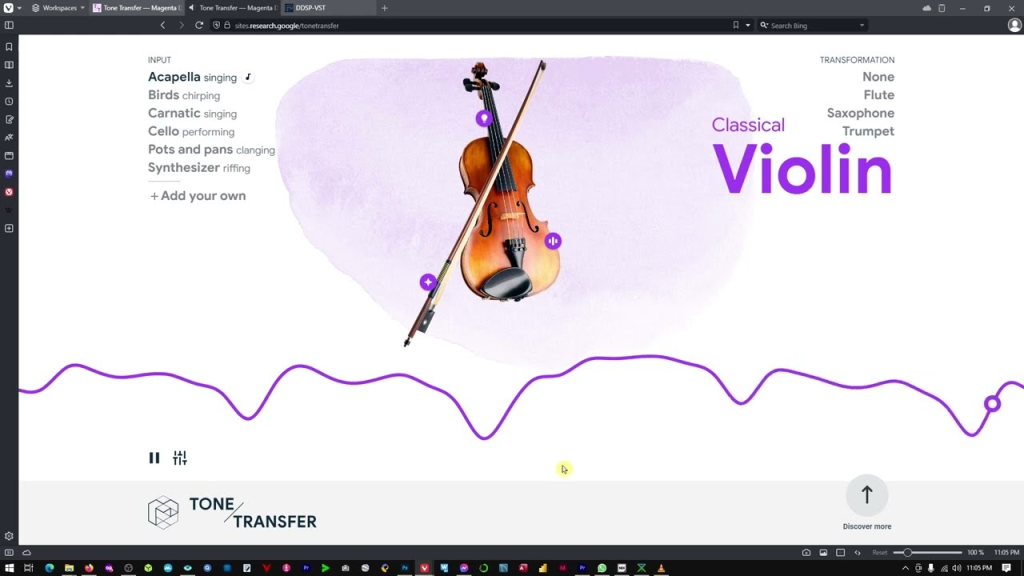
- DDSP tone-transfer style setups that can process incoming audio with playable latency
This side of Magenta is about notes, gestures, and lightweight audio tricks you can perform with, think live improv, not final masters.
AudioCraft is Meta’s PyTorch suite (MusicGen, AudioGen, EnCodec) geared toward generating full audio from text or conditioning. It’s proper waveform generation, higher fidelity, and heavier compute. You describe “warm lo-fi hip hop with vinyl crackle and lazy drums,” and it spits out the clip. No messing with MIDI unless you want to, and it’s not designed for near-zero latency jamming.
If you’re reading this to decide which to learn first: Magenta Realtime for playing and experimenting in the moment: AudioCraft for making finished audio assets.
Model Specs Comparison for AI Music Generation
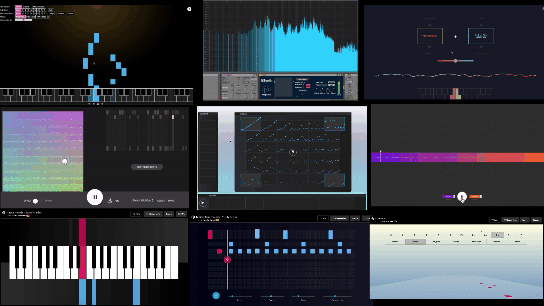
- Magenta Realtime: Mostly smaller models or JS/TF.js ports. Many run on CPU or lightweight GPU in-browser. Focus on MIDI/event generation or real-time transformations. Output can be MIDI, control signals, or lightly processed audio. File sizes tiny: dependencies friendlier.
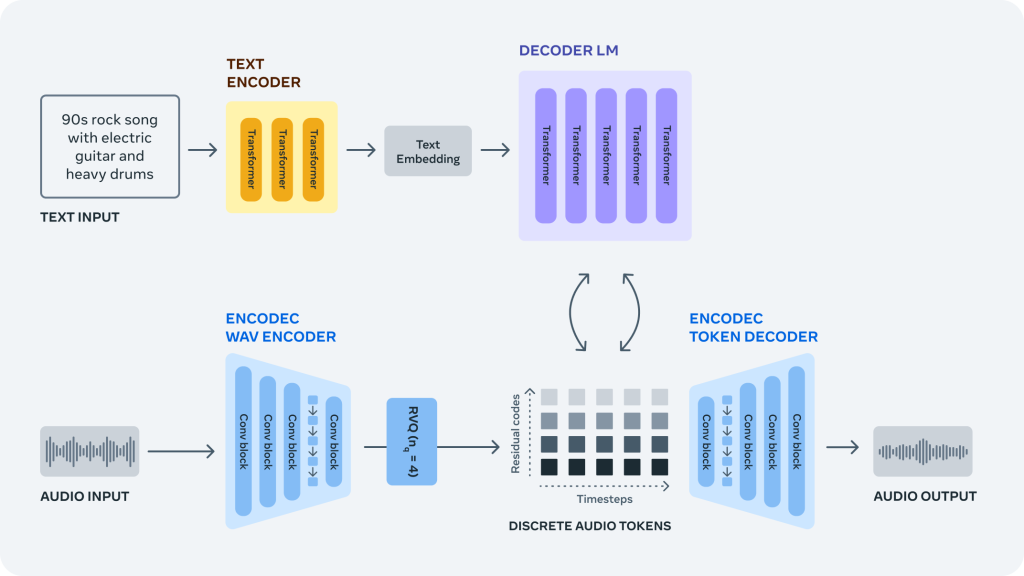
- AudioCraft (MusicGen): Pretrained checkpoints from “small” up to “large/medium”, with tokenizers and EnCodec for audio. Requires a decent GPU for snappy results. Outputs full-resolution audio (typically 32kHz or 44.1kHz depending on config). Text-to-music, music continuation, and sometimes melody conditioning are available.
Use Case Fit, Realtime AI Audio vs Studio Production
- Live improv/teaching/workshops: Magenta wins. You can run a browser demo on a modest laptop, plug in a MIDI controller, and it reacts in under a blink. It’s playful and forgiving.
- Content creation/stock beds/podcasting stings: AudioCraft wins. You describe a vibe, generate a few variations, and pick the keeper. It’s slower per iteration but delivers “finished” sound without needing a synth rig.
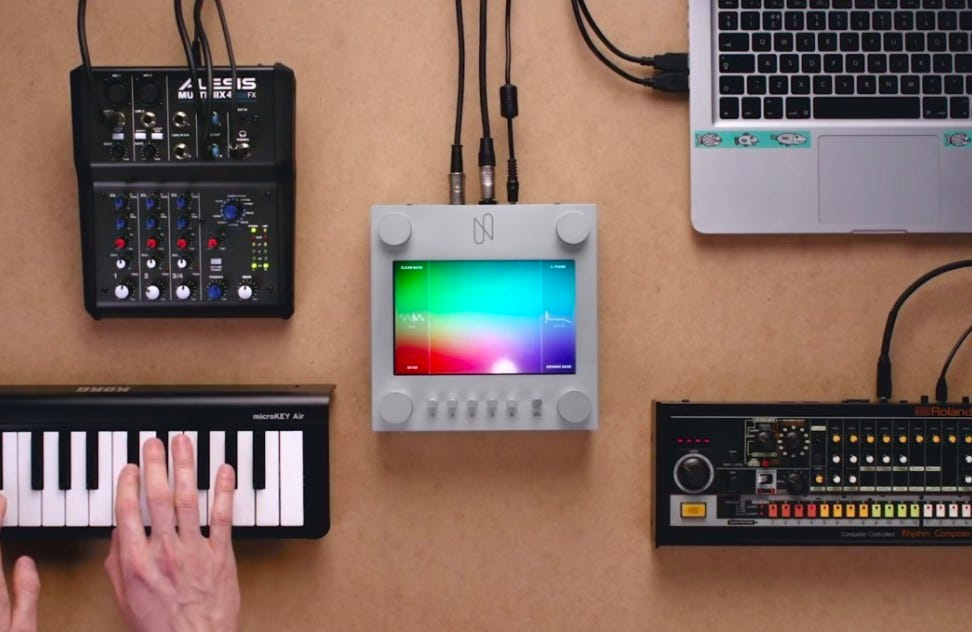
- Hybrid set (DJ or VJ plus instruments): I ended up using Magenta for reactive patterns and then dropping short AudioCraft stems for set pieces between songs.
Performance Tests — Which AI Music Model Delivers Better Results?
I tested on a reasonably modern laptop GPU and a desktop 4070. Your numbers will vary, but the vibes stay consistent.
Generation Speed and Latency (Realtime Benchmarks)
- Magenta Realtime: With Magenta.js tools in Chrome, I measured round-trip latency in the 10–25 ms range for MIDI response, basically “feels immediate.” DDSP tone transfer setups are trickier: with a lean graph, I got playable results around 30–40 ms on the laptop, which is fine for live leads if you’re not hyper-sensitive. The point: Magenta is built to be touched and heard instantly.
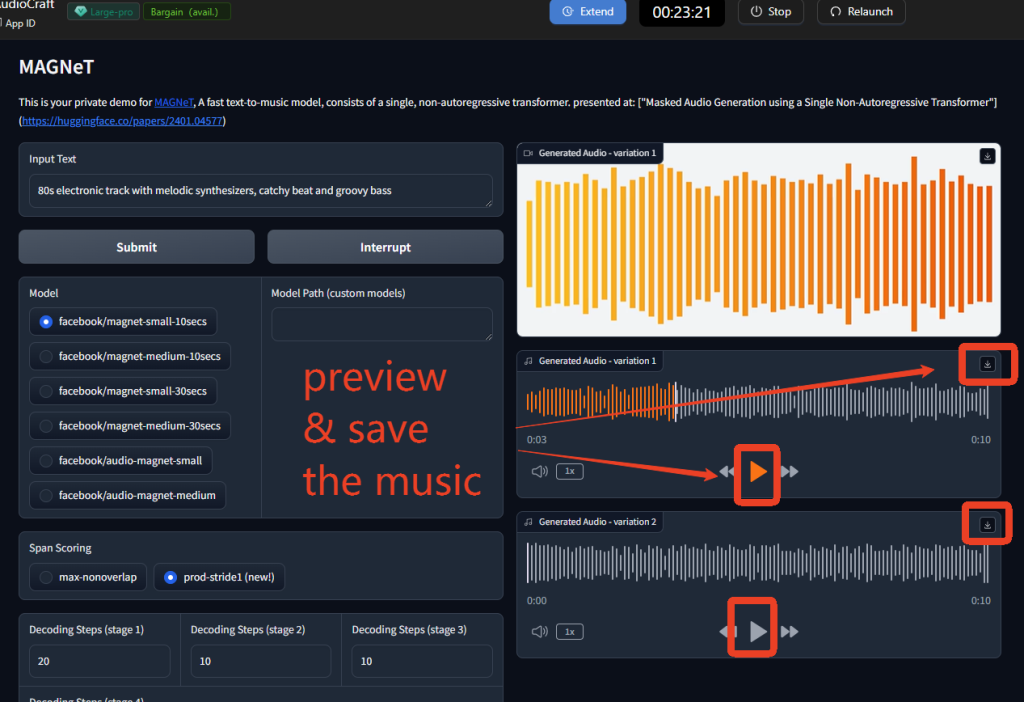
- AudioCraft (MusicGen): Not realtime. On the 4070, a 10–12 second clip from musicgen-small took ~4–8 seconds to render: 30 seconds stretched into 20–40 seconds depending on guidance and model size. On CPU-only? Pack patience (minutes per clip). The upside: you can queue prompts, batch runs, and let it cook while you do other tasks.
If you need call-and-response improvisation, Magenta wins. If you’re okay waiting a bit for something polished, AudioCraft’s speed is acceptable and predictable.
Audio Quality Scores and Real-World Listening Tests
This is where the “magenta vs audiocraft” question gets spicy. I did blind listens with a few musician friends.
- Texture and mix: AudioCraft outputs sounded more “track-like” out of the box, balanced frequency content, stereo image, and fewer artifacts. The best renders felt usable for background beds with minimal mastering.
- Musical coherence: When you give MusicGen a specific style (“glitchy ambient with granular pads, 90 BPM, sparse kick”), it often nails the mood and stays coherent across 10–20 seconds. It can still meander, but less than earlier-gen models.
- Magenta’s sound: Strictly speaking, many Magenta tools don’t output full mixdown audio: they generate MIDI or transform timbre. When they do create sound, it’s often via your synth stack, so quality depends on your instruments and effects. The upside: you can make it sound great if your rig is great. The downside: it won’t hand you a mastered loop by itself.
Listeners preferred AudioCraft’s raw WAVs for “drop-in” use. But they also liked Magenta-driven performances more when I played along: the musicality felt alive because I was in the loop. That’s the trade: generative polish versus human-driven interaction.
Feature Breakdown — Magenta Realtime and AudioCraft Deep Dive
I didn’t just toggle checkboxes: I tried to break things and see what stuck. A few notes from the trenches.
Magenta Realtime Strengths for Live Audio Creation
- Immediate feedback loops: Piano Genie and Melody RNN-style improv tools let you mash a few buttons and get convincing melodic responses. It’s shockingly fun for workshops, you can get non-musicians making music in minutes.
- Human-in-the-loop control: Because it’s often MIDI-first, you can quantize, reharmonize, and route into your favorite synths. I ran Magenta patterns into a cheap analog clone and it suddenly sounded boutique. That flexibility is huge.
- Low compute, high play: Browser demos run fine on a mid laptop. If you’re touring with a pared-down setup, this matters.
- DDSP tone tricks: Live timbre transfer on a vocal mic into a synth-like voice scratched an itch I didn’t know I had. Not entirely transparent, but expressive.
Where I bumped my head:
- Sound design is on you: Magenta won’t gift you a lush mix. If you don’t like your synths, you won’t like the output.
- Model sprawl: The Magenta universe is a constellation of demos, notebooks, and half-maintained repos. Charming, but you’ll do some archaeology.
AudioCraft Customization and Studio Control Options
- Promptability: The text prompts actually matter. Being specific with genre, tempo hints, instrument set, and mood gave more consistent results. Vague prompts gave wallpaper.
- Conditioning: Melody conditioning can steer structure if you feed a guide. I got decent “follow the contour” results with a simple hummed line (after preprocessing). Not perfect, but better than pure text for verse-chorus shapes.
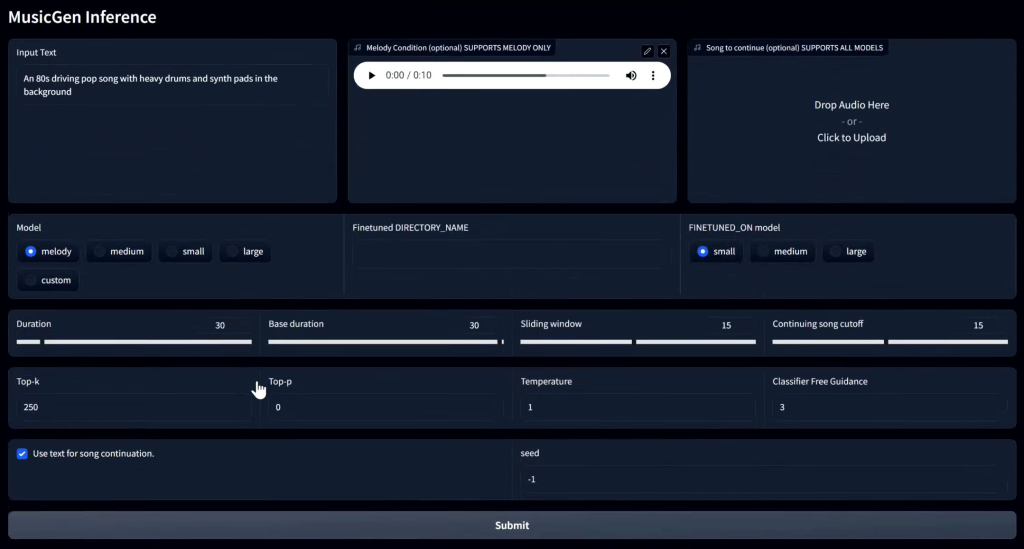
- Batch and iterate: This is the secret sauce. Generate 6–10 variants with different seeds, then pick two keepers. I stitched a 30-second intro from two 12-second takes and it sounded cohesive after a light limiter.
- EnCodec and sample rate: You can tweak quality vs speed. Higher sample rates improved air and transients, but costs time. For social content, 32 kHz was surprisingly fine.
Where it annoyed me:
- Not realtime, period: I kept reaching for a keyboard to “play” it. That’s just not what AudioCraft is.
- Edge cases: Complex polyrhythms or very specific instrument asks (“prepared piano with eBow”) sometimes derailed into mush. Prompt engineering helps, but there’s a ceiling.
If you’re weighing magenta vs audiocraft features: Magenta shines in controllability and performance feel: AudioCraft shines in turning language and short guides into complete audio you can actually publish.
Best Choice — Picking the Right AI Music Model in 2025
Let me save you a weekend.
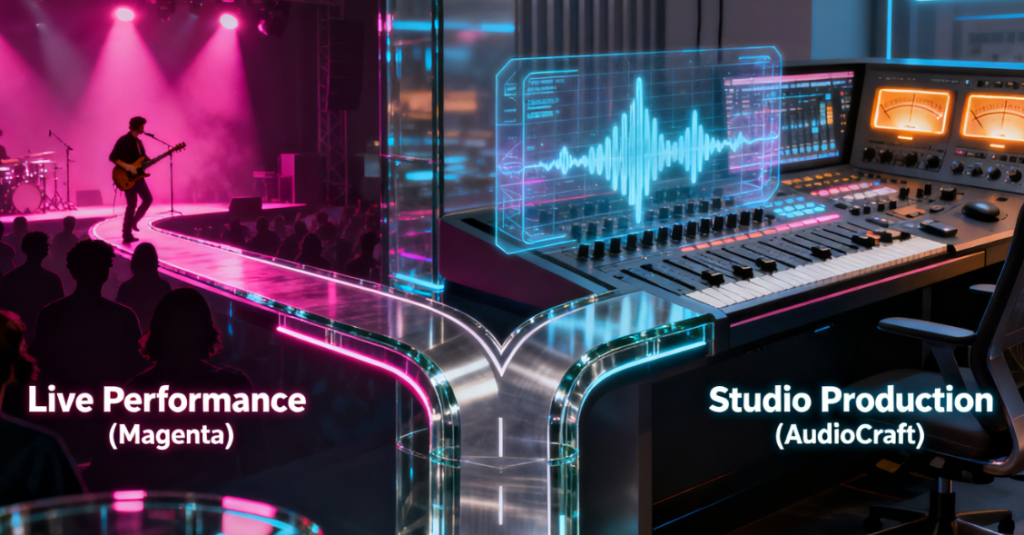
Live Performance vs Studio Production Workflows
- You perform, teach, or jam: Pick Magenta Realtime. It’s the closest thing to an AI bandmate that doesn’t step on your phrasing. You’ll need your own sound design and a DAW or hardware synths to make it pop, but the feel is there.
- You produce content, ads, shorts, podcasts, indie games: Pick AudioCraft. It’s boringly reliable once you learn how to prompt it. Generate a handful of takes, pick your favorite, run a quick EQ/limiter, and ship.
A couple of combos I liked:
- Hybrid writing: Sketch chord progressions and motifs with Magenta improv (MIDI out), record that into your DAW, then feed a bounced stem to AudioCraft for texture layers. It preserves your musical intent while adding vibe.
- Live sets: Pre-render AudioCraft stingers/transitions at your set tempos. Use Magenta to improvise between them so the show feels organic instead of canned.
If you came here for a hard winner in “magenta vs audiocraft,” I won’t fake it. They’re great at different jobs. If you hate tinkering with synths and just want usable audio quickly, go AudioCraft. If you thrive on hands-on control and want the machine to react like a collaborator, go Magenta. I’m keeping both: Magenta on stage nights, AudioCraft on edit days. And if you’re like me, slightly skeptical but curious, start with the one that fixes your next bottleneck. Need instant vibes you can publish? AudioCraft. Need a clever co-pilot under your fingertips? Magenta. Skip each if you expect the opposite.
Magenta vs AudioCraft: Frequently Asked Questions
What is the core difference in magenta vs audiocraft for live performance?
Magenta Realtime is built for immediacy—low-latency MIDI responses and DDSP tone transfer that feel playable (roughly 10–40 ms). AudioCraft (MusicGen) generates full waveform clips from text or conditioning but isn’t realtime; expect several seconds to render short clips even on a good GPU.
Which should I learn first: Magenta Realtime or AudioCraft MusicGen?
Learn Magenta first if you want hands-on improvisation, teaching, or jamming with a MIDI controller. Choose AudioCraft if you need polished, ready-to-use audio assets for podcasts, shorts, ads, or game stingers. Many creators keep both: Magenta for stage sketching, AudioCraft for finished stems.
How does audio quality compare in magenta vs audiocraft outputs?
AudioCraft’s clips usually sound more “track-like” out of the box, with balanced mix and coherent mood over 10–20 seconds. Magenta often produces MIDI or live-transformed audio whose quality depends on your synths and FX. With a strong rig, Magenta can sound great, but AudioCraft’s raw WAVs win for drop-in use.
Previous posts:






