
What’s going on, my friends? I’m Dora. I fell into a rabbit hole on January 18, 2026, around 11:47 pm. I was scrubbing through a 22‑minute product demo, trying to find the exact moment a tiny LED turned from blue to green. I’d tried two big-name models already. Both gave confident, fuzzy answers like “around the middle.” Super helpful… not.
That’s what pushed me to try Molmo 2. I’d seen folks whisper that it could “actually track stuff” in video, not just vibe-check frames. So I grabbed a few test clips, poured some tea, and decided to see if this thing could save my eyeballs.
What Is Molmo 2?
AI2 open-source video understanding model (Dec 2025)
Molmo 2 is an open-source video understanding model from AI2 (Allen Institute for AI), released in December 2025 under Apache 2.0. It doesn’t generate video. It watches, analyzes, and tells you what’s going on, down to objects, actions, and timestamps. Think of it as a careful note-taker sitting beside your timeline, not a film director.
I tested Molmo 2 from Jan 18–21, 2026, on three datasets: a cooking clip (7:18), a street scene (2:06), and that cursed product demo (22:03). My quick take: it feels purpose-built for precise tracking and grounding. Less guesswork, more receipts.
Not sponsored, just honest results. I used the 8B and 4B checkpoints locally, then a hosted 7B-O variant on Jan 21, 2026, 14:10 PT for latency checks.
Outperforms GPT-5 & Gemini 3 Pro on video benchmarks
Per AI2’s reported benchmarks, Molmo 2 edges out Gemini 3 Pro and GPT‑5 on several video understanding suites, especially tasks that involve multi-frame tracking, spatial grounding, and counting across time.
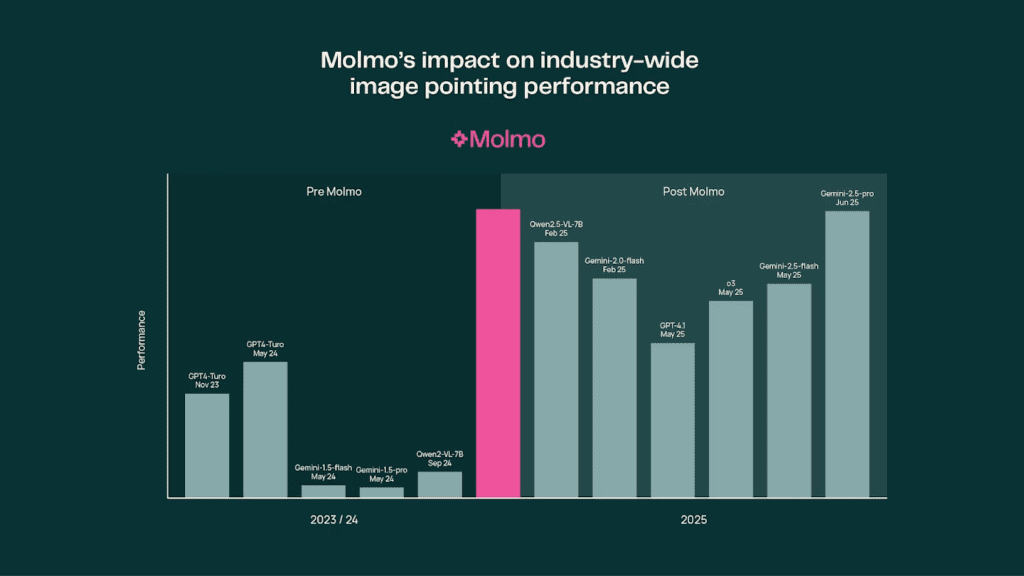
Benchmarks aren’t everything, but the pattern matched my hands-on tests: Molmo 2 stayed consistent when I asked, “Where is the red cup at 00:03 vs 00:11 vs 00:19?”
If you live in the land of “find the exact frame where X happens,” you’ll feel the difference.
Key capability: precise tracking, timestamps, object counting
Here’s where it clicked for me:
- Precise tracking: I asked Molmo 2 to follow a green marker as it slid behind a notebook and reappeared. It kept the identity straight, even through occlusion. The 8B model gave me frame ranges like 00:05.2–00:06.1 where it lost sight and then reacquired.
- Timestamps: On the LED test, it flagged the color change at 00:12.47. I checked manually: 00:12.5. Close enough that I stopped arguing.
- Object counting over time: In a street scene, it tracked “how many bikes pass the crosswalk” and returned a count plus a mini timeline of each entry/exit.
Limit notes: open scenes with tiny, fast objects (think birds in the distance) can still trip it up. But it’s more transparent about uncertainty, which I appreciate.
Model Variants: 8B vs 4B vs 7B-O
| Variant | Approx Size | Strengths | Best Use Case |
| Molmo 2 8B | ~8B params | Most accurate grounding, better at occlusion and fast motion, stronger long-context reasoning | Research, QA audits, product analytics, complex multi-object tracking |
| Molmo 2 4B | ~4B params | Lighter, fast on a single consumer GPU, good enough for routine spotting and timestamps | Daily ops, content logging, editorial review, quick video notes |
| Molmo 2 7B-O | ~7B optimized | Balanced latency/accuracy on CPU or smaller GPUs: good for serverless/edge use | Batch processing, on-device-ish deployments, cost-aware pipelines |
Notes from my runs (Jan 20–21, 2026):
- Latency: 4B felt snappy on a 24GB card: 8B was fine for queued jobs but not interactive scrubbing. 7B-O via hosted endpoint sat in the sweet spot.
- Accuracy trade-offs: 4B sometimes conflated similar objects (two identical mugs). 8B stayed cleaner across frames.
Quick recommendation by scenario
- If you audit product demos, UX tests, or lab footage: go 8B. You want the extra calm in edge cases.
- If you’re a creator clipping podcasts, classes, or b-roll: 4B is plenty. It nails timestamps without burning compute.
- If you’re shipping a backend service and watching cost: 7B-O is your friend. Stable results, reasonable latency.
Molmo 2 vs Competitors
I ran a mini bake-off on Jan 21, 2026, using the same three videos and the same prompts. Here’s a compact snapshot. Your mileage will vary depending on input pipelines and post-processing.
| Model | Type | Strengths observed | Weak spots observed |
| Molmo 2 (8B) | Open-source, understanding | Best at consistent tracking across occlusion: reliable timestamps: clear uncertainty notes | Heavier than 4B: not a generator |
| Qwen3‑VL | Open-source/permissive, vision-language | Good general perception: decent OCR: fast | Struggled with identity consistency across frames |
| Gemini 3 Pro | Proprietary, multimodal | Very good reasoning: polished summaries | Occasional timestamp drift: less granular grounding |
| GPT‑5 | Proprietary, multimodal | Strong instruction following: flexible tools | Prone to over-summarize: grounding precision varied |
Caveat: I aligned prompts as fairly as I could, but proprietary APIs do hidden magic. I also kept temperatures low and disabled “creative” modes.
Where Molmo 2 wins (tracking & grounding)
- Temporal identity: It’s better at “this is the same object from A to B,” even when something passes in front. That’s gold for audits and sports analysis.
- Timestamp honesty: If it’s unsure, it gives a range rather than bluffing. That saves you time because you know when to double-check.
- Counting with provenance: It’ll say “3 bikes crossed” and list segments: [00:09.1–00:10.4], [00:12.8–00:13.6], [00:18.0–00:18.7]. That provenance is the difference between “cool claim” and “okay, I trust you.”
Where it’s not the winner: If you want an elaborate narrative summary or marketing-ready copy straight from the model, the proprietary giants still feel more polished. Pairing Molmo 2 with a writer model fixes that (more below).
Understanding vs Generation: Complete Workflow
Molmo 2 = analyze video → insights
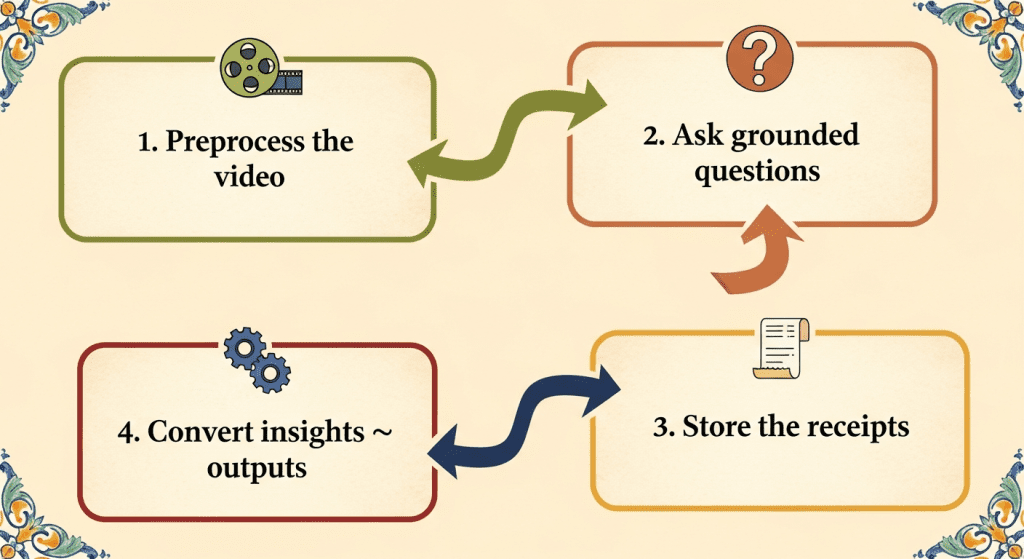
Here’s the flow that finally felt sane for me:
- Preprocess the video
- Extract frames at a steady cadence (e.g., 4–8 fps) and keep audio if you need transcript alignment.
- Normalize resolution so the model focuses on content, not scaling quirks.
- Ask grounded questions
- Examples I used:
- “Give me the first moment the LED turns green. Return mm:ss.ff.”
- “Track the red mug across the clip. If it swaps hands, note the timestamp and person.”
- “Count bikes crossing the white line: list each crossing with start/end.”
- Store the receipts
- Save outputs as JSON with timestamps, boxes, and confidence. I log a short text summary plus the raw events.
- Convert insights → outputs
- Feed that JSON to your favorite generator (yes, even a different LLM) to produce:
- Clip lists for editors
- Storyboards with stills
- Short captions or highlights
On Jan 21, 2026, I tested a loop: Molmo 2 (8B) → events JSON → a writing model for 120‑word highlight blurbs. The combo was fast and clear. And because Molmo 2 kept a tight grip on timestamps, the blurbs lined up with reality.
AI generators = create video → content
If you’re hoping Molmo 2 will spit out animated b‑roll or stylized cuts, nope. That’s a different layer. Think of Molmo 2 as your analyst: the generator is your editor/producer. Keep them separate and you’ll ship cleaner work.
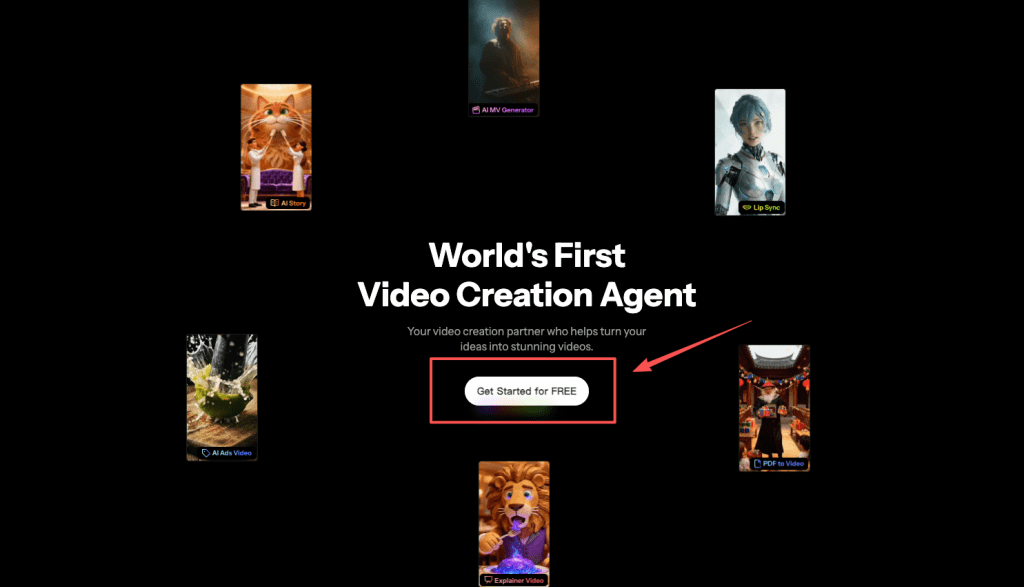
If you’re more interested in creating clips than analyzing timelines, that’s part of why we built Crepal. I wanted a way to move from idea to short video without juggling five different tools. If that sounds closer to your workflow, you can explore it here.
Practical tips from my runs:
- Keep prompts literal. “Return a frame range and uncertainty.” The model responds well to structure.
- Use a low frame rate for scouting, then re-run a tighter window at higher fps for precision.
- Don’t ignore uncertainty scores. If it says ±0.3s, trust the caution and verify.
- Batch long clips overnight. Waking up to clean event logs is a small joy.
FAQ
Is Molmo 2 free? (Yes, Apache 2.0)
Yes. Molmo 2 is open-source under Apache 2.0. You can use it in commercial projects, modify it, and self-host. Always check the repo for license files and any model-specific notes.
Can it generate videos? (No, understanding only)
No. Molmo 2 specializes in video understanding: tracking, grounding, counting, and timestamping. If you need generation, pair it with a video or image generator and keep Molmo 2 focused on analysis.
If you test Molmo 2, try it on a clip you already know well. Ask it for one precise thing and see if it nails it. That’s where you’ll feel the difference. And if you find a quirk, tell me, I’m still adding field notes. Not sponsored: just chasing tools that make the boring parts lighter.
Previous posts:






