
If you’re choosing between Sora 2 and Runway Gen-3, you’re probably trying to turn ideas into video faster, without sacrificing quality or control. Same here. I’ve been testing and tracking both, and while they overlap a lot, they live in slightly different worlds. One leans toward cinematic ambition and long-range coherence: the other ships today with solid tooling, APIs, and a practical path to production.
Here’s how I break it down, in plain English, with real use cases and the trade-offs that matter for business, productivity, and creative work.
What is Sora 2?
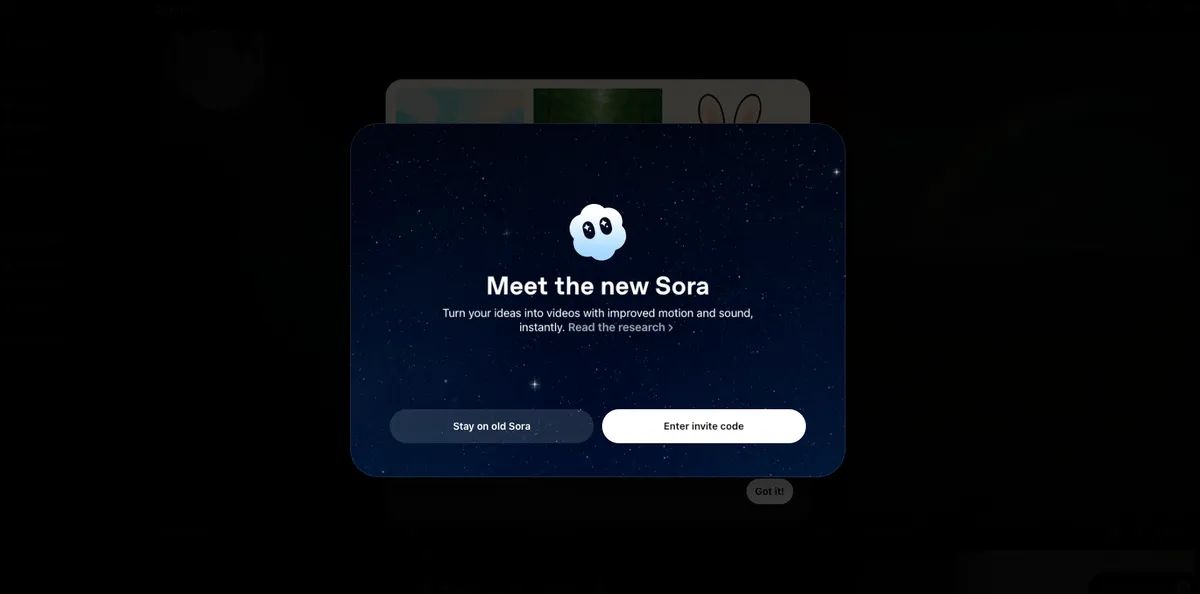
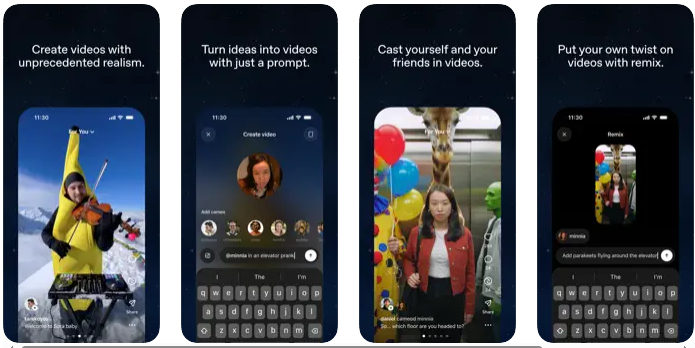
Sora 2 is the next iteration of OpenAI’s video generation model (following the original Sora), focused on realistic scenes, physics-aware motion, and coherent storytelling over longer durations. Think of it like a virtual movie set that tries to understand how the world works, shadows, objects, camera moves, and then renders it as convincing footage.
Important note: at the time of writing, access to Sora 2 appears limited. Most of what we know comes from demos, research notes, and early partner feedback. In practice, that means jaw-dropping samples and impressive consistency with complex prompts, but not a publicly self-serve product yet. If long-form, cinematic shots and physical realism are your north star, Sora 2 aims squarely at that target.
What is Runway Gen-3?
Runway Gen-3 is a production-ready, cloud-based AI video model available inside Runway’s creative suite. It’s built for day-to-day work: generate shots, iterate quickly, edit on a timeline, and hand off deliverables. If Sora 2 is a high-end camera still in the lab for most people, Gen-3 is the camera you can rent right now, with batteries, lenses, and a crew.
Runway offers text-to-video, image-to-video, style controls, and tools like motion guidance and masking. It integrates with existing workflows, has credit-based pricing, and supports team permissions. In short, Gen-3 is usable today by marketers, editors, and studios who need speed and
control without spinning up custom infrastructure.

Key Features Comparison
Video Generation Capabilities
Sora 2 emphasizes long, coherent shots with strong physical reasoning, objects interact believably, camera moves feel cinematic, and scenes hold together over time. It’s designed to keep characters, lighting, and motion consistent even as complexity grows.
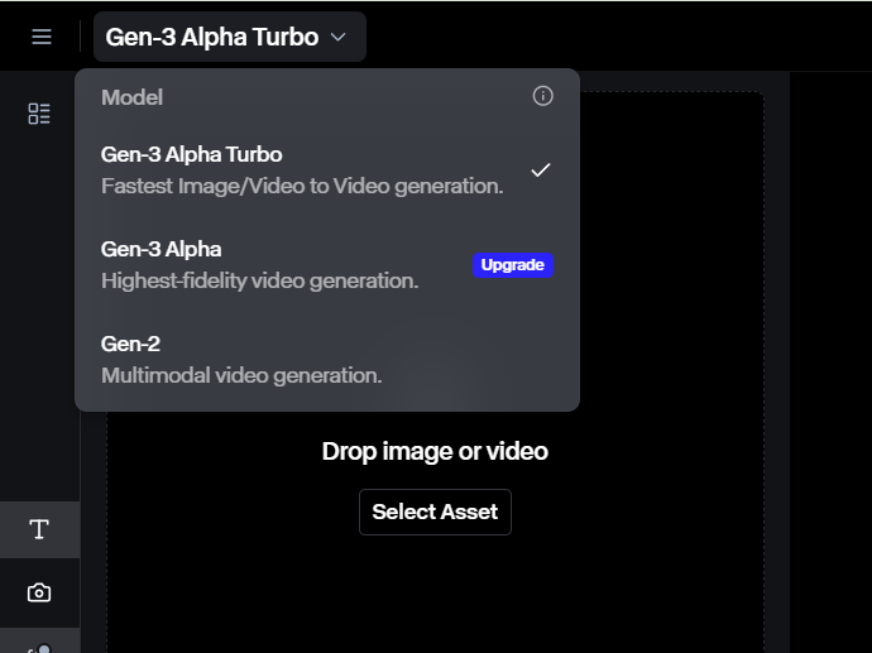
Runway Gen-3 shines for short to mid-length clips with fast iteration. You can nudge motion, swap styles, and regenerate sections quickly. While Gen-3 continues to improve realism, its superpower is pragmatic control: you can get from prompt to usable take in minutes.
Customization Options
Sora 2 appears to offer rich prompt expressivity and detailed scene control, especially for continuity and realism. But hands-on fine-tuning and shot-by-shot editing are still unclear for general users because access is limited.
Runway Gen-3 includes practical controls like motion brushes, camera paths, masking, image/video conditioning, and style presets. You can layer effects, refine frames, and use the timeline editor to stitch sequences. It behaves like a real toolset, not just a model.
Integration Tools
Sora 2’s broader integration story is emerging. Expect alignment with OpenAI’s ecosystem over time, but concrete APIs and production pipelines for general users haven’t been widely released.
Runway Gen-3 offers web app access, team workspaces, and an API (on select plans) that supports automation, think batch renders, programmatic prompt changes, and post pipelines. It plays nicely with standard export formats.
User Interface
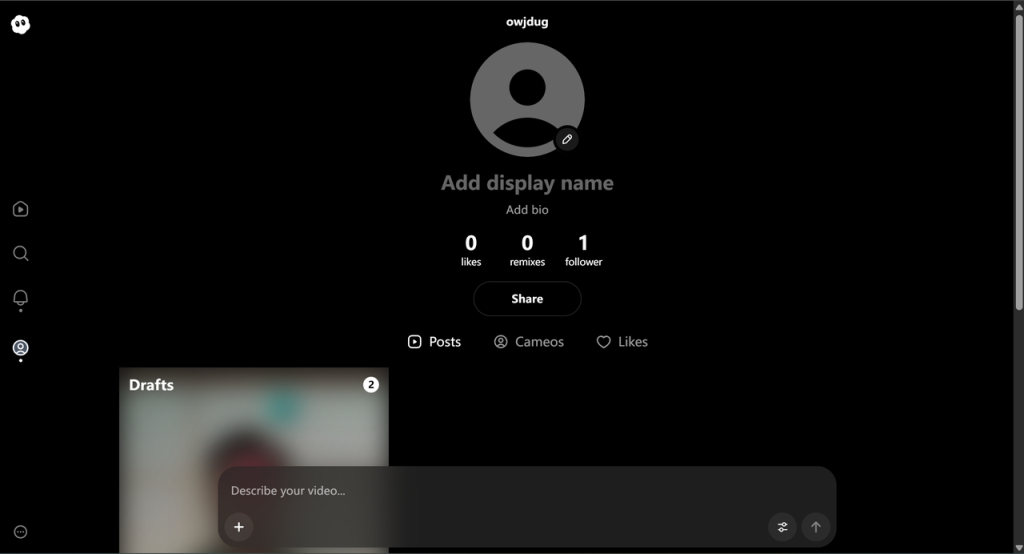
Sora 2’s interface hasn’t rolled out broadly, so the day-to-day UX remains a question mark.
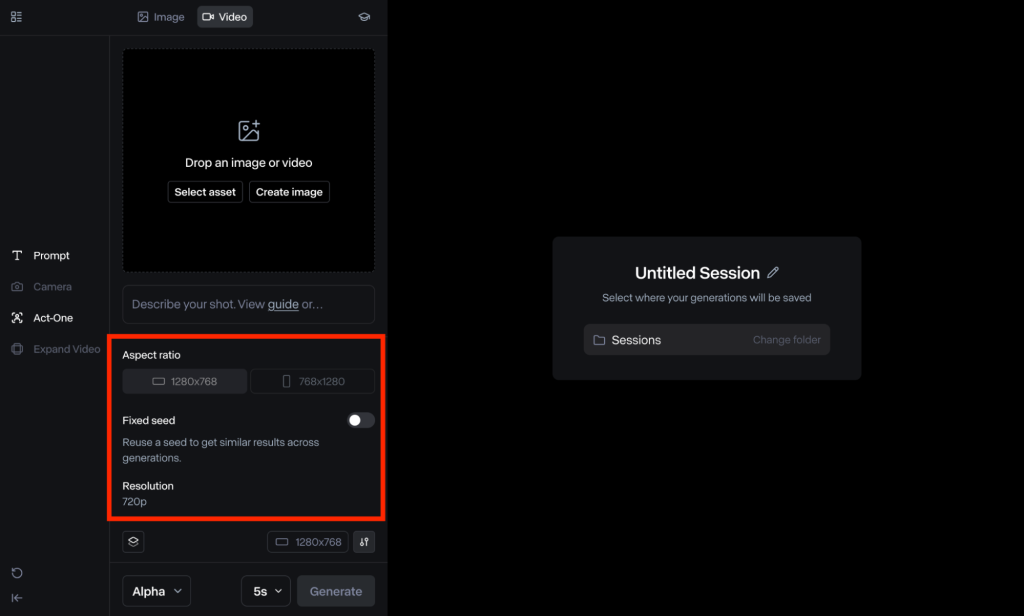
Runway’s UI is a known quantity: clean panels, previews, version history, and timeline editing. If you’ve used modern NLEs or design tools, it’ll feel familiar.
Performance Metrics
Speed and Efficiency
Sora 2, based on demos, trades speed for longer, more coherent shots. Expect heavier compute and longer waits for complex scenes. It’s like rendering a high-end 3D scene, worth it for quality, but not instant.
Runway Gen-3 is optimized for quick turnaround: short clips can render in seconds to a few minutes, depending on demand and settings. For iterative creative work, that speed adds up.
Output Quality
Sora 2 aims for cinematic realism: lighting, reflections, depth, and physics-aware motion. When it clicks, it looks like real footage, or at least a big-budget previsualization.
Runway Gen-3 produces strong quality for ads, social, explainers, and concept shots. It’s steadily more realistic, though it may show occasional artifacts on complex, long shots. For most business tasks, the quality is more than enough.
Resource Requirements
Sora 2 likely requires significant compute under the hood and, for on-prem or enterprise scenarios, serious planning. For most teams, it’ll be a managed cloud service when generally available.
Runway Gen-3 is fully managed in the cloud. You don’t need GPUs or custom hosting, just a browser and a plan with enough credits.
Use Cases in Business
Marketing Content Creation
I use Gen-3 to spin up short, on-brand videos fast: product teasers, event promos, and social ads. Style presets and motion brushes help dial in a look without a massive shoot. Sora 2, when accessible, would be my pick for hero shots that demand realism and emotional punch.
Product Demos
For quick demo loops, UI flows, feature highlights, and physical product rotations, Gen-3’s speed and timeline editor are clutch. Sora 2’s strength would be lifelike simulations: materials, lighting, and camera moves that feel like a real studio.
Training Videos
Gen-3 can generate scenario clips, B-roll, and explainer visuals that drop straight into a narration track. If I needed complex, realistic environments (say, safety procedures in a factory), Sora 2’s physics-aware scenes could make training more immersive.
Use Cases in Productivity
Workflow Automation
Runway’s API lets me automate repetitive tasks: batch-generate variations, localize text overlays, or refresh backgrounds. It’s like having a junior editor who never sleeps.
Data Visualization
For motion graphics and simple visual metaphors, Gen-3 can turn charts and diagrams into short, engaging clips. If Sora 2 exposes compositional controls, it could elevate complex visual stories with realistic context around data.
Report Generation
I embed quick Gen-3 clips in monthly reports, think 10-second intros that explain a KPI trend or new initiative. It keeps stakeholders engaged without a heavy lift.
Use Cases in Creative Workflows
Film and Animation
Sora 2 is the bet for directors chasing cinematic language: blocking, lensing, coherent character motion. I’d use it for previz and mood films. Gen-3 is perfect for storyboards-in-motion, look tests, and filler shots you can iterate rapidly.
Social Media Content
Gen-3‘s speed wins here. I can test five concepts before lunch and post the best two. Quick format exports and text conditioning keep the pipeline moving. Sora 2 would be great for flagship posts that need to wow.
Artistic Experimentation
Both are playgrounds. Sora 2 for surreal realism, dreamlike physics that still feel grounded. Gen-3 for style-mixing, rhythm edits, and “what if?” sketches that move from idea to output fast.
Pricing and Accessibility

Runway Gen-3 uses tiered, credit-based plans with team options and enterprise support. You pay for usage and features like higher resolution, API access, and collaboration tools.
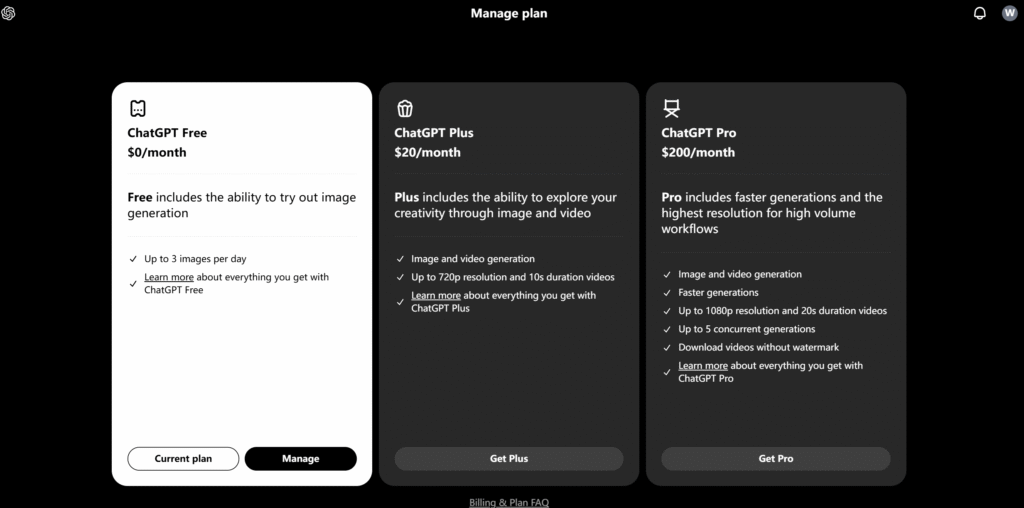
Sora 2 access is limited. Public pricing and self-serve plans haven’t widely rolled out. If you need something you can deploy today, Gen-3 is the practical choice. If you’re exploring future-looking capabilities, keep Sora 2 on your radar and join the waitlists.
Pros and Cons of Sora 2
Advantages
- Cinematic realism and physics-aware motion for believable scenes
- Strong long-shot coherence and character consistency in demos
- High ceiling for filmic storytelling and complex environments
Disadvantages
- Limited availability: unclear timelines for broad access
- Likely slower generations for complex, long clips
- Integration, APIs, and editing workflows aren’t widely documented yet
Pros and Cons of Runway Gen-3
Advantages
- Available now with a polished UI, timeline editor, and team features
- Fast iteration cycles: great for short to mid-length clips
- API support and credit-based pricing for predictable usage
Disadvantages
- Realism can vary on complex, long scenes: occasional artifacts
- Fine control over continuity is improving but not perfect
- Heavily cloud-dependent: offline or on-prem options are limited
How to Choose Between Sora 2 and Runway Gen-3
Assess Your Needs
Write down your top 3 outcomes. Do you need cinematic realism, or speed and iteration? If long, physically grounded shots matter most, Sora 2 is your north star. If you’re producing frequent deliverables with deadlines, Gen-3 fits better.
Test Both Tools
If you can, prototype the same 30-second concept in each. Look at: time-to-first-draft, edit friction, and how well the model obeys your style guide. Save side-by-side frames: show them to a non-technical teammate. Their gut check is gold.
Consider Budget
Gen-3’s credit model is easy to forecast. Plan for peaks (campaign launches) and set API quotas to prevent overages. For Sora 2, budget for experimentation time once access opens, and expect higher compute costs for long, realistic shots.
Evaluate Scalability
Ask: Can we automate this? Gen-3’s API and team features make scaling straightforward, batch renders, templates, and approvals. For Sora 2, watch for enterprise integrations, content safety tools, and rights management as it matures.
Future Trends in AI Video Generation
Here’s where I see things going:
- Longer, more coherent sequences with consistent characters and props across shots
- Hybrid pipelines: AI for previz and plates, traditional tools for polish and sound
- Better control: keyframes, camera rigs, and editable scene graphs, not just prompts
- Compliance and rights management baked in: asset tracking, consent, watermarking
- Real-time or near-real-time generation for live events and interactive media
Bottom line: Sora 2 pushes the cinematic ceiling: Runway Gen-3 nails the day-to-day. I use Gen-3 when I need results this week and keep an eye on Sora 2 for the moments when only true, film-like realism will do.
Frequently Asked Questions
What’s the main difference in sora 2 vs runway gen3 for AI video?
Sora 2 targets cinematic realism and long-shot coherence with physics-aware motion, but public access is limited. Runway Gen-3 is available now, optimized for short to mid-length clips with fast iteration, timeline editing, and an API. In short: Sora 2 pushes realism; Gen-3 prioritizes speed and control.
Is Runway Gen-3 production-ready, and what tools does it include?
Yes. Runway Gen-3 runs in a polished web app with timeline editing, motion brushes, masking, camera paths, and style presets. It supports text-to-video, image/video conditioning, team workspaces, and an API on select plans—making it practical for marketers, editors, and studios to deliver on deadlines.
When should a business choose Sora 2 over Runway Gen-3?
Choose Sora 2 when long, physically grounded scenes and cinematic storytelling are mission-critical—think hero shots, complex environments, and coherent character motion. Pick Runway Gen-3 when you need rapid iteration, predictable production, and API-driven scaling for frequent deliverables like ads, explainers, product demos, and social content.
How do pricing and access compare in sora 2 vs runway gen3?
Runway Gen-3 uses tiered, credit-based plans with higher-resolution options and API access on select tiers—easy to forecast for teams. Sora 2 access remains limited, with public self-serve pricing not widely available. Expect higher compute costs for longer, realistic shots once broader access rolls out.






