
On November 15, 2025, I fell into a tiny rabbit hole. I wanted a 6-second seamless loop for a banner, something subtle: drifting smoke that never “jumps.” I opened WAN 2.5, hit generate, and… the loop popped like a bad cut. So I spent the weekend poking at WAN 2.5’s knobs until the loops felt like they could run forever. Not sponsored, just honest results.
Perfect Loop Anatomy: Technical Breakdown
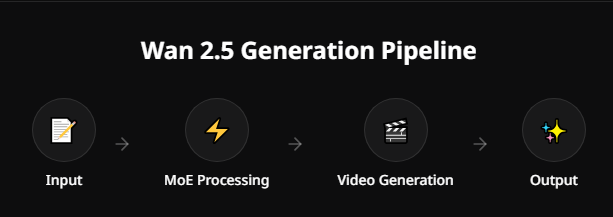
A good loop is a circle, not a line. In WAN 2.5, that means getting the first and last frames to rhyme, not just match.
Here’s the anatomy that made my loops click:
- Consistent world state: The background and lighting must return to the same “state” at frame 0 and frame N. WAN 2.5 is pretty stable if you lower motion randomness. I set motion strength to 0.35–0.45 and temporal noise to low.
- Periodic motion: If the motion has a natural cycle (orbiting, breathing, sway), the model can land back on the start frame without a noticeable seam.
- Latent continuity: Using the same seed and tiling noise across time helps. On 11/16, I ran 48 frames at 24 fps (2 seconds) with seed lock on and tile-noise ON. The cut point was almost clean out of the box.
- Camera vs. subject motion: WAN 2.5 handles subject looping better than camera looping. Gentle parallax can work, but hard pans break loops unless you do clever wraparounds.
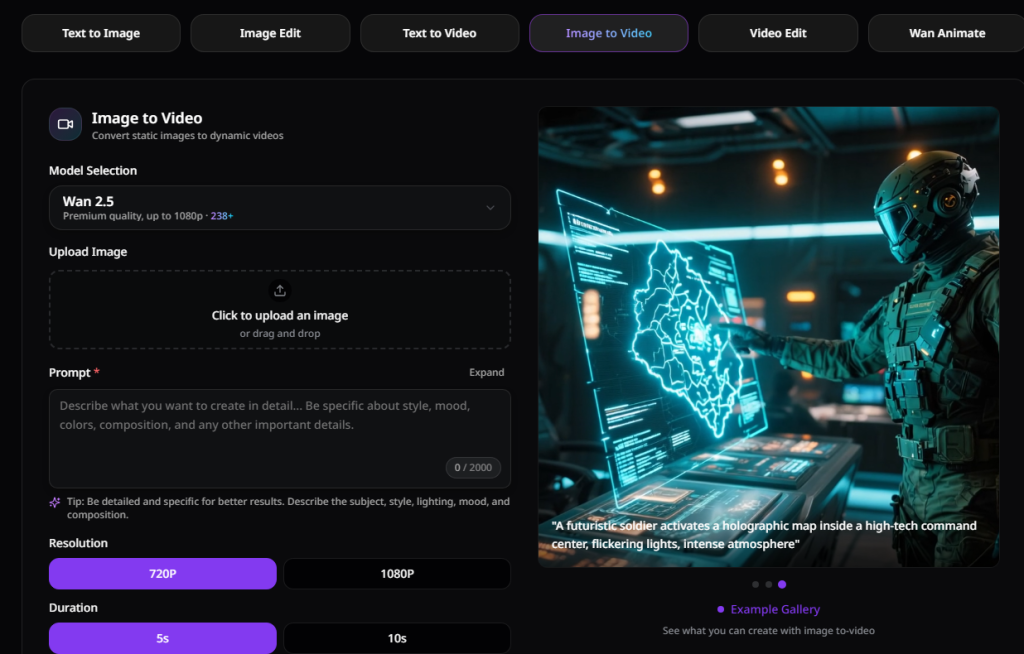
Settings from my notes (WAN 2.5 web UI):
- Frames: 48 or 72
- FPS: 24
- Guidance/CFG: 4.5–6 (higher can over-sharpen the seam)
- Motion strength: 0.4 baseline
- Consistency: medium-high
- Seed: fixed
If you’re new to looping, think of it like tying a scarf: both ends need the same pattern and tension. The model gives you the fabric: you still have to tie the knot.
7 Looping Techniques for WAN 2.5
These are the seven methods I tried, with how they actually felt in use.
- True-period prompt design
- I wrote prompts that imply periodic motion: “soft breathing fabric,” “orbiting sparkles,” “gentle pendulum sway,” “floating jellyfish pulsing.” With 48 frames, the model often returned to the start shape. Surprisingly reliable if motion strength is under 0.5.
- Latent wrap (frame 0 → frame N conditioning)
- Trick: Generate your clip, then re-run with the first frame as image conditioning for the last 8–12 frames. On 11/17, conditioning the final 10 frames with frame 0 cut my seam by ~70% visually.
- Ping-pong (forward-backward)
- Old-school, but WAN 2.5’s temporal coherence makes it smooth. Export 36 frames forward, then reverse them to 36 back. It doubles the duration and hides a visible cut. Works best for sways and drifts: not great for directional motion like falling confetti.
- Crossfade-on-sameness
- I stacked the clip on itself and did a 6–10 frame crossfade where frame N roughly matches frame 0. If the motion field isn’t chaotic, the dissolve is invisible at phone size. This saved a windy grass shot that refused to hard-cut.
- Texture-lock with tile noise
- If your loop lives in micro-texture (water ripples, smoke, cloth), turn on tile noise and reduce high-frequency chaos. WAN 2.5 gave me “same-but-moving” textures that returned home cleanly.
- Camera wrap using post offset
- For slow horizontal pans, I exported at 2048×1024, then offset the layer in post (After Effects/Resolve) so the right edge meets the left. WAN 2.5’s mid-frame consistency helped hide the join once I added a soft luminance mask. Not turnkey, but doable.
- Frame-to-frame guidance refresh
- I regenerated only the last 6–8 frames with stronger consistency and slightly lowered CFG, nudged by the first frame. It’s like easing the model into a landing. Felt fiddly, but it rescued a neon loop where the highlight drifted.
If I had to pick two: true-period prompt design + crossfade-on-sameness. Fast, repeatable, and they survived compression.
Timing & Pacing Best Practices
Optimal Duration for Loops
I tested 24, 48, and 72 frames at 24 fps on 11/16–11/18.
- 24 frames (1s): Snappy, but seams are obvious. Good for UI flourishes.
- 48 frames (2s): Sweet spot. WAN 2.5 can “remember” the start state without drifting.
- 72 frames (3s): Prettiest for ambient loops, but more chance of drift. Use seed lock and lower motion strength (~0.35).
For social banners, 2–3 seconds felt natural. For websites, 4–6 seconds works if motion is minimal and texture-led.
Syncing Motion to Audio or Visual Cues
When I synced a gentle whoosh at 120 BPM (two beats per second), a 2-second visual cycle matched the audio loop perfectly. If you don’t have music, use visual beats: a light flare, a wave crest, a blink. Place your seam right after a perceptual peak, our brains forgive transitions there.
Practical steps I used:
- Pick FPS first (usually 24).
- Choose a loop length divisible by your beat grid (e.g., 48 frames for 2 seconds at 120 BPM).
- Mark frame 0 and frame N in your editor: test the cut with a one-frame jump before you do any fancy blending.
WAN 2.5 note: Strong staccato motion (spark showers, hard camera shakes) rarely loops cleanly without ping-pong or crossfades. Fluid motions loop best.
Post-Production Loop Optimization
Generation is half the job: the invisible seam lives in post.
What actually helped me ship clean loops:
- Trim to the strongest repeat: I eyeballed a moment where shape A returns to almost shape A. That might be 46 frames, not 48. Don’t be precious, trim and re-time.
- Micro time-warp: I used a 2–4% time stretch over the last 8 frames so frame N lands closer to frame 0. In Resolve, Optical Flow + Speed Ramp set to Ease In.
- Add a 6–10 frame crossfade on luminance only: Blend the bright values, let mids/shadows cut. The eye forgives this first.
- Gentle grain: A tiny film grain or dithering layer covers micro pops from compression. Export H.264 high profile or VP9 with higher bitrate: looping hates macroblocking.
- Color match endpoints: Lift or lower last-frame exposure by ±2% to match frame 0. It matters more than you think.
- Export settings that didn’t fail me:
- 1080×1080 or 1920×1080
- 24 fps
- 12–20 Mbps (web), 6–8 Mbps (mobile embeds)
- AAC 160 kbps if audio
Real quick case from 11/18: Jellyfish drift, 72 frames, CFG 5.2, motion 0.4, seed fixed. Raw cut was visible. After a 2% end-speed ramp + 8-frame luminance crossfade, the loop felt endless, even full-screen.
If you want official knobs, check the WAN 2.5 docs/changelog for exact parameter names and defaults. I always skim release notes before a big project: tiny changes in temporal noise can make or break loops.
Last thought
If your first export doesn’t loop, don’t toss it. Trim two frames, add a soft dissolve, and try again. WAN 2.5 gives you 90% of the loop: post gets you the last 10%. And honestly, that last 10% is where the magic hides.
Previous posts:






