Hey my friends. I’m Dora. That day, I sat down with tea and a stubborn YouTube outline that wouldn’t behave. I’d already rewritten the intro three times. Out of mild frustration (and curiosity), I clicked the little “Skills” tab in Claude I’d been ignoring. I figured it’d be yet another “template” drawer I’d forget about. Spoiler: it wasn’t. By the end of the week, I had three Skills running that cut my editing-prep time by about 40 minutes per video.
What Claude Skills actually are (no jargon)
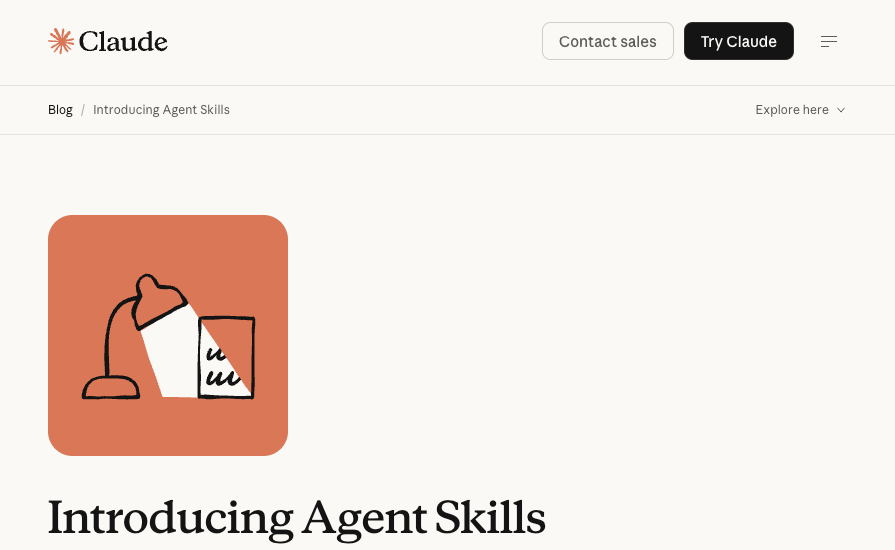
Think of Claude Skills like mini-brains you can save and reuse. You teach Claude how to do one very specific job, like “turn a messy transcript into a clean, time-stamped outline”, and save those instructions as a Skill. Next time, instead of pasting the same giant prompt, you click the Skill, drop in your input (video link, transcript, notes), and it just… does the thing.
In my tests using Claude in the browser, a Skill is basically:
- A clear job description: what the Skill should do, step by step.
- Optional inputs: slots for things you change each time (like “topic,” “audience,” or the actual transcript).
- Output shape: how you want results formatted, bullets, timestamps, scene beats, whatever fits your workflow.
Why it matters: consistency. A Skill keeps your standards tight even when you’re tired, rushed, or switching projects. I used one to enforce my B-roll labeling style (e.g., [BROLL: hands typing] tied to specific beats) so I didn’t have to reinvent it for every video.
A few things I noticed while building:
- Naming matters. “YouTube Cold Open Refiner (60–90 sec)” is clearer than “Hook Helper.”
- The best Skills are boringly specific. One job. One output. No drama.
- Versioning (even if you just add v1, v2 to the title) helps you iterate without breaking your current setup.
Skills vs prompts, what’s the real difference
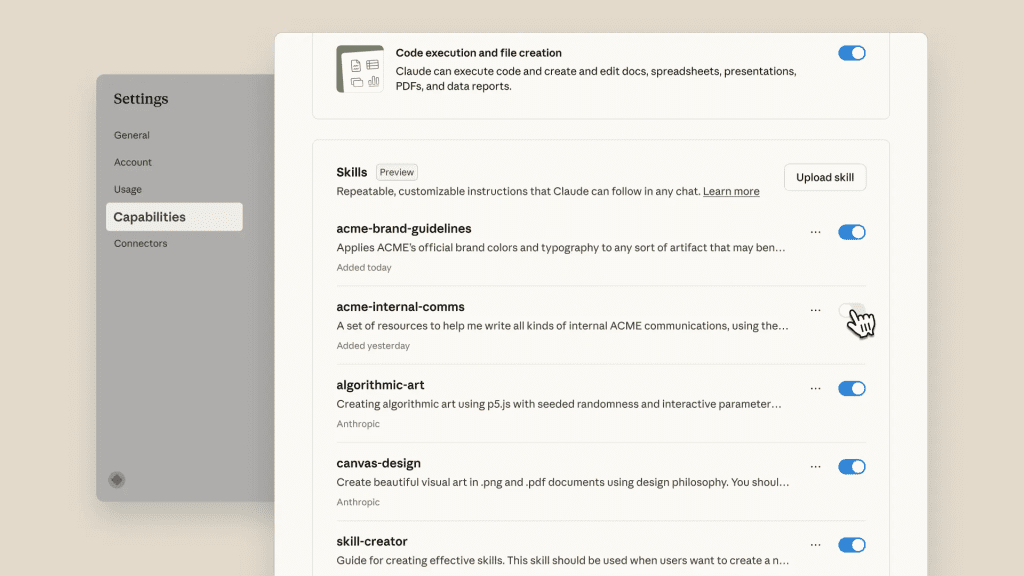
Prompts are one-off instructions. You paste a wall of text, hit send, and hope you saved it somewhere. A Skill is that same know‑how, but captured, named, and parameterized.
Here’s how it felt in practice:
- Prompts: I’d forget small rules (“always include cutaway notes every 20–30 seconds”), and quality drifted.
- Skills: I locked those rules into the Skill. Every run followed the same guardrails.
Prompts are great for exploration. Skills are for repeatable work you actually depend on. The moment you catch yourself reusing the same prompt three times in a week? That’s a Skill waiting to happen.
Why Claude Skills matter for video creators
If you create video, you live in a loop: plan → record → cut → publish → promote. It’s creative, sure, but the admin around it can chew up entire afternoons. Skills shave the repeatable parts without flattening your voice.
Where they paid off for me (YouTube + shorts workflow):
- Faster pre-edit prep. My “Transcript to Edit Plan” Skill turned a 28‑minute raw transcript into clean beats, timestamps, and B-roll notes in 2 minutes (source: Riverside transcript export, 5,112 words)..
- Tighter hooks. A “Cold Open Polisher” Skill gave me 3 punchy options in the exact 60–90s window I aim for, so I spent time choosing, not rewriting.
- Consistent promos. One click to spin a video into a newsletter blurb + two social posts with CTAs that don’t sound spammy.
Important note: Skills don’t replace your taste. They reduce the friction so you can spend your taste on the parts that move the needle.
3 workflow problems Skills solve
- The “Groundhog Day prompt” problem
- Symptom: You copy the same mega‑prompt from Notion into Claude every week, tweak it, and pray you didn’t delete the one line that makes it good.
- Skill fix: Lock the structure into a Skill. Keep only the variables as inputs (title, audience, length). Quality stops swinging.
- The “messy handoff” problem (solo or small teams)
- Symptom: Your editor never gets the same level of notes twice. B-roll hints vanish. Style rules drift.
- Skill fix: A “Pre-Edit Brief” Skill outputs one consistent doc: timestamps, on-screen text, B-roll, music/pace cues. You can share or export it so your editor always gets the same shape.
- The “promo whiplash” problem
- Symptom: After editing, you’re out of energy. Social captions get lazy: newsletter copy slips off brand.
- Skill fix: A “Video → Promo Pack” Skill turns your final outline into platform-specific blurbs with voice rules (e.g., avoid all caps, 1 emoji max, link near the end). It keeps you on brand on autopilot.
How Skills plug into an AI video workflow
Here’s the simple stack that worked for me last week:
- Draft: I brain-dump the idea and rough beats.
- Record: Long take, minimal cuts during capture.
- Generate: Run two Skills, “Transcript to Edit Plan” and “Cold Open Polisher.”
- Edit: Use the plan inside the NLE to speed up cut decisions and B-roll pulls. If you’re experimenting with different generators or editors in this stage, here’s a breakdown of free AI video tools worth testing depending on your workflow.
- Promote: Fire the “Video → Promo Pack” Skill on the final outline.
I kept each Skill small and pointed so they snap together like Lego. When I tried a giant “do everything” Skill, it got vague and… meh.
Before Skills vs after Skills, side-by-side
Here’s a snapshot from two similar 12–14 minute videos I made in February:
| Step | Before Skills | After Skills |
| Prep (outline cleanup + hooks) | ~55 minutes | 18–22 minutes |
| Pre-edit brief for editor | 35 minutes, inconsistent | 8–12 minutes, consistent format |
| Promo (newsletter + 2 posts) | 30–40 minutes | 10–15 minutes |
| Total saved per video | , | ≈ 70–90 minutes |
Notes on the numbers:
- Timed with a dumb phone timer (Feb 18–21, 2026). Small team (me + freelance editor).
- Same recording setup, similar topic complexity.
- Claude model: Claude 3.5 Sonnet in the web app. Your mileage may vary if you’re on API or different models.
Caveats I hit:
- If your transcript is super noisy (crosstalk, filler), feed a quick cleanup pass first. Garbage in → garbage out.
- Don’t stuff five goals into one Skill. If you feel tempted, split it.
Common questions creators ask about Claude Skills
Do I need to be “technical” to build a Skill?
- Nope. If you can write a clear set of instructions, you can build one. Think recipe cards, not code.
Can I reuse Skills across projects or channels?
- Yes, and that’s the power move. I keep a “Channel-A voice” version and a “Client-B voice” version of the same Skill. Same bones, different tone rules.
What if a Skill starts drifting or gets worse over time?
- Treat it like a living document. Duplicate → tweak → label as v2. I review my top Skills every two weeks. Small edits (examples, edge cases) keep them sharp.
Are Skills better than just using Projects or saved prompts?
- They’re different tools. Projects organize context (docs, brand info). Skills capture a repeatable action with a shaped output. I use both: Projects for “what we know,” Skills for “what we do.”
Can I share a Skill with an editor or collaborator?
- In my setup, yes, I export the output or share the Skill so they can run it with their inputs. If you’re using the API, you can wire Skills into buttons in your own tools. Check the latest guidance in the Claude docs because sharing options can change.
Will Skills replace my editor or scriptwriter?
- No. They remove drudge work and keep quality consistent, but the best bits, pacing, tone, when to hold a beat, are human calls. Think copilot, not autopilot.
Any privacy or data concerns?
- As with any AI tool, don’t paste sensitive client data unless you’ve read the provider’s policies. Start with anonymized inputs. Anthropic’s privacy and safety pages are worth a quick read.
What’s the catch?
- If you treat Skills like magic, you’ll get random results. The craft is in your instructions and examples. Two or three tight examples inside the Skill can lift output quality a lot.
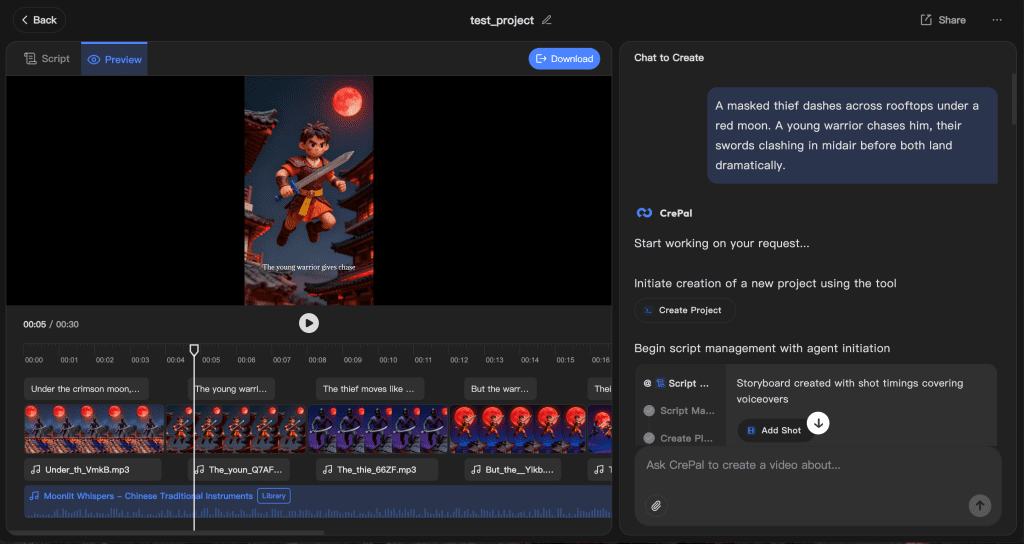
Once my planning got faster with Skills, production became the new bottleneck — turning outlines into actual videos without bouncing between tools. That’s part of why we built Crepal. It helps move from structured ideas to video drafts in one place.
If that’s where you’re stuck, try Crepal here.
Previous posts: