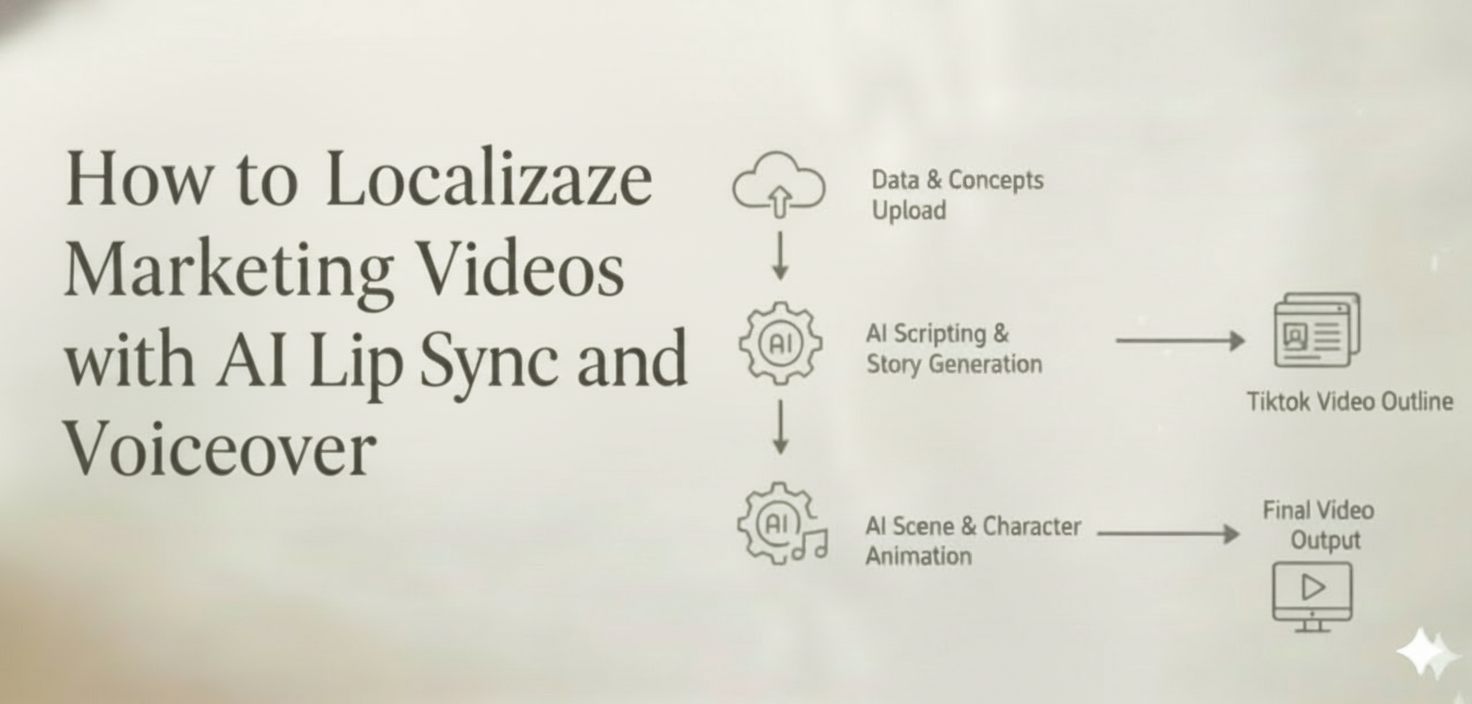
Meta: Learn how to localize marketing videos with AI lip sync and voiceover. Create multilingual versions faster without full reshoots for global campaigns and paid social.
You spent six weeks producing one hero video. The script went through four rounds of approval, the talent nailed the delivery, and the performance numbers in your home market look strong.
Now your regional teams in Tokyo, São Paulo, and Berlin each need their own version—by by next Friday.
If that scenario sounds painfully familiar, you already know the bottleneck. Traditional video localization means re-hiring talent, booking studios, coordinating across time zones, and burning through budget that was supposed to fund the next campaign. According to CSA Research, 76% of online consumers prefer to buy products when information is presented in their own language, yet most marketing teams still treat localization as an afterthought because of the cost.
This article breaks down a faster, more sustainable approach: using AI lip sync and voiceover technology to turn a single marketing video into multilingual versions—without full reshoots, without lip-flap mismatches, and without losing the brand voice your audience already trusts.
Why Traditional Video Localization Costs So Much
Before we talk about solutions, it helps to understand where the money actually goes.
The Hidden Multipliers
A single 60-second product video might cost 5,000–5,000–5,000–15,000 to produce in one language. The moment you need five language versions, the math doesn’t simply multiply by five—it gets worse:
- Talent re-casting. Finding native-speaking on-camera talent for each market adds casting fees, scheduling delays, and travel costs.
- Studio re-booking. Even if you use the same set, each language version needs its own shoot day.
- Post-production per version. Color grading, sound mixing, subtitle timing, and quality checks run independently for every cut.
- Coordination overhead. Regional marketing managers, translators, creative directors, and agency partners all need to review and approve—separately.
For a brand localizing into just five languages, the total cost can easily reach 3–5x the original production budget. For paid social campaigns where you need multiple ad lengths (15s, 30s, 60s) across multiple languages, the combinatorial explosion makes traditional methods nearly impossible to sustain at scale.
The Subtitle Shortcut—and Why It Falls Short
Many teams default to subtitles as a low-cost workaround. It works for certain formats—tutorials, webinars, long-form content—but for performance marketing, subtitles carry real limitations:
- Viewer attention splits between reading text and watching the product demo.
- Emotional connection drops when the speaker’s voice doesn’t match the viewer’s language.
- Platform algorithms on TikTok, Reels, and YouTube Shorts increasingly favor native-language audio for local distribution.
Subtitles are a valid starting point. They are not a localization strategy.
Where AI Lip Sync and Dubbing Actually Make Sense
AI lip sync technology has matured significantly in the past 18 months. The core capability: take an existing video with a speaker, generate a new voiceover in a target language, and re-animate the speaker’s mouth movements to match the translated audio. The result looks and sounds like the speaker is naturally delivering the message in another language.
But this doesn’t mean you should use it for everything. Here’s a practical breakdown of where it works—and where it doesn’t.
High-Impact Use Cases
| Scenario | Why AI Lip Sync Works Well |
| Founder / CEO welcome videos | Preserves the personal connection while scaling to new markets |
| Product explainer videos | On-screen presenter walks through features; lip sync keeps attention on the demo |
| Paid social ads (UGC-style) | Talking-head ads perform well on Meta and TikTok; localized versions boost CTR in regional markets |
| Sales enablement videos | Reps can share localized pitch decks and walkthroughs without recording new versions |
| Onboarding and training content | Internal teams across regions get the same quality of delivery |
| Testimonial and case study videos | Customer stories resonate more when presented in the viewer’s native language |
When to Think Twice
Not every video benefits from AI lip sync. Some content types need a different approach:
- Highly emotional brand films where nuance in vocal performance is critical—human voice actors may still deliver a more authentic result.
- Videos with heavy wordplay, idioms, or humor that don’t translate directly—these need creative transcreation, not just translation.
- Legal or compliance-sensitive content where every word must be verified by regional legal teams before publication.
- Music-driven content where the vocal track is the product itself (though AI can help with promotional clips around the music).
The rule of thumb: if the video’s primary job is to inform, demonstrate, or persuade through a speaking presenter, AI lip sync is likely your best efficiency lever.
How to Turn One Video into Multiple Language Versions
Here’s the practical workflow. Whether you’re a two-person growth team or a global marketing org, the steps are the same.
Step 1: Start with a “Localization-Ready” Source Video
The best results come from source material that was planned with localization in mind:
- Clear, moderately-paced speech. Speakers who talk too fast create problems—translated scripts in languages like German or French often run 20–30% longer than English.
- Minimal text baked into the video. On-screen text (lower thirds, callouts, titles) will need to be replaced per language. The fewer hard-coded text elements, the easier the process.
- Clean audio separation. Background music and sound effects on separate tracks from the voice make it easier to swap the vocal layer without degrading audio quality.
- Front-facing speaker shots. AI lip sync works best when the speaker’s face is clearly visible and well-lit. Side profiles and heavy shadows reduce accuracy.
If you’re planning a new video shoot, brief your production team on these requirements upfront. The marginal effort is small; downstream savings are massive.
Step 2: Translate and Adapt the Script
Translation is not localization. A direct word-for-word translation often misses cultural context, idiomatic expressions, and market-specific references.
Best practice:
- Machine-translate first for speed (DeepL and Google Translate have gotten remarkably good for marketing content).
- Have a native speaker review for naturalness, brand tone, and cultural fit.
- Adjust for length. If the translated script runs significantly longer than the original, tighten the phrasing rather than speeding up the voiceover. Rushed delivery sounds unnatural in any language.
This step is where branded voice lives or dies. More on that below.
Step 3: Generate AI Voiceover and Lip Sync
This is where the technology does the heavy lifting.
With a tool like CrePal.ai’s Lip Sync feature, you can:
- Upload your source video with the original speaker.
- Input the translated script or select a target language for automatic translation.
- Choose a voice profile that matches the tone and energy of the original speaker.
- Generate the localized version—CrePal’s AI Director Agent handles the lip sync animation, audio timing, and mouth-movement matching automatically.
Because CrePal integrates multiple AI models and orchestrates them intelligently, it selects the optimal combination for your specific video—whether that means prioritizing lip accuracy for a close-up talking head or focusing on voice naturalness for a fast-paced ad.
The entire process for a 60-second video typically takes minutes, not weeks.
Step 4: Review, Refine, and Export
AI-generated output should always go through a human review pass:
- Watch the full video with a native speaker of the target language. Flag any moments where lip sync feels off or pronunciation sounds unnatural.
- Check audio-visual sync at key moments—product name mentions, calls to action, emotional beats.
- Use conversational editing to make adjustments. In CrePal, you can simply tell the AI what to fix: “Make the closing CTA more energetic” or “Slow down the pacing in the second scene.” No timeline scrubbing, no re-rendering from scratch.
- Export in platform-specific formats—aspect ratios and length cuts for TikTok, Instagram Reels, YouTube, LinkedIn, etc.
How to Preserve Brand Voice Across Languages
Localization often fails not because of technology, but because of tone drift. The video sounds competent in Spanish but loses the confident, slightly playful energy that made the English version perform. Here’s how to prevent that.
Define Your Voice Parameters Before You Start
Create a simple brand voice card that your translators and AI tools can reference:
| Parameter | English Original | Guidance for All Languages |
| Formality level | Conversational, not casual | Maintain warmth; avoid overly formal phrasing |
| Energy | Confident, upbeat | Match the energy level, not just the words |
| Sentence length | Short, punchy | Keep sentences concise in all languages |
| CTA tone | Direct, encouraging | “Start creating today” > “You might want to consider trying…” |
| Technical language | Simplified, jargon-free | Use the simplest accurate term available in each language |
When to Think Twice
Not every video benefits from AI lip sync. Some content types need a different approach:
- Highly emotional brand films where nuance in vocal performance is critical—human voice actors may still deliver a more authentic result.
- Videos with heavy wordplay, idioms, or humor that don’t translate directly—these need creative transcreation, not just translation.
- Legal or compliance-sensitive content where every word must be verified by regional legal teams before publication.
- Music-driven content where the vocal track is the product itself (though AI can help with promotional clips around the music).
The rule of thumb: if the video’s primary job is to inform, demonstrate, or persuade through a speaking presenter, AI lip sync is likely your best efficiency lever.
How to Turn One Video into Multiple Language Versions
Here’s the practical workflow. Whether you’re a two-person growth team or a global marketing org, the steps are the same.
Step 1: Start with a “Localization-Ready” Source Video
The best results come from source material that was planned with localization in mind:
- Clear, moderately-paced speech. Speakers who talk too fast create problems—translated scripts in languages like German or French often run 20–30% longer than English.
- Minimal text baked into the video. On-screen text (lower thirds, callouts, titles) will need to be replaced per language. The fewer hard-coded text elements, the easier the process.
- Clean audio separation. Background music and sound effects on separate tracks from the voice make it easier to swap the vocal layer without degrading audio quality.
- Front-facing speaker shots. AI lip sync works best when the speaker’s face is clearly visible and well-lit. Side profiles and heavy shadows reduce accuracy.
If you’re planning a new video shoot, brief your production team on these requirements upfront. The marginal effort is small; downstream savings are massive.
Step 2: Translate and Adapt the Script
Translation is not localization. A direct word-for-word translation often misses cultural context, idiomatic expressions, and market-specific references.
Best practice:
- Machine-translate first for speed (DeepL and Google Translate have gotten remarkably good for marketing content).
- Have a native speaker review for naturalness, brand tone, and cultural fit.
- Adjust for length. If the translated script runs significantly longer than the original, tighten the phrasing rather than speeding up the voiceover. Rushed delivery sounds unnatural in any language.
This step is where branded voice lives or dies. More on that below.
Step 3: Generate AI Voiceover and Lip Sync
This is where the technology does the heavy lifting.
With a tool like CrePal.ai’s Lip Sync feature, you can:
- Upload your source video with the original speaker.
- Input the translated script or select a target language for automatic translation.
- Choose a voice profile that matches the tone and energy of the original speaker.
- Generate the localized version—CrePal’s AI Director Agent handles the lip sync animation, audio timing, and mouth-movement matching automatically.
Because CrePal integrates multiple AI models and orchestrates them intelligently, it selects the optimal combination for your specific video—whether that means prioritizing lip accuracy for a close-up talking head or focusing on voice naturalness for a fast-paced ad.
The entire process for a 60-second video typically takes minutes, not weeks.
Step 4: Review, Refine, and Export
AI-generated output should always go through a human review pass:
- Watch the full video with a native speaker of the target language. Flag any moments where lip sync feels off or pronunciation sounds unnatural.
- Check audio-visual sync at key moments—product name mentions, calls to action, emotional beats.
- Use conversational editing to make adjustments. In CrePal, you can simply tell the AI what to fix: “Make the closing CTA more energetic” or “Slow down the pacing in the second scene.” No timeline scrubbing, no re-rendering from scratch.
- Export in platform-specific formats—aspect ratios and length cuts for TikTok, Instagram Reels, YouTube, LinkedIn, etc.
How to Preserve Brand Voice Across Languages
Localization often fails not because of technology, but because of tone drift. The video sounds competent in Spanish but loses the confident, slightly playful energy that made the English version perform. Here’s how to prevent that.
Define Your Voice Parameters Before You Start
Create a simple brand voice card that your translators and AI tools can reference:
| Parameter | English Original | Guidance for All Languages |
| Formality level | Conversational, not casual | Maintain warmth; avoid overly formal phrasing |
| Energy | Confident, upbeat | Match the energy level, not just the words |
| Sentence length | Short, punchy | Keep sentences concise in all languages |
| CTA tone | Direct, encouraging | “Start creating today” > “You might want to consider trying…” |
| Technical language | Simplified, jargon-free | Use the simplest accurate term available in each language |
Voice Cloning vs. Voice Selection
Two approaches exist for the audio layer:
- Voice cloning replicates the original speaker’s voice characteristics in a new language. This works well for founder-led content where the speaker’s voice is part of the brand identity.
- Voice selection uses a different AI voice that matches the desired tone and demographic. This is often better for UGC-style ads or content where authenticity in the target language matters more than speaker continuity.
CrePal supports both approaches, letting you choose the right strategy per video and per market.
The “Back-Translation” Check
For high-stakes content (hero campaigns, investor-facing videos), use a back-translation check: have someone translate the localized script back into English and compare it to the original. Significant meaning shifts become immediately obvious.
What You Should Never Localize with AI Lip Sync Alone
Transparency matters. Here are the scenarios where AI lip sync should be part of the workflow—but not the entire workflow:
Content with Regulatory Requirements
Pharmaceutical ads, financial services disclosures, and legal notices often require certified translations and specific phrasing mandated by local regulators. Use AI for the production layer, but ensure the script has been legally reviewed before generating the video.
Deep Cultural Content
A Super Bowl ad concept may not resonate in Southeast Asia. A Lunar New Year campaign won’t land in Latin America. When the creative concept itself needs to change—not just the language—you need creative transcreation, which goes beyond what any AI tool can automate today.
Content Where the Original Speaker’s Identity Is the Point
If you’re localizing a celebrity endorsement, the audience in the target market may not recognize or trust that celebrity. In these cases, consider whether a locally relevant spokesperson is a better investment than a lip-synced version of someone unfamiliar.
User-Generated Content You Don’t Own
If your campaign features real customer testimonials, ensure you have the rights to create AI-modified versions of their likeness before generating lip-synced versions. This is both a legal and an ethical consideration.
A Practical Localization Workflow with CrePal.ai
Here’s how the full workflow comes together when you use CrePal as your video localization partner:
| Step | Action | Tool/Feature |
| 1 | Upload your source video | CrePal dashboard |
| 2 | Describe your localization needs in plain language | AI Director Agent (e.g., “Create a Japanese version with a professional female voice, matching the original speaker’s energy”) |
| 3 | AI generates translated script, voiceover, and lip sync | Multi-Model Intelligence (auto-selects optimal models) |
| 4 | Review and refine through conversation | Conversational Editing (“The CTA sounds too soft—make it more direct”) |
| 5 | Generate additional language versions | Repeat with one prompt per language |
| 6 | Export platform-ready files | Multiple format/aspect ratio options |
What used to require a localization agency, a voice casting session, and three weeks of back-and-forth can now happen in an afternoon.
The ROI Case for AI-Powered Video Localization
For teams still building the internal business case, here are the numbers that matter:
- Production cost reduction: 70–90% lower per-language version compared to full reshoots.
- Speed to market: Days instead of weeks. Launch simultaneously across markets instead of staggering by region.
- Creative testing at scale: Generate localized A/B test variants (different CTAs, different tones, different lengths) without additional production costs.
- Paid social performance: Localized video ads consistently outperform subtitled versions in CTR and conversion rate across Meta, TikTok, and YouTube benchmarks.
- Brand consistency: Every market gets the same visual quality, the same product messaging, and the same brand energy—just in their own language.
Start Localizing Smarter
Video localization doesn’t have to mean choosing between quality and speed, or between budget and market coverage. AI lip sync and voiceover technology has reached the point where a single well-produced video can become the foundation for a genuinely global campaign.
The teams that figure this out first will have a structural advantage: more markets, faster launches, tighter feedback loops, and lower cost per localized asset.
CrePal.ai is built for exactly this workflow. As an AI Director Agent, it doesn’t just lip sync a single clip—it orchestrates the entire localization process, from script adaptation to voice generation to final export, through simple conversation.
Try CrePal.ai free and localize your first video today → (1)
FAQ
Q: How accurate is AI lip sync for marketing videos? A: Modern AI lip sync technology produces results that are visually convincing for most marketing formats, especially talking-head videos, product demos, and social ads. For close-up, slow-motion, or cinematic shots, a human review pass is recommended to catch any subtle mismatches. CrePal’s multi-model approach selects the best model for your specific video type to maximize accuracy.
Q: Which languages does AI lip sync support? A: CrePal.ai supports a wide range of languages including English, Spanish, French, German, Japanese, Korean, Portuguese, Chinese, Arabic, Hindi, and more. Language availability continues to expand as underlying AI models improve. Check CrePal’s language list for the most current options.
Q: Will the AI voice sound robotic? A: AI voice generation has improved dramatically. Today’s models produce natural-sounding speech with appropriate intonation, pacing, and emotion. CrePal lets you choose or clone voice profiles to match the energy and tone of your original speaker, and you can refine the output through conversational editing.
Q: Can I use AI lip sync for videos with multiple speakers? A: Yes. CrePal can handle multi-speaker videos by identifying different speakers and applying separate voice profiles and lip sync to each. For best results, ensure each speaker has clear, well-lit face visibility in the source footage.
Q: Is AI lip sync suitable for regulated industries like finance or healthcare? A: AI lip sync is an excellent production tool for regulated industries, but the translated script must be reviewed and approved by your legal or compliance team before generating the final video. Use AI for speed and cost efficiency in production; use human experts for regulatory accuracy in content.