
1. OpenClaw Is Transforming How AI Agents Work
AI agents are getting smarter by the day. Over the past few months, OpenClaw has grown rapidly because developers use it to automate daily tasks: browse websites, place orders, manage subscriptions, run scheduled tasks, and update Notion, spreadsheets, and CRMs (customer relationship management tools).
Agents used to only chat with users. Now they complete real, actionable tasks. But there’s a big gap: ask an agent to make video content, and it can’t deliver. Video creation still needs human hands. That’s why we built the CrePal Skill—your agent is the brain, and CrePal gives it the ability to create and publish videos on its own.
2. Why Agents Can’t Make Videos
Making a video takes many steps: write a script, break it into scenes, generate visuals, pick music, edit everything, add subtitles and branding, export, then upload to platforms. Most AI video tools just generate clips—they don’t run full workflows. Your Agent can think, but it can’t deliver a finished video.
- Single AI video tools only cover individual production steps, not end-to-end workflows.
- Agents lack native integration to link script creation with video production and publishing.
- Video needs nuanced brand choices that standard agent logic can’t execute independently.
3. The Fix: Make Video a Skill Your Agent Can Call
CrePal isn’t a website you visit or software you learn. It’s a skill your Agent calls directly. With API access, modular capabilities, full automation, and direct publishing, your Agent handles everything from script to posted video. When video becomes a callable skill, your Agent can finally ship real content.
- CrePal’s API-native design enables seamless integration with OpenClaw with no extra setup.
- Its modular features let agents customize video specs without human intervention.
- Direct platform publishing cuts out the need for external upload tools.
4. How CrePal Fits Into Your Agent Setup
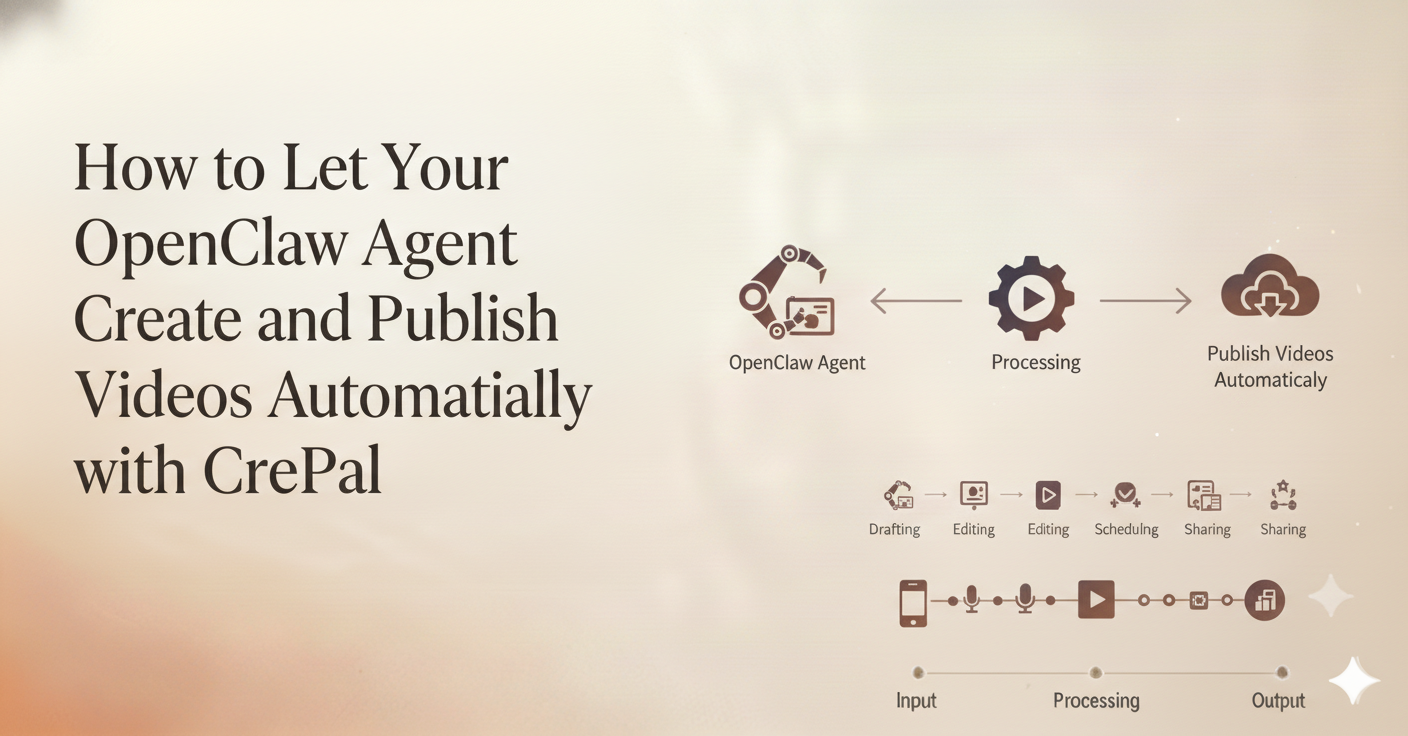
A typical setup flows from LLM → Agent Framework → Skills → Output. When you add CrePal, your OpenClaw Agent calls the CrePal Skill, which handles Script → Video → Publish automatically. Without this skill, your Agent just talks. With it, your Agent ships.
- CrePal integrates into OpenClaw’s existing skill system without framework overhauls.
- The skill directly takes LLM script output for smooth ideation-to-production handoff.
- All video actions track back to the OpenClaw dashboard for unified workflow visibility.
5. Get Started: 5 Steps to Auto-Generate and Publish Videos
Follow these steps to set up your agent to create and post videos on its own—no manual work required.
Step 1: Add the CrePal Skill to OpenClaw
- Open the Claw Hub marketplace
- Search for “CrePal” and click Install
- Log into your CrePal account, copy your API key, and paste it into OpenClaw
- Confirm the setup—CrePal will now show up in your agent’s skills list
This step takes about 2 minutes total.
Step 2: Build Your Video Workflow
- Go to OpenClaw → Workflows → Create New Workflow
- Name your workflow (e.g., “Daily Social Video”)
- Add your task steps in order: find trending topics → pick a topic → write a script → make a video → post the video
- Set a schedule (e.g., 9:00 AM every day) and activate the workflow
Your agent will now run these steps automatically at your chosen time.
Step 3: Write the Workflow Logic
Use this pre-built YAML code for a daily 60-second viral short video workflow—copy and paste it directly into OpenClaw:
yaml
workflow: daily_video
schedule: "0 9 * * *"steps:- name: find_topics
    action: search_trending
    output: topics
  - name: pick_topic
    action: select_best
    input: topics
    output: topic
  - name: write_script
    action: generate_script
    input: topic
    output: script
  - name: make_video
    action: crepal.generate_video
    input: script
    settings:style: viral_short
      length: 60s
      music: yes
      subtitles: yes
    output: video_file
  - name: post_video
    action: crepal.publish
    input: video_file
    platforms:- tiktok
      - instagram
      - youtube_shorts
Step 4: Connect Your Social Media Accounts
- Go to your CrePal Dashboard → Publishing
- Click to connect your TikTok, Instagram, and YouTube accounts
- Log into each platform and approve CrePal’s access
- Set your default preferences: hashtags, captions, and video quality
Step 5: Test the Workflow Before Going Live
- Click Run Now on your new workflow in OpenClaw
- Wait 2–5 minutes for the agent to create and post the test video
- Check the video for quality, accurate captions, and proper formatting
- Confirm the video posted correctly to your social platforms
- Adjust CrePal or OpenClaw settings if needed, and re-run the test until everything works perfectly
6. Real-World Uses: How Teams Use CrePal + OpenClaw Today
Example 1: Run Social Media Accounts Hands-Free
An AI agent checks trending topics every morning, writes scripts for 3 short videos, creates all the videos, and posts them to TikTok, Instagram, and YouTube Shorts. The team spends zero time on content creation, posts go out every single day, and content output jumps 10x.
Best for: Content creators, media teams, and personal brands.
Example 2: Auto-Make Product Videos for E-Commerce
An agent pulls new product info from an online store, writes a custom showcase script for each product, creates a short product video, and posts the video to the product page and social media. Every product gets a video, new items launch faster, and more customers watch the videos and make purchases.
Best for: E-commerce sellers and dropshippers.
Example 3: Generate Template-Based Videos at Scale
Teams use code-based video templates (e.g., Remotion), the agent fills in custom data (e.g., tutorial steps, report stats) into the template, and CrePal renders the finished video and publishes it. Every video has a consistent brand look, and teams can create hundreds of videos at once with no extra work.
Best for: SaaS companies and educators.
7. Why This Matters: The Shift to Agent-Powered Content Creation
The old way of making content: You create every piece manually, more content means more work, and you eventually run out of time and burn out.
The new way with CrePal + OpenClaw: Your AI agent creates the content, more content means you refine and improve your workflows, and you scale your content output without extra work or burnout.
CrePal + OpenClaw isn’t just a faster video tool—it’s a whole new way to produce content. Content creation becomes a seamless part of your business operations, not a time-consuming manual task.
Common Questions
Q: Do I need to know how to code to use this?
No. The Claw Hub uses a visual builder for all basic workflows. Basic YAML knowledge helps for custom workflows, but it’s not required.
Q: What types of videos can my agent make?
Short social videos (for TikTok and Instagram Reels), explainer videos, product showcases, talking avatar videos, and music videos.
Q: How long does it take the agent to make a video?
Most 60-second videos are finished and ready to post in 2 to 5 minutes.
Q: Can I review videos before they post to social media?
Yes. Turn off the auto-publish setting, review each video the agent creates, and approve it manually to post.
Q: Which platforms can my agent publish videos to?
TikTok, Instagram, YouTube, X (Twitter), and LinkedIn. You can use webhooks (automated message senders) to post to other custom platforms too.






