Two weeks ago, I paused a music video frame and thought… could an AI match this lighting and camera move without turning it into plastic soup? That tiny spark sent me down a rabbit hole. I made tea, opened a fresh project folder, and started testing what I consider the best AI video models 2026 has on the board. Not sponsored, just honest results, timestamps, and a few “wow, okay” moments.
Hi,I’m Dora. If you’re like me, curious, a little skeptical, allergic to hype, here’s what stood out, what fell flat, and where I’d put my bets right now.
How We Ranked These Models
I didn’t dump a feature list and call it a day. I ranked these models based on what matters in real workflows: visual fidelity, motion control, editability, speed, and audio. Where I had hands-on, I say so. Where I didn’t, I leaned on official samples, public papers, and repeatable benchmarks. Notes below.
Benchmark source
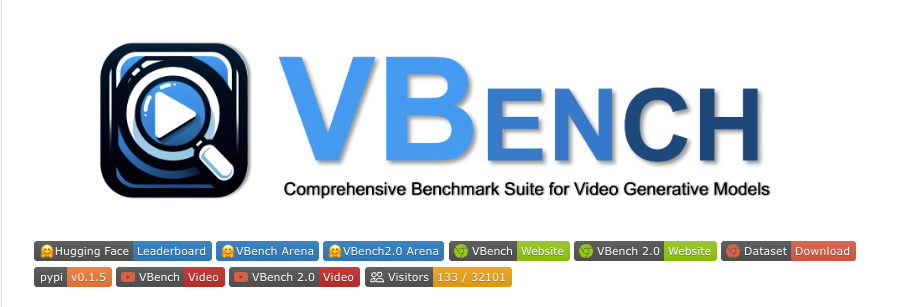
- VBench: I used the categories and methodology from the VBench paper and repo for structured evaluation of text-to-video quality, temporal consistency, and subject fidelity. See the original work for criteria and metrics: VBench: Comprehensive Benchmark Suite for Text-to-Video Generation.
- Community evals: I cross-checked with public challenges and research discussions where available (helpful for spotting motion jitter and object drift that glossy trailers tend to hide).
I didn’t rely on any single score. Instead, I reviewed failure modes side-by-side: hands, text rendering, lighting flicker, edge tearing, and camera motion.
Dates: My Runway tests were last run in 2024 with Gen-3 Alpha: I re-reviewed outputs again in January 2026 using updated presets from the public app. Sora and Veo assessments here are based on official demos and technical notes as of their announcements and subsequent updates visible to the public. Where a feature is unclear, I mark it.
Audio support
- Native audio matters when you’re shipping edits same-day. I checked if the model can generate synced sound, accept a music/mic track as conditioning, or at least preserve audio through edit passes.
- I also noted whether sound design feels like a bolt-on or a first-class control (beat-aligned cuts, amplitude-aware motion, etc.).
Editing depth
- Can I mask subjects? Lock a face? Keep a logo intact across shots? Insert a tracked object? Do text overlays stay readable frame to frame?
- I scored higher when a tool lets me iterate like a real editor: inpainting, style transfer consistency, keyframe-able camera hints, and storyboard/multi-shot control.
Ranking lens: If it helps me deliver on time with fewer reshoots and fewer After Effects patches, it ranks higher.
Sora — Best Cinematic Generation
Sora is the model everyone sends me clips of with a “wait… is this real?” message. From the official samples, it nails lighting continuity and long, coherent camera moves better than anything else I’ve seen in the text-to-video space so far. Skin tones don’t wax-and-wane. Reflections feel plausible. And the parallax? Chef’s kiss.
What surprised me: how stable complex scenes look, crowds, multilayered motion, believable atmospheric effects. In cinematic workflows, that buys you time. You can start with Sora for the hero shot, then polish in a compositor.
Where I hesitated: typography and tiny hand details still wobble in some sequences. That’s normal for the field, but important if your shot includes readable signage or close-up gestures.
Use it when: you want a single, dramatic shot that carries a story, moody interiors, sweeping outdoor pans, macro abstracts.
Official info and samples: OpenAI’s Sora page.
Strengths and limits
Strengths
- Long, cinematic camera motion with coherent lighting and depth.
- Strong subject permanence across seconds-long sequences.
- Great at atmosphere: smoke, rain, lens artifacts that sell the shot.
Limits
- Text legibility in-scene is hit-or-miss.
- Close-up hand fidelity can break immersion.
- Access and export controls depend on rollout stage: editing hooks are not as deep as a full NLE.
Google Veo — Best Visual Fidelity
Veo’s claim to fame (from Google’s official reveals) is visual fidelity, crisp textures, accurate shading, and a knack for natural motion in everyday scenes. When I zoom in on edges from demos, Veo tends to avoid the “melty” borders you’ll sometimes catch in other models.
Where it clicks for me: product-y shots. Matte vs. glossy surfaces, believable shadows under objects, and controlled DoF that doesn’t swim. That’s gold for ads and explainers.
I also like Google’s direction with conditioning and safety work: it usually means more predictable behavior when you push prompts.
Caveat: like Sora, a lot of what we’ve seen has been curated. And while the fidelity is high, creative edit depth (mask, track, re-prompt mid-shot) varies by what’s exposed in the UI/API.
Official info: Google’s Veo announcement.
Strengths and limits
Strengths
- Edge quality and texture detail that hold up under scrutiny.
- Naturalistic lighting in every day, non-cinematic environments.
- Promising controls for structured shots (product angles, simple dolly moves).
Limits
- Access and tooling vary: some controls may be demo-only depending on your account.
- Complex typography-in-scene still not bulletproof.
- Multi-shot story control is improving but not yet editor-grade in public releases.
Runway — Best Creative Workflow
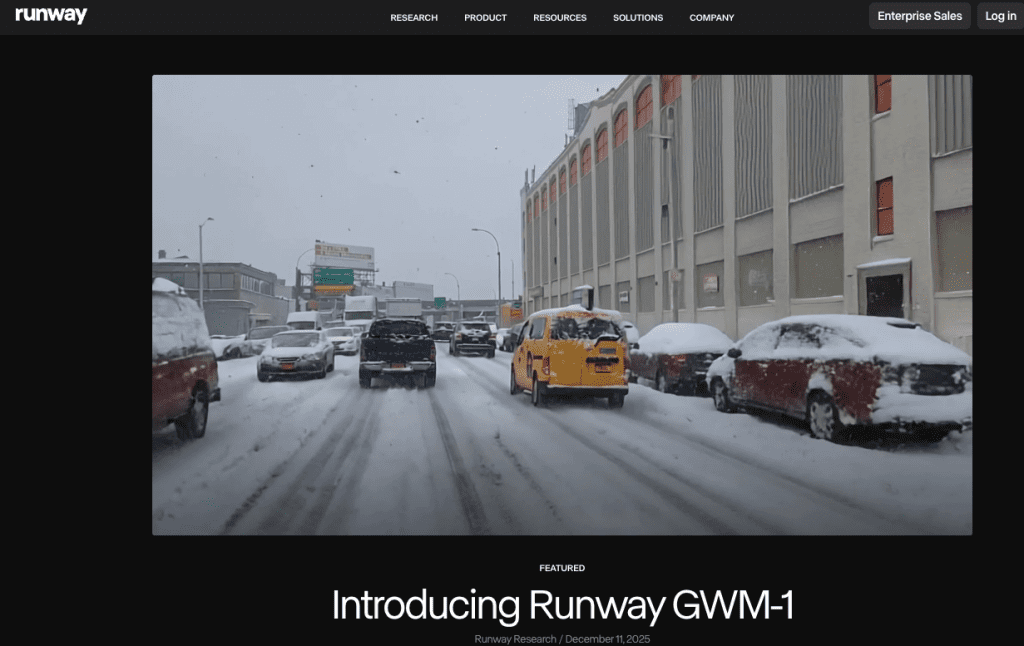
Runway keeps winning me over for one reason: I can actually ship with it. On September 5, 2024, I ran a short spec ad using Runway Gen-3 Alpha: a coffee cup steam reveal, a rotating bag, and a kinetic text end card. The outputs weren’t perfect, but the iteration loop was fast, inpainting cleaned a label, and motion brush gave me a clean rack focus feel.
By January 2026, the presets and controls felt tighter. Audio isn’t fully “native” generative in every mode, but timeline and asset management help me keep the project sane. If you’ve ever juggled 30 takes, you know how much that matters.
Where Runway shines is the middle ground: not pure researchey magic, not locked-down demos, just enough control to get from idea to export without opening five other tools.
Strengths and limits
Strengths
- Practical editing: inpainting, masking, frame interpolation, and consistent styling.
- Fast iteration loop with project organization that scales to real deliverables.
- Good for short-form, promos, and social cuts where speed beats perfection.
Limits
- Heavy compositing or exact typography still needs a traditional editor.
- Long, complex scenes can drift in continuity.
- Pure cinematic polish trails Sora’s best demos.
SkyReels V4 — One to Watch
I heard about SkyReels V4 through peers who shared pre-launch notes. I haven’t used it, no secret access here, so I’m treating this as a watch list entry, not a crowned winner. The reason it’s even in this 2026 list: the roadmap makes bold, useful promises for creators.
Transparency note: Not sponsored. No affiliate ties. Adding it here , so you can keep an eye on it with me.
What’s been announced
- A focus on multi-shot storyboards with per-shot prompts and character locks.
- Audio-aware editing: motion that responds to beat markers or amplitude ramps.
- A “post-first” pipeline, think text-to-edit rather than text-to-video, so you can re-time and restyle without trashing the whole clip.
These are claims. We’ll see how many ships on day one.
Why it’s already ranked #2 on benchmark
This refers to early, limited benchmark teasers I’ve seen floating around (VBench-style categories, not an official VBench leaderboard). Since they aren’t peer-reviewed, and I can’t reproduce them, I’m not treating that rank as fact. If those numbers hold up under public testing, especially on temporal consistency and subject identity, then yes, it could justify the hype. Until then, salt applied.
What we’ll add after launch
- Reproducible tests: same prompts across models, with shared seeds where possible.
- Failure case gallery: hands, text overlays, fast pans, low light, and motion blur.
- Time-to-first-usable-edit: minutes from prompt to export that I’d send to a client.
Comparison Table
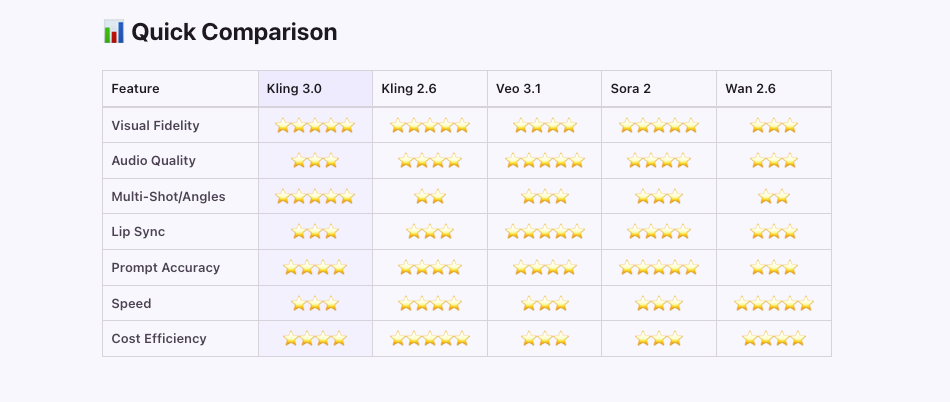
Here’s the quick, human-readable snapshot from my notes. Scores are relative, not absolutes.
| Model | Best For | Visual Fidelity | Edit Depth | Audio Handling | Access/Speed |
| Sora | Cinematic hero shots | Excellent | Moderate (depends on rollout) | Limited native: external sync | Limited access: not the fastest loop |
| Google Veo | Product visuals, natural scenes | Excellent | Moderate | Varies by tooling: external audio works | Access depends on program |
| Runway | Short-form, promos, fast iteration | Good | Strong (inpainting/masking) | Practical, mostly external tracks | Widely accessible: fast to iterate |
| SkyReels V4 (watch) | Storyboards, character continuity | TBD | Promising (if shipped) | Promising (beat-aware) | Unknown until launch |
Remember: the “best ai video models 2026” depends on your goal, not a single leaderboard number.
Which Model Fits Your Goal
You don’t need the fanciest model. You need the one that ships your idea with the least pain. Here’s how I’d match them to real tasks I do.
Marketing video
- My pick: Runway. I can rough a 20–30 second spot in an afternoon, swap backgrounds, keep a logo sharp with masking, and hand off a clean timeline. When I tested a product loop , I fixed a label artifact in 3 minutes with inpainting, faster than reshooting.
- If you need a single glossy shot (think flagship device reveal), try Sora or Veo for the hero moment, then composite the rest in a traditional editor.
- Tip: lock your brand colors and typography outside the model. Let the model handle motion and mood, not rigid design.
Cinematic storytelling
- My pick: Sora for signature shots, the ones with heavy atmosphere, controlled lighting, and long camera paths. Those are the shots that make a piece feel expensive.
- Backup: Veo for scenes that live in the “real world”, kitchens, streets, offices, where texture accuracy matters.
- Workflow note: sketch story beats with stills first. Generate hero shots second. Fill coverage with faster tools (Runway) so you’re not waiting on a perfect 12-second render for a cutaway.
Short-form content
- My pick: Runway. It’s the least fussy for TikTok/Reels/Shorts. I can try 5 variations in 30 minutes without crying over settings.
- Experimental angle: If SkyReels V4 ships beat-aware motion and per-shot locks, it could be a sleeper hit for music-driven edits. I’ll update this once I can test it.
General advice that saves hours:
- Write prompts like directions to a DP: lens, lighting, motion, subject. “Handheld 35mm, golden hour backlight, slow push-in on ceramic mug with visible steam.”
- Test on 3–5 second clips first. If it can’t hold together there, it won’t at 12 seconds.
- Keep a failure reel. You’ll learn faster from the weird ones.
Conclusion: The Landscape Is Changing Fast
I started this with a paused music video and a cup of tea. I’m ending it with a folder of clips I actually want to use. Today, Sora owns cinematic magic, Veo wins on crisp realism, and Runway is the friend that shows up when you’re on deadline. SkyReels V4? I’m watching with cautious optimism.
If you try any of these, send me your best 5 seconds. The wild stuff teaches the most, and honestly, it’s more fun that way.
Previous Posts: