
Dora here! Last night, I hit “Render” on my first Seedance 2.0 ecommerce product video and then stared at the progress bar like it was baking a cake. I’d been doomscrolling product reels for weeks and thought, fine, let’s see if AI can actually help me ship clean, believable clips without hiring a studio.
I tested Seedance 2.0 across three products I own: a matte-black reusable water bottle, a compact LED desk lamp, and a pair of knit sneakers. I timed everything, saved version history, and compared outputs to what I’d normally shoot on my phone + CapCut.
Why AI video is changing e-commerce creative production
I used to think AI video tools would be “nice-to-try, not-to-ship.” But Seedance 2.0 challenged that. The big shift isn’t just generative scenes: it’s how quickly you can move from idea to testable asset.
Here’s what clicked for me while testing:
- Speed to first draft: My first 12-second cut rendered in 3 minutes 47 seconds on a MacBook Air M2. That’s faster than me importing footage, syncing music, and cutting a cold open.
- Iteration loop: Because prompts act like shot notes, I could swap backgrounds, adjust lighting, and add a new “feature pop” shot in a single pass. Fewer tabs. Less decision fatigue.
- Consistency at scale: For stores with 50+ SKUs, you can lock in a shot list template and duplicate across variants. It’s not perfect (more on that later), but it’s consistent enough to ship tests.
If you care about placements, the 9:16 and 1:1 exports also lined up cleanly with Meta’s video ad specs and Shopify’s product media guidance for autoplay length and file size. No hoops, no transcoding drama.
What product video types Seedance 2.0 handles best
After a week of poking around, three formats felt like Seedance’s sweet spot. Not everything worked, glossy reflective products gave it a headache, but these did.
Hero shot, lifestyle, feature highlight
- Hero shot: This is the cinematic hello. For my water bottle, I prompted a clean, high-contrast angle with a light mist, and Seedance nailed the matte texture without turning it plastic-y. Depth of field felt believable, and the bottle silhouette popped. These shots looked good as first frames on product pages because they read fast even on low bandwidth.
- Lifestyle: I expected this to be “meh,” but it surprised me. I asked for a sunlit kitchen counter at 10 a.m. vibe for the bottle and a midnight desk setup for the LED lamp. The counters, shadows, and color temperature felt consistent across cuts, so the set didn’t look like it jumped between houses. For knit sneakers, motion was trickier, Seedance did static lifestyle better than complex movement. If you need running shots, I’d still shoot those IRL.
- Feature highlight: This was my favorite. I used quick callouts: “Twist-lock lid in 2 beats,” “Double-wall insulation close-up,” “Spill test, 5 frames.” Seedance produced tight crops with stable framing. Labels stayed legible at 1080×1920, and I could overlay small text without fighting busy backgrounds.
Bottom line: Seedance 2.0 shines on hero, lifestyle (static), and feature highlights, basically the backbone of a solid ecommerce clip. For kinetic UGC or complex reflective surfaces, pair it with a few real shots.
Shot list template for a single product (5 clips)
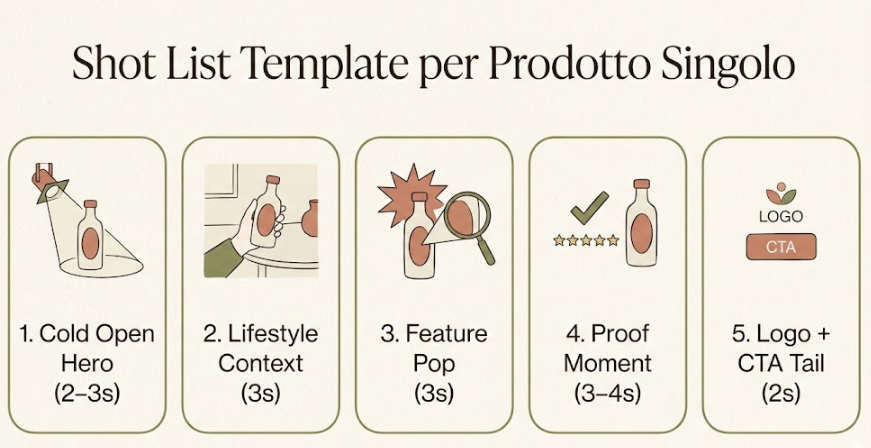
This is the repeatable 5-clip flow I saved as a Seedance template and reused across my bottle, lamp, and sneakers. It keeps the total under 15 seconds for product pages and can be stretched to 20 for social.
- Cold open hero (2–3s)
Prompt vibes: “Front three-quarter angle, soft key light from left, subtle product shadow, clean white or light gray.”
- Why it works: It establishes silhouette and brand color fast.
- Lifestyle context (3s)
Prompt vibes: “Natural window light, surface texture that matches product (stone/wood), light movement in background bokeh.”
- Why it works: Gives scale and a little story without fake hands.
- Feature pop (3s)
Prompt vibes: “Tight close-up of key mechanism, 15% vignette, motion limited to 1 beat (open/close).”
- Why it works: Satisfying micro-action that earns a caption.
- Proof moment (3–4s)
Prompt vibes: “Simple test shot, water bead on surface, on/off toggle glow, or spec comparison overlay.”
- Why it works: It’s the ‘show me’ clip that increases add-to-cart confidence.
- Logo + CTA tail (2s)
Prompt vibes: “Center product, neutral gradient, subtle push-in, logo bottom-left, short CTA top-right.”
- Why it works: Clean end-frame that works for PDP autoplay and social crops.
Export notes I logged:
- 1080×1920 for stories/reels, 1080×1080 for feed, 1920×1080 for PDP autoplay. Keep under 12MB if you care about mobile speed on Shopify.
- Use 24fps for softer motion blur. Seedance’s 30fps looked a bit ‘video-y’ in lifestyle shots.
- Loud music loops felt tacky on product pages: I exported silent for PDP and added light audio for social.
Prompting for clean backgrounds and product focus
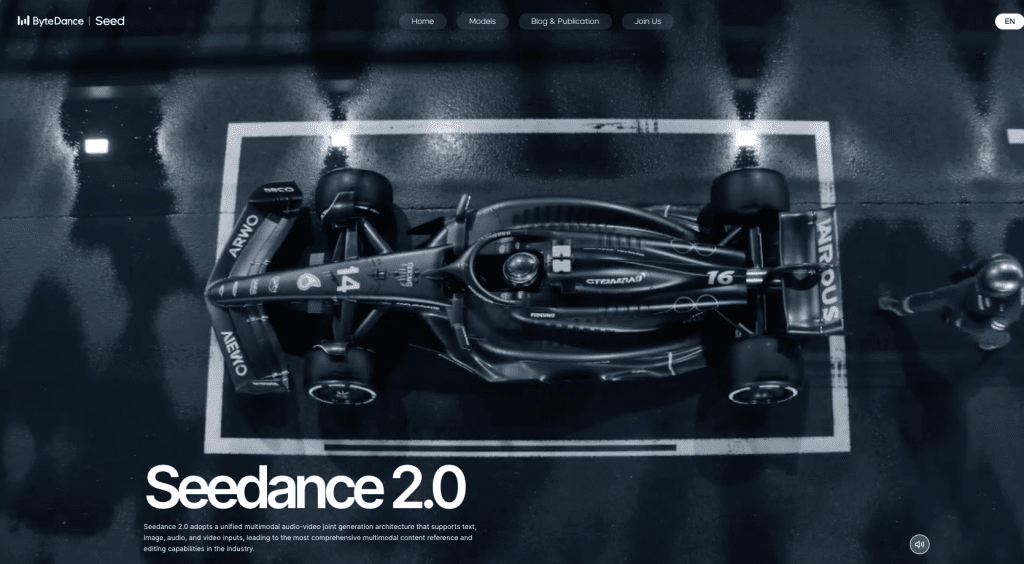
My early renders looked cluttered until I got specific with negatives. If you want to explore other options or see how Seedance 2.0 compares, check out this free AI video tools roundup. Here’s the prompt structure that gave me the cleanest “Seedance 2.0 ecommerce product video” outputs.
Core structure I used:
- Subject: “Matte black 20oz insulated bottle, front three-quarter, label legible.”
- Environment: “Neutral seamless backdrop, light gray (hex #F2F2F2), soft shadow.”
- Lighting: “Single soft key from left, gentle rim from right, no color cast.”
- Motion: “Slow 3% push-in, no camera shake, no hand interactions.”
- Negatives: “No reflections, no fingerprints, no water stains, no extra props, no text on surfaces, no background patterns.”
- Output notes: “High micro-contrast, maintain brand color (Pantone 419 C), depth of field f/4 look.”
For lifestyle scenes, I added:
- “Kitchen counter light wood, morning sun beam on back wall, plants out-of-focus only.”
- Negative: “No people, no pets, no windows in frame, no product duplicates.”
A tiny tweak that mattered: naming materials. When I wrote “brushed aluminum lid,” Seedance stopped giving me glossy chrome. When I asked for “matte silicone handle,” it toned down highlights by itself.
If you’re new to prompting, think like a DP: light, lens, surface, motion, and what not to include. The negatives saved me the most time.
Assembly + CTA for product pages vs social ads
I cut two versions of each video because PDPs and social want different energy.
Product page (PDP) assembly
- Pace: Calm. Let each shot breathe by an extra half-second.
- Text: Minimal. One spec or benefit tops.
- CTA: “View details” or nothing. On PDPs, the add-to-cart is the real CTA.
- Audio: Usually silent. Keeps page load lighter and avoids autoplay blare.
Social ad assembly
- Pace: Snappier. I tighten cuts by 4–6 frames and front-load the feature pop.
- Text: Bold but small. Keep safe areas for 9:16 and 1:1.
- CTA: “Shop now,” “See colors,” or a price nudge if you’re confident.
- Audio: Light percussive loop at -18 LUFS. Short ear-candy helps scroll-stopping.
Seedance tip from my notes: lock your end-frame dimensions before you pick a font. My first pass cropped the CTA on 1:1. If you’re syncing with Merchant Center or PDP guidelines, it’s worth a peek at Google’s product video policies to avoid surprises.
Real output expectations (what to fix in post)
I like Seedance 2.0. I also don’t trust any “one-click and done” promise. Here’s what I actually fixed in post using CapCut and Premiere.
- Color consistency across clips: Seedance drifted warm in lifestyle shots. I pulled midtones cooler by ~5 points and matched contrast. If your brand has strict color values, expect a quick grade.
- Edge cleanup on reflective bits: On the lamp’s metal stem, I saw a wobbly highlight edge for 6 frames. I masked and softened it. For highly reflective SKUs, plan 10–15 minutes of cleanup.
- Type clarity: Built-in captions looked fine, but I preferred my own font (Inter). I re-did titles for crisp edges and better kerning.
- Micro-jitter on slow push-ins: Two hero shots had a tiny cadence hiccup. I stabilized at 2–3% and re-exported 24fps. Smooth after that.
- Real-world proof insert: For the water bottle “spill” moment, I actually filmed a 2-second pour on my phone and dropped it in. The hybrid approach sold the effect.
Time math from my runs:
- First draft render: 3–5 minutes for 12–15s video.
- Prompt tweaks to lock look: ~10 minutes total.
- Post fixes and export variants: 20–30 minutes.
If you try Seedance 2.0, treat it like a junior motion designer: great at structure and speed, needs light art direction and a human pass at the end. And if a render surprises you in a good way, keep that version. Sometimes the “happy accident” outperforms the perfect plan.
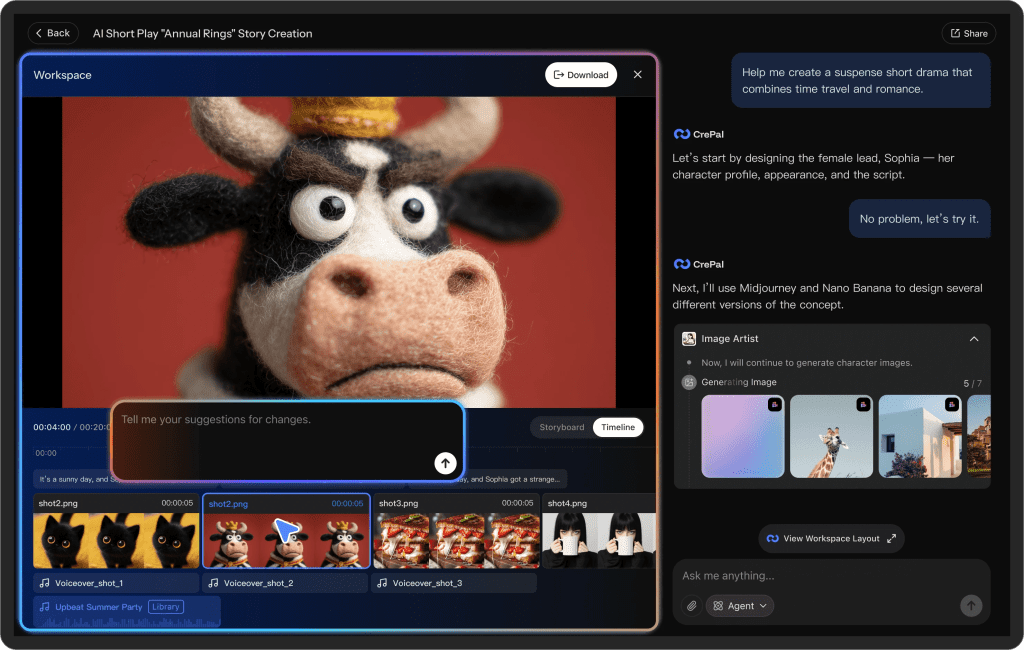
What made this sustainable for me wasn’t just the renders — it was having a stable layer to think through repeatable creative workflows without rebuilding them every time. That’s part of why we built Crepal.
It’s our own product, shaped around reducing creative friction for people running structured AI workflows like this.
Previous posts:






