Hey guys! This is Dora. To be honest, I almost ignored the LTX 2.3 release entirely. I’d just finished dialing in my LTX 2 workflow. Custom LoRAs trained. Prompt templates saved. Generation times I could predict in my sleep. The last thing I wanted was to blow that up for a point release that might just be a minor patch with a flashy changelog. Then I watched a side-by-side comparison someone posted in a Discord server at midnight. Same prompt, same seed, completely different level of detail in the faces and text rendering. I ran my own test by 1 AM.
Here’s everything that actually changed — and whether it’s worth your time to switch.
Quick Comparison Table (model size, speed, VRAM, audio, upscaler)
| LTX 2 | LTX 2.3 | |
| Model size | ~8B parameters | 22B parameters |
| Architecture | DiT (original) | DiT (redesigned latent space) |
| VRAM (min) | 8 GB | 12 GB (fp8) / 24 GB (bf16) |
| Inference steps | 40–50 (dev) | 40–50 (dev) / 8 (distilled) |
| Generation speed | Baseline | ~4–6× faster with distilled |
| Audio support | Basic | Significantly improved |
| Spatial upscaler | Not included | Native x1.5 / x2 upscaler |
| Temporal upscaler | Not included | Native x2 upscaler |
| IC-LoRA | Not supported | Supported |
| Portrait (9:16) | Mediocre | Greatly improved |
| LoRA compatibility | LTX 2 LoRAs | Incompatible — must retrain |
| Text rendering | Poor | Noticeably better |
The parameter jump from ~8B to 22B is the headline number. Everything else flows from it.
Architecture Changes in 2.3 (22B DiT, new latent space)
LTX 2.3 isn’t a fine-tune or a patch — it’s a substantially different model. Two things changed at the foundation level.
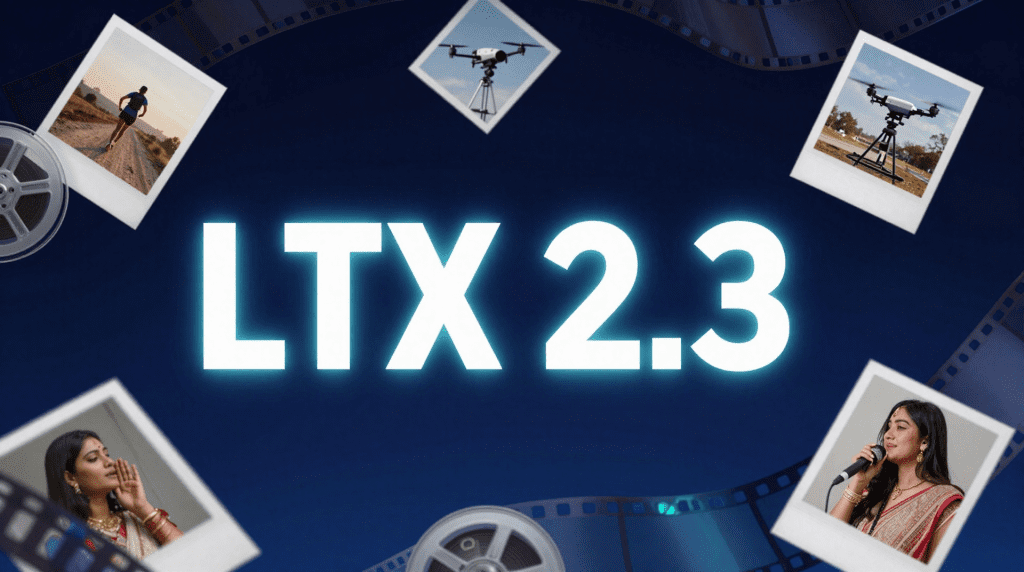
New latent space. The VAE was redesigned alongside the model, which means the spatial representation of video is encoded differently from LTX 2. This is why the upscalers and LoRAs from LTX 2 don’t transfer — they were trained to operate in the old latent space. The tradeoff is that the new latent space allows for sharper textures and cleaner edge definition, which you’ll notice immediately in hair, fabric, and fine text.
22B DiT backbone. The transformer scaling from ~8B to 22B is the reason VRAM requirements jumped. Lightricks ships an fp8-quantized version specifically to make this runnable on 12 GB cards, but even then you’re running a much larger model than LTX 2. The benefit is coherence over longer sequences — motion stays intentional across more frames than it did with the smaller model.
Both changes together produce a model that’s genuinely harder to run but meaningfully better at the things creators actually care about: faces, text, motion consistency.
Quality Improvements (motion, detail, resolution)
I ran matched tests across five prompt categories. Here’s what I actually observed:
Motion consistency. The biggest practical improvement. LTX 2 had a tendency to drift — background elements would subtly shift position between frames even when the prompt specified a static shot. LTX 2.3 holds scenes tighter. For product shots and talking-head style content this alone is a compelling reason to upgrade.
Portrait and face detail. The 9:16 portrait improvement is real. Faces generated in vertical format had a mushy, low-detail quality in LTX 2 that’s mostly fixed in 2.3. If you create short-form vertical content for society — this matters.
Text rendering. LTX 2 was basically unusable for generating video with legible on-screen text. LTX 2.3 is still not perfect, but short words and simple titles are significantly more readable. Good enough for lower-third labels; still unreliable for anything longer than 5–6 characters.
Fine details. Fabric textures, architectural details, and natural scenes with high-frequency detail (leaves, fur, grass) render with more consistency and less temporal shimmering.
Audio. Cleaner output with reduced background noise. If you’re using the audio generation features, the improvement is audible — dialogue clarity and ambient sound separation are both better.
New Capabilities in 2.3

Spatial and Temporal Upscaler
This is genuinely new functionality that didn’t exist in LTX 2. Two upscaler models ship with 2.3:
- Spatial upscaler: x1.5 and x2 versions. Generate at a lower resolution, then upscale in latent space before decoding. The result is sharper than simple bicubic upscaling because the model understands the video’s content.
- Temporal upscaler: x2 frame interpolation. Generate at 12fps, upscale to 24fps. Motion looks smoother than it would with interpolation-only tools because the upscaler has context from the video’s latent representation.
In practice I generate at 512×320 first for quick iteration, then upscale to 1024×576 for final output. Cuts generation time for exploratory prompts by about 70% with minimal quality loss on the final export.
IC-LoRA Support
Image Conditioning LoRA is a meaningful new training capability. Instead of standard LoRA that conditions on text, IC-LoRA lets you train on reference images — useful for consistent character appearance, specific art styles, or product shots where visual consistency matters more than prompt control.
The tooling is in the ltx-trainer package in the official monorepo. Training requires the same VRAM as inference (24 GB recommended for stable runs). Early community LoRAs are starting to appear; expect this ecosystem to grow fast over the next few months.
Desktop App
Lightricks also released an LTX Studio desktop app alongside 2.3. It’s not ComfyUI — it’s a more guided interface designed for creators who want LTX 2.3 quality without building node graphs. Worth knowing about if you work with clients or collaborators who aren’t comfortable with ComfyUI’s learning curve.

Breaking Change: LoRA Incompatibility (must retrain for 2.3)
This is the thing that will matter most to people who invested in LTX 2 custom models.
All LTX 2 LoRAs are incompatible with LTX 2.3. This isn’t a workaround situation — the latent space change means the weight offsets trained on LTX 2 produce garbage output when applied to LTX 2.3. You cannot convert them. You need to retrain from scratch on the new model.
If you have trained character LoRAs, style LoRAs, or motion LoRAs on LTX 2, factor in retraining time before committing to a full upgrade. Depending on dataset size, retraining on a 22B model also takes longer and requires more VRAM than the equivalent LTX 2 run.
My recommendation: keep both installed and maintain parallel workflows during the transition period, rather than switching over completely before you’ve rebuilt your custom models.
Who Should Upgrade Now
You’ll get immediate value from upgrading if:
- You create portrait/vertical video. The 9:16 quality jump is the single clearest improvement. Vertical content for Reels, TikTok, or Shorts looks noticeably better.
- You don’t have existing custom LoRAs. If you’re working with stock text-to-video generation without trained models, there’s no switching cost and the quality improvement is real.
- Motion consistency is a pain point. If you’ve been dealing with drifting backgrounds or jittery motion in LTX 2, upgrading will help.
- You want to use the upscalers. The two-stage generation workflow (low-res draft → upscaled final) is a genuine quality-of-life upgrade for iteration speed.
- You have 24 GBVRAM. Running the full bf16 model without compromise requires 24 GB. If you’re at that spec, you should upgrade.
Who Should Wait
Upgrade can wait if:
- You have invested LTX 2 LoRAs. Until you’ve budgeted time to retrain, staying on LTX 2 is the pragmatic call.
- You’re on 8–10 GBVRAM. The fp8 model on 12 GB is the practical minimum. Below that, you’re likely to hit instability or be unable to run at useful resolutions.
- Your current workflow is working. If LTX 2 is producing the output you need and clients are happy, there’s no urgency. 2.3’s improvements are real but not so transformative that a stable workflow needs disrupting.
- You’re mid-project. Never switch foundation models mid-production. Finish the project on LTX 2, then migrate.
Migration Checklist
If you’re ready to move, go through this in order:
- Update ComfyUI to nightly 20260101 or later
- Install
ltx-coreandltx-pipelinesin the correct Python environment - Install the
ComfyUI-LTXVideocustom node pack via Manager - Download model weights to
models/checkpoints/(LTX 2.3 uses checkpoints, not diffusion_models) - Download the new VAE and T5-XXL / Gemma text encoder
- Load official T2V or I2V workflow from Template Library
- Run a 9-frame test clip before committing to full generations
- Archive your LTX 2 workflows separately — don’t overwrite them
- If you have custom LoRAs, plan retraining timeline before decommissioning LTX 2
Note on folder paths: Lightricks updated the official guidance between LTX-Video and LTX-2.3. The current official structure places checkpoints in models/checkpoints/. Always cross-reference with docs.comfy.org/tutorials/video/ltx/ltx-2-3 for the latest.
FAQ
Q: Can I run LTX 2 and LTX 2.3 on the same ComfyUI install? A: Yes. They’re separate model files and can coexist in the same ComfyUI installation. Just keep your LTX 2 workflows saved separately — the node types are the same, but the model loader selections will differ. Switch between them by selecting the appropriate model file in the loader node.
Q: Is LTX 2.3 just a fine-tune of LTX 2? A: No. The parameter count increased from ~8B to 22B and the VAE/latent space was redesigned. It’s a new model architecture, not a fine-tuned version. This is why LoRAs don’t transfer.
Q: The fp8 version — how much quality does it lose vs bf16? A: In my testing, fp8 vs bf16 differences are subtle on most prompt types. Fine detail in faces and text rendering shows the most difference — bf16 has a slight edge. For most creators on 12 GB VRAM, fp8 is the right choice and the quality tradeoff is acceptable.
Q: How long does IC-LoRA training take? A: It depends heavily on dataset size and hardware. On a 4090 with a small dataset (~50 images), expect 2–4 hours for a basic run. Larger datasets or more training steps scale up from there. The official ltx-trainer README has detailed guidance on parameters.
Previous Posts: