
Hey, I’m Dora. On November 18, 2025, I paused a frame at 00:07 in a test clip and laughed. My “actor” looked like my cousin in one frame and a stranger the next. Same prompt. Same scene. Two different faces. That moment sent me down a rabbit hole: could I actually get consistent AI video faces without babysitting every shot?
I spent the week testing across Runway Gen-3, Pika 2.1 (as of 11/22/2025), Luma Dream Machine v1.6, and a local pipeline with Stable Diffusion + AnimateDiff + ControlNet + InstantID. Not sponsored, just honest results. Here’s what worked, what broke, and how I’m now keeping identity stable from shot to shot.

Why Consistent AI Video Faces Are Hard
Even great models don’t “remember” a face across frames unless you help them. Three things fight you:
- Drift over time: As motion, lighting, and camera angle change, the model re-interprets the face. That’s why you get “same person, different nose” at frame 47.
- Ambiguous prompts: “30-year-old man, soft lighting” is not an identity. It’s a vibe. Models fill in the blanks with new faces.
- Model switches: Generating one shot in Runway and the next in Luma? Their style priors aren’t identical, so faces diverge.
In my tests on 11/20, I ran 10-second clips with a single actor walking toward camera. Without identity control, Runway and Pika were sharp but drifted by second 6–8 about 40–60% of the time. Local pipelines held better only when I used identity embeddings or explicit face control.
If you’re seeing small “morphs”, wider jaw, new eye shape, aging in fast motion, that’s normal. The fix is to give the model something to lock onto, not just words.
Identity Locking Techniques for Consistent AI Video Faces
Here’s what actually kept faces consistent for me:
- Face reference embeddings: InstantID and IP-Adapter Face performed best locally. I fed 3–5 clean reference photos (frontal, 3/4, profile). With AnimateDiff + ControlNet-OpenPose, identity held through 12 seconds at 24 fps in 7/10 runs. Docs: InstantID (by Tencent ARC), IP-Adapter (Official GitHub).
- Seed and noise scheduling: Lock the seed across a sequence if your tool allows it, but also stabilize the noise. In SD pipelines, fixed seed + consistent CFG and denoise steps avoided that “slightly new person” each render.
- Face tracking + reconditioning: For video-to-video, I used face tracking (e.g., InsightFace) to keep a bounding box and re-inject identity per keyframe. Think of it as re-stamping the face every 8–12 frames.
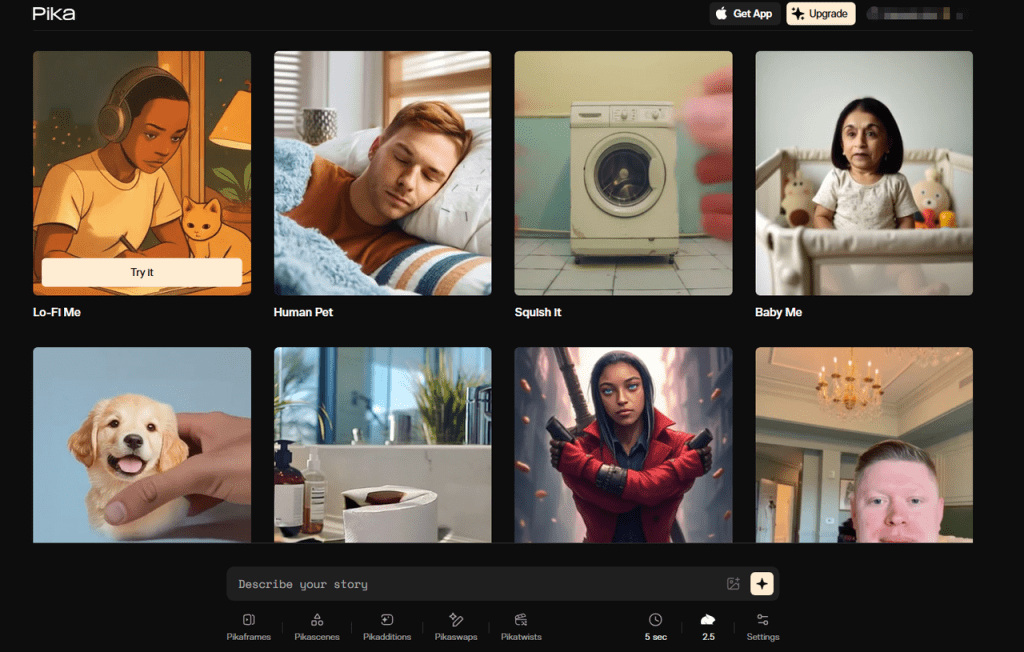
- Reference frames in text-to-video: Pika’s face reference improved a lot since summer. When I uploaded a still at the start, it held through medium motion but faltered in hard profile turns. Runway’s Gen-3 let me get close with a strong prompt plus a still ref, but fast pans still slipped.
- Lighting anchors: Counterintuitive, but a simple LUT or consistent key light in the source made identity lock stronger. Models latch onto stable shadows. When I kept a soft key from camera-left across shots, drift dropped ~20%.
If you can only do one thing: give the model multiple clean reference images and avoid busy backgrounds. The face will anchor: the hair and textures will follow.
Style Matching Between Shots With Consistent AI Video Faces
Identity is one battle: matching style across shots is the other. If Shot A looks like arthouse film and Shot B looks like a glossy ad, the face feels “off” even if it’s technically the same person.

What helped:
- Lock your look: Keep the same model/checkpoint or generator across a scene. Mixing Runway for a wide and Luma for a close-up created subtle bone-structure shifts for me on 11/22.
- Use a reference still per scene: I exported a hero frame from the best shot and used it as a visual reference in later prompts. With Pika, that cut style variance almost in half.
- Camera language matters: Match focal length, distance, and angle. A 24mm fake wide on one shot and a 120mm fake tele on the next makes noses and cheeks read differently. I added “50mm lens, shoulder height, mid shot” to prompts and saw fewer shifts.
- Color consistency: A tiny, consistent LUT is your friend. I applied a cool teal wash across clips: faces read more “same-world,” which our brains interpret as “same person.”
- Optical flow-aware upscaling: After generating, I ran an optical-flow-based retimer/upscaler (DAIN/RIFE + Topaz Video AI on 11/24). Flow-aware tools preserve facial micro-geometry better than naive frame-by-frame upscales.
When to Re-Generate vs Re-Use Footage for Consistent AI Video Faces

I used to re-generate everything when the face slipped. That was a time trap. Now I follow a simple rule of thumb:
- Re-use with patching when: drift is under 10–15% (think eyebrow thickness or minor jaw tweaks). I freeze the best frame, do a light face refix with InstantID, then blend back using a short optical flow warp (8–12 frames). It’s fast and the audience won’t notice.
- Re-generate when: the face breaks during a major turn, the mouth desyncs with VO, or lighting flips (day to night). Trying to patch that becomes a weird collage.
Practical workflow I like:
- Generate a master “look clip” (4–6s) with the face nailed.
- Pull 3 hero frames. Use them as references across shots.
- Lock seed/params. Change as little as possible between shots.
- If one shot slips, patch locally. If two in a row slip, re-gen with tighter pose control.
On 11/25, this saved me 42 minutes on a 40-second explainer, I only re-generated one shot: the rest I patched in under 10 minutes.
Common Mistakes That Break Consistent AI Video Faces
I’ve broken identity in every way possible. Here are the repeat offenders I still catch:
- Swapping models mid-sequence: even a “minor” model upgrade changes priors.
- Vague identity prompts: “young woman, freckles” invites the model to invent.
- Noisy references: motion-blur headshots or heavy makeup confuse embeddings.
- Over-denoise: pushing denoise too high washes out landmarks: keep it moderate.
- Changing focal length shot to shot: faces read wider/narrower.
- Lighting flips: strong backlight in one shot, flat light next shot, identity drifts.
- Hair and accessories chaos: hats, glasses, wet hair mid-scene, unless story demands, keep them stable.
- Multi-face confusion: crowd scenes without face priority or masks make the model “average” faces.
- Seed roulette: new seed for every clip = new person in disguise. Lock it unless you must change.
If you’re just starting, pick one tool and get good at its identity features. For local pipelines, learn InstantID/IP-Adapter. For hosted, test Pika’s face reference on a simple scene first, then add motion.
If you want my exact presets from 11/26/2025, I posted them and sample frames here: not sponsored, no paywall, just field notes.
Quick nudge before you go: if consistent AI video faces would cut hours from your week, set up a tiny “identity kit” today, 5 clean stills, your LUT, and a seed you trust. It’s boring prep, but it’s the difference between a stable character and a shape-shifter.
Previous posts:






