Hey, it’s Dora. I track the Artificial Analysis Video Arena most weeks — it’s become a habit I can’t shake. Blind user votes, live Elo ratings, no vendor self-reporting. So when I opened it on April 8 and saw a model I’d genuinely never heard of sitting at #1 in both text-to-video and image-to-video, my first thought was that something had broken.
HappyHorse-1.0. No team attribution. No press release. GitHub links pointing to “coming soon.” Just a mystery entry from nowhere, already outscoring Seedance 2.0 and Kling 3.0 in real head-to-head blind comparisons by real users.
Three weeks later: Alibaba confirmed they built it, fal went live with the API on April 26, and the leaderboard lead has held. This is where things actually stand for developers right now — what’s confirmed, what’s still unresolved, and what to do with it.
API Status Right Now
fal.ai Is the Official Provider
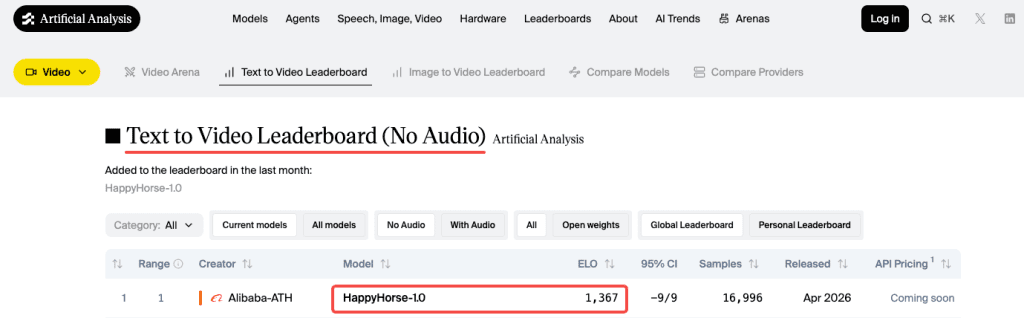
fal.ai is the only publicly confirmed official API partner for HappyHorse-1.0. The model went live on fal on April 26, 2026 at 9 PM PST — confirmed by fal’s own announcement page. It’s accessible through the same unified API that serves Kling, Veo 3.1, Seedance, and 600+ other models on the platform. One API key, one billing system.
One thing worth flagging upfront: because HappyHorse blew up fast, a lot of sites started using “happyhorse” in their domain names or presenting themselves as access points. happyhorse.app, various happy-horse.* domains, Dzine, Topview, and others are not affiliated with the official development team and are not the same as the fal API. If you’re building something real, fal.ai/happyhorse-1.0 is the only place to start.
The Leaderboard Numbers Are Real
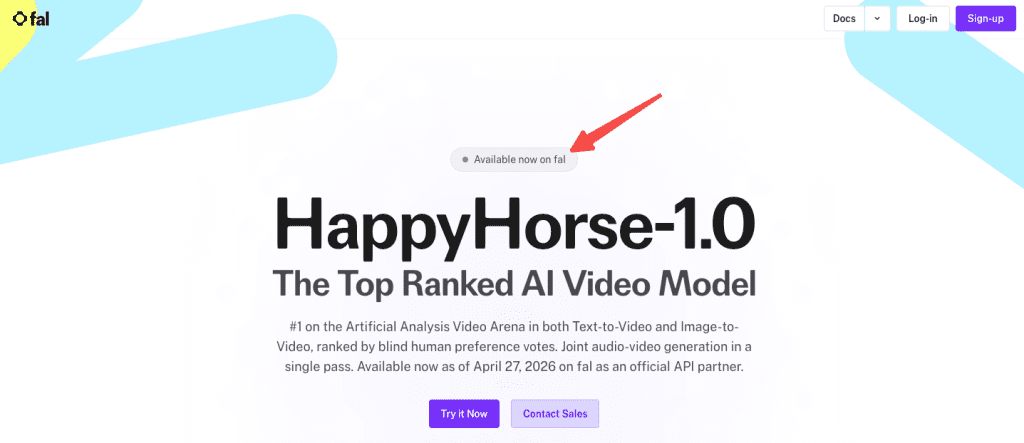
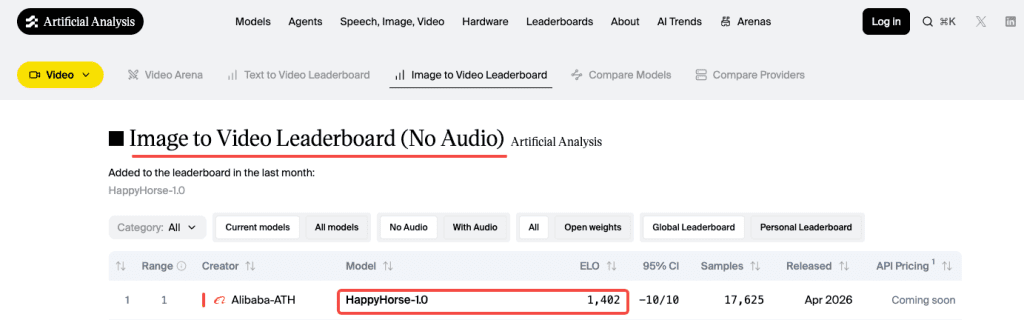
HappyHorse-1.0 currently holds #1 on the Artificial Analysis Video Arena in both text-to-video (no audio) and image-to-video (no audio) — Elo 1,367 and 1,402 respectively as of late April 2026. The rankings use blind pairwise comparisons from real users who don’t know which model generated which output. That’s the most rigorous quality signal available in this market, and it’s held across weeks of vote accumulation, not just an opening spike.
In audio-inclusive categories, the lead shrinks to a narrow margin over Seedance 2.0. Worth knowing going in.
How Access Works
The fal Endpoint Pattern
fal follows a consistent integration pattern across all its models. Based on the confirmed endpoint structure on the fal model page, a text-to-video call looks like this:
javascript
import { fal } from "@fal-ai/client";

const result = await fal.subscribe("fal-ai/happyhorse/text-to-video", {
  input: {
    prompt: "A musician plays piano in an empty concert hall, late afternoon light through tall windows",
    duration: "5",
    resolution: "1080p",
  },
  logs: true,
});
Confirmed available endpoints: text-to-video, image-to-video, video editing (natural language instructions with up to 5 reference images), and reference-to-video. Supported aspect ratios: 16:9, 9:16, 1:1, 4:3, 3:4. Clip duration: 3–15 seconds via API.
Verify the exact endpoint ID and full parameter schema in the fal documentation before shipping anything. The pattern above reflects what’s shown on the model page as of publication — parameters can change in early rollout.
Auth & Credits Model
fal uses API key authentication. Set it as an environment variable:
bash
export FAL_KEY="YOUR_API_KEY"fal runs pay-as-you-go pricing across all models — you pay per output, scaled by resolution and duration, with no subscription or minimum commitment required. If you’re already integrated with any other fal model, your existing key and billing setup carry over to HappyHorse without any changes.
What Pricing to Expect
Nothing Officially Confirmed on fal Yet
As of publication, fal has not announced per-second or per-clip pricing for HappyHorse-1.0. Check fal.ai/pricing directly — that’s the authoritative source and will update when pricing is live. Don’t build cost estimates off any number floating around in third-party articles right now, including this one.
Comparable Models as Reference
The only independently tested cost data comes from happyhorse.app — a third-party browser app not affiliated with the development team. Testing there ran roughly $4 per 5-second Pro clip with audio, which works out to ~$0.80/second. That’s expensive. fal’s API pricing will likely differ, but it sets a rough upper-end reference point.
For context, here’s what confirmed fal video pricing looks like on comparable top-tier models right now:
| Model | Cost (approx.) | Resolution | Audio |
| Kling 3.0 Pro | $0.112/sec (no audio) / $0.168/sec (with audio) | 1080p | Optional add-on |
| Seedance 2.0 standard | ~$0.30/sec | 720p | Included |
| Seedance 2.0 fast | ~$0.24/sec | 720p | Included |
| Veo 3.1 | $0.20/sec (no audio) / $0.40/sec (with audio) | Up to 4K | Optional add-on |
HappyHorse outputs native 1080p with joint audio — that puts it in a different tier than Seedance’s 720p ceiling on fal. Where exactly fal prices it is still unknown. Verify before committing.
Technical Specs That Matter for Integration
Resolution Options
Native 1080p in 16:9 and 9:16, with 1:1, 4:3, and 3:4 also supported. No 4K. If your pipeline has a hard 4K requirement, Veo 3.1 is currently the only path there.
Duration Per Call
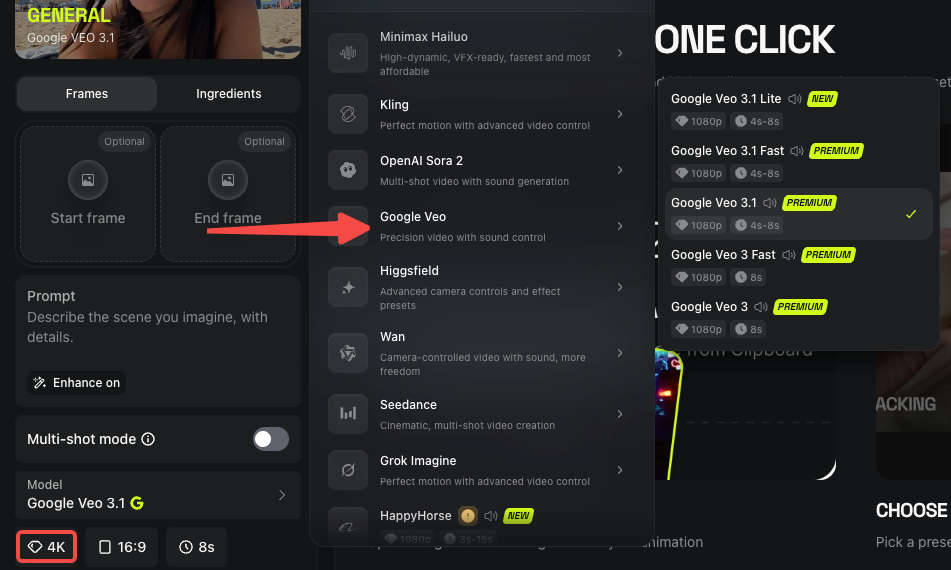
3–15 seconds confirmed via the fal model page. The third-party web app limited to 5 or 10 seconds — the API range is broader. For anything longer than 15 seconds, you’re stitching clips manually.
Expected Latency
The team’s own figure is ~38 seconds for a 1080p 5-second clip on a single H100. This is a self-reported vendor number — no independent third party has reproduced it yet. fal’s custom CUDA inference engine typically improves on reference hardware figures, but real-world API latency data is still accumulating. Don’t build latency-sensitive features around that number until you’ve measured it yourself on live calls.
Is It Worth Integrating?
Use Cases Where It Fits
The quality signal is real and not going away. A 100+ Elo point lead over Seedance 2.0 in silent video is substantial — in Elo terms, users prefer HappyHorse output roughly 65% of the time in blind head-to-head matchups. That’s a meaningful gap.
Where it’s strongest based on independent testing so far: short-form dialogue content (talking heads, explainers, reels), multilingual work where lip-sync accuracy actually matters, and single-subject cinematic shots where facial fidelity is the priority. The joint audio generation — video and sound produced in a single Transformer pass, not two models synced after the fact — is a genuine workflow simplification for anyone currently running a separate audio step. One call, synchronized output.
Language coverage is also worth flagging specifically: native lip-sync across at least 6 languages including Mandarin, English, Japanese, Korean, German, and French. For international marketing content, that’s a real differentiator over anything else at this tier.
When Existing APIs Already Do the Job
That said — the API is days old at publication. There’s no community track record yet on production stability, edge-case behavior, or how quality holds at scale versus the arena’s curated prompts. The 15-second clip ceiling is also a real constraint if your use case needs longer sequences. And pricing is still unconfirmed, which makes any ROI calculation premature.
If your pipeline is running smoothly on what’s already available, there’s no reason to switch mid-project. The quality lead is real, but “best on a benchmark” and “best for your specific production workflow” are two different questions. The second one you can only answer with live testing.
Alternatives Available Today
All three of these are production-stable on fal right now, and you don’t need to pause anything waiting for a new model to stabilize.
Kling 3.0 Pro — The most reliable default for structured video pipelines. Multi-shot support, 1080p native, per-shot prompt control via API, $0.168/sec with audio. It’s been in production long enough that edge cases are documented and the community’s seen the failure modes. Details in fal’s Seedance vs Kling breakdown.
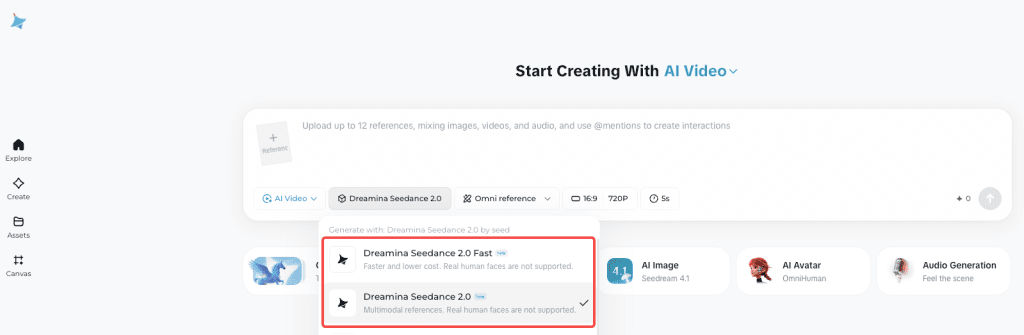
Seedance 2.0 — Technically competitive with HappyHorse in audio categories, and accepts up to 9 reference images plus 3 video clips in a single call — more compositional control than anything else at this tier. Current availability outside China is patchy following copyright disputes; check status before planning around it.
Veo 3.1 — Best option if you need 4K or Google’s audio quality. More expensive, but the fast variant cuts cost roughly in half. Strong for content where resolution is the deliverable. See fal’s video generator comparison for side-by-side spec details.
The reason all three matter here: if you’re integrating with fal’s unified API, switching between any of these — including HappyHorse once it stabilizes — is literally changing one endpoint string. You don’t need to wait for a single model to launch before you build. The architecture supports running them all.
Conclusion — What to Do Right Now
The HappyHorse 1.0 API is live on fal. If the use case fits, start testing — small batch first, real prompts from your actual workflow, not arena examples. That’s the only way to know if the leaderboard quality holds for what you’re building.
Before you run anything at volume: confirm pricing at fal.ai/pricing, double-check the endpoint schema in the fal docs, and set a per-call cost limit until you’ve measured real latency on your end.
The quality case is made. The production case is yours to verify.
FAQ
Q: What is HappyHorse-1.0 and why is it getting attention? It’s a newly released video generation model that reached #1 on the Artificial Analysis Video Arena in both text-to-video and image-to-video categories based on blind user voting. Its rapid rise and lack of early public documentation made it stand out immediately.
Q: Where can developers access the HappyHorse-1.0 API? The only officially confirmed API provider is fal.ai. It’s available through their unified API alongside models like Kling and Veo, using a single API key and billing system.
Q: What are the current limitations of HappyHorse-1.0? The API is very new, with limited real-world production data. Clip length is capped at 15 seconds, pricing is not yet officially published, and latency/performance at scale hasn’t been independently verified.
Q: How does HappyHorse-1.0 compare to models like Kling 3.0 and Seedance 2.0? In blind comparisons (no audio), HappyHorse currently leads by a meaningful margin in user preference. However, Kling remains more production-tested for structured workflows, and Seedance is still competitive in audio-inclusive tasks with stronger multi-input control.
Previous Posts: