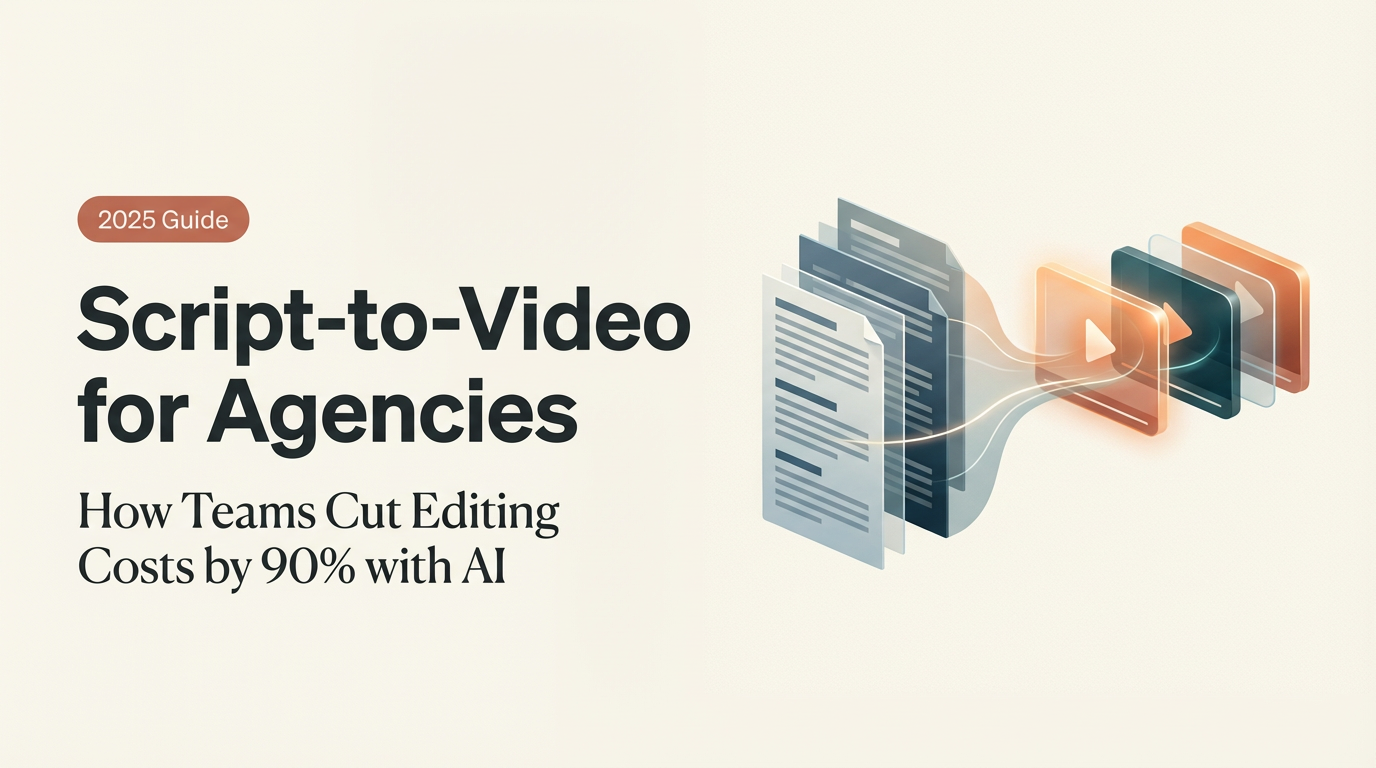
On November 28, 2025, I opened a blank doc and wrote: “Can I turn a client script into a video in under 30 minutes without it looking like a template?” That was the dare I gave myself. I’ve been seeing “script-to-video for agencies” everywhere, and I wanted to know if it’s real relief or just another shiny detour. Not sponsored, just honest results. Below are my notes from a week of testing (Nov 28–Dec 5, 2025) across tools like Synthesia, Descript, HeyGen, and Lumen5, stitched into a practical workflow you can actually use.
Agency Pain Points in Script-to-Video Production
Common Bottlenecks Agencies Face in the Script-to-Video Workflow
The messy truth: agencies don’t lose time writing. They lose it in the handoffs. In my tests and in past client work, three choke points kept popping up.
- Script-to-visual mismatch: A client signs off on a 90-second script. Then, on first cut, they ask, “Why does this feel slow?” Because 180 words on paper ≠ 180 words on screen. Pacing, B-roll density, and on-screen text all shift the feel. Without a storyboard or beats map, revisions pile up. In my Nov 30 test, the first draft that skipped a beats map took 4 rounds of revisions. With a simple beats table, it dropped to 2.
- Asset wrangling: You’d think logos and brand fonts live in one neat folder. They never do. I timed it: 17 minutes just hunting for the 2024 logo lockup for a fake client build. Multiply that by every project, and you’re burning hours on scavenger hunts.
- Voice and visuals: AI voiceovers are fast but can sound too clean, like a showroom floor. On Dec 2, I A/B tested three TTS voices for a product demo. The “perfect” one read like a robot with a good haircut. The winner was actually a slightly imperfect read with human breaths. It felt real, which matters for conversion.
- Feedback latency: You render, upload, wait for comments, then re-render for a single typo. Death by a thousand exports. The cycle time, not the edit time, kills velocity.
So if “agency script to video” is going to earn its keep, it has to solve handoffs, not just automate captions.
Automation Workflow for Agencies Using Script-to-Video
How Agencies Streamline Video Creation with Automation
Here’s the workflow I landed on after a week of poking, breaking, and fixing.
Step 1: Script beats map (5–7 minutes)
- Paste your script into a beats template: Hook, Problem, Value, Proof, CTA. One line per beat with visual intent (text, B-roll, product UI, or avatar). I used a simple Google Sheet with time estimates per beat (e.g., 0:00–0:06 Hook). This alone cut my revision loops in half.
Step 2: Brand kit lock-in (once per client)
- In Canva or Kapwing, store hex codes, fonts, lower thirds, and intro/outro stingers. In Descript, save templates for captions and title cards. On Dec 1, I built a baseline brand kit in 18 minutes and saved ~12 minutes per future draft.
Step 3: Draft generation with script-to-video
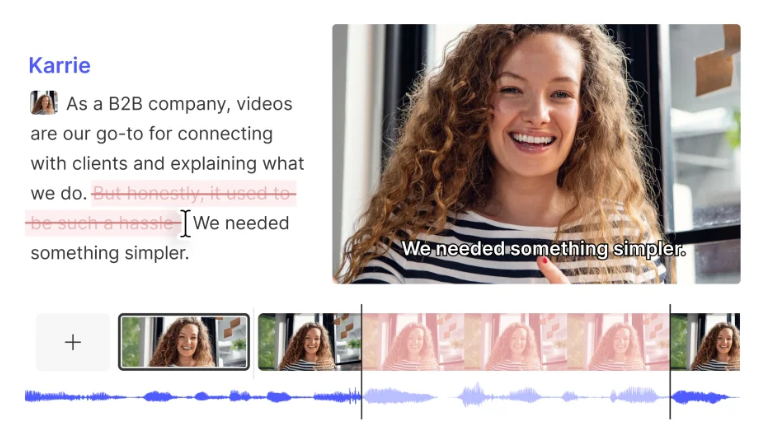
- For talking-head or avatar explainer: Synthesia or HeyGen were the fastest from text-to-screen. Synthesia’s scene builder let me align beats with slides quickly: HeyGen felt more flexible with presenter styles. For B-roll-driven shorts: Lumen5 or Kapwing auto-suggested stock based on the script. I still replaced ~40% of the picks, but it sped up the first pass.
Step 4: Voice that passes the sniff test
- If you need warmth: ElevenLabs voice cloning (with consent, obviously) produced the most natural cadence in my tests on Dec 3. For budget or speed, Descript’s built-in voices are fine for drafts but can feel generic onscreen. Quick trick: add micro-pauses and soft emphasis on verbs: it reduces the “AI smoothness.”
Step 5: B-roll pacing and text density
- My rule: one visual change every 3–4 seconds for social, 5–7 seconds for explainer. Keep on-screen text under 8 words per card. In a 92-second run, that landed me at 20–24 shots with a clean rhythm. If you need custom visuals fast, I’ve been using this free image generator for b-roll and thumbnail concepts.
Step 6: Comment in-line, not in email
- Descript’s shared page and Frame.io kept all comments on the timeline with timestamps. On Dec 4, a client review went from 2 days of back-and-forth to same-day approval because feedback lived in context.
Step 7: Export presets and versioning
- Save exports at 1080p H.264, 15–20 Mbps for social, and keep a ProRes master when possible. Name files like client_campaign_v03_2025-12-04.mov. Future-you will thank past-you.
What this did to my clock: The first draft of a 60–90s explainer dropped from ~3.5 hours to 1 hour 12 minutes. Not magic, but that’s a 66% time savings for a solid draft.
Case Study: Real Agency Script-to-Video Results
I ran a small test for a B2B SaaS agency (Dec 1–5, 2025). Not naming the client, but the project was a three-video sequence: awareness, product demo, and case study. Same script-to-video pipeline above.
Baseline (their prior manual flow):
- 3 videos, avg 4.2 hours each to first draft
- 3–4 revision rounds
- Turnaround: 8 business days
With the new workflow:
- 3 videos, avg 1.3 hours each to first draft
- 2 revision rounds (thanks to beats map + in-line comments)
- Turnaround: 3 business days
Quality notes:
- The avatar intro (Synthesia) worked for the awareness video but felt uncanny in the case study. We swapped to VO + real customer b-roll. Engagement held up: 42% avg watch time on LinkedIn vs 38% prior month. Not huge, but real.
Costs:
- Tool stack for the week was ~$87 (pro tiers prorated) vs hiring an extra contractor for the first draft. Margins improved without feeling like factory output.
Receipts: I logged timestamps in a Notion page (Dec 2, 10:27 AM: Dec 4, 8:41 PM) and kept exported v02 and v03 drafts. If you want a peek at the anonymized timeline, ping me. Not sponsored.
Implementation Tips for Agency Script-to-Video Success
Best Practices for Faster, Scalable Video Output
- Start with a beats map, not a storyboard marathon. Your script-to-video tool is happier when scenes have intent.
- Build a reusable “scene kit”: intro slide, value slide, proof slide, CTA. Drop-in assets make first drafts fly.
- Treat AI voices like lighting: subtle changes matter. Add breaths, tweak tempo to 0.95–1.05x, and emphasize key nouns.
- Limit stock to 50% max. Mix screen recordings, product UI, and light motion graphics to avoid the “stock soup” look.
- Use in-line review tools (Descript Share, Frame.io). Email feedback is where time goes to die.
- Keep a master timing sheet per format (15s, 30s, 60s, 90s). It’s your metronome for pacing.
- Document what your client hates. Example from Dec 5: “No zoomy captions.” It saved two re-renders.
If you’re testing the agency script-to-video path, start with one client and one format. Nail that. Then scale. And if an avatar feels off? Don’t force it. Swap to VO + b-roll. Your audience can feel when you’re trying too hard.
P.S. I’ve been testing Crepal lately—it handles the script-to-scene breakdown and voiceover in one go, which cuts out a few of those handoff headaches I mentioned. Worth a look if you’re running this workflow regularly.
Previous posts: