
Hi, I’m Dora. Last week, I was scrolling through LinkedIn at 11 PM — you know, that dangerous time when you should be sleeping but instead you’re watching how everyone else seems to have their life together — and I kept seeing these slick product videos. Not the kind that cost $10K and three months of production. The kind that looked professional but had this speed to them, like someone had cracked a code I didn’t know existed.
So naturally, I went down a rabbit hole. Could AI really help a solo founder or a scrappy marketing team create videos that don’t look like they were made in someone’s basement? I had to find out.
I spent the last three weeks testing different AI video tools, watching tutorials at 1.5x speed, and creating more test videos than I’d like to admit. Some attempts were disasters (there’s a reason you won’t see my first avatar video). But some genuinely surprised me. Here’s what I learned about using AI to create business videos when you don’t have a video team, a fancy camera, or honestly, much time at all.
Why AI is a Game-Changer for Business Videos
I used to think professional videos required at least three things: a decent budget, someone who knew what they were doing, and patience. Lots of patience. But AI has quietly dismantled that assumption, and I’m still processing what that means for small teams.
Cost and Time Savings
Let me be blunt about the numbers, because they matter. A friend who runs a SaaS startup told me his company paid $8,500 for a 90-second explainer video last year. It took six weeks from initial brief to final delivery, with multiple revision rounds that felt endless. When I showed him what I made with AI tools in about four hours for roughly $40 in subscription costs, he just stared at his screen for a moment.
I’m not saying AI videos replace high-end production for everything — if you’re launching a major brand campaign, you probably still want humans with expensive cameras. But for product demos, social media ads, quick announcements, or explainer content? The math completely shifts.
Here’s what shocked me during my testing: I created five different versions of a product demo video in one afternoon. Five versions. That meant I could test different hooks, different messaging angles, different calls-to-action — all without scheduling reshoots or negotiating with a production team. The speed unlocks experimentation in a way that traditional video never could.
According to a Wyzowl study, 91% of businesses now use video as a marketing tool, but the barrier has always been production complexity. AI tools are basically removing that barrier, which means the playing field is leveling out between companies with big marketing budgets and those running on founder energy and coffee.
Reaching More Audiences Faster
Something I didn’t expect: AI doesn’t just make video creation faster — it changes how you think about content distribution.
I was testing a tool called Synthesia in mid-December, and I had this moment where I realized I could create the same video in four different languages without hiring translators or voice actors. Same script, same visual style, but suddenly my video could reach audiences in Spanish, French, Mandarin, and English. The time investment? Maybe an extra 30 minutes.
For context, I work with a B2B client who sells project management software. They’ve been eyeing European markets but didn’t have budget for localized video content. When I showed them what we could do with AI translation and voice synthesis, the conversation shifted from “maybe next year” to “let’s test this next month.” That’s the kind of practical impact I care about.
Social platforms are increasingly favoring video content — HubSpot research shows video generates 1200% more shares than text and images combined. But keeping up with the demand for fresh video content was exhausting for small teams. AI tools basically let you scale video production without scaling your team. You can create platform-specific cuts (vertical for TikTok and Reels, square for Instagram feed, horizontal for YouTube) in minutes rather than hours.
I tested this with a simple product announcement. Created one master video, then used AI tools to resize and reformat for five different platforms. Total time: about 20 minutes. Would that have been possible without AI? Technically yes, but realistically? I would’ve just picked one platform and called it done.
Workflow for Creating AI Marketing Videos
Okay, let’s talk about the actual process, because knowing AI video tools exist is different from knowing how to use them without wanting to throw your laptop out the window.
From Script to Storyboard
I’ll admit something embarrassing: my first attempt at an AI video, I just typed in “make a video about email marketing” and expected magic. What I got was… well, it was technically a video. It was also boring, generic, and something I would scroll past in 0.3 seconds.
The secret I learned after multiple failures: AI is incredibly powerful at execution, but it still needs a clear creative direction from you. Garbage in, garbage out — but good input in, surprisingly good video out.
Here’s the workflow that actually worked for me:
Start with your core message. Not features, not specs — the actual problem you’re solving and why someone should care. I literally write this in one sentence before touching any tools. For example: “Our tool helps freelancers get paid faster by automating invoice reminders.”
Write your script like you’re explaining to a friend. I discovered that scripts written in natural, conversational language work way better than corporate speak. AI voice generators have gotten remarkably good, but they still sound stilted when you feed them stiff, formal language. Write how you talk. Use contractions. Ask questions. Be human.
One trick I stumbled on: Read your script out loud before feeding it to AI. If you feel weird saying it, the AI voice will sound weird too. I spent an evening in December reading scripts to my dog (he was unimpressed but patient), and it genuinely improved my final videos.
Sketch your storyboard — even roughly. I use a simple Google Doc with timestamps and scene descriptions. Nothing fancy. Something like:
- 0:00-0:05: Hook — show frustrated person looking at unpaid invoices
- 0:05-0:20: Problem — “Manual follow-ups take hours every week”
- 0:20-0:45: Solution — show our dashboard automating reminders
- 0:45-1:00: CTA — “Try it free for 14 days”
Most AI video tools work better when you break your video into clear scenes or segments. It’s like giving them a map instead of saying “take me somewhere nice.”
Using AI Tools for Video Production
I tested about eight different AI video tools over the past month. Some were impressive, some were overhyped, and some had features that looked great on their landing page but were clunky in practice. Here’s what I actually used:
For avatar-based videos (where a realistic AI person presents your content), I ended up using Synthesia most often. I was skeptical about AI avatars — they used to have that uncanny valley thing where they looked almost human but not quite, which is creepy. I created a product demo with an avatar that felt natural enough that viewers focused on the message, not the tech.
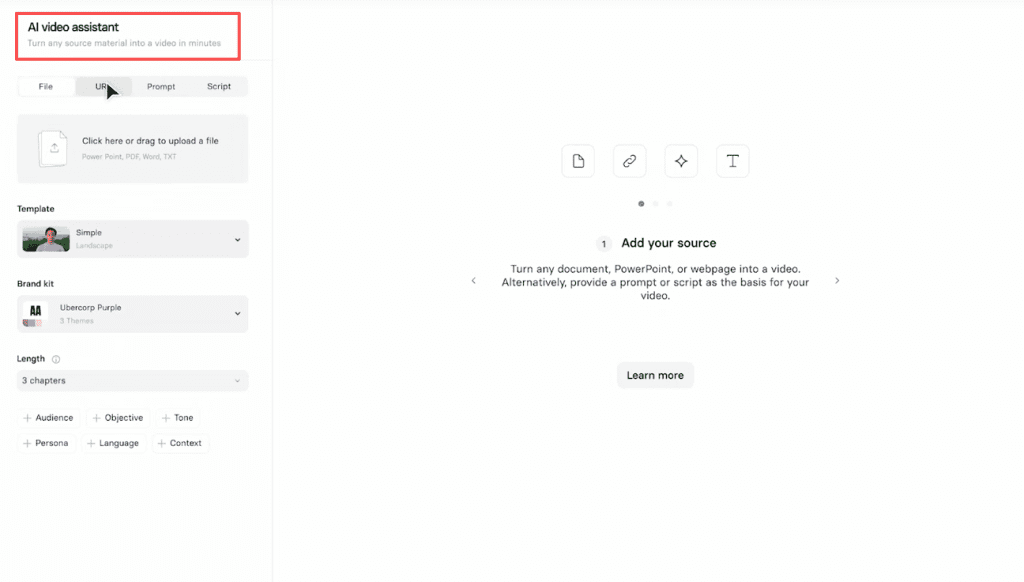
The workflow is straightforward: paste your script, choose an avatar (there are dozens), select a voice, add your visual assets (slides, logos, product screenshots), and let it render. My first video took about 30 minutes to create and maybe 10 minutes to render. The real time-saver comes when you need variations — changing the script takes minutes, not days.
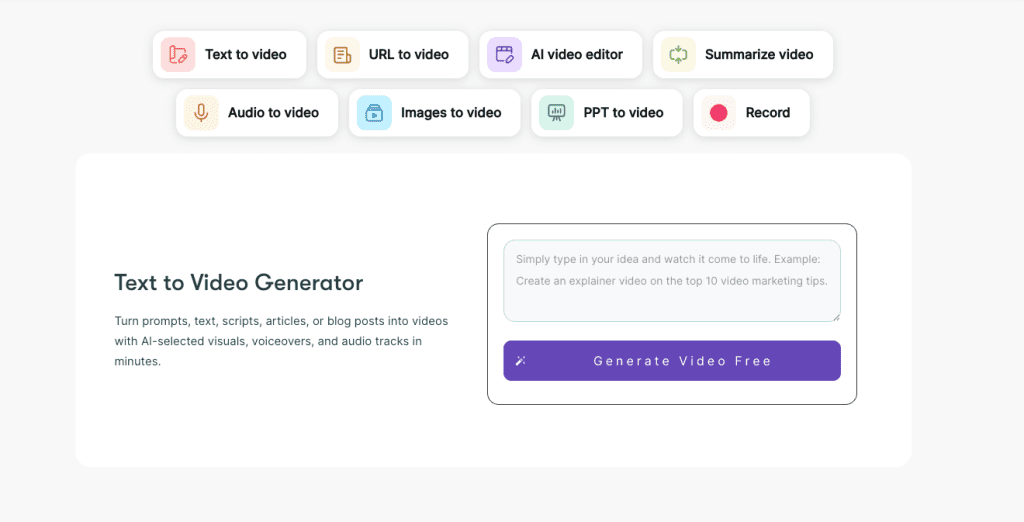
For quick social media content, I gravitated toward Runway and Pictory. These tools are better for transforming existing content — like turning a blog post into a video or creating short clips from longer footage.
I had a blog article about email marketing that was getting decent traffic, and I wondered if I could repurpose it into a 60-second video for LinkedIn. Used Pictory, pasted the article text, and it automatically suggested scenes, found stock footage, and created a rough cut. Did I accept every suggestion blindly? No. But having a solid first draft in five minutes meant I could spend my energy refining, not building from scratch.

For text-to-video generation, I experimented with tools like Lumen5 and InVideo. These are particularly useful when you have written content and want quick visual versions. The AI analyzes your text, suggests relevant visuals from stock libraries, and assembles a video timeline. Quality varies depending on how specific your content is, but for general business topics, the results are surprisingly usable.
One important note from my testing: these tools work best when you treat them as collaborators, not magic buttons. I got better results when I spent 15 minutes tweaking AI suggestions than when I just hit “generate” and accepted whatever appeared.
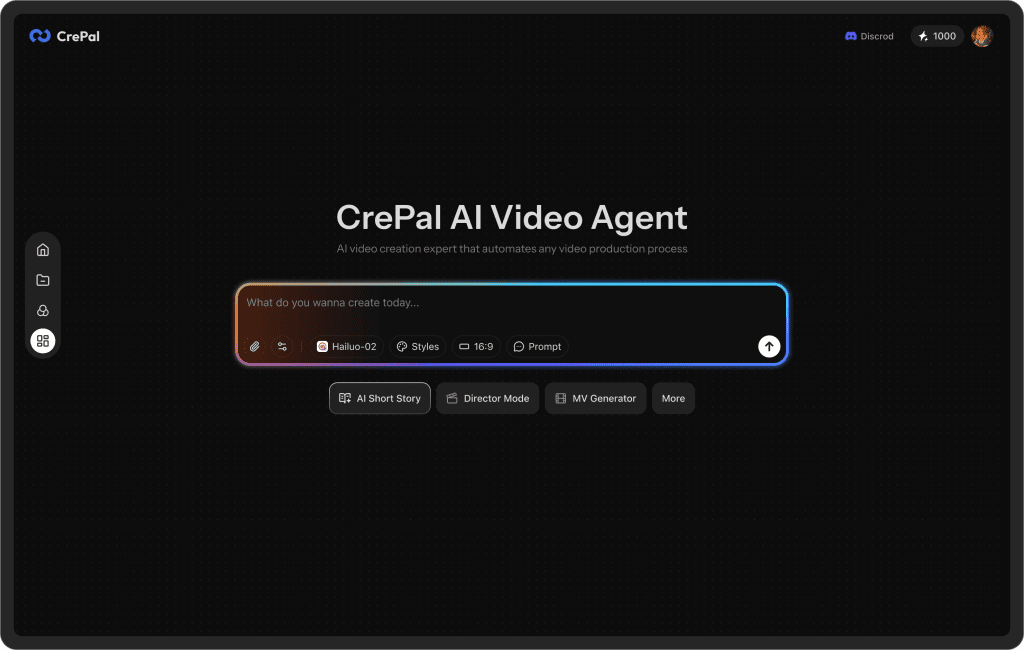
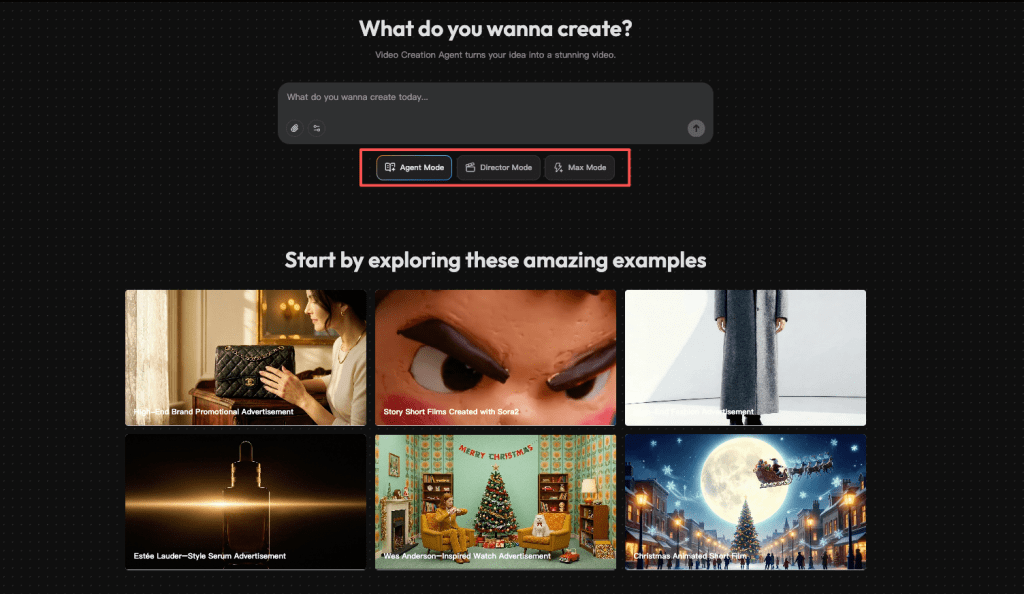
By the way, tools like Crepal offer a beginner-friendly entry point — I found their interface particularly intuitive when I was first figuring out which features actually mattered versus which ones just looked cool in demos.
Case Studies: Businesses vs Startups
Theory is nice, but I wanted to see how real teams actually use this stuff. So I talked to a few people and watched what they created.
Enterprise Example
I spoke with a marketing manager at a mid-size software company (about 200 employees). They needed regular training videos for their sales team — product updates, competitive analysis, pitch techniques. Previously, they’d schedule quarterly video shoots with their in-house video person, batch record everything, and hope nothing changed too dramatically between updates.
With AI tools, they shifted to a different model. Maria now creates weekly micro-videos (3-5 minutes each) using Synthesia. When a product feature updates, she records a quick update video the same day. Sales reps actually watch these because they’re current and specific, not 45-minute quarterly marathons that everyone zones out during.
Her exact words: “We went from creating four big training videos a year to creating 52 small, timely ones. Same budget, way more impact.”
The numbers backed this up. Their sales team’s product knowledge quiz scores (yes, they quiz their salespeople) jumped by 34% after switching to frequent AI-generated micro-content. Correlation isn’t causation, but the timing was pretty clear.
What surprised me about Maria’s approach: she didn’t try to make cinematic masterpieces. She focused on clear information delivered consistently. The videos aren’t going to win awards, but they solve a real problem — keeping a distributed sales team updated without constant Zoom calls.
Startup Example
Then there’s James, who launched a productivity app with exactly zero marketing budget and a co-founder who hates being on camera (relatable).
James used AI tools differently — he needed external marketing content, not internal training. His goal: create enough video content to test different messaging angles and see what resonated before spending money on professional production.
He created 12 different versions of his product demo using Pictory and some manual editing. Different hooks (“Tired of endless to-do lists?” vs “What if your tasks organized themselves?”), different feature focuses, different lengths (15 seconds for TikTok, 60 seconds for LinkedIn, 2 minutes for YouTube).
Here’s where it got interesting: he ran these as low-budget ads across platforms, tracked which versions drove the most sign-ups, and discovered his best-performing hook was completely different from what he’d planned to lead with. The winning version emphasized “peace of mind” over “productivity” — a positioning shift that only became clear through rapid testing.
By the time James had budget for professional video production, he knew exactly what message to communicate. The AI testing phase saved him from spending thousands on a polished video with the wrong angle.
His metric: video ads created with AI tools had a 23% higher click-through rate than static image ads, and cost about 1/10th as much to produce as what he’d budgeted for professional video. Not bad for a first-time founder learning as he went.
Templates and Quick-Start Tips
Okay, after making way too many test videos, here are the actual shortcuts that worked.
Ready-to-Use Promo Templates
Most AI video tools offer templates, but not all templates are equally useful. The best ones I found had clear structure and were easy to customize without starting from scratch.
The Problem-Solution-CTA Structure (works for 90% of business videos):
- 0-10 seconds: Show the problem visually — frustrated person, messy process, wasted time
- 10-40 seconds: Introduce your solution — what it does, why it’s different
- 40-50 seconds: Show quick results or benefits
- 50-60 seconds: Clear call-to-action — trial, demo, link
I used this template for five different clients across completely different industries (SaaS, consulting, e-commerce, education, healthcare). It worked every single time because the structure is solid.
The Founder Story Format (great for startups building trust):
- Start with “I built this because…” — personal connection
- Show the journey — brief struggles, aha moment
- Demonstrate the solution in action
- Invite others to join the mission
This format performs particularly well on LinkedIn and in startup communities where authenticity matters more than polish.
The Quick-Win Tutorial (drives engagement and shows value):
- Hook: “Here’s how to [achieve specific result] in under 2 minutes”
- Screen recording showing exact steps
- One pro tip that adds extra value
- CTA to learn more advanced techniques
I created a tutorial showing how to automate invoice reminders using a client’s tool. Took 25 minutes to make, got 3x more engagement than their polished brand video. Sometimes people just want practical value delivered quickly.
Common Mistakes to Avoid
I made all of these mistakes so you don’t have to.
Mistake 1: Using AI voices that sound robotic. Early AI voices had this weird cadence, like every sentence was being read by someone who’d never had a conversation before. Newer versions are much better, but you still need to listen to samples and pick voices that sound natural. I wasted hours creating a video with a voice that technically worked but felt off. Had to redo everything with a different voice selection.
Pro tip: Add strategic pauses in your script with commas or ellipses. “Let me show you something…” works way better than “Let me show you something” because the pause feels natural.
Mistake 2: Overstuffing information. My first video tried to explain seven features in 60 seconds. It was overwhelming and unclear. Better approach: one core message per video. If you have multiple features, make multiple videos. Attention spans are short — respect that reality.
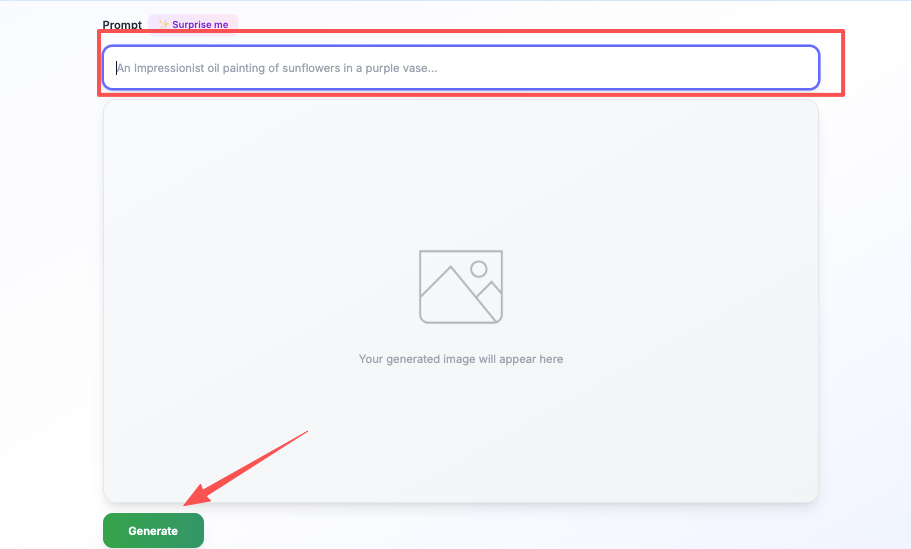
Mistake 3: Ignoring visual pacing. I created a video where the same stock footage played for 30 seconds straight while the script kept talking. Boring. Even with great audio, if the visuals don’t change, people zone out. I learned to switch scenes every 5-8 seconds to maintain visual interest. Most AI tools make this easy — you just need to remember to do it. When stock footage feels too generic or doesn’t match your specific message, creating custom visuals with AI image tools can give your video that unique edge that makes people actually stop scrolling.
Mistake 4: Skipping the human review. AI generates fast, but it’s not perfect. I published one video that accidentally repeated the same sentence twice because I didn’t catch it during a quick review. Embarrassing. Now I always watch the full render at least twice before sharing. Catches weird phrasing, awkward transitions, and those moments where the AI misunderstood what I meant.
Mistake 5: Forgetting mobile optimization. Created a beautiful 16:9 video with small text details. Looked great on my laptop. Completely unreadable on mobile, where 70% of views actually happened. Now I test every video on my phone before finalizing. If text isn’t legible on a small screen, make it bigger or remove it entirely.
Here’s what I keep coming back to after testing all these tools: AI video creation isn’t about replacing human creativity — it’s about removing the technical friction that previously stopped people from creating at all.
The startup founder who needs to test ten different marketing messages can now actually do that instead of picking one and hoping. The marketing team that needs fresh content every week can actually maintain that pace without burnout. The solo creator who has ideas but no video production skills can finally bring those ideas to life.
Are AI-generated videos perfect? No. Can you tell the difference between an AI avatar and a real person if you’re looking carefully? Usually, yes. Does any of that matter if your video clearly communicates value and helps your audience solve a problem? Honestly, I don’t think it does.
I’m still learning this stuff — there are absolutely things I don’t know yet and techniques I’m still figuring out. But the barrier to creating decent business videos has dropped from “need a team and budget” to “need a clear message and a few hours.” That shift feels significant.
If you’ve been putting off video content because it seemed too complicated or expensive, maybe give these tools a try. Start small. Make something imperfect. See what happens. You might surprise yourself.
And if you create something terrible on your first attempt? Welcome to the club. My first AI video is saved in a folder labeled “Never Show Anyone.” But my tenth one? That actually worked.
If you want a straightforward place to start, I’d suggest checking out Crepal — it’s one of the tools that didn’t make me want to rage-quit during my testing phase, which honestly says a lot.
What’s your biggest hesitation about creating business videos? I’m genuinely curious — drop a comment or reach out. Maybe I’ve already made that mistake and can help you skip it.
Previous posts:






