Hey, guys. That day, I opened a quiet sci‑fi city clip I’d made in LTX‑2 and thought, “This looks great… but it sounds like a vacuum.” Curiosity won. I toggled on the audio option, hit render, and waited like I was baking a cake with the oven light on. When the preview finally played, I got soft air humming, distant hover traffic, and a tiny metallic chirp when a drone crossed frame. Not perfect, but enough to make me grin.

What LTX-2 audio generation can do
Supported audio types (ambient, effects, speech)
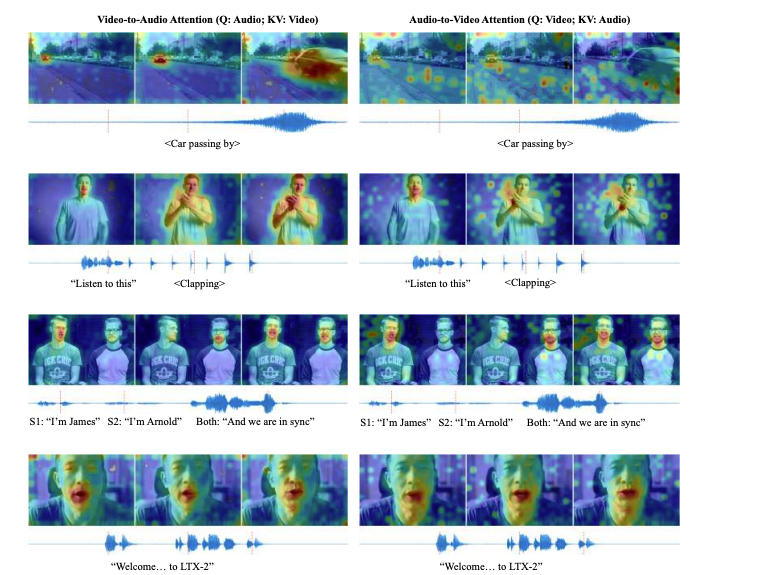
In my runs, LTX‑2 audio works best as a “smart foley” layer that guesses the vibe of the scene:
- Ambient beds: wind, room tone, light traffic, forest floor noise. These came through most reliably. My 12‑second alley shot (Jan 11) produced a believable low‑end rumble with gentle reverb that matched the narrow space.
- Contextual effects: doors, footsteps, paper rustle, engine whoosh. Short, scene‑timed accents showed up when the visuals clearly hinted at them. The drone pass I mentioned? The whir ramped up right as it crossed frame, let me tell you, nice timing.
- Music-ish textures: sometimes it adds tonal pads that sit behind the ambient. Not a full score, more like a synth curtain. Surprisingly useful if you keep it quiet.
- Speech (rough): if a person speaks on camera, you might get a murmur that tracks lips, but intelligibility is hit‑or‑miss. Think “muffled presence,” not podcast-ready.
Where it shines: establishing shots, B‑roll, moody loops, product close‑ups that need life. It’s like the tool reads the scene’s body language and improvises a background band.
Current limitations
- Intelligible dialog is not there yet. Mouths move: you get shaped noise or vowel-ish blobs. For anything client-facing, overdub real VO.
- Occasional mismatch on literal actions. In a kitchen clip, a cabinet closed but the sound arrived a hair late. Fixable in post, but note it.
- Dynamic range can be conservative. Peaks rarely punch: you’ll want to add gain and a touch of compression downstream.
- Loop edges: exported ambiences can have tiny clicks at the head/tail. A 10 ms crossfade in your DAW solves it.
- Consistency across reruns: generate the same scene twice and micro‑details change. If you love a take, save it immediately.
None of these are deal‑breakers for atmospheres. For dialog? It’s a placeholder at best.
How to enable audio in ComfyUI workflow
Here’s what worked for me in ComfyUI on Jan 11, 2026, using the LTX‑2 video workflow template.
- Load the LTX‑2 workflowgraph. If the template includes an Audio toggle, switch on “Generate audio.” In my build, this lived in the same node that controls video sampling steps.
- Make sure your pipeline has an audio output branch. I saw an “Audio Output/Preview” style node appear once audio was enabled.
- Add a WAV/Audio writer node after the audio output. Point it to your export folder. If your template saves only video, you may need to split the mux step so you can save both a .mp4 with audio and an isolated .wav.
- Sample rate: mine defaulted to 48 kHz. If you see 44.1 kHz, that’s fine for web, but I prefer 48 kHz for video projects.
- Render once for a short preview (4–6 seconds). Honestly, if the sound is there, scale up.
If your graph doesn’t expose audio nodes, grab the latest official LTX‑2 ComfyUI example from the docs or repo. I had one template that hid the audio branch until I ticked the setting, easy to miss.
Audio quality settings and trade-offs
I tested three combos on the same 8‑second clip (city at night), using default video settings and only changing audio parameters where exposed.
- Fast draft: low audio fidelity, fewer steps, smaller model chunk. Render time dropped ~25%. Result was usable room tone with a bit of hiss. Good for blocking edits.
- Balanced: default settings. Render took longer but produced cleaner beds and better alignment on one car pass. This is the sweet spot if you don’t need pristine tails.
- High detail: more steps, higher bitrate mux. Noise floor improved, but I hit diminishing returns. Past a point, it felt like polishing a blanket of air.
Tips:
- Longer clips compound risk of drift. For anything over 20 seconds, I often render in segments and stitch in post.
- If the export includes a loudness option, aim around −16 LUFS for voice-led clips, −20 to −23 LUFS for ambience. If not, normalize later.
- Keep headroom. I target −1 dBTP on the final mix to avoid codec overs.
Best prompts for audio-visual coherence
You can hint audio via your scene prompt. The trick is to describe what should be heard without overspecifying microphones.
Prompts that worked for me
- “Rainy neon street, light traffic, distant tires on wet asphalt, occasional drone pass, soft hum from signage.”
- “Quiet kitchen at dusk, soft fridge buzz, a single cabinet closes once, ceramic cup set down.”
- “Forest clearing, light wind in trees, small birds far away, no insects near camera.”
Patterns to avoid
- Long shopping lists of sounds. It confuses priority: you get mush.
- Demanding exact timestamps in-text. I’ve had better luck describing relative events: “a cabinet closes once” vs “at 00:03 a cabinet closes.”
If you’re syncing to beats or voice, do it in post. Let LTX‑2 provide the bed: you supply the rhythm.
Post-processing tips (mixing, enhancement)
After export on Jan 12, I dropped the generated WAV into Reaper and did a quick polish that took under three minutes:
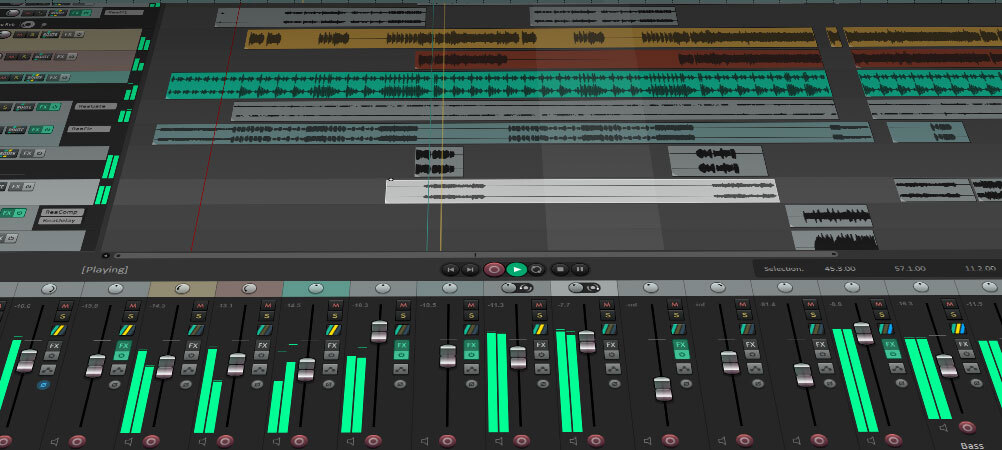
- High-pass filter at 60–80 Hz to clear rumble that doesn’t help the scene.
- Gentle compression (2:1) with a slow attack for more “presence” without pumping.
- Subtle stereo widening (10–15%) if the scene is open: keep tight for interiors.
- Spot layer one or two real foley hits (door click, cup tap) for clarity. You know, think seasoning, not a second meal.
- Loudness: normalize to your target and leave a little headroom (−1 dBTP).
If there’s hiss, a light noise reduction pass helps. And if you hear a click at the seam, add a 5–10 ms crossfade or room tone strip.
LTX-2 audio vs adding audio manually
When I build sound from scratch, I’m searching libraries, trimming takes, nudging waveforms, and fighting the mix. It’s fun until it isn’t. Here’s how LTX‑2 stacked up for me:
- Speed: for ambiences, LTX‑2 wins. One pass gave me a convincing base I’d normally spend 10–20 minutes assembling. For dialog, manual still wins by a mile.
- Coherence: auto‑generated beds naturally fit the scene’s energy. Manual beds can sound cleaner, but you’ll spend time massaging perspective and reverb.
- Control: manual gives you surgical control. LTX‑2 trades control for convenience. I like using it as a starting layer and adding a few decisive real sounds on top.
- Consistency: with libraries, I know what I’ll get. With LTX‑2, each render is a bit different, great for creativity, risky for strict deliverables.
My current workflow: let LTX‑2 draft the ambience: keep speech, hero SFX, and music manual. It’s the best of both worlds.
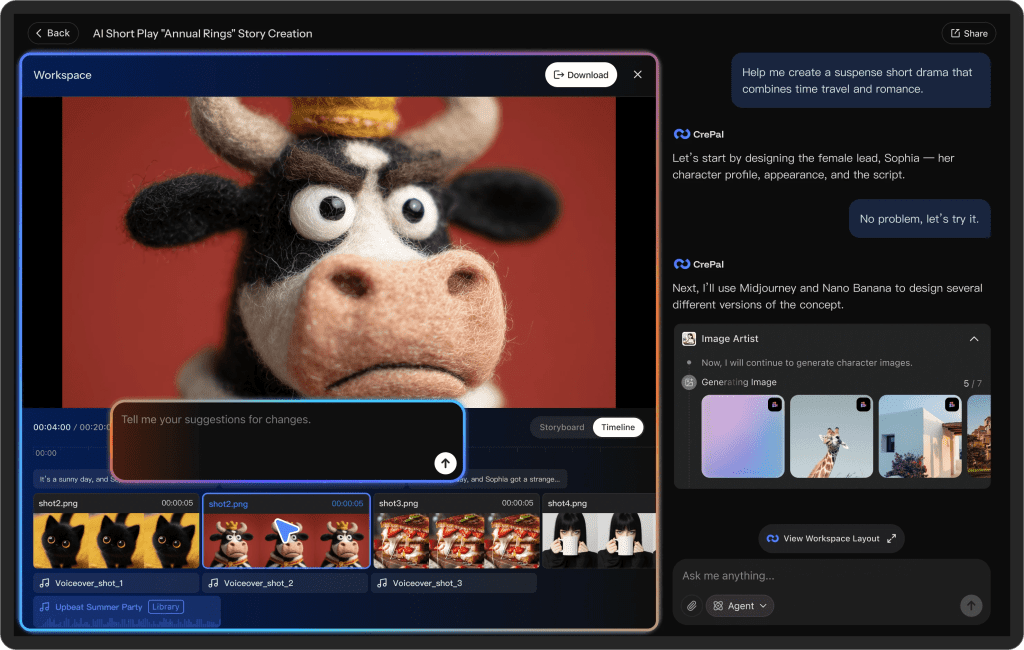
If you want to make this even easier, you can try our Crepal—, then you can spin up videos with audio in seconds. Try it free.
If you test it this week and get something wild, send it my way. I’m still collecting edge cases. And if you’re on a deadline, treat LTX‑2 audio like a helpful intern: great at setting the scene, not ready to run the show, yet.
Previous posts: