I’m Dora. That day, I opened Seedance 2.0 with mild skepticism. I’d promised myself: if it couldn’t help me plan and ship a month of short videos faster than my usual chaos, I’d close the tab and go back to my scrappy Notion board. By lunch, I had 18 draft clips queued and a working calendar for the month. Not perfect, but the shift from “ugh, I need a video today” to “cool, this week is handled” felt like someone turned down the mental noise.
Below is the simple content framework I used, how I mapped it to Seedance’s prompt batching, what I automated, and what I kept human. If you’re trying to make AI a real partner (not another tab you never open again), this will save you a few headaches. And if you’re still deciding which platform fits your workflow, I broke down several free AI video tools you can compare before committing to a monthly system.
The problem with generating videos “when you need one”
I used to sit down “just to make today’s video” and then burn an hour on the blank-canvas ritual: pick a topic, find an angle, write a hook, stall, rewrite, record, stall again. Even with AI, urgent creation creates mediocre prompts. You ask for a script, get something generic, and promise yourself you’ll fix it later. Spoiler: you don’t.
I tried making an off-the-cuff explainer in Seedance (I previously broke down the earlier build in this Seedance 1.5 Pro review), and the result? A passable 40-second clip. The result? A passable 40-second clip… after 42 minutes of tinkering. The next day I batched four variations of the same theme in one go and finished in 58 minutes total. Same platform. Same me. The difference was context and momentum.
Here’s the friction I keep running into when I create “when I need one”:
- Randomness kills consistency. Each day needs a fresh idea, which means constant decision fatigue.
- You chase trends at the expense of message. Algorithms love novelty: audiences love coherence. Daily scrambling gives you the first and robs you of the second.
- Prompts get lazy. Under time pressure, you write “Make a video about X,” not “In week 2 of my series about Y, contrast A vs B in a 15-second hook.” AI mirrors the input.
So the fix isn’t “write better prompts” in the moment. It’s building a content calendar that feeds better prompts before you’re tired.
A 30-day content framework for AI video
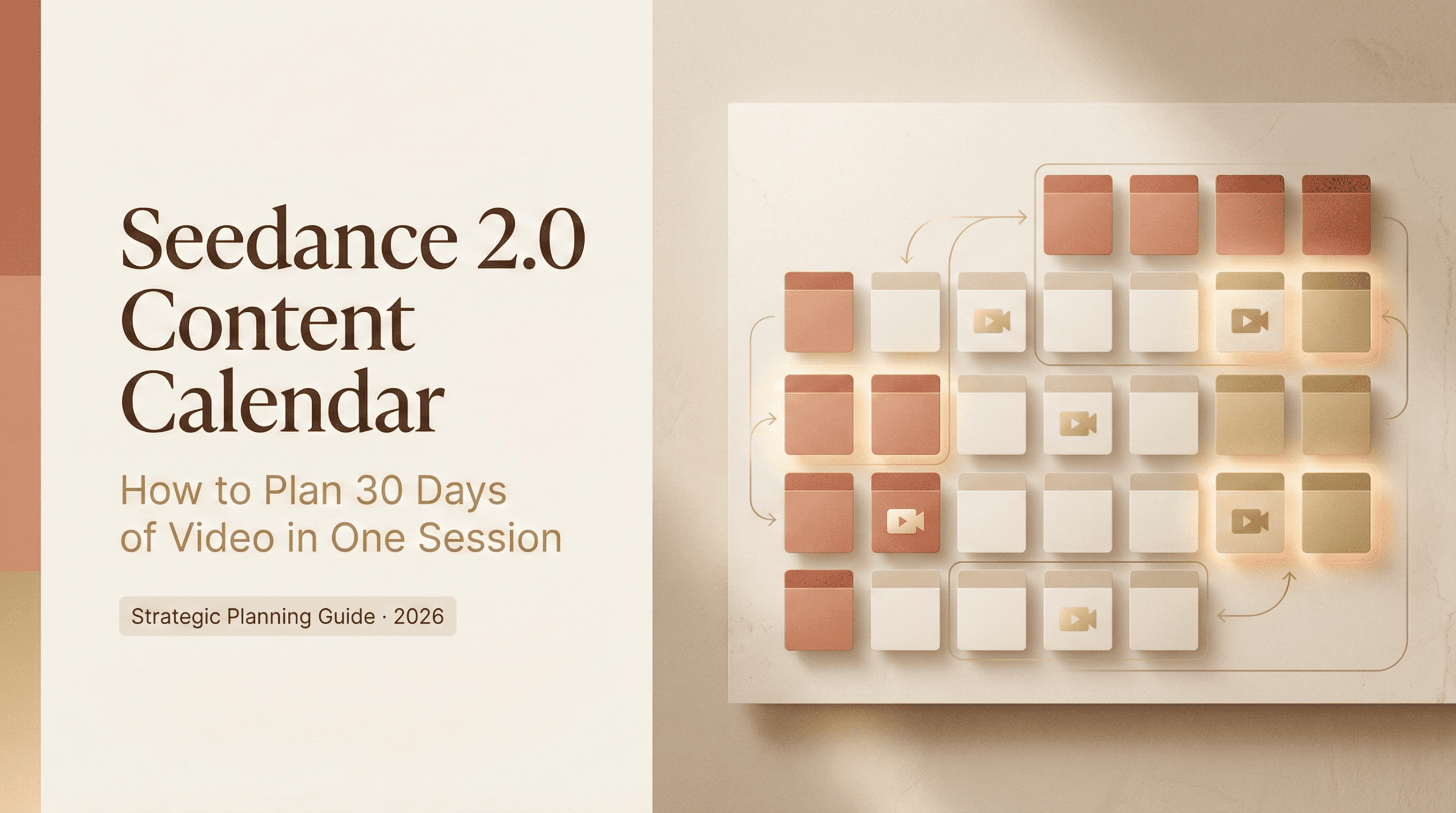
I use one monthly arc with four weekly beats. It’s simple, sticky, and easy to brief an AI on. My goal: one core idea per month, four weeks of angles, then small daily format swaps to keep it fresh without reinventing the wheel.
Weekly theme structure (Hook week, Story week, Proof week, CTA week)
- Hook week (Days 1–7): Short, curiosity-first clips. Think pattern breaks, bold claims you can defend, or surprising data. Your job is to earn attention without over-explaining.
- Story week (Days 8–14): Personal experiences, quick case snapshots, or behind-the-scenes. Lower polish, higher honesty.
- Proof week (Days 15–21): Demos, metrics, side-by-side before/afters. If you’ve got numbers or clear outcomes, here’s where they shine.
- CTA week (Days 22–30): Clear next step. Subscribe, download, book a call, or comment with a keyword. You’re guiding momentum, not hard-selling.
Mapping themes to Seedance 2.0 prompt batches
Here’s how I mapped the four-week arc into Seedance 2.0 without overengineering it.
- Create one master brief for the month. I wrote a short context blurb: who the audience is, one core problem, the promise, and 3–5 jargon terms to include or avoid. This became the preface I paste into every batch prompt. It kept tone and vocabulary steady.
- Batch per week, not per day. In Seedance, I spun up four prompt batches labeled Hook, Story, Proof, CTA. Each batch generated 6–9 short scripts or storyboard outlines in one go. I aimed for 20–40 seconds per clip.
- Use constraints that shape the edit, not just the words. My prompts specified on-screen beats: “3 cuts max,” “first 2 seconds: question overlay,” “mid-screen stat with source,” “end card with soft CTA.” The result felt more like directing than drafting.
- Add brand and asset notes once. If you use a logo sting, caption style, or b-roll folder, define those in the batch pre-brief. I saved time by reusing the same lower-third style across all weeks.
What to batch-generate vs what to leave flexible
I tried both extremes: fully automated and fully manual. The sweet spot (for me) lives in the middle.
Batch these (high leverage, low regret):
- Hooks and angle lists. Generate 20–30 in one sitting. You won’t use all of them, but on a tired Thursday you’ll bless Past You.
- Script skeletons and on-screen beats. Think: intro line, cut markers, where the stat appears, end card text. Keep them short.
- Caption drafts and alt text. AI is decent at functional text with constraints.
- B-roll shot lists. Even if Seedance supplies stock, your own B-roll notes help you replace generic scenes later.
Keep these flexible (human needed in the loop):
- Claims and numbers. I add real data, dates, and sources after the draft. On Feb 16, I swapped a generic “50% faster” claim with my actual timing (58 minutes for 4 videos) and retention from a test upload.
- Tone and emphasis. Some scripts read fine but feel off-brand when spoken aloud. I always do a read-through and quick punch-up.
- CTAs. What you ask for should reflect what’s working that week. For example, I switched from “Comment ‘CAL’ for the calendar” to “Grab the template in bio” after I saw DM volume spiking.
- Visual specifics. Colors, fonts, and layout rhythm still benefit from you. AI can suggest: you decide.
Template: 30-day calendar with prompt slots
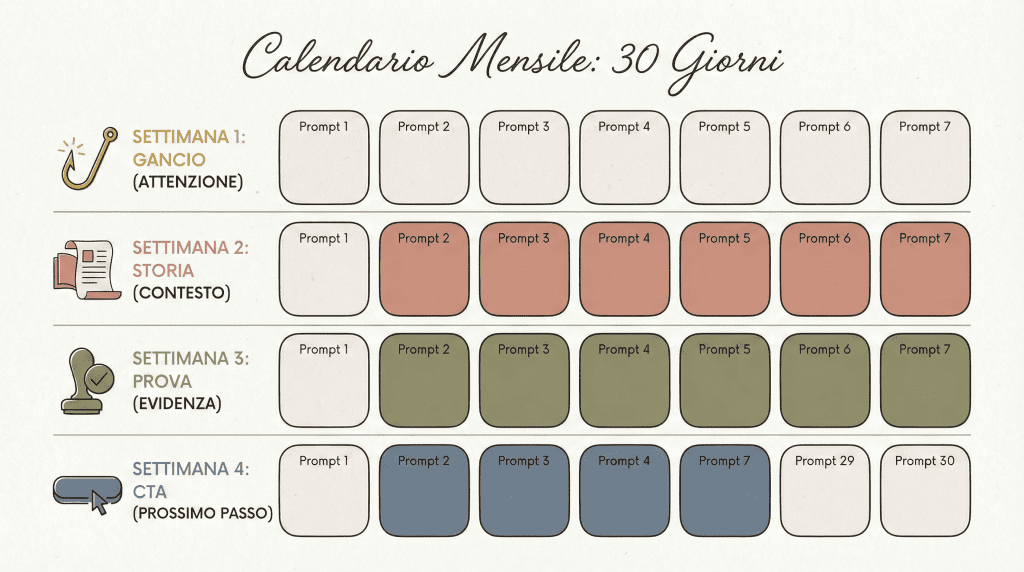
Here’s the 30-day layout I actually used. Copy it, then swap in your topic. I’ve included prompt cues so you can paste them into Seedance 2.0 with minimal edits.
Week 1, Hook week (attention)
- Day 1: Pattern-break question. Prompt: “Open with a counterintuitive question about [your topic]. 18–25s, 3 cuts.”
- Day 2: One surprising stat. Prompt: “Lead with a stat from [source], show it mid-screen. Cite source on screen.”
- Day 3: Myth vs truth. Prompt: “State the myth in 3 words, smash-cut to truth with 1 example.”
- Day 4: Before/after tease. Prompt: “Show ‘before’ pain in 5s, then fast-cut outcomes, no how-to yet.”
- Day 5: Quick analogy. Prompt: “Compare [topic] to a simple real-world object. Keep it playful.”
- Day 6: Rapid Q&A. Prompt: “3 rapid questions beginners ask: 1-line answers.”
- Day 7: Weekend recap. Prompt: “Montage of week’s best 2 hooks: ask which to expand next.”
Week 2, Story week (context)
- Day 8: Origin moment. Prompt: “Tell the moment you realized [topic] mattered. 30–40s, 2 scenes.”
- Day 9: Mistake made. Prompt: “Share a failure and what you changed. Keep it concrete.”
- Day 10: Behind-the-scenes. Prompt: “Screen walkthrough with 3 beats: setup, action, result.”
- Day 11: Tool swap. Prompt: “What you stopped using and why: 1 pro, 1 con.”
- Day 12: Tiny win. Prompt: “One tweak that saved X minutes: show timestamp on screen.”
- Day 13: Audience question. Prompt: “Answer a real comment: put the comment as a caption.”
- Day 14: Week reflection. Prompt: “What surprised you this week: invite replies.”
Week 3, Proof week (evidence)
- Day 15: Baseline vs new. Prompt: “Split-screen before/after: include metric with date.”
- Day 16: Mini case study. Prompt: “Problem → Action → Result in 3 lines, 20–30s.”
- Day 17: Speed run. Prompt: “Timeboxed demo with on-screen timer.”
- Day 18: Data deep-dive. Prompt: “Show 2 charts/screens: call out 1 actionable insight.”
- Day 19: Side-by-side tool compare. Prompt: “Compare Seedance 2.0 vs manual workflow on steps/time. Be fair.”
- Day 20: Objection handling. Prompt: “Address the top skeptic point with evidence.”
- Day 21: Compilation. Prompt: “Montage of 3 proofs this week: tease CTA week.”
Week 4, CTA week (next step)
- Day 22: Soft subscribe ask. Prompt: “If this saved you 5 minutes, follow for the full calendar.”
- Day 23: Lead magnet. Prompt: “Offer a downloadable checklist: show 3 bullets on screen.”
- Day 24: Comment keyword. Prompt: “Ask viewers to comment ‘CAL’ to get the template.”
- Day 25: Live/session plug. Prompt: “Invite to a 20-min live demo: date/time on screen.”
- Day 26: Offer or trial. Prompt: “Point to a free trial or tutorial: no hype.”
- Day 27: Community prompt. Prompt: “Ask, ‘What should I test next?’ and pin replies.”
- Day 28: Roundup with thanks. Prompt: “Thank viewers: highlight 3 best comments.”
- Day 29: Open loop. Prompt: “Tease next month’s theme with 1 burning question.”
- Day 30: Choose-your-path CTA. Prompt: “Give 2 options (learn more vs get template): on-screen buttons/arrows.”
How I run this in Seedance 2.0:
- Create four batch prompts, one per week, and paste 7 daily variations beneath each, using the cues above. Keep the same pre-brief each time for tone consistency.
- Set constraints once: duration, cut count, overlay style, credit format for sources. Reuse across batches.
- Leave room for human edits on Days 12, 15–20 (anything with real data). Add dates, screenshots, and links. I usually note the capture time on screen, e.g., “Recorded Feb 16, 2026, 3:12 p.m.”
If Seedance 2.0 helps you lock in the calendar, great. If not, the framework still works with your editor of choice.
For me, the real unlock was keeping this whole monthly structure in one stable place instead of rebuilding it across scattered docs. I’ve been organizing it inside our Crepal so the arcs, pre-briefs, and batch prompts stay reusable month after month. It simply keeps the planning layer clean so the AI part feels lighter.
Try Crepal right now! Either way, the point is simple: plan once, prompt smart, and make next month lighter than this one.
Previous posts: