Hello, everybody. I’m Dora. A few nights ago, I was half-asleep, doom-scrolling, when a short demo clip labeled “Skyreels v4 workflow” popped up. I paused my podcast, replayed the clip three times, and thought: if this really does native audio with text-to-video, my editing routine might finally lose a few headache steps. Not sponsored, just my tired eyes getting curious.
I’m laying out what the team says the new workflow is designed to do, why it matters for creators, and what I’ll stress-test the second it ships.
What the Workflow Is Designed to Do
Based on official announcements only
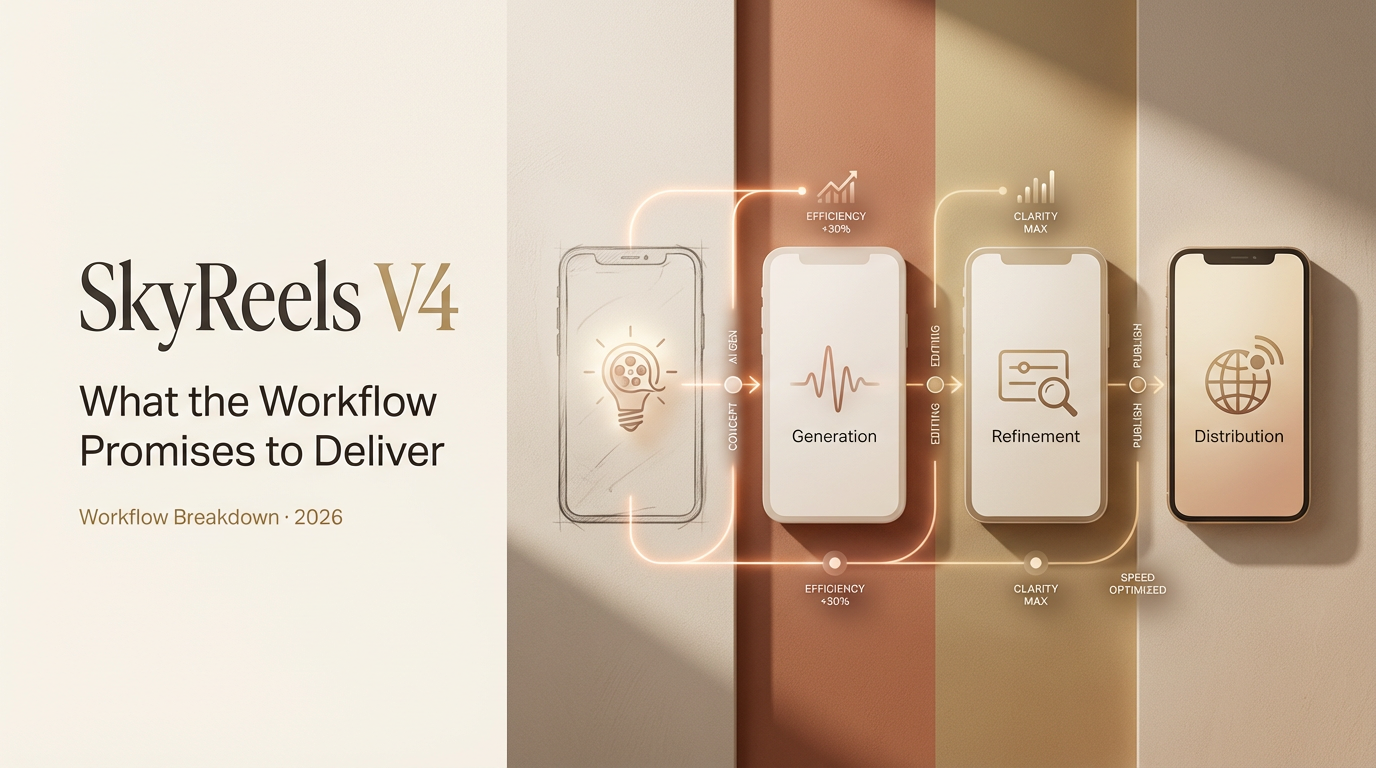
Skyreels v4 is positioned as a unified, storyboard-to-render workflow: write or import a script, map scenes, attach reference images for characters/props, generate video, and have native audio (dialogue and background music) embedded in the same pass. The messaging suggests fewer round-trips between tools, less bouncing from a video generator to a DAW to a subtitle editor. The promise is speed with fewer seams.
From the official materials I reviewed:
- Text-to-video generation with inline audio controls
- Reference-driven character consistency
- Mask-based editing for targeted changes (objects/backgrounds)
- Motion transfer support for more lifelike movement
- Export at 1080p and 32FPS
Not a hands-on review
To be clear, I haven’t clicked a single button in v4 yet. No real-world renders from me, yet. I’m summarizing what Skyreels has stated publicly. I’ll update this once I’ve run actual projects through it (scripts, brand characters, and a few gnarly B-roll cases that usually break models). For now, think of this as a field notebook I’m prepping before the test drive.
Text to Video with Native Audio
How dialogue and BGM tagging is designed to work
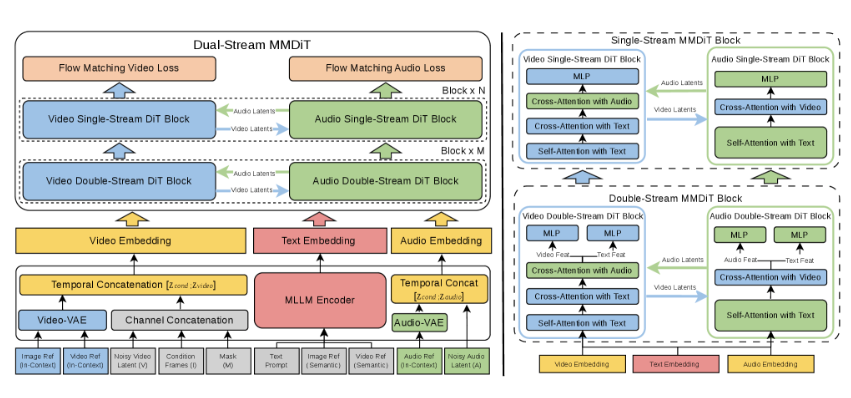
Skyreels’ materials describe a script-centric flow: you add lines of dialogue and tag speakers: you also tag BGM moments (intro swell, low bed under narration, music dip for lines, sting-out). In theory, the system aligns character lip movement to the tagged dialogue and places background music at the right points, no hand-syncing in post.
The interesting bit is the claimed “native” integration. Instead of exporting a silent clip and manually layering audio, the v4 workflow appears to bake voice, timing, and music cues into the generation step. The tools mention:
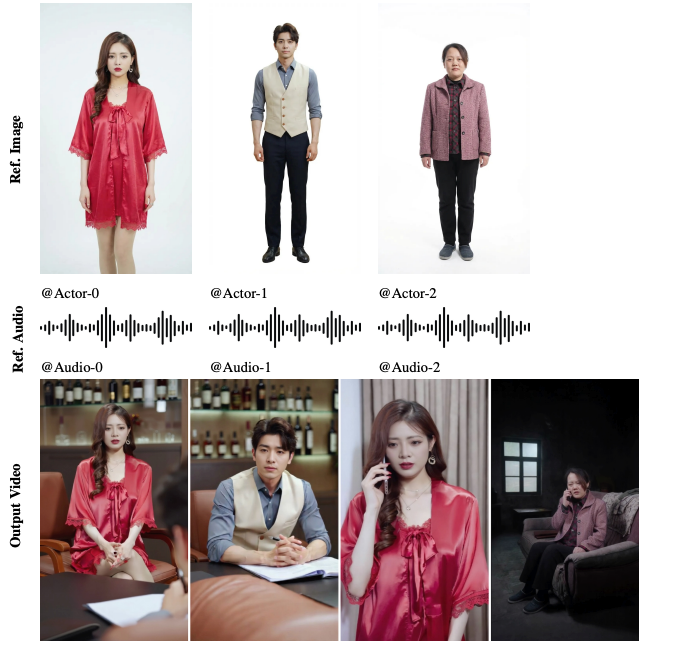
- Speaker tags tied to character references, so the right face gets the right voice
- BGM sections controlled by labels (e.g., soft, energetic, suspense) and placement markers
- Pauses and emphasis marks to shape line delivery
If you’ve ever wrestled with audio ducking across 14 cuts, you can see the appeal. Tag once: let the engine manage levels and timing.
Why native audio matters vs bolted-on solutions
Most of today’s “add audio later” pipelines cost you time and realism. You export video, then:
- Drop it into a DAW or NLE
- Realize the lip sync is 3–5 frames off
- Manually keyframe ducking so dialogue isn’t buried
- Re-export…and discover your revisions require starting over
When audio is native to the generation process, the model can shape visuals around speech cadence and music cues. That usually means better mouth shapes, fewer jarring cuts, and fewer export-round trips. It’s not just convenience: it’s coherence. If v4 actually nails this, it could shave hours off social explainers, customer stories, and quick training modules.
Reference Images and Character Consistency
What’s been announced about reference workflows
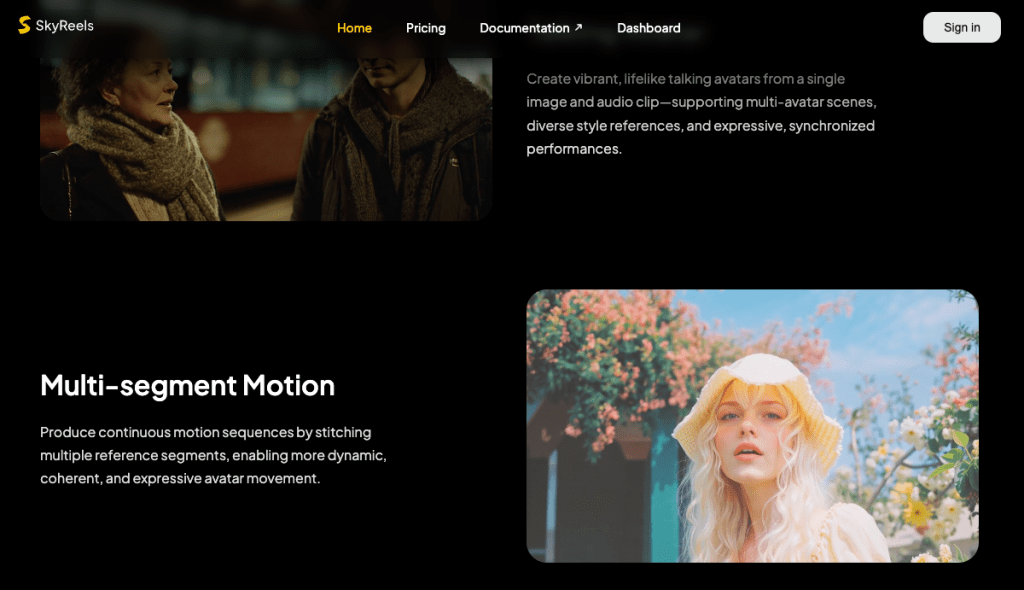
SkyReels v4 accepts rich multi-modal instructions, including text, images, video clips, masks, and audio references. Skyreels says you can attach reference images to define a character’s look, face, hairstyle, outfit colors, and carry that identity across scenes. In practice, this matters when you’re:
- Building a short series with the same host
- Creating brand mascots or product heroes
- Maintaining continuity across multi-location shots
According to the v4 notes I read on March 3, 2026, the workflow supports per-scene references and global references. That implies you can lock a character globally (always the same) while allowing local overrides (e.g., change the jacket or lighting for one scene).
Two things I’m watching for:
- Drift control: Does the face shift subtly scene to scene? Even a 3% change becomes uncanny over a 60-second cut.
- Lighting resilience: Can the character stay consistent when you move from daylight office to moody hallway? Reference systems often wobble there.
Motion transfer, what we know so far
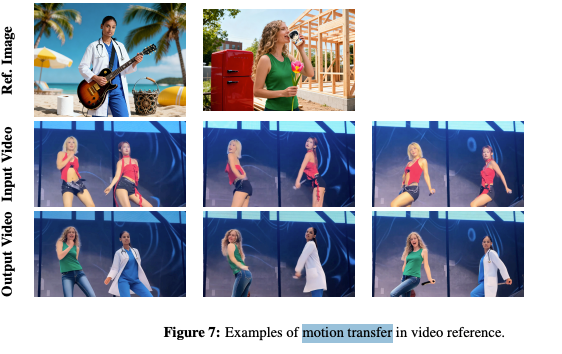
Skyreels v4 mentions motion transfer, meaning you can feed a source performance, like a gesture clip or basic mocap, and the target character mirrors that movement. If this is accurate, it pairs well with character references: your “host” stays visually consistent while moving more naturally.
Where motion transfer usually cracks:
- Hands and props (mugs, phones) tend to float or clip
- Fast turns can smear faces
- Long sleeves can break elbow geometry
If v4 can smooth those edges, especially hands, the difference will show up instantly in explainers and product demos. I’ll test with a “point-at-screen, then pick up a cup” sequence, since that combo often reveals the weak joints.
Mask-Based Editing
Object replacement capability
The docs indicate you can draw or auto-detect a mask around an object, then swap it without regenerating the entire scene. Imagine replacing a logo on a box, changing a shoe color, or updating a coffee cup design after a brand refresh. This matters for creators who iterate a lot. One small revision shouldn’t force a full re-render.
I’m curious about edge accuracy. Fine hair and semi-transparent objects (like glass or steam) are hard. Good mask editing respects edges and lighting so the replacement sits naturally. If Skyreels lets us feather edges, adjust reflectivity, and color-match the new object, that’s a real upgrade over “hard cutout” looks.
Background replacement workflow
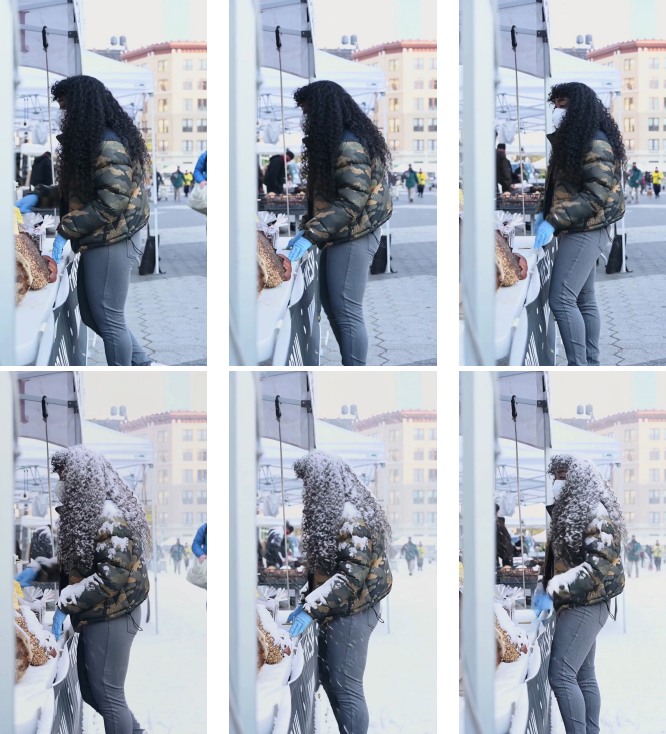
The announcement also points to background replacement: keep your subject: swap the environment. For quick storytelling, that’s gold. You can:
- Move the same character from a studio wall to a café backdrop
- Keep audio timing intact while changing setting tone
- Update brand visuals without touching the core performance
The stress test I’ll run: backlight + hair detail + motion. If the mask tracks well through a head turn with flyaway hair, that’s a green flag. I’ll also check for color spill, does the subject pick up believable reflections from the new background? That’s the difference between “composite” and “it just belongs there.”
Export Settings Confirmed
1080p / 32FPS announced specs
Skyreels lists 1080p output at 32FPS for v4. That’s a practical middle ground for most social and web video. Why it matters:
- 32FPS gives a touch more motion smoothness than 24/30 without ballooning size like 60
- 1080p is widely accepted by platforms and compresses efficiently
What I’ll measure once I can export:
- Bitrate and codec options (is H.264 the default? HEVC/AV1 available?)
- Color profile and audio sample rate
- Render speed per 10 seconds of footage on common GPUs/CPUs
If you’re in a brand workflow, predictable export specs help keep posts on schedule, no surprise platform rejects, no fuzzy resamples.
What We’ll Test When It Launches
Here’s my game plan for day one testing, timestamping this so I’m accountable when v4 lands.
- Native audio sync stress test (scheduled for launch week): I’ll feed a 60-second script with three speakers, overlapping lines, and BGM dips at 0:07, 0:28, and 0:49. I’ll check frame-accurate lip sync, auto-ducking levels, and whether emphasis tags change mouth shapes or just volume.
- Reference consistency loop: Same character across five scenes, office, hallway, café, rooftop at dusk, and bright studio, using one global face reference and per-scene lighting tweaks. I’ll measure drift with side-by-side frame grabs at 5-second intervals.
- Motion transfer with props: A simple gesture clip, point, nod, pick up a cup, take a step. I’ll look for hand jitter, elbow collapse, and prop clipping. If hands hold up, that’s huge.
- Mask edits in the wild: Replace a logo on a moving box: swap a background mid-sentence. I’ll note edge fidelity, color spill control, and how many clicks it takes to get a clean composite.
- Export pipeline reality check: 1080p/32FPS size, render time per 10 seconds, and whether audio stays locked after a re-render with small changes.
Who benefits if this all works? Solo creators making explainers, marketers turning briefs into fast iterations, and teams that need “good enough” visuals without living in a timeline all day. If v4 meets its own pitch, it won’t just be another tab, it’ll be the tab that replaces three others.
Last thing: I’ll update this page with actual clips and numbers once I’ve run the tests. Not sponsored, no affiliate surprises, just honest results from my desk. If you’re curious too, I’ll share the project files so you can poke holes in them. Fair game.
For now, I’m cautiously optimistic. If Skyreels v4 workflow does what it says on the tin, my late-night editing might finally end before midnight. Wouldn’t that be nice?
Previous Posts: