Hey, my friends. How’s going on? I’m Dora. I spent three hours last week watching AI generate video after video that looked almost right but felt completely wrong. The visuals were stunning, the transitions smooth—but every clip missed the mark. Then I realized: I was asking Seedance 2.0 to read my mind instead of giving it an actual plan.
That’s when I started writing a brief before clicking “generate.” And honestly? It cut my revision rounds in half.

Why Most Sessions Waste the First 30 Minutes
Here’s what used to happen: I’d open Seedance 2.0 (I previously tested the 1.5 Pro version in detail in this Seedance 1.5 Pro review), type something like “make a product video”, type something like “make a product video,” hit generate, watch the result, feel disappointed, then tweak the prompt seventeen times hoping the AI would magically understand what I wanted.
Sound familiar?
The problem isn’t the tool—it’s that we’re treating video generation like a creative conversation when it actually needs clear instructions upfront. I kept regenerating because I hadn’t clarified what I actually needed before I started prompting.
The “Vibe Without Direction” Problem
Most of us enter tools like Seedance with a vague feeling: “I want something modern” or “make it energetic.” But that’s not enough direction for an AI to work with.
I tested this in mid-February 2026 by generating two videos for the same SaaS product. The first time, I just wrote “create a demo video showing our dashboard features.” The result looked like a stock template anyone could make.
The second time, I spent five minutes filling out a brief first. Same tool, same features—completely different output. The video actually matched our brand voice and spoke directly to our target users.
That brief made all the difference.
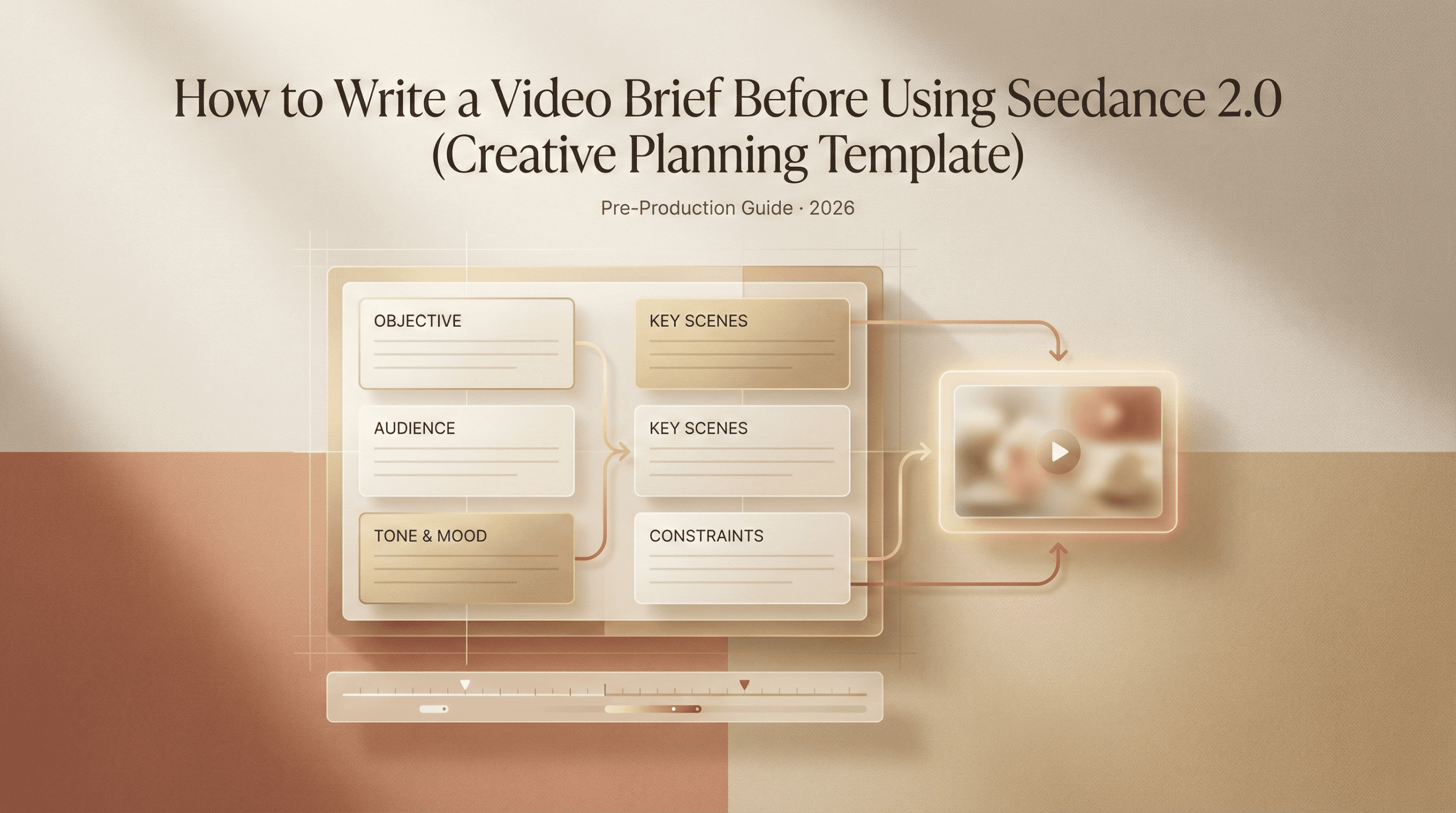
The 5-Question Brief You Fill in Before Generating
So I started using a simple framework before every video project. Just five questions that take maybe ten minutes to answer—but they save hours of revisions later.
Here’s what I ask myself:
- Goal: What should this video do? Not just “explain our product,” but something specific like “convince freelancers to try the free trial” or “reduce support tickets about the login process.”
- Audience: Who’s watching this? I get specific here. Instead of “marketers,” I write “content creators who manage 3-5 client accounts and are drowning in reporting tasks.”
- Tone: How should it feel? I pick 2-3 descriptive words. “Professional but approachable” is too vague. I’ll write “confident, slightly playful, efficient.”
- Reference: What style am I aiming for? I either link to an existing video or describe it clearly: “Think Apple product launch—clean, minimal text, product-focused.”
- CTA: What happens after someone watches? “Sign up” is weak. “Start your 14-day trial—no card required” gives the AI clearer direction for the ending sequence.
When I fill these out before touching Seedance 2.0‘s interface, my prompts become sharper and the results match my vision on the first or second try instead of the tenth.
Brief Template (Copy-Paste Ready)
I keep this template saved in a note file and fill it out every time now:
VIDEO BRIEF
Project: [Quick title for your reference] Goal: [What this video needs to accomplish—be specific] Audience: [Who’s watching? Include their pain point or context] Tone: [2-3 descriptive words about how it should feel] Visual Reference: [Link or description of style inspiration] Key Message: [The one thing viewers must remember] CTA: [Exact action you want them to take] Length: [Target duration] Must-Include Elements: [Specific shots, features, or moments that can’t be skipped]
Copy that. Paste it somewhere you can access easily. Fill it out before you open any AI video tool. If you’re still deciding which platform fits your workflow, here’s a breakdown of free AI video tools you can compare before committing.
I started doing this in late January 2026, and it’s become as automatic as checking my coffee before a meeting. The brief forces clarity—and clarity is what AI video generators actually need from us.
How the Brief Changes Your Prompt Structure
Once you’ve filled out the brief, your Seedance 2.0 prompts become way more effective. Instead of guessing, you’re translating a plan into instructions.
For example, here’s what I used to write:
“Create a promo video for our new app feature”
Vague. Generic. The AI had no idea what angle to take.
After filling out my brief, I’d write:
“Create a 30-second promo showing how freelancers can automate client reports in under 5 minutes. Tone: confident and efficient. Style: clean product demo with minimal text overlays. End with CTA: ‘Try it free—no card needed.'”
See the difference? The brief gave me the ingredients. The prompt became the recipe.
I also noticed that when I reference my brief while writing prompts, I stop second-guessing myself. The decision about tone, pacing, and message is already made—I’m just communicating it clearly to the tool.
And when I need to refine the output? I don’t randomly tweak things. I check back against the brief. If the video doesn’t match the goal or tone I defined, that’s what I adjust in the next prompt.
Brief Examples by Video Type (Product, Promo, SaaS)
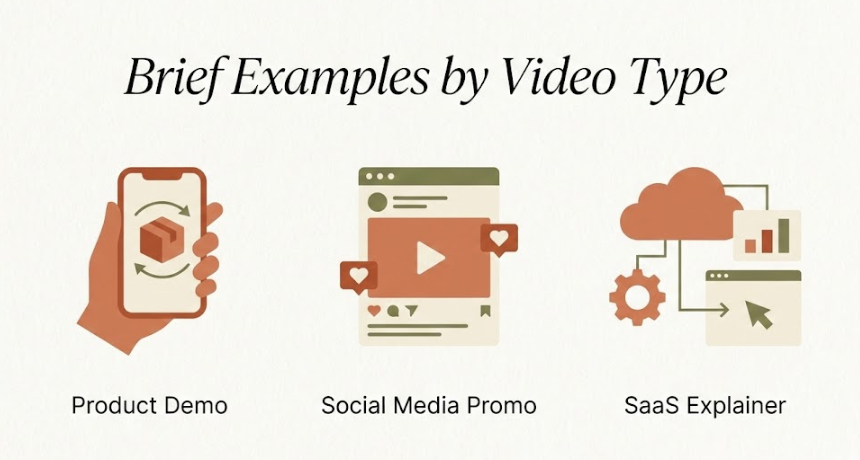
Let me show you three real briefs I used this month, so you can see how this works across different video types.
Example 1: Product Demo Video
Goal: Show how our Chrome extension saves time during research Audience: Content writers who spend 2+ hours daily gathering sources Tone: Helpful, straightforward, no-nonsense Visual Reference: Simple screen recording with highlighted UI elements Key Message: “Research faster without switching tabs” CTA: “Add to Chrome—free for 30 days” Length: 45 seconds Must-Include: Side-by-side comparison of “before” vs “after” workflow
This brief led to a video that actually resonated with our target users because it spoke directly to their daily frustration.
Example 2: Social Media Promo
Goal: Generate interest in our new batch video feature Audience: Marketing teams creating content at scale Tone: Energetic, modern, a little cheeky Visual Reference: Fast-paced TikTok-style cuts with bold text Key Message: “Create 20 videos in the time it used to take to make one” CTA: “See how it works—link in bio” Length: 15 seconds Must-Include: Quick visual montage showing multiple video thumbnails generating
The brief helped me keep it punchy and scroll-stopping instead of trying to explain too much.
Example 3: SaaS Explainer
Goal: Reduce onboarding confusion about our dashboard layout Audience: New users who just signed up and feel overwhelmed Tone: Patient, encouraging, clear Visual Reference: Guided walkthrough with friendly voiceover feel Key Message: “Everything you need is organized into three simple sections” CTA: “Start your first project now” Length: 90 seconds Must-Include: Zoomed-in highlights of each dashboard section with brief labels
This one turned into a video we embedded directly in our onboarding emails. It cut support questions by 40% in the first two weeks.
The funny thing about briefs? They feel like extra work at first. I almost skipped doing them because I wanted to “just start creating.”
But now I realize: the brief is the creation. It’s where you decide what matters. The AI just handles the execution.
So next time you’re about to generate a video—any video—pause for ten minutes. Fill out those five questions. You’ll spend way less time regenerating and way more time actually using what you made.
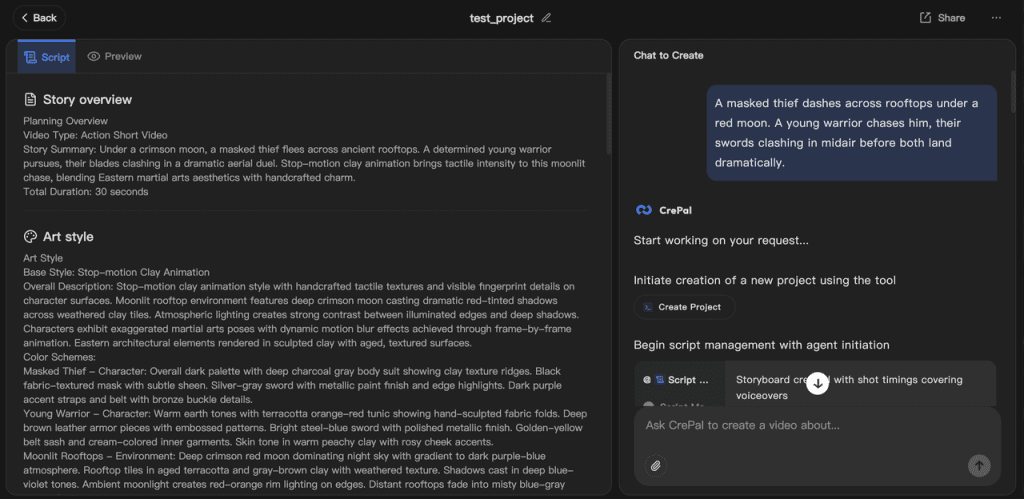
And once I got serious about writing briefs, I realized something else — I didn’t just need better prompts. I needed a smoother way to turn those briefs into structured video drafts without starting from scratch every time. So we built Crepal.
It helps me move from a clear brief to a workable video structure faster — especially when I’m juggling multiple projects and don’t want to rewrite the same ideas over and over.
Try Crepal here for free!
Trust me, your future self will thank you.
Previous posts: