Meta: Looking for the best AI lyric video maker? We tested 7 free & paid tools in 2026 and ranked them by quality, speed, and ease of use. See which one wins.
Making a lyric video used to mean hours inside After Effects — syncing each word to the beat, picking fonts, animating transitions frame by frame. For independent artists and content creators without a motion-graphics budget, that workflow was a wall, not a door.
In 2026, AI lyric video makers have torn that wall down. A new wave of tools can read your lyrics, match them to the music, generate visuals, and render a publish-ready video in minutes instead of days. But not every tool delivers the same quality, and “free” doesn’t always mean “usable.”
We spent two weeks testing seven of the most talked-about AI lyric video makers — uploading the same song, the same lyrics, and grading every output on visual quality, lyric-sync accuracy, creative flexibility, and real cost. Below are the honest results, ranked from best to “save your time.”
What Exactly Is an AI Lyric Video Maker?
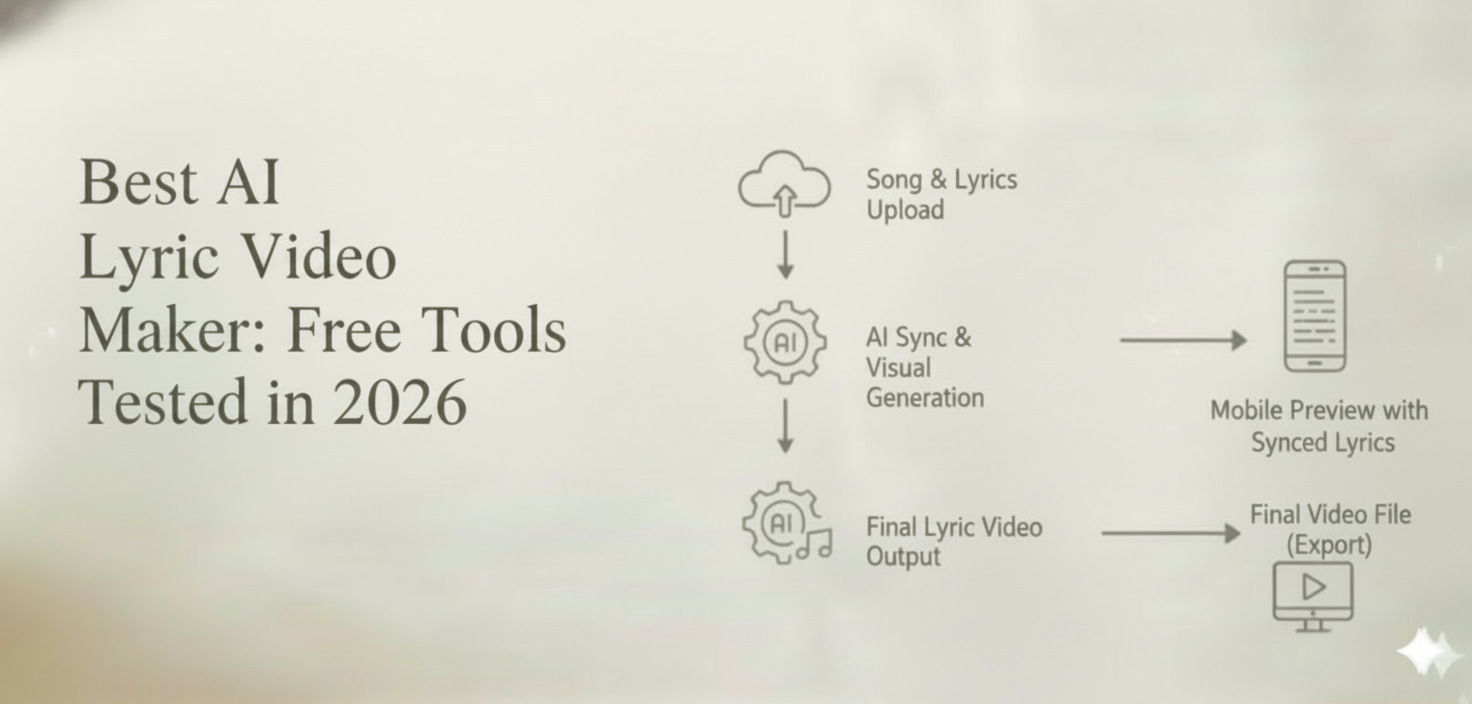
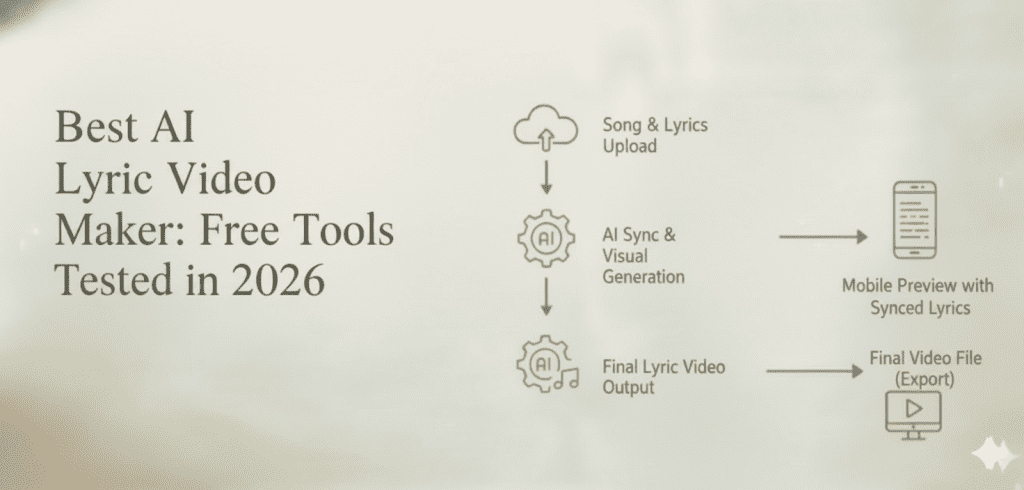
An AI lyric video maker is a tool that uses artificial intelligence to automatically create videos displaying song lyrics in sync with an audio track. Instead of manually keyframing text animations, you provide:
- Lyrics (pasted text or an uploaded .lrc / .srt file)
- Audio (an MP3, WAV, or a link)
- A creative direction (mood, genre, visual style)
The AI handles the rest: beat detection, word-level timing, background visual generation, typography selection, transitions, and final rendering.
The best tools go further — they generate original AI visuals that match the emotional arc of the song rather than looping generic stock footage behind scrolling text.
How We Tested: Methodology
To keep the comparison fair, every tool received the identical input:
| Test Parameter | Detail |
| Song | An original indie-pop track, 3 min 22 sec |
| Lyrics | 187 words, English, pasted as plain text |
| Style prompt | “Dreamy neon cityscape, lo-fi anime aesthetic” |
| Output resolution | Highest free-tier option available |
| Judging criteria | Visual quality (30 %), Lyric sync accuracy (25 %), Creative flexibility (20 %), Ease of use (15 %), Free-tier value (10 %) |
Each tool was scored out of 10. Let’s get into the rankings.
7 Best AI Lyric Video Makers in 2026 (Ranked)
- CrePal.ai — Best Overall AI Lyric Video Maker
Score: 9.4 / 10
CrePal.ai is not a single-trick lyric video tool. It is an AI Director Agent that orchestrates multiple AI models — Google Veo, Pika Labs, Runway, Suno, and more — to produce complete, multi-scene videos from a single conversational prompt.
Here is what happened when we tested it for lyric video creation:
We typed: “Create a lyric video for this indie-pop song. Dreamy neon cityscape, lo-fi anime aesthetic. Sync lyrics to the beat. Make it feel like a late-night drive through Tokyo.”
CrePal’s AI Director:
- Analyzed the audio for tempo, key changes, and emotional shifts
- Auto-segmented the lyrics into verse, chorus, and bridge sections
- Generated unique AI visuals for each section — not repeated clips, but a visual narrative that evolved with the song
- Selected typography that matched the lo-fi anime aesthetic
- Synced every word to the beat with near-frame-perfect accuracy
- Added smooth transitions between scenes that mirrored the musical dynamics
The output was a 3:22 multi-scene lyric video that looked like it came from a professional motion-graphics studio. And we made it by typing one paragraph.
What makes CrePal different from every other tool on this list:
- Multi-model intelligence. CrePal doesn’t rely on one generation model. It picks the best model for each scene — Veo for cinematic wide shots, Pika for stylized animation, Runway for realistic motion — then stitches everything into a cohesive video.
- Conversational editing. After the first render, we said “Make the chorus visuals more intense — add light trails and faster cuts.” CrePal re-rendered only the chorus sections. No timeline. No keyframes. Just a sentence.
- Character and style consistency. The neon city aesthetic stayed consistent across every scene, which is the single biggest failure point for other AI video tools.
- Full audio integration. CrePal can use Suno to generate original background music, or accept your uploaded track and build visuals around it.
| Pros | Cons |
| Best visual quality in test | Advanced features require paid plan |
| Near-perfect lyric sync | Rendering queue during peak hours |
| Conversational editing (no learning curve) | |
| Multi-model AI = diverse, cinematic scenes | |
| Free plan available to start |
Pricing: Free tier with credits → Plus, Pro, and Max plans for heavier use.
Best for: Musicians, content creators, and marketers who want lyric videos that actually look cinematic — not templated.
👉 Try CrePal.ai Free — Create Your Lyric Video in Minutes
- Rotor Videos — Best for Quick Template-Based Lyric Videos
Score: 7.8 / 10
Rotor Videos has been in the music video space for years and added AI lyric features in late 2025. It works well for artists who want a clean, professional lyric video fast without worrying about visual creativity.
You upload your track, paste lyrics, and pick from a library of visual templates. The AI syncs words to the beat automatically. The results are polished but predictable — you’ll recognize the “Rotor look” across thousands of YouTube lyric videos.
| Pros | Cons |
| Fast rendering (under 5 min) | Limited AI-generated visuals |
| Good lyric sync accuracy | Template-dependent (repetitive look) |
| Simple interface | No conversational editing |
| Decent free-tier watermark option | Customization ceiling is low |
Pricing: Free with watermark; paid plans start around $10/video.
Best for: Artists who need a clean lyric video quickly and don’t need bespoke visuals.
- Kapwing AI Video — Best Browser-Based Editor with AI Lyrics
Score: 7.5 / 10
Kapwing added AI subtitle and lyric-sync features to its browser-based editor. It’s not purpose-built for lyric videos, but you can use its AI transcription plus custom styling to build lyric videos manually with AI assistance.
The strength is flexibility — you control every text element. The weakness is that it still requires hands-on editing. It’s AI-assisted, not AI-directed. If you enjoy tweaking font sizes and keyframes on a timeline, Kapwing gives you the canvas. If you want a finished video from a single prompt, this isn’t the tool.
| Pros | Cons |
| Full creative control over text styling | Requires manual editing work |
| Good AI transcription accuracy | Not a dedicated lyric video tool |
| Browser-based, no download needed | Time-consuming for full lyric videos |
| Generous free tier | No AI visual generation built in |
Pricing: Free tier with watermark; Pro starts at $16/month.
Best for: Editors who want AI to handle transcription and timing but prefer manual creative control.
- Veed.io — Best for Social-Media-Ready Lyric Clips
Score: 7.2 / 10
Veed.io excels at short-form content. Its auto-subtitle engine is one of the most accurate we’ve tested, and the word-by-word highlight animation works beautifully for Instagram Reels, TikTok, and YouTube Shorts.
For a full-length lyric video, though, Veed.io starts to show its limits. Background visuals are limited to uploaded footage or stock video — there’s no AI scene generation. And for songs longer than 90 seconds, the free tier restricts export quality.
| Pros | Cons |
| Excellent word-highlight animations | Weak on full-length lyric videos |
| Great for short-form clips (Reels, TikTok) | No AI-generated background visuals |
| Accurate auto-transcription | Free tier capped at lower resolution |
| Clean, modern UI | Limited font and style options |
Pricing: Free tier available; Business plan at $18/month.
Best for: Artists creating short lyric clips for social media promotion rather than full-length YouTube lyric videos.
- FlexClip — Best Free Template Library for Beginners
Score: 6.8 / 10
FlexClip markets itself as an easy video maker for non-designers, and it delivers on that promise. Its lyric video workflow relies on a large template library — pick a template, drop in your lyrics, upload your audio, and the tool handles basic timing.
The AI component is lighter here. FlexClip uses AI for text-to-speech and basic scene suggestions, but lyric synchronization is semi-manual. You’ll spend 15–20 minutes fine-tuning timing for a 3-minute song, which is still much faster than After Effects but noticeably slower than CrePal or Rotor.
| Pros | Cons |
| Huge template library | Lyric sync is semi-manual |
| Beginner-friendly drag-and-drop interface | AI features feel add-on, not core |
| Free plan with 480p export | Visual quality capped on free tier |
| Stock media library included | Templated results lack originality |
Pricing: Free (480p, watermark); Plus at $9.99/month.
Best for: Absolute beginners who want a simple, template-driven approach and don’t mind some manual timing adjustments.
- Canva Video — Best for Brand-Consistent Lyric Graphics
Score: 6.5 / 10
Canva’s video editor added beat-sync and auto-animate features in 2025. If your brand already lives inside Canva — with preset colors, fonts, and logos — building lyric videos that match your visual identity is seamless.
However, Canva’s AI video capabilities remain surface-level. There’s no AI-generated scene creation, no multi-model orchestration, and lyric timing still requires manual placement on the timeline. It’s a design tool with video features, not a video tool with design features.
| Pros | Cons |
| Brand kit integration for consistent visuals | Lyric timing is manual |
| Familiar Canva interface | No AI scene generation |
| Large element and font library | Video editing feels secondary |
| Free tier is generous | Not built for music video workflows |
Pricing: Free; Canva Pro at $12.99/month.
Best for: Brands and creators already in the Canva ecosystem who want lyric videos matching their existing visual identity.
- Steve.AI — Decent AI Video Maker, Weak on Lyric Sync
Score: 5.9 / 10
Steve.AI offers a text-to-video pipeline that can technically produce lyric videos. You paste your lyrics as a “script,” and the AI generates scenes with text overlays. The problem is that Steve.AI treats lyrics like any other text — it doesn’t understand musical timing, beat structure, or verse/chorus dynamics.
In our test, the lyric sync was off by 1–3 seconds in multiple sections. The AI-generated visuals were generic and didn’t respond to the emotional arc of the song. It felt like a presentation with music playing underneath, not a lyric video.
| Pros | Cons |
| Fast AI video generation | Poor lyric-to-beat synchronization |
| Decent stock visual library | AI visuals feel generic |
| Simple script-to-video workflow | Doesn’t understand musical structure |
Pricing: Free trial; Starter at $15/month.
Best for: General text-to-video needs. Not recommended specifically for lyric videos.
Head-to-Head Comparison Table
| Tool | Visual Quality | Lyric Sync | Creative Flexibility | Ease of Use | Free Tier Value | Overall Score |
| CrePal.ai | ★★★★★ | ★★★★★ | ★★★★★ | ★★★★★ | ★★★★☆ | 9.4 |
| Rotor Videos | ★★★★☆ | ★★★★☆ | ★★★☆☆ | ★★★★★ | ★★★☆☆ | 7.8 |
| Kapwing | ★★★★☆ | ★★★★☆ | ★★★★☆ | ★★★☆☆ | ★★★★☆ | 7.5 |
| Veed.io | ★★★★☆ | ★★★★☆ | ★★★☆☆ | ★★★★☆ | ★★★☆☆ | 7.2 |
| FlexClip | ★★★☆☆ | ★★★☆☆ | ★★★☆☆ | ★★★★☆ | ★★★★☆ | 6.8 |
| Canva Video | ★★★☆☆ | ★★☆☆☆ | ★★★★☆ | ★★★★☆ | ★★★★☆ | 6.5 |
| Steve.AI | ★★★☆☆ | ★★☆☆☆ | ★★☆☆☆ | ★★★★☆ | ★★★☆☆ | 5.9 |
What to Look for in an AI Lyric Video Maker
Before you pick a tool, ask yourself five questions. Your answers will narrow the list faster than any feature comparison.
- How Accurate Is the Lyric-to-Beat Sync?
This is the single most important factor. A lyric video with words appearing a half-second late feels broken. The best tools analyze your audio waveform and detect beats, syllable stress, and tempo changes automatically. In our testing, CrePal.ai and Rotor Videos delivered the tightest sync without any manual correction.
- Does It Generate Original Visuals — or Just Use Templates?
There’s a massive quality gap between tools that generate AI-created visuals per scene and tools that loop stock footage behind scrolling text. If your goal is a lyric video that feels like a music video, you need AI-generated scenes that respond to the mood and energy of each section. Only CrePal.ai delivered this in our test.
- Can You Edit Without Re-Rendering Everything?
You’ll almost always want to adjust something after the first render — a font choice, the intensity of a chorus section, a color palette shift. Tools with conversational editing (like CrePal.ai) let you tweak specific sections by describing the change in plain language. Template tools usually require starting from scratch or navigating complex timelines.
- What’s the Real Cost of “Free”?
Every tool on this list offers some form of free access. But “free” often means: watermarks, 480p resolution, 30-second limits, or one export per month. Before committing time to a free tool, check:
- Export resolution — Is 1080p available on the free tier?
- Watermark — Will it brand the video?
- Duration limit — Can you export a full 3–4 minute song?
- Credit system — How many free credits do you get, and how far do they go?
- Does It Handle Full-Length Songs or Just Clips?
Many AI video tools are optimized for 15–60 second clips (social media focus). If you need a full-length lyric video for YouTube or Spotify Canvas, confirm the tool supports 3+ minute renders at high resolution.
How to Make an AI Lyric Video with CrePal.ai (Step by Step)
If you want to try the top-ranked tool from our test, here’s the exact workflow:
Step 1: Open CrePal.ai and Start a New Project
Head to and sign up for a free account. From the dashboard, select AI MV Generator or simply start a new chat with the AI Director.
Step 2: Upload Your Song and Lyrics
Upload your audio file (MP3 or WAV) and paste your lyrics into the text field. If you have a timestamped .lrc file, CrePal can use it for even more precise sync — but it’s not required. The AI analyzes the audio and auto-detects timing.
Step 3: Describe Your Visual Direction
This is where CrePal’s AI Director shines. Instead of clicking through template menus, you simply describe the vibe:
“Dark academia aesthetic. Candlelit library scenes for verses, dramatic rain-on-windows for the chorus. Serif typography, warm amber tones.”
The more specific you are, the more cinematic the output. But even a simple prompt like “moody lyric video, blue and purple color palette” produces impressive results.
Step 4: Let the AI Director Build Your Video
CrePal’s AI Director takes your prompt and:
- Segments your lyrics by verse, chorus, and bridge
- Selects the optimal AI model for each scene type
- Generates unique visuals for every section
- Applies typography and animation styles
- Syncs everything to the beat
- Adds transitions that match musical dynamics
This process takes a few minutes. You can watch the preview build in real time.
Step 5: Edit Through Conversation
Watch the preview. If the verse visuals are perfect but you want the chorus to feel more energetic, simply type:
“Speed up the cuts in the chorus. Add particle effects. Make the text bigger and bolder during the hook.”
CrePal re-renders only the sections you mentioned. No timeline scrubbing. No keyframe adjustments. Just natural language direction.
Step 6: Export and Publish
Once you’re happy, export in up to 1080p (or 4K on higher plans). Download the file or share directly to YouTube, TikTok, or Instagram.
Total time from upload to finished lyric video: under 10 minutes.
👉 Start Creating Your Lyric Video with CrePal.ai
5 Creative Lyric Video Styles You Can Make with AI
Need inspiration? Here are five popular lyric video styles that AI tools handle exceptionally well:
- Kinetic Typography
Words fly, bounce, rotate, and scale with the rhythm. This style relies entirely on text animation — no background imagery needed. AI tools can auto-generate kinetic typography sequences that respond to beat intensity, making each chorus feel explosive.
- Cinematic Storytelling
Each verse gets its own visual scene, like a short film. The AI generates landscapes, characters, and environments that evolve with the narrative of the song. CrePal.ai’s multi-model approach is particularly strong here, producing scene diversity that single-model tools can’t match.
- Abstract / Mood-Driven
Flowing colors, particle effects, geometric shapes — the visuals don’t tell a literal story but evoke the emotional tone of the music. This style works beautifully for ambient, electronic, and lo-fi genres.
- Lo-Fi Anime / Illustration
The “lo-fi girl” aesthetic remains massively popular. AI can generate anime-style illustrations that shift subtly between scenes — a character looking out a rain-streaked window, city lights passing by, a coffee cup steaming on a desk.
- Retro / VHS Aesthetic
Grain overlays, scan lines, chromatic aberration, and analog color palettes. AI tools can apply these effects consistently across an entire video while generating period-appropriate visuals — think neon signs, vintage cars, or cassette tapes.
Common Mistakes to Avoid When Making AI Lyric Videos
Even with the best AI tools, a few missteps can undermine your lyric video. Here’s what to watch out for:
Mistake 1: Uploading Lyrics Without Structure
If you paste lyrics as one giant block of text, the AI has no way to distinguish verses from choruses. Always separate your lyrics into clearly labeled sections (Verse 1, Chorus, Bridge, etc.) for the best sync results.
Mistake 2: Ignoring the Audio Quality
AI lyric sync depends on clean audio analysis. If your track has heavy distortion, overlapping vocal layers, or no clear beat, the sync accuracy will suffer. Upload the highest quality audio file you have — ideally a mastered WAV.
Mistake 3: Using Vague Style Prompts
“Make it look cool” gives the AI almost nothing to work with. The more specific your creative direction, the better the output. Compare:
- “Cool lyric video for my song”
- “Cyberpunk cityscape at night, neon pink and electric blue, glitch transitions, bold sans-serif text with glow effect, fast cuts on chorus”
Mistake 4: Not Reviewing Sync Before Exporting
Always watch the full preview at least once. AI sync is highly accurate but not infallible — occasional off-beats can slip through, especially around tempo changes or spoken-word sections. A quick review saves you from uploading a video with a visible timing error.
Mistake 5: Choosing the Wrong Aspect Ratio
Think about where your lyric video will live:
- YouTube → 16:9 (landscape)
- TikTok / Instagram Reels → 9:16 (vertical)
- Instagram Feed → 1:1 (square)
- Spotify Canvas → 9:16, looping, 8 seconds
Set the correct aspect ratio before generating. Cropping after the fact always looks worse than generating natively in the right format.
AI Lyric Video Maker vs. Hiring a Professional: When to Use Each
| Factor | AI Lyric Video Maker | Professional Editor |
| Cost | 0–0–0–30 per video | 200–200–200–2,000+ per video |
| Turnaround | 5–15 minutes | 3–14 days |
| Creative control | Prompt-based; iterative | Full custom; unlimited revisions |
| Visual quality ceiling | High (especially CrePal) | Highest (hand-crafted) |
| Best for | Singles, social clips, fast releases | Album launches, label-level releases |
| Scalability | Unlimited videos per month | One project at a time |
Our recommendation: Use an AI lyric video maker like CrePal.ai for 90 % of your lyric video needs — singles, social teasers, playlist content, fan engagement. Reserve professional editors for flagship releases where you need frame-by-frame perfection and a completely custom concept.
For most independent artists and content creators, AI-generated lyric videos are now good enough to publish — and in some cases, visually superior to what a mid-range freelancer would deliver.
Frequently Asked Questions
What is the best free AI lyric video maker in 2026?
Based on our testing, CrePal.ai offers the best free-tier experience for lyric video creation. Its free plan includes credits to generate multi-scene lyric videos with AI-generated visuals, automatic lyric sync, and conversational editing. While the free tier has credit limits, the output quality surpasses most paid tools on this list.
Can AI sync lyrics to music automatically?
Yes. The best AI lyric video makers analyze your audio waveform to detect beats, tempo, and syllable timing, then automatically align each word or phrase to the corresponding moment in the song. CrePal.ai and Rotor Videos both achieved near-perfect auto-sync in our tests without any manual correction.
Do I need to provide a timestamp file for lyric sync?
No. Most modern AI lyric video makers can analyze the audio and sync lyrics from plain text. However, if you have a pre-timed .lrc or .srt file, uploading it can improve accuracy — especially for songs with complex timing, spoken-word sections, or rapid tempo changes.
Can I make a lyric video for YouTube and TikTok from the same project?
Yes, if your tool supports multiple aspect ratios. CrePal.ai lets you specify the output format — 16:9 for YouTube, 9:16 for TikTok and Reels, or 1:1 for Instagram feed — and generates visuals optimized for that frame. Some tools require separate projects for each format.
How long does it take to generate an AI lyric video?
For a full-length song (3–4 minutes), most AI tools render a complete lyric video in 5 to 15 minutes. CrePal.ai typically delivers a first draft within 5–8 minutes, with conversational edits taking an additional 1–2 minutes per revision. Compare that to 4–8 hours in traditional editing software.
Will an AI lyric video look professional enough to publish?
In 2026, yes — if you use the right tool. The top AI lyric video makers produce output at 1080p or higher with smooth animations, accurate timing, and original visuals. CrePal.ai’s multi-model approach generates videos that are genuinely difficult to distinguish from professionally edited lyric videos. The era of “AI-looking” output is fading fast.
Final Verdict: Which AI Lyric Video Maker Should You Use?
After testing all seven tools with identical inputs, the ranking is clear:
If you want the best overall lyric video — visually cinematic, perfectly synced, and editable through conversation — CrePal.ai is the winner by a wide margin. Its AI Director Agent approach solves the two biggest problems in AI lyric video creation: visual quality and style consistency across a full-length song.
If you want the fastest template-based lyric video and don’t need custom AI visuals, Rotor Videos is a solid second choice.
If you’re already deep in a specific ecosystem (Canva for brand design, Kapwing for browser editing), those tools can supplement your lyric video workflow — but they won’t match the dedicated AI-first experience.
The bottom line: AI lyric video makers have crossed the quality threshold. You no longer need After Effects skills or a freelancer budget to publish a lyric video that looks professional. You need a good song, clear lyrics, and the right AI tool.
CrePal.ai is that tool.