Hey everyone, Dora here. I was animating a dark fantasy portrait at midnight — moody lighting, a hooded figure with glowing eyes — when the prompt just died. No output, no explanation. Just a vague “this content may not comply with our guidelines” message and a credit deducted anyway.
That sent me into a proper research spiral. Not just “which tool looks good on a product page” testing — I wanted real benchmark numbers, actual free-tier limits, and an honest answer to what “uncensored” even means in 2026. Spoiler: it means less than the marketing suggests, and the gap between claim and reality has gotten wider this year.
Here’s what I actually found.
The Reality of Free + Uncensored Image-to-Video AI
Why This Combination Is Hard to Find
“Free” and “uncensored” don’t really go together. Cloud platforms rely on subscriptions or credits, and they use moderation to reduce legal risk. More creative freedom usually means higher cost and more risk—so a “no limits” claim isn’t truly accurate.
Industry data shows the same pattern. Top models in 2026, like Kling 3.0, Seedance 2.0, and Runway Gen-4.5, are all heavily moderated cloud tools. Platforms calling themselves “uncensored” usually aren’t top-tier.
In practice, “uncensored” on cloud platforms just means fewer restrictions and fewer false positives—but moderation still exists.
The closest thing to truly unrestricted use is running open-source models locally, without a platform layer.
One constant: illegal or harmful content (like involving minors or non-consensual imagery) is prohibited everywhere. “Uncensored” never means bypassing those rules.
Where Free + Uncensored Actually Exists
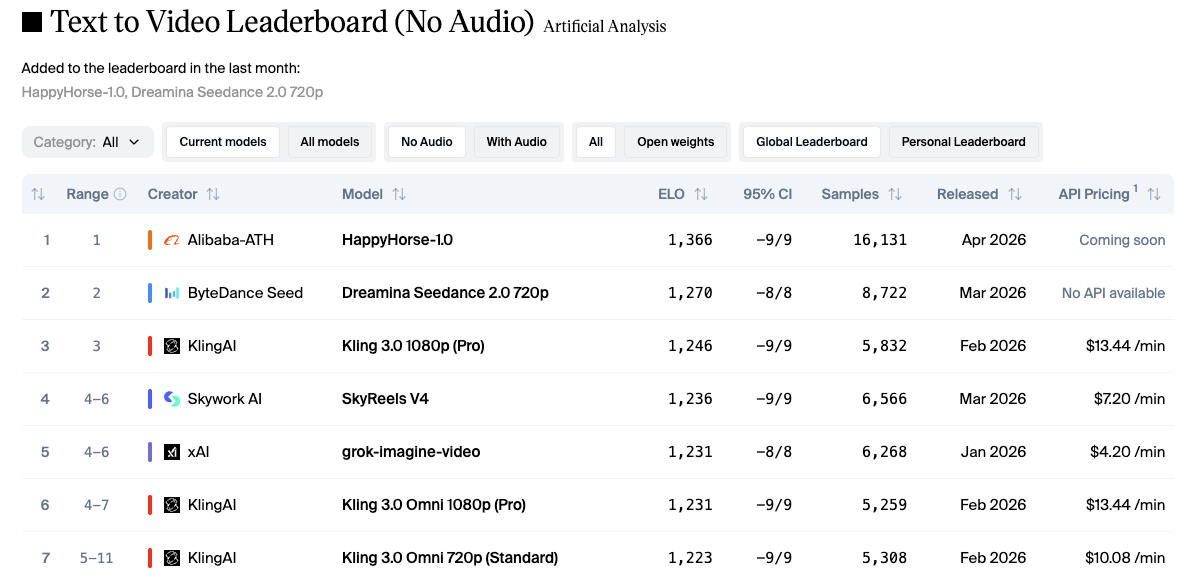
Before getting into free tiers specifically, it helps to know the quality landscape. The Artificial Analysis leaderboard as of April 2026 shows:
- HappyHorse-1.0 (Alibaba) — Elo 1,364 T2V / 1,398 I2V, currently #1 in both categories. Still in beta with no public weights released yet.
- Kling 3.0 Pro — Elo ~1,246 T2V, one of the strongest freely accessible commercial tools.
- LTX-2 Pro — Elo ~1,128, the best-performing open-weights model currently available for local generation.
The ELO system works like chess ratings — a 20–30 point gap means about a 53% win rate in head-to-head comparisons. This matters because most “uncensored” platforms don’t publish ELO scores at all — which already says a lot.
Best Free Uncensored Options
Tool 1 — Kling AI (66 Free Daily Credits)
Kling AI, built by Kuaishou, is currently the strongest image-to-video option with a real free tier. The free plan gives you 66 daily credits that reset every 24 hours without rolling over. Credit cost per generation: a 5-second Standard-mode video runs around 10 credits; Professional mode costs roughly 35 credits per 5-second clip. In practice, that’s 1–2 usable videos per day on free — not huge, but genuinely renewable.
Content policy reality: Stylized content, dark themes, mature-adjacent creative work — broadly fine. Where it gets complicated is political content. As a Chinese-regulated platform, Kling applies moderation to politically sensitive topics, and the definition of “political” is broader than you’d expect. I had a mild satire prompt fail that I genuinely thought was harmless. Worth knowing before committing a workflow to it.
Free tier details:
- Watermark on all free output (removal requires paid plan from $6.99/month)
- Output capped at 720p on free tier
- Max duration: ~5 seconds Standard mode
- Failed generations can still consume credits — users report 30–40% failure rates during peak hours
Quality-wise, for human subjects and realistic motion, Kling’s Elo score (~1,246) speaks for itself. It’s not at the top of the leaderboard anymore, but it’s consistently strong and among the most accessible tools doing serious work.
Tool 2 — WaveSpeedAI (Pay-Per-Use Trial Credits)
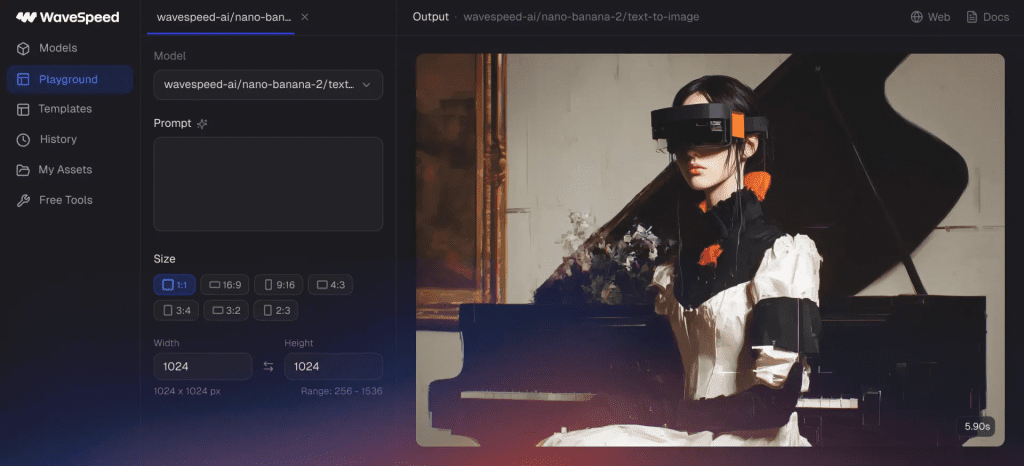
WaveSpeedAI offers trial credits so you can test real generations without a subscription. Its pay-per-use model is great for evaluation. You can see if it works with your images first.
It supports many models, is developer-friendly for batch or automation, and is more flexible with stylized or artistic content than most mainstream tools.
Free tier details:
- Small trial credits
- Watermark varies by tier and output settings
- ~5–8 second max duration depending on model
- Policy can drift — test with your specific images, not someone else’s demo prompts
Tool 3 — Higgsfield AI (Limited Free Trial)
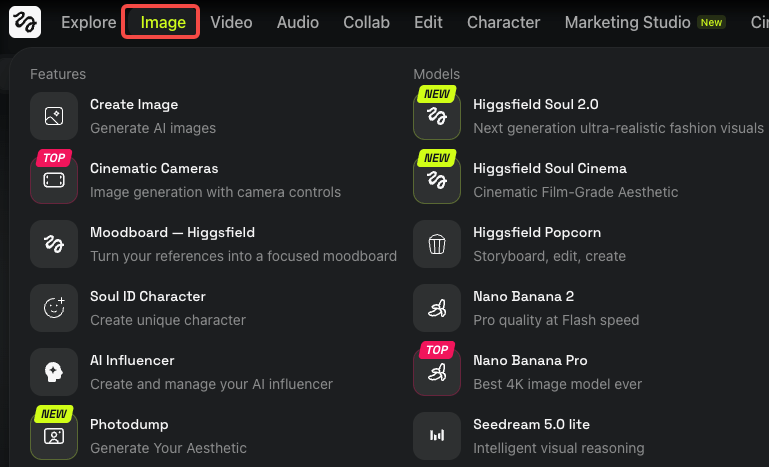
Higgsfield offers a small free trial to test before paying. Its cinematic motion—especially subtle facial animation and soft lighting—is excellent and feels more natural than typical AI video.
The downside is inconsistent moderation. It used to be more permissive, but now some content gets blocked unexpectedly. I also hit generation limits despite having credits left, which makes the experience less reliable.
Free tier details:
- Small trial credits, no card required to start
- Watermark present on free output
- ~5–10 seconds max duration
- Moderation tightening confirmed by community reports
If cinematic face animation is your specific need and you’re willing to check current policy before building anything around it — worth testing. But don’t treat it as a reliable long-term uncensored option without verifying where the lines currently are.
Free Tier Comparison Table
| Tool | Free Credits | Watermark | Max Duration | ELO (context) |
| Kling AI | 66 daily, no rollover | Yes | ~5 sec | ~1,246 (Artificial Analysis) |
| Higgsfield | Small trial | Yes | ~5–10 sec | Not publicly listed |
| WaveSpeedAI | Small trial credits | Varies | ~5–8 sec | Not publicly listed |
| ComfyUI + Wan 2.2 (local) | None — hardware cost only | None | VRAM/render-limited | LTX-2 Pro ~1,128 (open-source comparison) |
Open-Source: The True Free + Uncensored Path
What You Need to Run Locally (VRAM, Setup Time)
If you keep hitting cloud moderation walls, local generation via ComfyUI with an open model is the honest answer. No policy layer, no prompt logging, no account risk. The Wan 2.2 GitHub repository documents the model fully — it’s released under Apache 2.0, meaning free commercial use as long as you retain the license text.
Here are the verified hardware numbers:
- Wan 2.2 5B model: Fits on 8 GB VRAM with ComfyUI native offloading (confirmed by official ComfyUI documentation). Generates a 5-second 720p video in under 9 minutes on a consumer GPU without specific optimization.
- Wan 2.2 14B model: Requires approximately 20 GB VRAM; around 1 hour 20 minutes per clip on an RTX 4090.
- GGUF quantized versions: Runnable on systems under 12 GB VRAM. Quality takes a minor hit but results are usable for iteration.
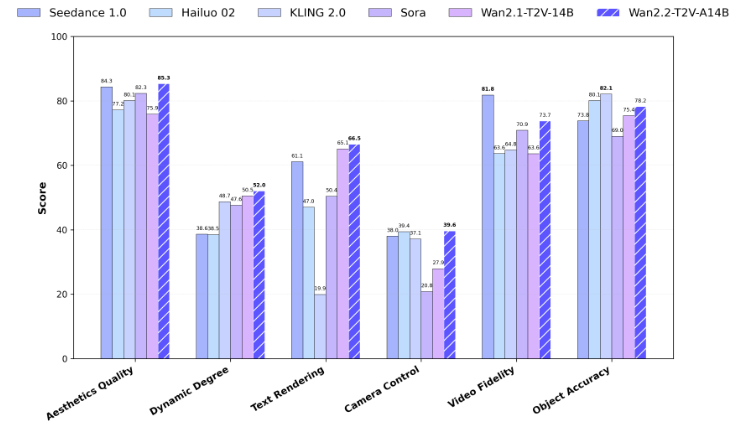
For open-source context: LTX-2 Pro leads open-weight models at around Elo 1,128 — still below Kling 3.0 (~1,246), but improving quickly. Wan 2.2 is also strong for image-to-video, especially in motion smoothness.
Setup takes effort. Installing ComfyUI, downloading large model files, setting up nodes, and fixing VRAM issues can take a few hours if you’re new. After that, it runs reliably.
What locals give you that cloud doesn’t:
- No watermarks by default
- Duration limited only by your VRAM and render time
- No policy drift — what works today works next month
- Commercial use under Apache 2.0 (verify per model; some have territorial restrictions)
When to Upgrade to a Paid Plan
Upgrade only after the free tier proves it works for your actual images — not before.
Platforms design free credits to run out once you’re invested. So test your own content, not demo prompts. See how it handles moderation and real use cases, then decide — not based on credit numbers.
Paid cloud makes sense when: You’re shipping video weekly, your time is worth more than the subscription cost, and you want faster queues, watermark-free output, and higher resolution without managing hardware.
Local makes sense when: You’re hitting cloud walls repeatedly, you have a mid-range or better GPU (RTX 3060 12GB minimum for comfortable work), and you’re willing to invest the setup time for unlimited generations afterward.
One hard limit across both routes: failed generations on cloud platforms still consume credits. Reports of 30–40% failure rates during peak hours on Kling’s free tier are consistent with what I’ve seen. Factor that into any real budget estimate.
Bottom Line
The free + uncensored combination exists — it just doesn’t look like a polished SaaS product. The cloud tools with real free tiers (Kling’s 66 daily credits being the most substantive) offer genuine range for stylized and dark creative work, with specific carve-outs around political content and anything that crosses into legally restricted territory. Higgsfield and WaveSpeedAI are worth testing for specific use cases, but verify current policy with your own prompts before building workflows around them.
For genuine prompt freedom with no policy layer: ComfyUI + Wan 2.2 is the actual answer. The setup cost is real. The hardware cost is real. And once it’s running, it’s the most stable long-term option for creators who keep running into cloud walls.
Test before you commit. The tools are good enough now that the main variable is fit — not which model name sounds best on paper.
FAQ
Q: Is running AI video models locally better than using cloud tools? It depends on your priorities. Local models offer full control, no moderation layers, and no ongoing cost — but require strong hardware (GPU with 8–24GB VRAM) and setup time. Cloud tools are faster and easier but come with restrictions and usage limits.
Q: Are there truly free AI image-to-video generators? Yes, but with limits. Most tools offer free credits, short video durations (around 5–10 seconds), lower resolution (often 720p), and watermarked outputs. Completely unlimited free generation typically only exists with local open-source setups.
Q: Why do AI video tools block prompts unexpectedly? Prompt blocking is usually caused by automated moderation systems flagging keywords, themes, or visual intent. These systems can be overly sensitive, especially with dark, political, or ambiguous content — leading to false positives.
Previous Posts: