Hi everyone, Dora here. I got blocked three times in a single afternoon. Same concept, three different tools, three different rejection messages. One was vague. One just silently generated something completely unrelated — and honestly, that one was the most annoying. At least tell me you’re saying no.
That sent me down a rabbit hole of testing every image-to-video tool I could find, specifically through the lens of creative freedom. What can you actually animate without running into a wall? Where are the real limits? And — this is the part nobody talks about clearly — what does “unrestricted” even mean in 2026?
This guide maps out the full spectrum, from fully open local models to cloud tools with relaxed policies to the big mainstream platforms. No hype, no “best AI video generator for creators!” cheerleading. Just what I found after spending two weeks on this.
The Unrestricted Image-to-Video Spectrum
Here’s the framing that helped me think about this clearly: “unrestricted” isn’t a binary. It’s a spectrum with three distinct bands, and where you land changes everything about how you work.
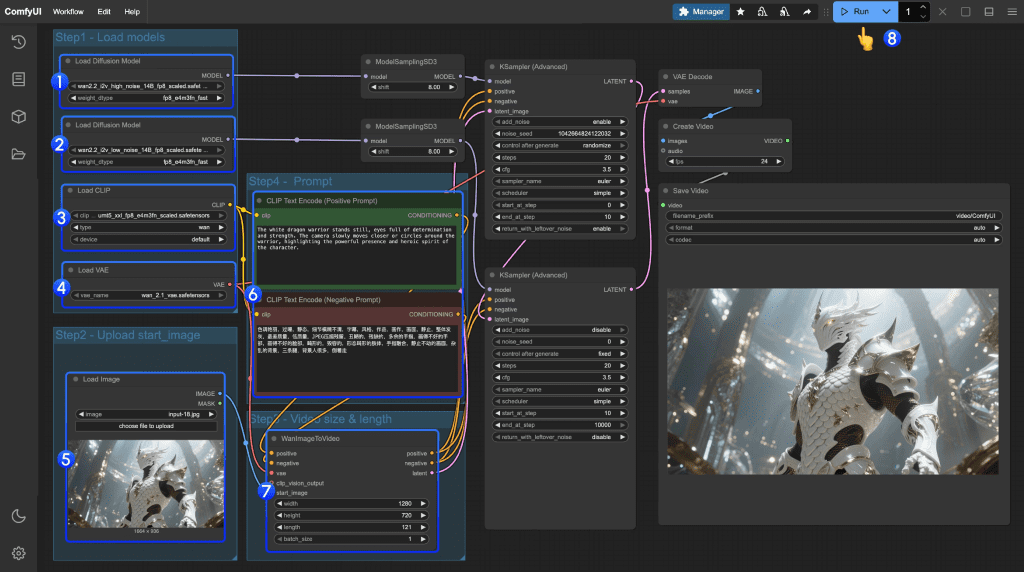
Fully Unrestricted: Local Open-Source
These models run on your hardware. No cloud server, no moderation layer, no terms of service filtering your output in real time. If your GPU can handle it, you can generate it.
The obvious trade-off? Setup friction and hardware cost. These aren’t point-and-click tools. You’re cloning repos, installing dependencies, managing VRAM budgets. For a lot of creators, that’s a dealbreaker. For others — especially if you’re building a pipeline or have specific content requirements — this is the only honest answer.
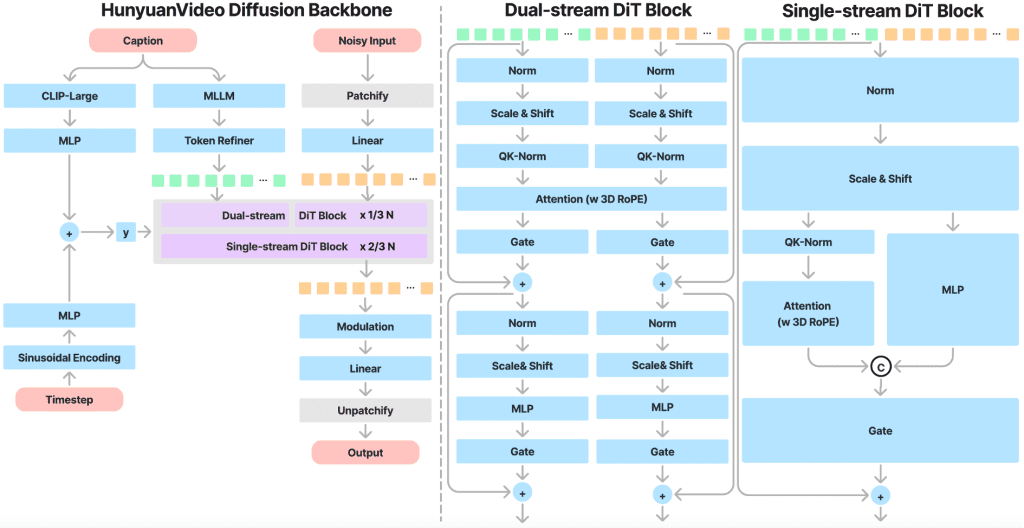
The reason this tier has exploded in 2026 is largely because of how good the models have gotten. Open-source video models like Wan 2.2 and HunyuanVideo now produce cinematic output that was unthinkable from local inference 18 months ago. We’re not talking about blurry, flickery prototypes anymore.
Partially Unrestricted: Cloud Tools with Relaxed Policy
This is the messiest category to evaluate because “relaxed” is doing a lot of heavy lifting. Some platforms genuinely have lighter filtering — they allow stylized violence, suggestive-but-not-explicit content, edgier creative territory. Others claim flexibility but still reject anything that feels risky. And the policies change. Something that worked in January might get flagged by March.
What I’ve found is that relaxation usually applies to artistic and mature-adjacent content, not to political content or anything that might trigger regulatory issues in specific markets. That’s an important distinction.
Restricted: Mainstream Commercial Tools
Runway, Pika, Sora (shut down by OpenAI on March 24, 2026), and others in this tier are designed for the broadest possible audience. That means conservative filters are applied consistently. Violence, explicit content, political sensitivity — all heavily moderated.
This isn’t a critique. These tools prioritize reliability and safety for a reason. If you’re making marketing content or educational videos, restrictions are a feature, not a bug. But if you’re trying to animate something that sits outside conventional content norms, you’re going to fight these systems constantly.
Best Unrestricted Options by Category
Local: Top Open-Source I2V Models Worth Running
Wan 2.2 (I2V)
This is the one I keep coming back to. Alibaba’s Wan 2.2 uses a Mixture-of-Experts architecture — basically separate expert networks for rough layout versus fine detail — which lets it scale quality without proportional compute cost. For image-to-video specifically, the motion is genuinely smooth. Not “smooth for open source.” Just smooth.
You need at least 24GB VRAM to run it well. I’ve seen people make 12GB work with quantization, but the quality dip is noticeable on anything with complex motion. The upside: zero filtering. Animate what you want.
HunyuanVideo-I2V
Tencent’s image-to-video model is the HunyuanVideo-I2V repo on GitHub, released earlier this year. The base HunyuanVideo model had 13 billion parameters; the 1.5 version trimmed that to 8.3B while maintaining comparable quality, making it actually runnable on consumer hardware with offloading.
What I like about HunyuanVideo-I2V specifically: it’s unusually good at holding identity across frames. The first-frame consistency got a fix in a March 2025 patch and it genuinely improved things. If your use case is animating a character or face from a reference image, this one is worth the setup time.
The catch: you probably need ComfyUI if you want a sane workflow. Raw inference via command line works, but it’s tedious for iteration.
LTX-Video
If Wan 2.2 is the cinematic option and HunyuanVideo is the identity-consistent option, LTX-Video by Lightricks is the fast option. It runs on GPUs down to 12GB VRAM and has solid ComfyUI integration. According to benchmarks from Hyperstack, LTX-Video is the go-to when you’re iterating quickly and don’t need maximum quality — think: roughing out timing, checking if an animation concept works before committing to a longer render.
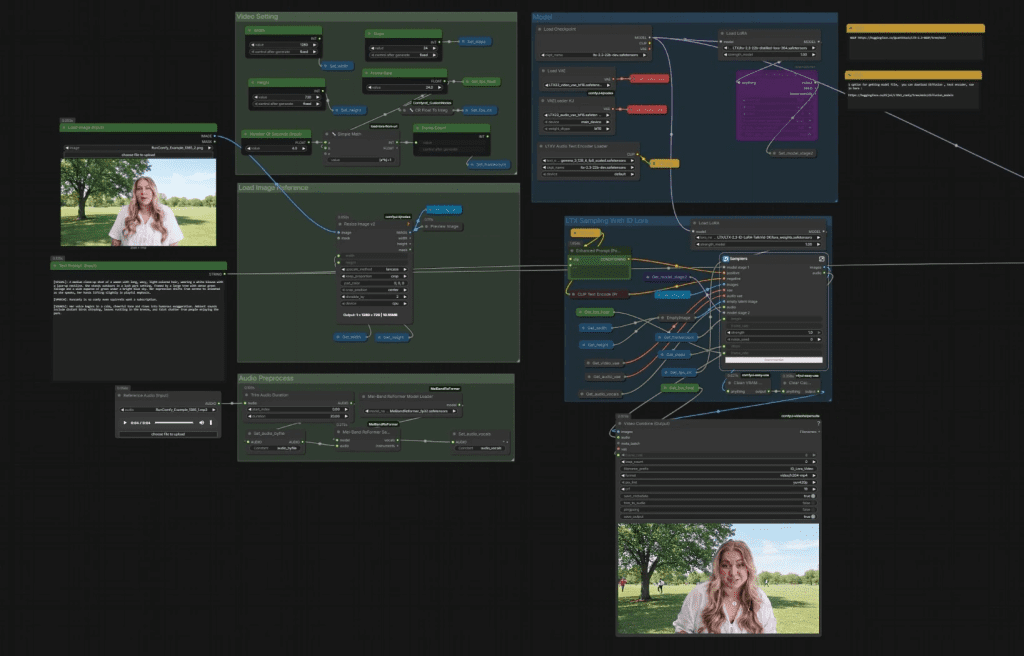
The motion fidelity isn’t at Wan’s level. But the speed difference is real. For workflow purposes, I often use LTX-Video for tests and Wan 2.2 for finals.
Cloud: Tools with the Least Filtering
Kling AI (with caveats)
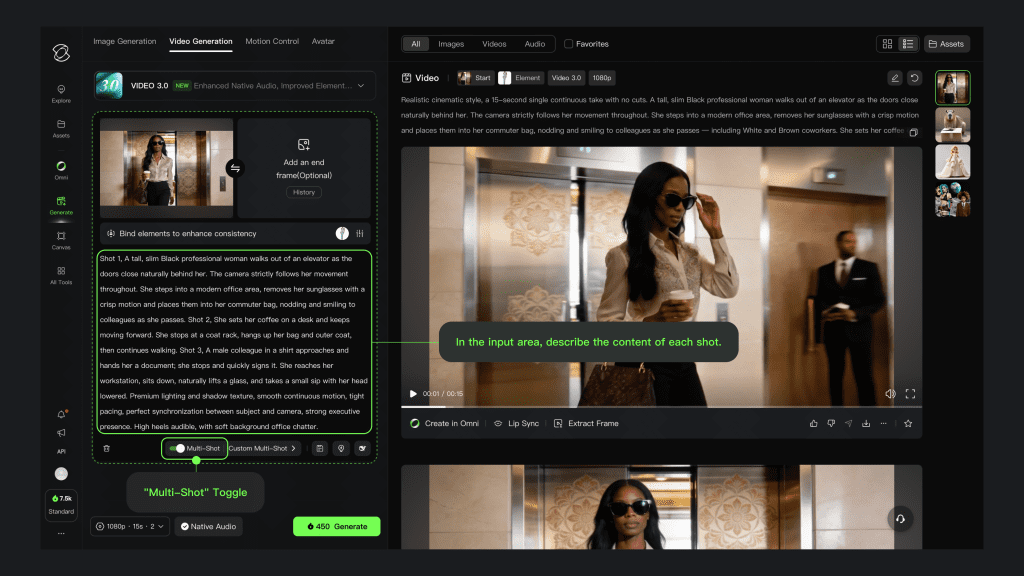
Kling 3.0 — released February 2026, currently holding the #1 ELO benchmark score among all video models — is technically restricted, but it’s worth addressing because of where the restrictions actually land.
For most creative content: it’s fine. Stylized, mature-adjacent, edgy-but-not-explicit — Kling generally handles this without complaint. Where it gets difficult is political content. As a Chinese-regulated platform, Kling blocks politically sensitive topics with some consistency, and “political” is defined broadly enough that it can catch things you wouldn’t expect. I had a satire prompt fail that I genuinely thought was harmless.
The quality, though. Genuinely hard to argue with for human subjects and realistic motion. Free tier gives you 66 credits daily — enough to test real projects before committing to a plan.
Multi-Model Platforms (OpenArt, etc.)
OpenArt and similar aggregators bundle multiple models including Wan, Kling, and others into one dashboard. The filtering varies by which underlying model you’re using. Kling on OpenArt has Kling’s filters. Wan on OpenArt has… basically no filters beyond the platform’s own light layer.
This is actually a useful mental model: on aggregator platforms, your freedom level equals the freedom level of the specific model you’re running.
Comparison Table(Updated with verified 2026 data)
| Tool | Freedom Level | Output Quality | Access | Approx. Cost |
| Wan 2.2 (local) | Full | Excellent | Self-hosted | GPU cost only |
| HunyuanVideo-I2V (local) | Full | Excellent | Self-hosted | GPU cost only |
| LTX-Video (local) | Full | Good | Self-hosted | GPU cost only |
| Kling AI 3.0 | Partial (no political) | Best-in-class | Cloud | Free / ~$10–92/mo |
| OpenArt (multi-model) | Varies by model | Good–Excellent | Cloud | Free trial / paid |
| Runway / Pika | Restricted | Very good | Cloud | Paid plans |
Creative Freedom vs. Output Quality Trade-Off
Honestly, I didn’t expect this to be as good as it is for local models. A year ago, the quality gap between open-source and commercial cloud tools was embarrassing. Now it’s… not. Wan 2.2 can produce footage that would’ve required a serious cloud subscription in 2024.
But the trade-off isn’t gone, it’s just shifted. It’s not quality anymore. It’s friction and iteration speed. Running a local model means waiting through setup, managing VRAM headaches, and losing time to infrastructure problems. A cloud tool gives you your result in 3–5 minutes and handles everything else.
My actual workflow: I test locally with LTX-Video when I’m iterating fast. When I need a final render with no content concerns, I go Wan 2.2 local. When I need the absolute best quality for human-centric content and my subject matter is safe, I’ll use Kling.
Hard Limits That Apply Everywhere
This part matters and doesn’t get said clearly enough.
No tool — local or cloud — is a workaround for illegal content. Running Wan 2.2 on your own GPU doesn’t make it legal to generate child sexual abuse material. It doesn’t make it okay to generate deepfakes of real people without consent. The absence of a content filter is not permission; it’s just the absence of a technical barrier.
The legal landscape around AI-generated content is also genuinely unsettled. Depending on your jurisdiction, even generating certain types of synthetic media — regardless of whether a platform blocks it — can carry legal risk. I’m not a lawyer, but: don’t confuse “technically possible” with “legally fine.”
The “hard limits” in the title of this section aren’t about tools. They’re about the law and basic ethics, which don’t change based on your VRAM.
Conclusion
The spectrum framing is the actually useful thing here, not any single tool recommendation. Once you understand which tier you’re in — local/full, cloud/partial, commercial/restricted — the right choice for your project becomes clearer.
If creative freedom is your primary constraint: local open-source is the answer, and Wan 2.2 or HunyuanVideo-I2V are where I’d start. The setup cost is real but one-time.
If you want cloud convenience with reasonable flexibility: Kling for quality-first projects where political content isn’t a factor. Multi-model aggregators if you want to mix and match.
If restrictions don’t bother you for your use case: mainstream tools are genuinely excellent and the friction-free experience is worth something.
I’ll keep updating this as the models evolve — and they’re evolving fast. Wan 2.2 dropped within the last few months and already feels like the new baseline for what “good open-source motion” means.
FAQ
Q: Do local “unrestricted” models really have no limits? Not in practice. They don’t have platform-level filters, but you’re still limited by hardware (VRAM, speed), model capability, and legal boundaries. “Unrestricted” just means the restrictions aren’t enforced in real time by a service.
Q: Which option is best if I keep getting my prompts rejected? If rejection is blocking your workflow, local models are the most reliable path. Cloud tools with relaxed policies can work, but they’re inconsistent — especially around edge cases or policy updates.
Q: Are cloud tools with relaxed policies safe to rely on long-term? Not fully. Their moderation rules can change without notice, which can break workflows overnight. If consistency matters, you either need a backup tool or a local setup.
Previous Posts: