I had a thumbnail sitting on my desktop at 1 AM — a character pose I’d spent an hour getting right in Midjourney. All I needed was five seconds of motion. A subtle camera push, maybe some hair movement. Shouldbe easy in 2026, right?
Three tools later, I had one melted face, one clip where the character’s jacket changed color mid-frame, and one surprisingly gorgeous result that made me sit up straight. That night basically summarized the entire AI image-to-video space right now: the ceiling is incredible, but the floor will waste your evening.
I’m Dora. If you’re a creator trying to figure out which tool to actually trust with your images — and which ones you can test without pulling out a credit card — I spent the last few weeks running them all through the same gauntlet. Here’s what I found.
What Is AI Image-to-Video?
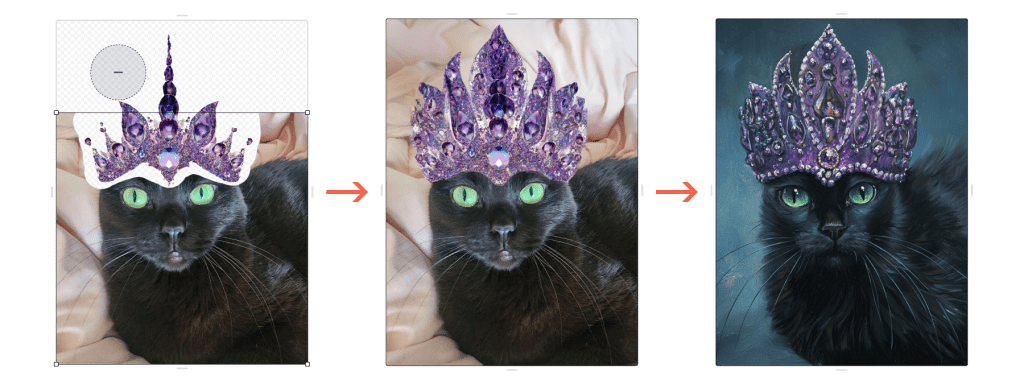
You upload a still image, add a text prompt describing how you want it to move, and the AI generates a short video clip — usually 5 to 10 seconds. Your image becomes the first frame.
Why not just use text-to-video? Control. Text-to-video means rolling the dice on what the scene even looks like. Starting from an image locks in the composition, the face, the lighting — the AI just animates it. For anyone doing actual production work, that difference is everything. Google’s Veo 3.1 technical documentation explains how these models now compress video into spatio-temporal patches rather than raw pixels, which is why generation speeds have gotten dramatically faster since early 2025.
How We Tested These Tools
Every tool on this list got the same treatment: three source images (character portrait, landscape with water, product shot on white), same prompt structure across all tools, free tiers tested first. I tracked image preservation (face consistency, color shifts), motion quality, generation speed, free tier limits, and the gotchas nobody mentions in promo videos.
Testing period: March 2026. Not sponsored — just honest testing.
Best AI Image-to-Video Tools Ranked
Best Overall: Runway Gen-4
Runway has been in this space longer than almost anyone, and it shows. Gen-4 is built around reference images — feed it one to three reference shots, and it maintains character appearance, clothing, and facial features across different camera angles.
The image-to-video workflow feels polished. Upload your image, write your motion prompt, pick duration and aspect ratio, generate. My character portrait came back with clean hair movement, no face warping, and a camera drift that felt intentional. According to Runway’s Gen-4 references documentation, the system is designed for persistent characters and locations — and it delivered.
The catch? The free tier gives you 125 one-time credits — enough for a few test clips, not a workflow. Standard starts at $12/month with 625 monthly credits, roughly 52 seconds of Gen-4 video. If you’re generating daily, those credits evaporate fast.
Free tier: 125 one-time credits, 720p, watermarked, Gen-4 Turbo only. Paid: $12/month Standard, $28/month Pro, $76/month Unlimited. Best for: Creators who need character consistency across multiple shots — narrative content, multi-scene ads, branded series.
Best Free Option: Kling AI 3.0
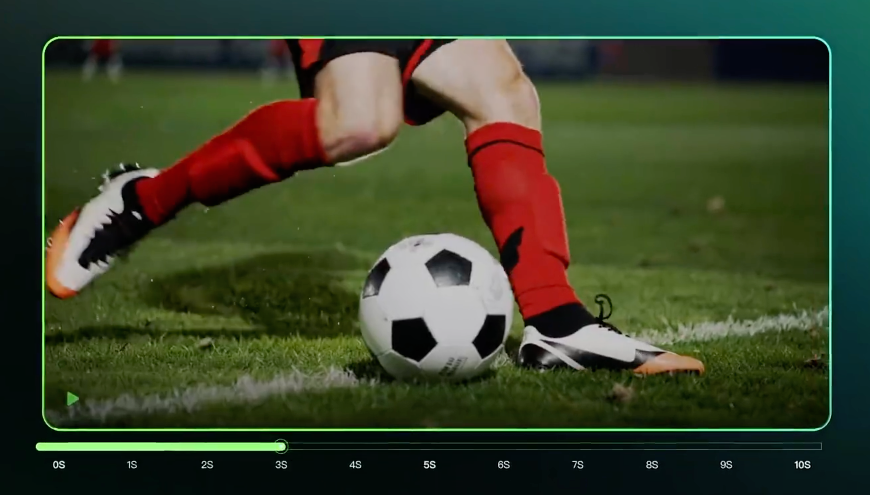
I almost didn’t include Kling because I assumed the free tier would be a joke. Wrong.
You get 66 credits per day — no rollover, but enough for 1-2 standard clips daily. The 3.0 update launched February 2026 with native 4K output and multi-language audio. What surprised me: the portrait motion quality. Weight shifts, subtle breathing, realistic head turns — the physics engine does something right. My character actually blinked naturally and shifted weight. It felt like a photograph waking up, not an image being warped.
The downside: free tier is 720p with watermarks, and peak-hour queue times hit 30+ minutes. The content filter is also stricter than Runway — occasionally blocking prompts that seem completely innocent.
Free tier: 66 daily credits, 720p, watermarked, single queue. Paid: $6.99/month Standard, $29.99/month Pro. Best for: Creators on a budget who want daily free generations and don’t mind watermarks for testing.
Best for Quality: Google Veo 3.1
Veo 3.1 is the tool that made me sit up at 1 AM. The output quality — especially with native audio — is a tier above everything else. It ranks first on both MovieGenBench and VBench for image-to-video quality as of early 2026.
The “Ingredients to Video” feature takes up to three reference images to direct characters, objects, and style. The January 2026 update added native vertical video, better identity consistency, and 4K upscaling. My character portrait held up perfectly through a full camera orbit — no warping, no feature drift.
The reality check: full access requires Google AI Ultra at $249.99/month. The $20/month Pro plan gives limited generations through the Gemini app. Google just announced Veo 3.1 Lite this week — their cheapest model yet — but image-to-video isn’t available in the EEA, Switzerland, or UK, which is frustrating.
Free tier: Limited access through Google AI Studio (waitlist may apply). Paid: $20/month Google AI Pro (limited), $249.99/month Google AI Ultra (full access). Best for: Professional creators and filmmakers who need cinematic-grade output and have the budget for it.
Best for Speed and Fun: Pika 2.5
Pika is the tool I reach for when I want something fast and don’t need perfection. Where Runway feels like a professional suite, Pika feels like a creative playground.
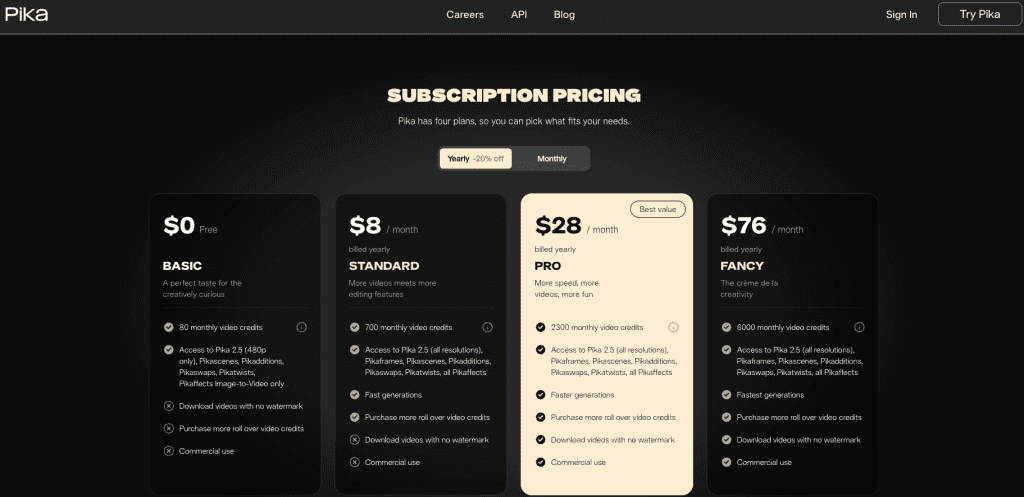
The free plan gives 80 monthly credits — a 5-second generation costs 12, so about 6 clips per month. Tight, but enough to test. The creative effects are where Pika stands apart: Pikaffects lets you melt, inflate, or explode objects in your scene. For viral social content, these are gold.
Quality-wise, it’s a step behind Runway and Veo for photorealism. But my product shot came back as a snappy, attention-grabbing clip that felt like a polished Instagram ad. According to Pika’s pricing page, the free tier is image-to-video only at 480p — you need paid ($8/month) for full resolution.
What I didn’t love: multi-scene consistency is rough. Scene 1 looks great, scene 2 looks like a different dimension. For single-shot social clips, fine. For anything narrative, look elsewhere.
Free tier: 80 monthly credits, 480p only, image-to-video only. Paid: $8/month Standard, $35/month Pro. Best for: Social media creators who want fast, effect-heavy clips for TikTok, Reels, and Shorts.
Best for Cinematic Motion: Luma Dream Machine (Ray2)
Luma’s whole pitch is realistic motion physics, and the motion does feel different. Objects have weight. Camera movements feel like actual rigs. Ray2 processes physics more carefully than competitors — fabric drapes correctly, water splashes with right viscosity, hair responds to wind direction.
My landscape test produced the most convincing water animation of any tool I tried. Reflections, ripple patterns, how light played across the surface — it looked like real footage.
Trade-off: price and speed. Paid plans start at $9.99/month (Lite) for about 20 Ray2 clips at 720p. The free tier gives ~30 generations but watermarked, no commercial use. Generation is slower than Pika or Kling — Luma prioritizes quality over speed.
Free tier: ~30 generations/month, watermarked, non-commercial. Paid: $9.99/month Lite, $30/month Plus, $90/month Pro. Best for: Creators who prioritize motion realism — product videos, nature content, anything where physics matters.
Side-by-Side Comparison Table
| Tool | Best For | Free Tier | Paid From | Max Resolution | Clip Length | Native Audio |
| Runway Gen-4 | Character consistency | 125 one-time credits | $12/mo | 4K | 5-10s | No |
| Kling AI 3.0 | Daily free access | 66 daily credits | $6.99/mo | 4K | Up to 10s | Yes |
| Google Veo 3.1 | Cinematic quality | Limited (AI Studio) | $20/mo | 4K | 8s | Yes |
| Pika 2.5 | Social content/effects | 80 monthly credits | $8/mo | 1080p | 3-10s | No |
| Luma Ray2 | Motion realism | ~30 gens/month | $9.99/mo | 4K | 5-10s | No |
Limitations to Know Before You Pick
Clip length is still short. Most tools cap at 5-10 seconds. You can extend, but each extension costs credits and continuity can break. Kling chains up to 3 minutes — longest in the market — but that’s 3 minutes of credit-draining iterations.
Credits vanish fast. The marketing math is optimistic. You rarely nail it first try. Budget 3-5 attempts per usable clip.
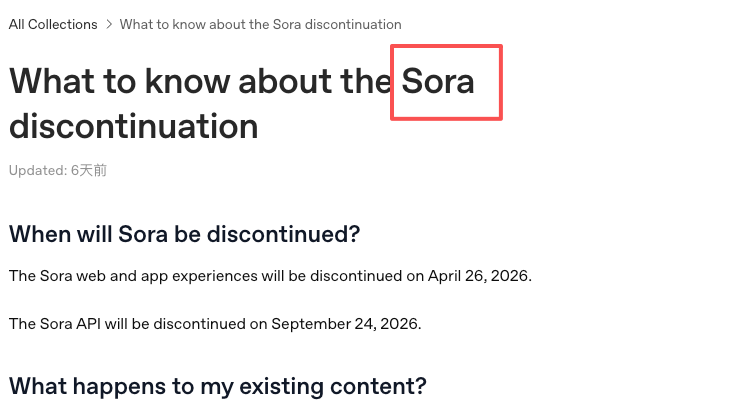
Sora is gone. OpenAI is discontinuing Sora — app shuts down April 26, API follows September 24. Don’t build around it.
Faces remain the hardest part. Every tool struggles with facial consistency during motion, especially profile turns. Runway handles this best, but even it occasionally warps features.
Audio is now a differentiator. Veo 3.1 and Kling 3.0 generate synchronized audio alongside video. If your workflow adds audio separately, that’s extra cost and sync headaches. This is becoming a deciding factor.
Decision Guide: Which Tool Fits Your Workflow
Testing the waters, no budget: Kling AI free tier. 66 daily credits is enough to learn prompting and see real results.
Narrative content with recurring characters: Runway Gen-4. Reference image consistency is unmatched. Worth $12/month for multi-shot work.
Absolute best quality, budget isn‘t the issue: Veo 3.1 via Google AI Ultra. The output speaks for itself.
Short-form social content, fast: Pika 2.5. Quick generations, fun effects, $8/month entry.
Products, nature, physics-heavy content: Luma Ray2. Motion realism is noticeably better here.
Most creators I know — myself included — use two or three tools depending on the project. Kling for quick experiments, Runway for characters, Veo when it needs to be impressive. Paying loyalty to one model is a creative limitation.
Wrapping Up
The AI image-to-video space in 2026 is genuinely useful now — not just a tech demo, but a real part of creative workflows. The quality jump from last year is substantial. What took hours or wasn’t possible in 2025 generates in minutes with results I’d put in front of a client.
But “useful” doesn’t mean “effortless.” You’ll still burn credits on bad generations. You’ll still fight with faces. You’ll still wish clips were longer. And with Sora’s sudden death, you’ll want to stay flexible rather than locking into any single platform.
My suggestion: grab Kling’s free tier tonight, throw your best image at it, and see what comes back. That first good result — the one where you think wait, that actually looks like footage — is the moment you’ll know which of these tools deserves a real spot in your stack.
I’ll be testing whatever drops next week. This space moves fast enough that this article probably has a shelf life of about three months. But right now, in April 2026, this is where things stand.
FAQ
- Is the free tier enough for daily testing?
Kling AI offers the most generous free tier with 66 daily credits — enough for 1–2 clips per day. Runway gives only one-time 125 credits, Pika about 6–7 clips per month, and Luma around 30 generations. If you want to test without pressure, start with Kling.
- Which tool is best for character/face consistency?
Runway Gen-4 performs best, especially when using 1–3 reference images. Veo 3.1 delivers high overall quality but can still warp faces during big head turns. For narrative work or recurring characters, Runway is the safest choice.
- Can I use videos from the free tier commercially?
Generally no. Most free outputs are watermarked and prohibit commercial use. You’ll need a paid plan for watermark-free videos and commercial rights. Always check each tool’s terms of service before using them for client work.
Previous posts: