
Hi, Dora is here. Honest testing, not sponsored. Last verified May 2026.
I spent a weekend going down the GitHub rabbit hole so you don’t have to. Three repos later, two failed installs, and one GPU running at full load for twenty minutes — I finally had a working local NSFW AI image generator running with no API key, no watermark, no credit counter ticking away.
The internet is full of “best free NSFW AI GitHub tools” lists that either recommend abandoned repos or just point you at a platform with a free tier. This isn’t that. I’m going to walk through what’s actually active, what the licenses say, and what hardware you need — because nothing wastes time faster than setting up a repo only to find out it hasn’t been touched in two years.
Why Creators Look for Local NSFW Image Models
Platform tools have gotten better. But a few things still push creators toward local open-source options:
Privacy. When you run a model locally, your generations don’t leave your machine. For NSFW content especially, that matters. Cloud platforms process your prompts and outputs on their servers. Some have data retention policies that aren’t clear. Local means local.
No filter layer above the checkpoint. Platform tools apply content moderation on top of the model. Even when a platform claims to support NSFW content, classifiers can fire on ambiguous inputs and block things that should be fine. Running a local uncensored image AI model through a local UI means the filter is determined by what the checkpoint itself was trained on — not an additional platform layer.
No credit limits. Once the model is downloaded and running, generations cost nothing per run. For high-volume creative work — character design, batch variations, iterative testing — credits add up fast on any platform.
Access to specific checkpoints. The open-source community has trained thousands of specialized models. Civitai alone hosts over 14,000 assets tagged NSFW. You can’t access most of those through platform tools — they’re designed for local use only.
The tradeoff is real: local setup takes time, requires capable hardware, and breaks occasionally when dependencies conflict. That’s the deal.
Best GitHub and Open-Source Resources
Model Repos and UI Options
There are three GitHub repositories worth knowing if you’re building a local uncensored image AI model workflow. Everything else is either a fork of one of these, less maintained, or more specialized than most creators need.
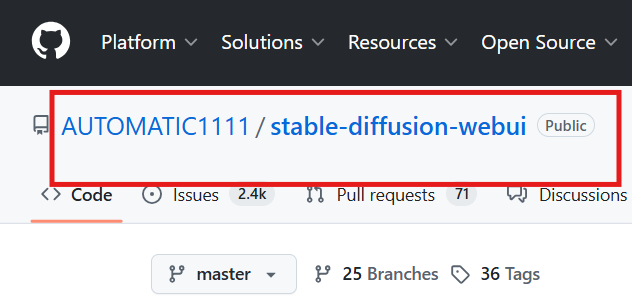
AUTOMATIC1111/stable-diffusion-webuiGitHub repo — License: AGPL-3.0 — Stars: 163k+ (verified early 2026)
This is the original browser-based UI for running Stable Diffusion locally. Still the most installed local image generation interface in the world, with over 580 contributors. It exposes txt2img, img2img, inpainting, outpainting, textual inversion, and a full extension framework — all through a Gradio browser interface that runs at localhost:7860.
For NSFW work specifically: A1111 itself applies no content filter. The checkpoint you load determines what the model will or won’t generate. Load an unrestricted NSFW checkpoint from Civitai or Hugging Face, and you’re running a free local NSFW image model with full parameter control.
The extension ecosystem is massive — over 140 community extensions as of 2026, covering ControlNet, upscalers, face detailers, and more. If you’ve ever seen a tutorial recommending a plugin, it was almost certainly for A1111.
One honest flag: A1111 is maintained by a single pseudonymous developer. Commit velocity has slowed compared to ComfyUI. Last significant release was 2025. It still works well for straightforward generation, but the community’s cutting-edge workflow development has largely shifted to ComfyUI.
comfyanonymous/ComfyUI (now Comfy-Org/ComfyUI) GitHub repo — License: GPL-3.0 — Stars: 89,200+ (verified April 2026)
ComfyUI is the current standard for advanced local generation workflows. Instead of a form-based interface, it uses a node graph: you build pipelines visually by connecting model nodes, sampler nodes, conditioning nodes, and output nodes. Steeper learning curve, substantially more power.
According to public reporting from April 2026, ComfyUI had approximately 4 million users, had closed a $30M funding round at a $500M valuation led by Craft Ventures, and counted Netflix, Apple, and Ubisoft among its enterprise users. The weekly release cycle is real — the Comfy-Org GitHub shows hundreds of commits in the last year, with a new stable release roughly every two weeks.
For NSFW workflows: ComfyUI loads the same checkpoints as A1111 — drop an NSFW-capable safetensors file into the models/checkpoints folder and it works. The node system lets you build elaborate pipelines: face detailing, ControlNet conditioning, upscaling, inpainting — all in a single exportable workflow file. Major open-source models released after mid-2024 (Flux, Wan 2.1, HunyuanVideo) ship with official ComfyUI workflow files, making it the best-supported UI for current-generation models.
The free local NSFW image model use case is fully covered here. Running locally means no moderation layer, no API costs, no per-generation charges.
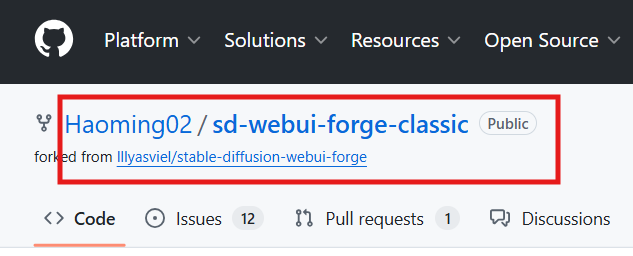
lllyasviel/stable-diffusion-webui-forgeGitHub repo — License: AGPL-3.0
Forge is a fork of A1111, built by the same developer who created ControlNet. Its main advantage is memory optimization — Forge runs larger models on less VRAM through smarter memory management and inference optimizations. On an 8GB VRAM card running SDXL, Forge is noticeably faster and more stable than vanilla A1111.
The repo has slowed in updates from lllyasviel’s original account — he’s noted becoming too busy with other projects. The community has picked this up: Haoming02’s Forge Classic and Forge Neo forks are actively maintained and worth using if you want the Forge performance gains with ongoing support. Both updated within the last few days as of this writing.
Interface is identical to A1111. Same extensions work. Same checkpoints work. It’s a drop-in replacement if you’re hitting VRAM limits.
Where to get the checkpoints: Civitai and Hugging Face
The GitHub UIs don’t include models — you download those separately. Two platforms host the bulk of open-source NSFW model checkpoints:
Civitai hosts over 14,000 assets tagged NSFW. Downloads are free for most models after creating a free account. Each model page shows the license terms, architecture (SD 1.5 / SDXL / Flux), VRAM requirements, and creator notes. Read the license before downloading anything you plan to use commercially — it varies significantly by model and cannot be assumed. Some use CreativeML Open RAIL-M (permissive for personal/commercial use with restrictions), others have fully custom terms that restrict commercial use outright.
Hugging Face hosts many of the same checkpoints and is where community model cards are most reliable for license verification. Better for technical users who want version tracking and model card details.
What Is Active vs Abandoned
This is where most “best GitHub NSFW” lists fail. They recommend repos without checking update dates.
| Repo | Active? | Last Update | Stars | License | Notes / VRAM |
| AUTOMATIC1111/stable-diffusion-webui | Yes (slower) | 2025 | 163k+ | AGPL-3.0 | SD 1.5 / SDXL; 4–12GB VRAM |
| comfyanonymous/ComfyUI | Very active | Weekly | 89k+ | GPL-3.0 | Node-based; SDXL / Flux compatible |
| lllyasviel/stable-diffusion-webui-forge | Slowing | 2025 | ~17k | AGPL-3.0 | VRAM-optimized fork of A1111 |
| Haoming02/sd-webui-forge-classic | Active | Days ago | Growing | AGPL-3.0 | Actively maintained Forge continuation |
Anything not in this list that you find recommended on forums — verify the last commit date before spending time on it. GitHub repos for AI tools go stale fast when maintainers move on.
How to Run Them Locally at a High Level
Not a developer guide — but enough context to understand what you’re getting into.
Step 1: Install the UI. Clone the GitHub repo or download the portable zip (ComfyUI has one for Windows). Run the launch script. It downloads Python dependencies automatically on first launch. A1111’s first launch takes 20–30 minutes.
Step 2: Download a checkpoint. Go to Civitai or Hugging Face, find an NSFW-capable model (Juggernaut XL and Pony Diffusion V6 are two consistently recommended SDXL options), and download the safetensors file. Drop it in the models/checkpoints folder of whichever UI you’re using.
Step 3: Launch and generate. A1111 opens at localhost:7860. ComfyUI opens at a similar local port. Select your checkpoint, enter a prompt, adjust settings, generate.
That’s the skeleton of it. Realistically, the first session will involve at least one dependency error and one confused folder structure moment. The communities around both tools are large — most errors have been solved on Reddit or the GitHub issues page.
Trade-Offs in Setup, VRAM, and Control
Nobody should go into this thinking it’s as simple as clicking “generate” on a web platform. Here’s the honest breakdown:
Setup time. First install: 30–90 minutes depending on your system and whether anything breaks. Subsequent launches: fast, under a minute once everything is in place.
VRAM requirements. This is where people get surprised. The architecture of the checkpoint determines the minimum:
| Model Architecture | Minimum VRAM | Comfortable VRAM | Example Checkpoints |
| SD 1.5 | 4GB | 6GB | CyberRealistic, Realistic Vision |
| SDXL | 8GB | 10–12GB | Juggernaut XL, Pony Diffusion V6 |
| Flux-based | 12GB | 16GB+ | Flux.1, CHROMA |
Running below minimum doesn’t always fail — both A1111 and ComfyUI have CPU offload modes that let lower-VRAM systems run at the cost of very slow generation. On CPU-only, expect minutes per image instead of seconds.
Control vs convenience tradeoff:
| Cloud platform tools | Local (A1111 / ComfyUI) | |
| Setup | None | 30–90 min |
| Privacy | Server-side | Fully local |
| Cost per gen | Credits | Free after setup |
| Content filters | Platform-level | Checkpoint-level only |
| Iteration speed | Fast, chat-based | Fast once running |
| Latest models | Depends on platform | Full access |
| Learning curve | Low | Medium–High |
Cloud-based AI generation platforms make sense for creators who want faster iteration without managing a local environment — the tradeoff is the platform’s moderation layer and per-generation credit costs. Local open-source NSFW image models make sense when privacy, cost at volume, or access to specific free local NSFW image model checkpoints is the priority.
Limits, Risks, and Compliance Boundaries
Local and open-source doesn’t mean unregulated or without consequence.
License terms still apply — especially for commercial use. Downloading a checkpoint for personal use is generally fine under most Creative ML licenses. Using it commercially — in a product, for paid client work, or in content you monetize — is a different question entirely. Each checkpoint carries its own license, and those licenses are not uniform. Some explicitly permit commercial use. Some don’t. Some add attribution requirements. The license is always on the model page; read it before you generate anything you plan to sell or publish professionally. Don’t assume permissiveness — verify it per model.

Content laws apply regardless of where generation happens. Running a local uncensored image AI model on your own hardware doesn’t exempt the outputs from laws in your jurisdiction. The EU AI Act’s provisions on synthetic media create obligations that apply to AI-generated content regardless of what tools produced it. US state-level laws on AI-generated intimate imagery are expanding in 2026. Before using any locally generated NSFW content commercially or publicly, confirm it complies with the laws of your country or region.
Age-related content is a hard line. Every responsible open-source project — including A1111 and ComfyUI — explicitly prohibits generating content depicting minors in sexual contexts. Civitai bans it. The model repositories prohibit it. This isn’t a platform content policy thing; it’s illegal in most jurisdictions and there is zero grey area here.
Real-person likeness. Even locally, generating sexualized images of identifiable real people without consent creates legal exposure in an increasing number of places. The fact that no platform sees it doesn’t eliminate the legal risk.
FAQ
Are GitHub NSFW AI generators free?
Yes — the UI software (A1111, ComfyUI, Forge) is free and open source. The checkpoint models on Civitai and Hugging Face are mostly free to download after account creation. Running them requires your own hardware — there’s no per-generation cost once everything is set up. That’s the whole point of the local open-source NSFW image model route: you pay once for hardware, and generations cost nothing after that.
One caveat worth flagging: some checkpoints have commercial use restrictions baked into their license. The software is free; what you do with the outputs commercially may not be. Check the license on each model page before using generated content in paid work.
What hardware do I need?
For SDXL-class models (the current standard for quality), you need a GPU with at least 8GB VRAM — an RTX 3070, RTX 4060 Ti, or equivalent. SD 1.5 models run on 4GB VRAM. Flux-based models need 12GB+.
You can run on CPU with all three UIs, but generation times go from seconds to several minutes per image. MacOS with Apple Silicon works via the MPS backend, and both A1111 and ComfyUI support it as of 2026.
Are local models safer for privacy?
Yes — meaningfully so. When you run a local uncensored image generator on your own hardware, nothing leaves your machine. Your prompts, generations, and model weights stay fully local. That’s the core reason creators with privacy concerns choose local over any platform tool, free or paid. Platform-based tools — even those with free tiers — process your inputs on external servers, and data retention policies vary widely. Local means nothing is logged, stored, or reviewed by anyone else.
Bottom Line
The three repos worth your time in 2026 are A1111 (best for getting started, massive extension ecosystem), ComfyUI (best for advanced workflows and current model support), and Forge or its active forks (best if you’re hitting VRAM limits on SDXL).
Get your checkpoints from Civitai or Hugging Face — read the license on each one, don’t skip it. The open-source NSFW AI image generator GitHub ecosystem is genuinely mature: the tools work, the communities are active, and the model selection is wide.
The setup cost is real. But once it’s running, you’re paying nothing per generation, there’s no filter between you and the checkpoint, and nothing leaves your machine. For creators who generate at volume or have privacy reasons to stay off platforms, that’s worth the afternoon it takes to get running.
Tested and verified May 2026. Star counts, repo activity, and license terms verified at time of writing — check current GitHub pages before relying on specific figures.
Previous Posts