Hey, it’s Dora. I’ve been testing AI image tools almost daily for the past two years — not for fun, but because my work depends on them. When something breaks mid-deadline, I don’t have time to compare tools. I need to already know what to switch to.
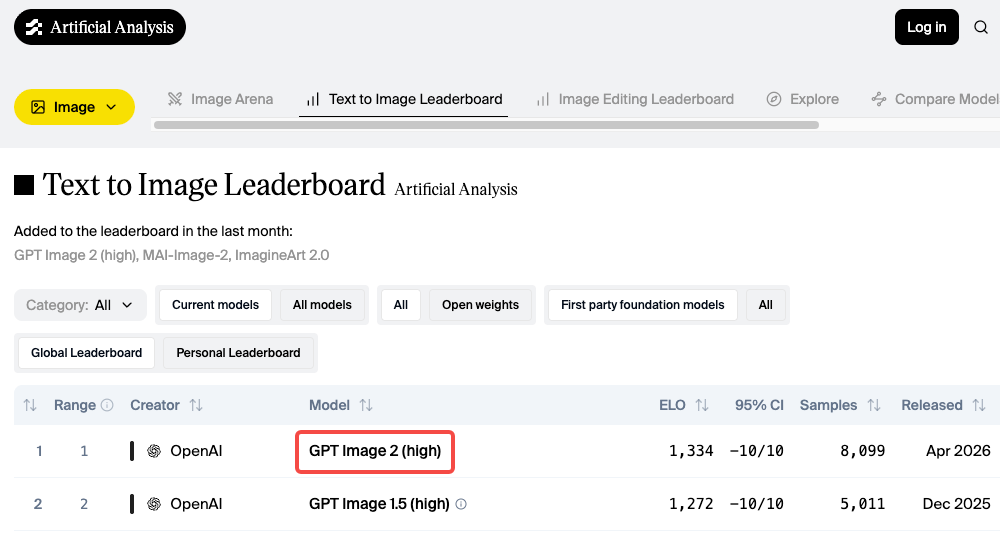
GPT Image 2 launched on April 21, 2026, and quickly topped the Artificial Analysis leaderboard by a wide margin. Its text accuracy — around 95% across multiple scripts — is genuinely ahead of anything that came before. I’ve been using it. It’s impressive.
But it’s not the right tool for everything.
It generates one image at a time. Key features like Thinking Mode require ChatGPT Plus or Pro. And while the output is clean and precise, it doesn’t always fit style-driven work.
This isn’t a takedown. It’s a practical map of alternatives — because the right tool depends on how you work.
Why creators still need GPT Image 2 alternatives
The model is built into ChatGPT, which makes it easy to access. And for reference-image style transfers, complex scene compositions, and anything with in-image text, it’s now the most reliable option in the category.
But a few things are worth knowing before you commit to it for production:
One image per generation. Every single time. If you’re comparing visual directions or iterating fast, that one-at-a-time rhythm gets frustrating. Tools like Midjourney give you four options from one prompt.
Speed varies by mode. Instant Mode is fast. Thinking Mode — which is where the real quality improvement lives — takes longer because the model reasons through layout before generating. For high-volume workflows, that adds up.
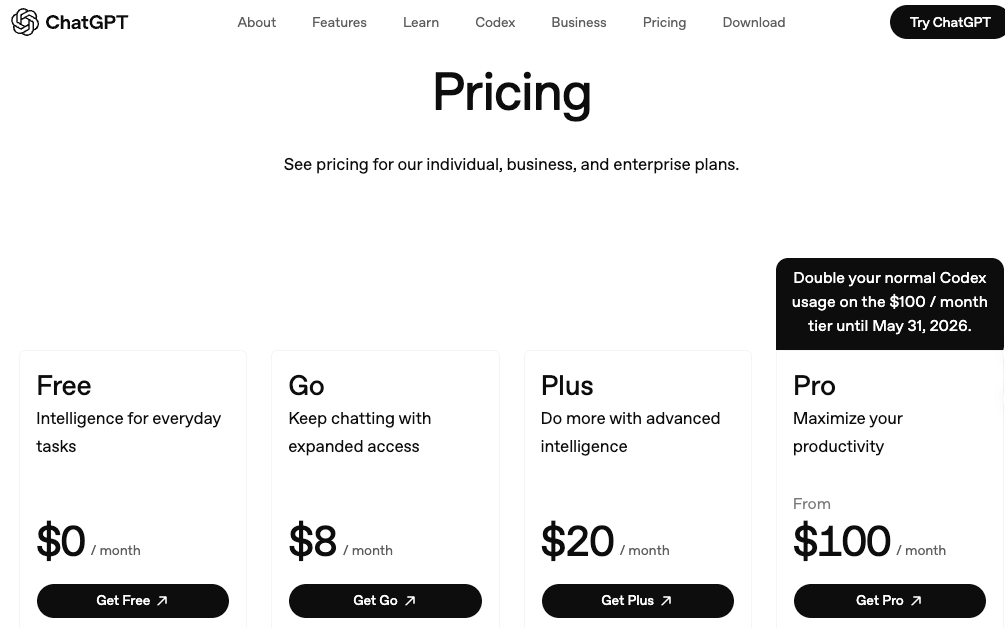
Access tiers matter more than they look. The ChatGPT pricing page shows Plus at $20/month and Pro at $100/month. Free-tier access exists but hits rate limits quickly. For anyone using it as a real production tool, Plus is effectively required.
None of that is disqualifying. It’s just context for why the tools below still have a meaningful place.
Best GPT Image 2 alternatives in 2026
Best for style-first visuals: Midjourney V7
If you care about how an image feels — the mood, the texture, the compositional intelligence — Midjourney is still the tool. I know that’s been true for a while. But V7 made it more true, not less.
Midjourney V7 launched April 3, 2025 and became the default model on June 17, 2025. The architecture rebuild wasn’t incremental: richer textures, more coherent hands and bodies, and a new Omni Reference system for character consistency. The style reference codes (--sref) from V6.1 carry over with full backward compatibility — if you’ve built a visual library, you’re not starting over.
What’s actually different in practice: Midjourney V7 interprets prompts. Type “mysterious” and the model might add fog, dramatic shadow play, or atmospheric lighting you didn’t explicitly write. That’s its nature — and it’s a strength when you want creative interpretation rather than literal execution.
As of April 2026, V8.1 Alpha is live in preview at alpha.midjourney.com, though V7 remains the production default.
What it’s good at:
- Cinematic aesthetics, editorial visuals, and painterly moods
- Thumbnails built around dramatic lighting and composition
- Concept art and style exploration
- Consistent visual identity across variations via
--sref
Where it falls short:
- Text inside images. This is a known, persistent weakness. If your design has a readable title or label in frame, use something else
- Character consistency beyond 3-4 images — face drift appears in longer sequences even with Omni Reference
Pricing: No free tier. Basic at $10/month (~200 fast-mode images), Standard at $30/month (15 fast GPU hours plus unlimited Relax mode). Companies with over $1M in annual revenue need Pro ($60/month) or Mega ($120/month) for commercial use under Midjourney’s own plan terms.
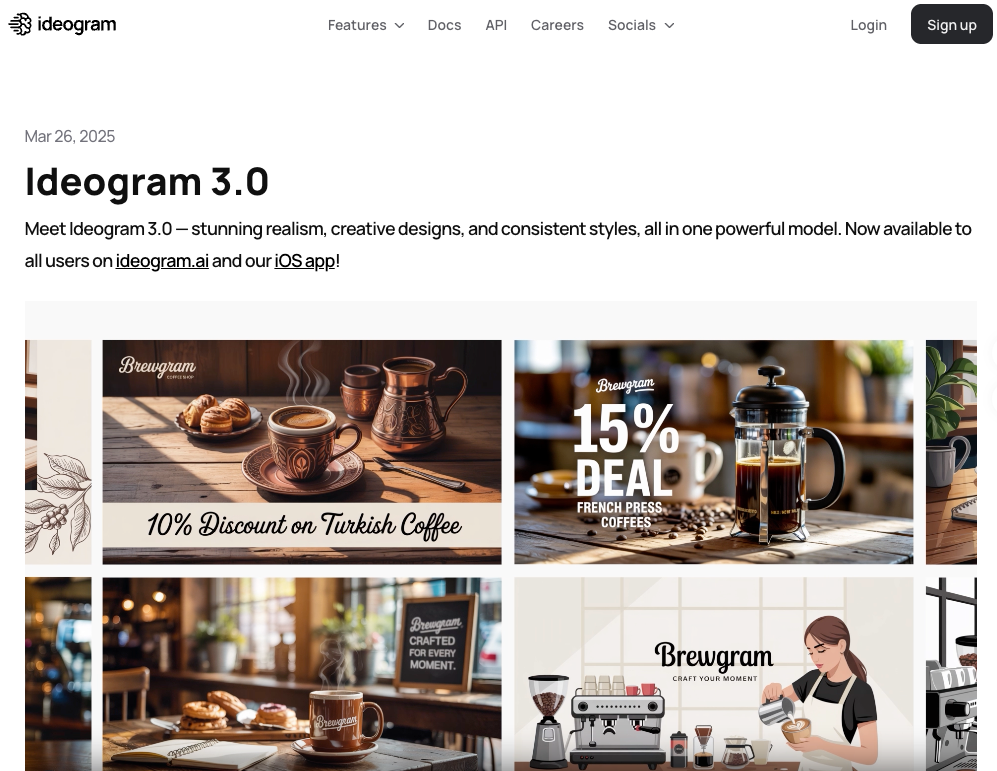
Best for dense text and layouts: Ideogram 3.0
I spent an afternoon trying to get other tools to render “Open 9–5” on a chalkboard sign. Every other generator came back with garbled variations. Ideogram got it right on the first attempt, then styled it properly, then let me upload a brand reference image to lock the aesthetic. That’s the whole pitch.
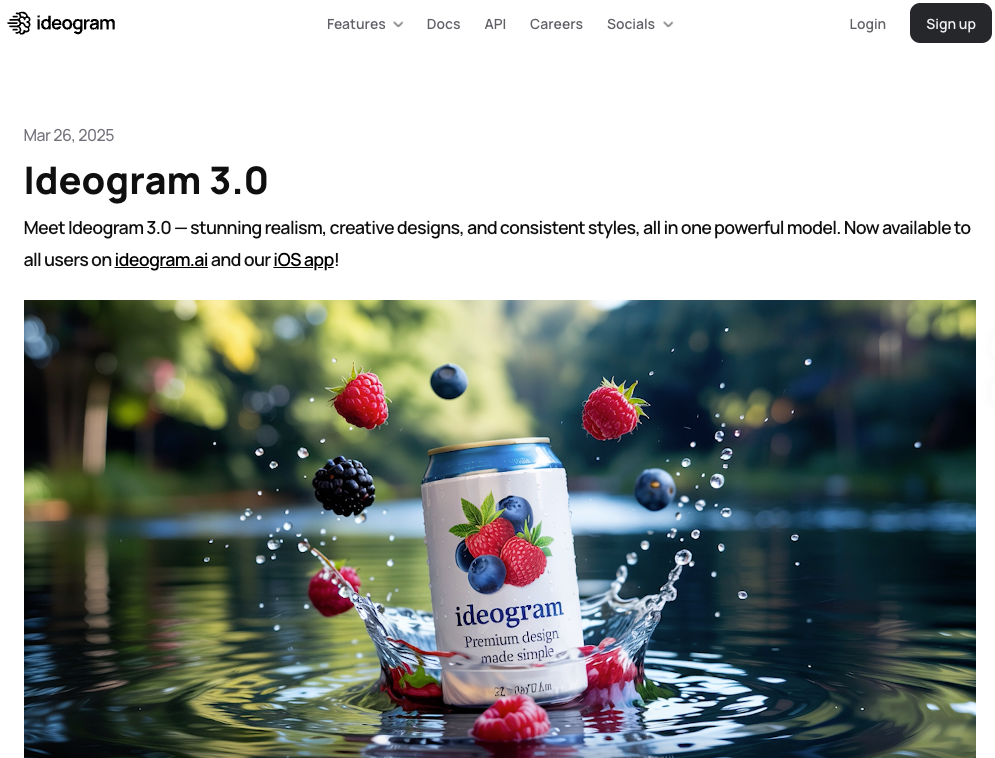
Ideogram 3.0 launched March 26, 2025. According to independent benchmark testing cited across multiple evaluations, Ideogram achieves roughly 90% text accuracy in image generation — compared to approximately 30% for Midjourney on short phrases. A 2025 peer-reviewed study published in Applied Sciences confirmed that text rendering accuracy is one of the hardest evaluation axes for T2I models across the board, which makes Ideogram’s specialization here genuinely meaningful.
Beyond text, Version 3.0 brought meaningful improvements in photorealism and image-prompt alignment, scoring the highest ELO rating in human evaluations across diverse prompt categories at time of release. The Style References feature — upload up to 3 images to define a visual aesthetic — is a real quality-of-life upgrade for any brand-consistent workflow.
What it’s good at:
- Social posts, posters, and thumbnails where text is part of the design
- Marketing materials with legible headlines, labels, and typography
- Print-on-demand and branded content
- Design workflows that need consistent style references
Where it falls short:
- Human faces. Unnatural skin textures and proportion inconsistencies, especially in multi-person scenes
- Cinematic or painterly aesthetics — Midjourney is significantly stronger here
- Peak-hour queue delays on the free tier (2–3 minutes per generation)
Pricing: Free tier available (slow queue, watermarked, no commercial use). Plus at $8/month removes the watermark. Pro at $20/month adds commercial rights and priority generation.
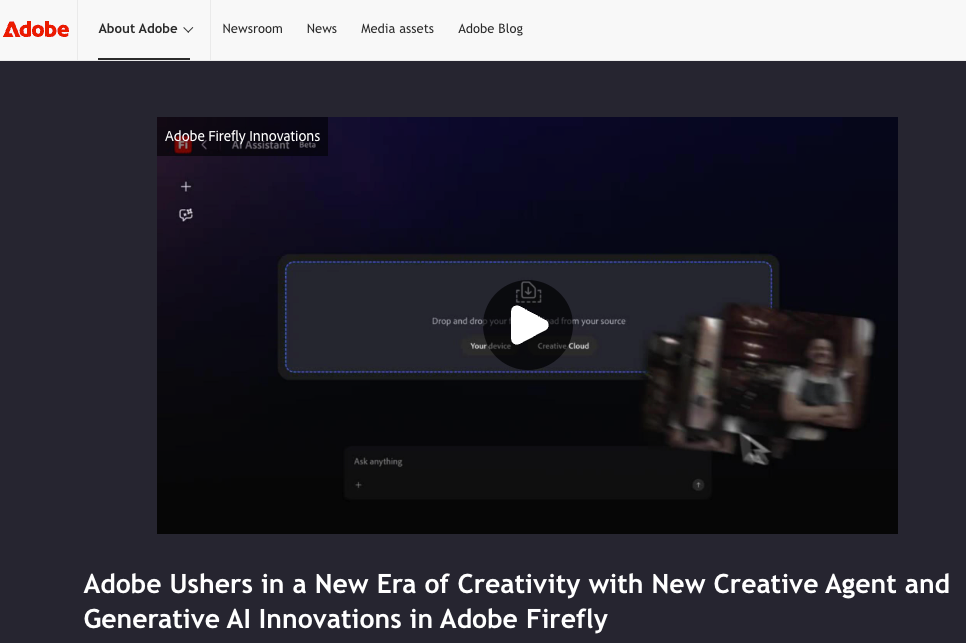
Best for design and brand workflows: Adobe Firefly
I’ll be direct: if you’re not already in the Adobe ecosystem, Firefly is probably not your first stop. But if Photoshop is open while you’re reading this, it’s hard to beat.
Firefly’s core advantage is integration. Generative Fill and Generative Expand live inside Photoshop — not in a separate tab. You’re editing inside your existing file, with your existing layers. The AI responds to context that an external generator can’t see. For finishing a real client deliverable, that frictionlessness compounds over a long session.
The other differentiator: commercial safety. Adobe trained Firefly on licensed Adobe Stock content and provides IP indemnification — meaning if a generated image triggers a copyright dispute, Adobe takes on the legal liability. For agency work or brand teams, that matters more than it sounds.
In April 2026, Adobe announced Firefly AI Assistant — a conversational agent that orchestrates multi-step workflows across Creative Cloud apps including Photoshop, Premiere, Illustrator, and Express. It’s in public beta, so I haven’t run it through a full production test. The direction is clear though.
What it’s good at:
- Generative Fill and Expand inside Photoshop — exceptional for real photo editing workflows
- Commercial-safe generation with IP indemnification
- Creative Cloud subscribers who already have credits included
- Design teams who need brand governance at scale
Where it falls short:
- Raw artistic quality — Midjourney produces more cinematic, expressive outputs
- The credit system is genuinely confusing. Fast mode costs double credits; credits don’t roll over monthly; standalone vs. CC pricing is a maze worth reading carefully before buying
- Not compelling as a standalone tool if you’re outside the Adobe ecosystem
Pricing: Free tier (25 credits/month). Standalone plans: Standard at $9.99/month (2,000 premium credits), Pro at $19.99/month (4,000 credits). Creative Cloud All Apps subscribers ($60/month) receive 1,000 Firefly credits included.
How to choose the right alternative for your workflow
The honest answer: there’s no universal winner. These tools have genuine specializations, and the right choice depends on your actual deliverable.
Start with what the output needs. Cinematic lighting and emotional mood for a thumbnail — Midjourney. A title overlay that needs to be readable at 320px — Ideogram. Retouching or extending a product photo inside a client file — Firefly.
Think about iteration rhythm. Midjourney gives four options per generation, which is ideal for creative exploration. GPT Image 2 gives one. Ideogram and Firefly land in between depending on mode. If you’re in discovery, four options at once is a material time advantage.
Think about text. If words appear in the image, default to Ideogram or GPT Image 2. A CVPR 2025 benchmark on visual text generation found that precise in-image text rendering directly affects how audiences process branded content — which is why this choice matters beyond aesthetics. Both tools handle it reliably. Midjourney doesn’t.
Think about the downstream. If your file ends up in Photoshop anyway, generating inside Photoshop saves you an export-and-import cycle that adds up. If your output goes straight to a social scheduler, that step doesn’t matter.
Trade-offs in access, pricing, and controls
| Tool | Free tier | Paid entry | Images per generation | Best for |
| GPT Image 2 | Yes (rate-limited) | $20/mo (ChatGPT Plus) | 1 | Reference transfers, precise text, complex prompts |
| Midjourney V7 | No | $10/mo (Basic) | 4 | Aesthetic quality, cinematic style |
| Ideogram 3.0 | Yes (watermarked) | $8/mo (Plus) | Yes | Text in images, branded graphic design |
| Adobe Firefly | Yes (25 credits) | $9.99/mo (Standard) | Yes | Adobe workflow, IP-safe commercial use |
One thing worth flagging directly: the commercial use picture is messier than most comparison posts suggest. Midjourney includes commercial rights on all paid plans, but companies with over $1M in annual gross revenue must be on Pro or Mega under their terms. Adobe Firefly’s IP indemnification is the clearest commercial safety story here — it’s trained on licensed content and Adobe takes on liability risk. GPT Image 2 and Ideogram allow commercial use on paid tiers; check each tool’s current terms before using generated assets in client-facing or for-sale work, as policies update.
FAQ
Is GPT Image 2 the same as DALL-E 3? No — and DALL-E 3 is being retired on May 12, 2026. GPT Image 2 (model ID: gpt-image-2) replaces both DALL-E 3 and the interim GPT Image 1.5 across ChatGPT and the OpenAI API. The architecture is fundamentally different: GPT Image 2 uses the GPT-5.4 reasoning backbone and generates with a pre-generation “thinking” step rather than direct diffusion. If you have code calling DALL-E endpoints, migration is required before May 12.
Which alternative is best if I need text in my images? Ideogram 3.0 first, GPT Image 2 second. Ideogram achieves roughly 90% text accuracy in independent testing. GPT Image 2 achieves approximately 95% with Thinking Mode. Midjourney sits around 30–40% depending on prompt phrasing — consistently the weakest option for any design with readable copy.
Can I use these tools commercially? All listed tools allow commercial use on paid plans, with different conditions. Adobe Firefly offers the strongest legal protection via IP indemnification. Midjourney’s commercial rights depend on plan tier and your company’s annual revenue. Verify each tool’s current terms before deploying generated images in client work.
I already pay for Adobe Creative Cloud. Should I still use Midjourney? Probably both, for different jobs. Firefly’s Generative Fill inside Photoshop is exceptional for editing and extending existing photography. Midjourney is better for generating new creative starting points from scratch. They cover different workflow stages. Many professional creators use both without them stepping on each other.
Conclusion
GPT Image 2 is the most capable AI image model released this year — and if precise prompt adherence, in-image text, and reference-style transfers are your primary needs, it’s probably your best option right now.
But the map is larger than one tool. Midjourney V7 for the work where aesthetics come first. Ideogram 3.0 when words have to be readable. Adobe Firefly when you’re finishing inside a design workflow that needs to ship.
The real gain isn’t finding the “best” AI image tool. It’s knowing which one to reach for when.
Previous Posts: