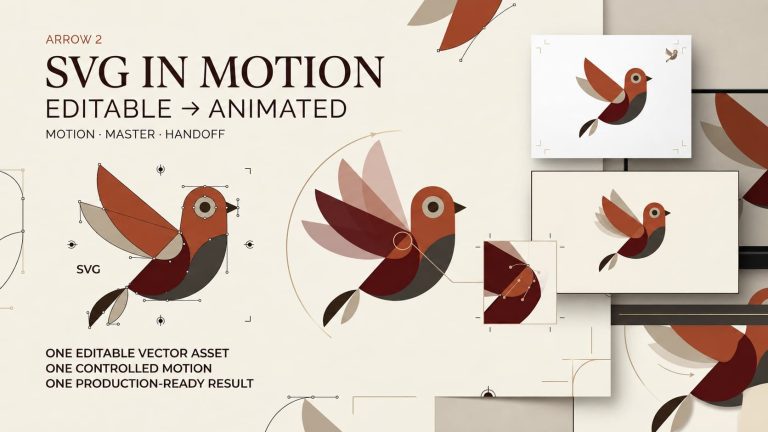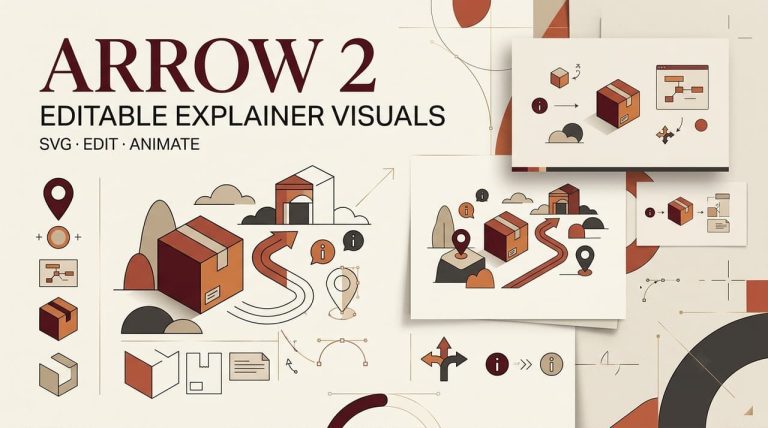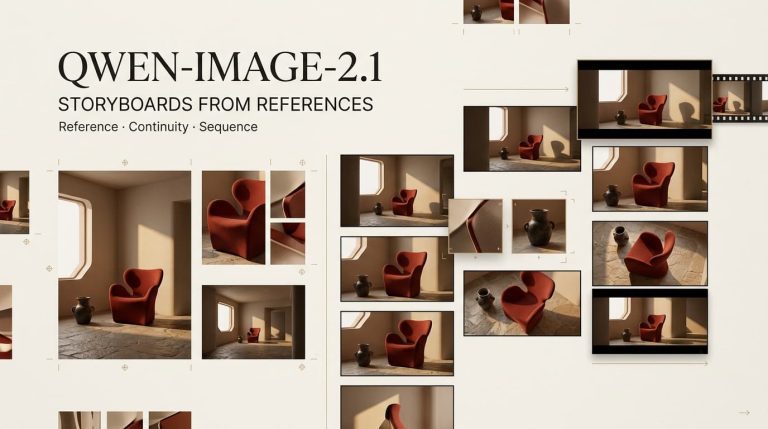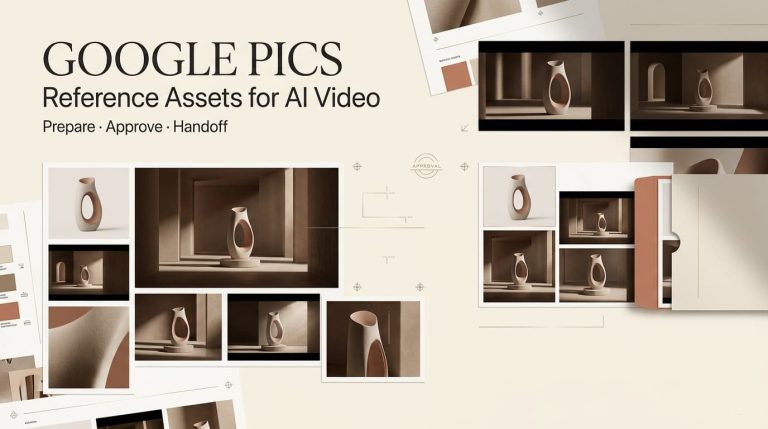
I was mid-edit at 11 PM when a friend dropped a screenshot in our group chat — crisp text, eight consistent frames, a layout that actually matched the brief.
Hey everyone, it’s Dora. I couldn’t stop staring at it.
Naturally, I spent the next three hours figuring out what this thing actually costs to use for real work.
GPT Image 2 launched on April 21, 2026, and the access structure is more layered than it looks at first glance.
If you’re trying to decide whether to stay on free, upgrade to Plus, or route it through the API — here’s the honest breakdown.
How GPT Image 2 access works in ChatGPT
Free access vs paid tiers
Instant mode is available to every ChatGPT user, including the free tier, starting April 22, 2026. So yes — you can use it right now without paying anything.
But “available” isn’t the same as “unlimited.” Free tier accounts hit a message cap every few hours, after which ChatGPT automatically drops down to a lighter model. For occasional use — testing a concept, making one-off thumbnails — that’s workable. For anything resembling a real creative workflow, you’ll hit the ceiling fast.
Here’s how the tiers stack up:
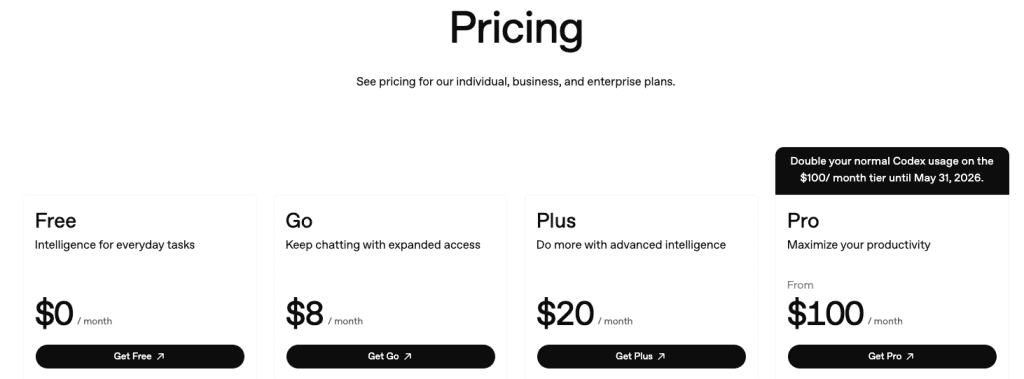
- Free: Instant mode only, rate-limited generation, no Thinking
- Plus ($20/mo): Thinking mode unlocked, higher limits, model picker
- Pro ($200/mo; $100 during promotions): Highest limits, priority access, longest reasoning runs
- Business / Enterprise: Team management, SSO, compliance features
One thing worth checking before assuming your plan covers everything: the exact per-tier generation limits aren’t spelled out cleanly anywhere. The ChatGPT pricing page describes Plus as “generous” and Pro as “unlimited subject to abuse guardrails” — which in practice means you’ll want to test your actual use case before committing.
What Thinking changes
This is the part that matters for creators doing anything beyond basic one-off generation.
Thinking mode is restricted to Plus, Pro, Business, and Enterprise subscribers. When it’s active, the model researches your prompt, plans composition, verifies outputs, and can pull real-time references from the web before rendering a single pixel. It can also generate up to eight consistent images from one prompt — characters, objects, and style staying coherent across the full set.
Free users get Instant mode. Instant mode is genuinely good. The quality gap over GPT Image 1.5 is real even without reasoning. But if you’re building campaign assets, storyboards, or anything where consistency across frames matters — Thinking mode is the actual product you want.
Whether the jump from free to Plus makes financial sense depends entirely on your monthly volume. For a creator pushing 50+ images a month, $20 for Thinking mode access is almost certainly worth running the numbers on.
GPT Image 2 API pricing explained
Input and output costs
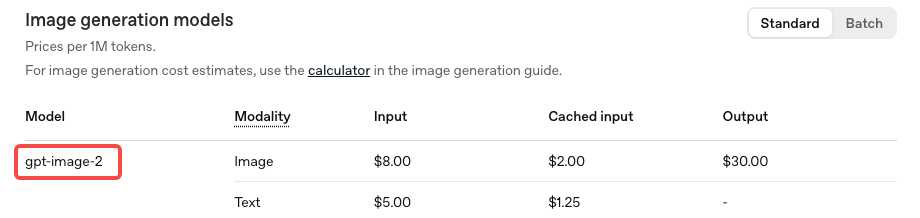
The API uses token-based billing, not flat per-image pricing. According to the official OpenAI API pricing documentation:
- Image input: $8 per million tokens
- Image cached input: $2 per million tokens
- Image output: $30 per million tokens
- Text input: $5 per million tokens
In per-image terms, the gpt-image-2 model page points to the image generation calculator for exact estimates. Based on numbers verified against OpenAI’s documentation:
| Resolution | Quality | Approx. cost per image |
| 1024 × 1024 | Low | ~$0.006 |
| 1024 × 1024 | Medium | ~$0.053 |
| 1024 × 1024 | High | ~$0.211 |
| 1024 × 1536 | High | ~$0.165 |
One thing the pricing structure buries: edit requests that include reference images are billed at high-fidelity input rates. gpt-image-2 processes image inputs at maximum quality regardless of your quality parameter setting. If your workflow involves uploading reference images and iterating on them — common for product mockups, character consistency work, ad variations — your real cost per asset runs higher than the baseline table suggests.
At the same standard 1024×1024 resolution in high quality, gpt-image-2 is actually more expensive than GPT Image 1.5 ($0.211 vs $0.133). At larger portrait resolutions like 1024×1536, it flips the other way — the new model costs less. Worth knowing before you assume it’s cheaper across the board.
What still needs verification in your workflow
A few things I’d flag as “test before budgeting around this”:
API availability: As of this writing, the official gpt-image-2 API is opening to developers in early May 2026. Confirm your actual access status in your OpenAI account — don’t assume. Third-party proxies have been available since launch but pricing and output rights vary by provider.
Thinking mode reasoning token costs: Thinking mode adds reasoning token overhead on top of base image generation costs. The exact overhead per generation hasn’t been published as a clean fixed number — it varies with prompt complexity. Build in a buffer, especially for layout-heavy or multi-image batch prompts.
Web search during generation: When Thinking mode pulls real-time references mid-generation, that likely adds web search token costs. This isn’t clearly itemized in current documentation. Run a few representative prompts with cost logging before scaling up.
DALL-E retirement: DALL-E 2 and DALL-E 3 are both being retired on May 12, 2026 — that’s less than three weeks from now. If you have any code calling DALL-E endpoints directly, migrate to gpt-image-2 before that date or your calls will fail.
Cheapest path for different creator workflows
Occasional creator (1–20 images/month via ChatGPT): Free tier is fine. Instant mode is a real upgrade. You’ll hit rate limits, but if you’re not working at volume, it’s not going to block you.
Regular content team (20–200 images/month via ChatGPT): Plus at $20/month is almost certainly the right call for Thinking mode alone — especially if you’re generating multi-frame assets or need character consistency across a batch. The math works out fast when you compare $20/month against the alternative of rerolling Instant mode outputs four or five times to get one usable frame.
Developer building a product or tool (API): Medium quality at ~$0.053/image is the sweet spot for most thumbnail and social asset use cases. At $53 per thousand images, it’s genuinely competitive with stock photography at scale — and every image is unique. High quality at $0.211 makes sense for hero images or anything print-adjacent, where the difference in output actually shows up.
High-volume production (1,000+ images/month, API): Use the image generation cost calculator in OpenAI’s docs before committing to a budget. At scale, the gap between medium and high quality compounds fast, and edit-heavy workflows can run 2–3x the baseline estimate depending on how many reference images you’re feeding in.
Hidden limits to watch before scaling
Transparent backgrounds: gpt-image-2 doesn’t support transparent backgrounds through the Responses API image generation tool. If PNG-with-alpha is part of your workflow, verify the specific route you’re using before building around it.
4K resolution is still beta: The standard API tops out at 2K. Anything above that is in early testing and may produce inconsistent results. Don’t plan production workflows around 4K output yet.
Knowledge cutoff is December 2025: The model won’t accurately render products, events, or public figures that emerged after that date. Thinking mode can supplement with web search, but the underlying visual knowledge base stops there.
Edit costs compound: Already mentioned above, but worth repeating: if reference images are part of your iteration process, your actual cost per final asset is higher than the baseline per-image number. Log a few real sessions before projecting monthly spend.
FAQ
Is GPT Image 2 free to use? Instant mode is free for all ChatGPT users. Rate limits apply. Thinking mode — where the biggest quality improvements live — requires Plus or higher.
What’s the API model ID?gpt-image-2. There’s also a chatgpt-image-latest alias that will always point to the current default image model, which is useful if you want automatic updates going forward.
Does Thinking mode cost more via the API? Yes — reasoning tokens add to base generation costs. The overhead varies by prompt complexity. Plan for variable per-image cost on layout-heavy or multi-image prompts.
Is gpt-image-2 cheaper than GPT Image 1.5? Depends on the resolution. At portrait formats like 1024×1536 high quality, yes — slightly cheaper. At standard 1024×1024 high quality, it’s actually more expensive. Verify at your target resolution before assuming.
What happens to DALL-E integrations? They stop working May 12, 2026. Migrate now.
Bottom line
GPT Image 2 is one of those releases where the benchmark numbers aren’t hype. The quality gap over the previous generation is real, and the text rendering improvement alone changes what’s practical for creators and small teams — especially anyone who’s been rebuilding layouts from scratch every time text came out wrong.
For most people: free plus Instant mode is a genuine upgrade, not a teaser. If you’re generating at any real volume or need Thinking mode’s multi-frame consistency, Plus at $20/month is worth taking seriously. For API-based workflows, medium quality at ~$0.053/image hits the sweet spot for most social and marketing assets — just account for edit overhead in your actual cost model.
The one thing I’d say before locking in a budget: run the pricing calculator with your real expected volume and quality settings. The token-based model means the “typical” per-image cost shifts more than you’d expect depending on how you’re actually using it.
Previous Posts: