I kept seeing slick “brand boards” on Twitter made with Midjourney v6 and, honestly, I was half impressed, half suspicious. Could it actually help me build consistent brand visuals or would it be another folder of pretty-but-useless images? So I spent a week treating it like a mini client. These are my field notes, the messy, useful bits, a midjourney v6 prompt guide for brand designers and marketers who want results, not fluff.
Why Midjourney v6 for Branding
Consistency Challenges
My main headache with AI visuals has always been consistency: same logo style across mockups, a repeatable art direction for social, and color behavior that doesn’t drift.. v6 is better here because it’s more literal, it follows prompt details more closely than earlier versions, and it handles typography and small details with fewer weird artifacts.
But it’s not magic. If your prompt is mushy, your set will be mushy. I found that naming the brand’s core attributes up front (“warm, small-batch, outdoor-leaning, tactile materials”) reduced drift. And using the same seeds and aspect ratios across a set kept things aligned. When I got lazy and changed phrasing mid-way, the look shifted. Predictable.
Also, quick reality check: Midjourney isn’t a logo generator in the legal/trademarkable sense. It’s an exploration engine. I use it to shape mood, art direction, and testing grounds for ads, then refine in Illustrator/Figma.
v6 Prompt Enhancements
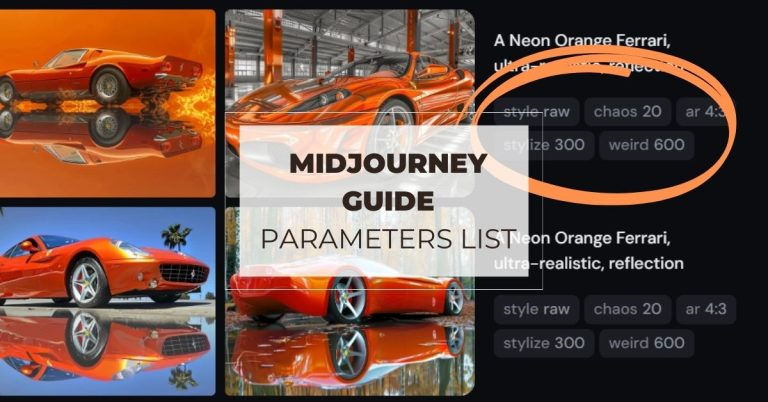
What popped with v6: better text rendering in context (not perfect, but fewer cursed letters), more reliable negative prompts (–no) to avoid props you don’t want, and tighter adherence to style references. If you leverage image prompts and style references (I used a simple brand collage as an image prompt plus a color swatch), v6 “gets” your lane sooner.
Parameters I leaned on:
- –ar for outputs that match placements (9:16 Reels, 1:1 feed, 16:9 YouTube thumb)
- –seed to anchor a look across variations
- –stylize (low for control, higher for vibe)
- –style raw to reduce the “Midjourney glow” when I needed cleaner, more editorial looks
- –no [thing] to kill recurring distractions (no lens flares, no stocky watermark vibes)
- Image prompts + reference boards to feed brand DNA
Not gonna lie, “style raw” saved me when everything looked too dreamy. It’s the de-gloss button.
Prompt Crafting Guide
Style Parameters
Here’s the skeleton that worked for me:
Brand essence: [adjectives, audience, price tier], materials/finishes, setting, subject, camera/lighting, finish, parameters.
Example (talking voice, not poetry):
“artisan trail-running brand for weekend athletes, approachable premium, recycled nylon + natural rubber, overcast alpine setting, hero shoe on rock, shallow depth of field, soft directional light, editorial photography, minimal styling, clean shadows, –ar 4:5 –style raw –stylize 60 –seed 42 –no logo watermark”
Small tweaks matter:
- Keep adjectives concrete (matte, grainy, recycled) over vague (innovative, modern).
- Set stylize lower (20–80) for campaign assets: higher (200–600) for moody moodboards.
- Use the same –seed across a batch to keep composition and palette behavior similar.
- If things feel “too Midjourney,” add “editorial, natural light, minimal post-processing, believable skin tones, product-first.”
Color & Composition
Color is where v6 behaves if you feed it clearly.. I reference the palette in plain English plus hexes when I need them to show up as accents: “primary moss green #2E553D, accent clay #C46D48, off-white fiber texture.” It won’t always nail hex-perfect solids, but it tends to respect relationships (dominant vs accent) when I state hierarchy.
For composition, write the frame like you would to a photographer: “centered product, 30% negative space top for headline, rule-of-thirds subject, eye-level.” Add placement notes: “for Instagram Reel cover, text-safe top third.” And mirror that with the right aspect ratio. If headline space kept getting crowded, I used “clean background, studio sweep, ample negative space, –no busy props”. It sounds boring, but it works.
Tip: include “cohesive set, same art direction” when generating batches: then reuse the seed for each prompt in the series.
Brand Workflow
Logo & Social Media
For logos, I treat v6 as a mood and form finder, not a final logo maker. Prompts like: “symbolic mountain mark, simple geometry, single weight, negative space play, brand ‘TALA’, monochrome, flat vector-like look, grid-friendly, –style raw –stylize 20 –ar 1:1”. I then trace and refine manually. If you ask it for text logos, you’ll sometimes get decent letterforms, but you must redraw and test legibility at favicon sizes.
Social? This is where it shines. I create a seed and produce a set: product close-up, lifestyle wide, texture macro, and a brand quote card background (plain, grain, color-block). Recycle the same lighting and material cues so the grid doesn’t look like a collage of strangers.
Iterative Testing
My loop looked like this:
- Generate a small set with a fixed seed.
- Save two strongest images: note what worked (lighting, surface, color behavior).
- Iterate only one variable at a time (e.g., background material) with the same seed.
- Export shortlists into Figma: overlay real headlines and CTA buttons.
- Kill anything that breaks at small sizes or clashes with the palette.
I almost skipped step 4 once, big mistake. The “perfect” image looked messy once I dropped a 14pt CTA on it. Always mock real copy.
Case Study
Startup Branding Example
A friend’s eco coffee startup (let’s call it Larch) needed a quick visual direction for launch emails + Instagram. I built a 3-part prompt system:
- Product hero: “eco coffee brand ‘Larch’, matte recyclable pouch, moss green #2E553D label, clay accent stripe #C46D48, soft window light, wooden countertop, editorial, text-safe top third, –ar 4:5 –style raw –stylize 50 –seed 77”
- Lifestyle: “morning kitchen scene, steam, natural light, Scandinavian minimal, warm grain, hands pouring, cozy but not twee, same palette, –ar 4:5 –seed 77”
- Texture/macro: “paper fiber, subtle emboss, moss green ink speckle, macro photography, backdrop for quotes, –ar 1:1 –seed 77”
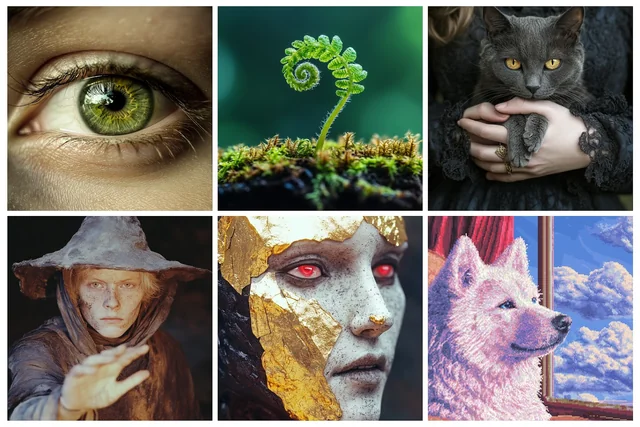
Results? Cohesive grid, consistent palette, and assets that actually accepted headlines without wrestling. We still designed the logo by hand, but the direction, materials, light, palette priority, was 80% settled in a day. If you write SEO blogs, you could even use these images as consistent article headers without the usual stock-image déjà vu.
If you’re like me and you care about brand coherency and fast iteration, Midjourney v6 is worth a spin. If you expect it to spit out a trademark-ready logo or nail hex colors with surgical precision, skip the stress and keep it as a creative accelerator instead.