Hi, Dora is here. A client came to me in January with two briefs on the same day: one needed a polished spokesperson video for a product launch page, the other needed a batch of UGC-style ad variants for Meta. Different vibes, different outputs — and I ended up using a different tool for each.
That experience pushed me to properly test both Revid AI vs HeyGen side by side, instead of just defaulting to whichever I’d used most recently. I ran the same scripts through both, compared the outputs, went through the pricing pages, and mapped out which scenarios each tool actually wins.
Not sponsored by either. Just notes from a week of testing.
Quick answer if you’re in a hurry: HeyGen is the stronger choice for polished avatar and spokesperson content. Revid AI wins on speed, UGC-style output, and price-per-video for high-volume ad creation. The right pick depends almost entirely on what you’re making.
Pricing
Caveat upfront: Both tools update their pricing periodically. The numbers below reflect what was live in early 2026 — verify on the official pages before committing to anything.
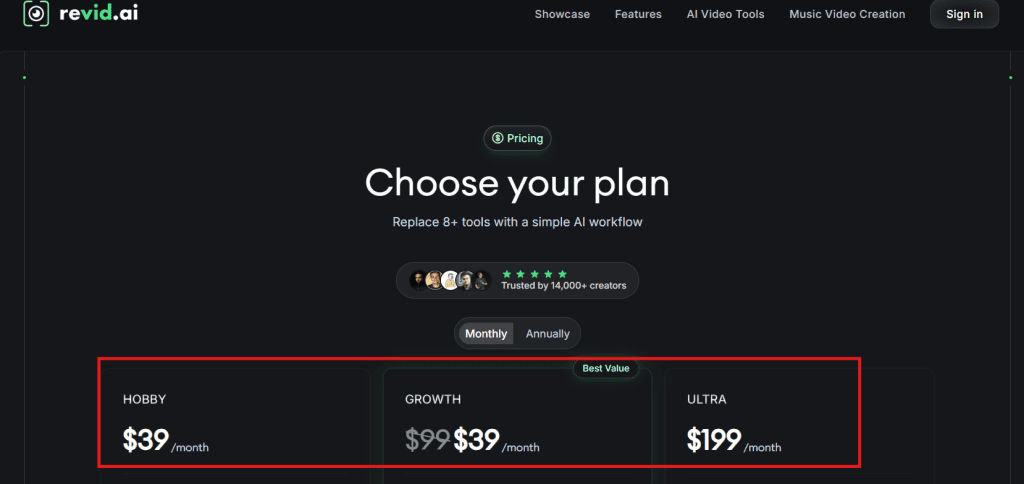
Revid AI runs a freemium model with a limited free tier and paid plans starting at a lower price point than HeyGen. Based on the Revid AI pricing page as of early 2026:
| Plan | Monthly Cost (approx.) | Key Limit |
| Free | $0 | Watermarked, limited exports |
| Starter | ~$29/month | ~50 videos/month |
| Pro | ~$59/month | ~150 videos/month |
| Business | ~$149/month | High volume + team features |
HeyGen is structured differently — it focuses on credit-based consumption tied to video minutes rather than a flat video count. Based on the HeyGen pricing page:
| Plan | Monthly Cost (approx.) | Key Limit |
| Free | $0 | 1 credit/month, watermark |
| Creator | ~$24/month | 15 credits/month |
| Team | ~$120/month | 30 credits/month + collaboration |
| Enterprise | Custom | Custom credits + SLA |
The pricing models are genuinely different, which makes direct comparison tricky. HeyGen’s “credit” is consumed per minute of finished video — a 2-minute avatar video uses 2 credits. Revid AI’s limits are per video, regardless of length within a range.
For high-volume ad production — say, 30–50 short videos per month — Revid AI’s per-video pricing tends to be cheaper. For a marketer who needs 8–10 polished avatar videos per month and doesn’t need high volume, HeyGen’s Creator plan is cost-efficient.
One thing I noticed: HeyGen’s free tier is genuinely restrictive (1 credit/month is essentially a demo, not a real trial). Revid AI’s free tier lets you generate more before hitting a wall, which makes it easier to evaluate before spending money.
Output Quality
This is where the two tools diverge most visibly — and where “better” entirely depends on the format you’re making.
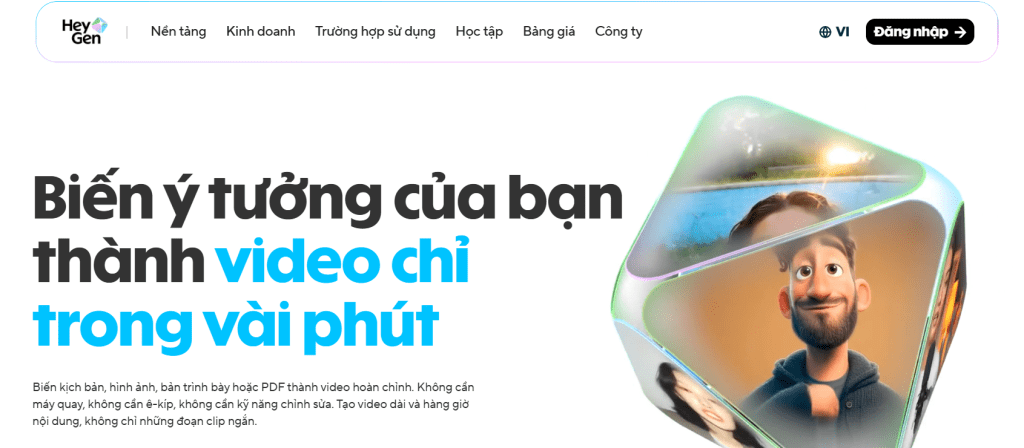
HeyGen’s strongest suit is avatar realism. The HeyGen AI video tool produces talking-head videos with lip sync accuracy that’s noticeably ahead of most competitors I’ve tested. If you’re making spokesperson content for a landing page, a product explainer, or a corporate training video — this is where HeyGen earns its price premium. The avatars move naturally, the mouth sync is tight, and the output reads as deliberate and professional.
I ran the same 90-second product script through both tools. HeyGen’s output looked like something a mid-tier production team would be happy to put on a brand page. Revid AI’s output from the same script looked like a social ad — which isn’t a criticism, it’s just a different aesthetic.
Revid AI’s strongest suit is UGC-style and volume. Among AI UGC video tools, Revid AI is specifically optimized for the format that performs on paid social: casual delivery, fast cuts, on-screen text hooks, product close-ups. The templates are built for Meta and TikTok ad formats out of the box. If you’re producing 20 ad variants per week and you need them to feel native to the feed — not polished and corporate — Revid AI gets there faster with less post-production work.
A few specific observations from testing:
Lip sync: HeyGen is better. Revid AI’s sync is acceptable but occasionally drifts on faster speech, especially with non-English scripts.
Background and scene variety: Revid AI has more built-in variety for product backgrounds and B-roll templates. HeyGen’s avatar mode is mostly fixed to a background you choose — it’s not trying to be a full scene builder.
Custom avatar: Both tools let you create a custom avatar from your own footage. HeyGen’s custom avatar quality is higher — particularly for facial detail and hair movement. Revid AI’s custom avatar feature works, but the output looks more templated.
Text-to-video without an avatar: Revid AI handles this better. If you want a video that’s purely product footage, on-screen text, and voiceover — no talking head at all — Revid AI’s workflow for this is faster and more purpose-built.
Known limitation on both: neither tool handles heavy accents well in the AI voiceover options. If your brand voice has a specific regional accent requirement, you’ll want to supply your own audio rather than relying on the generated voice.
Decision Guide
Here’s how I’d make the call between Revid AI vs HeyGen based on what you’re actually building.
Choose HeyGen if:
- Your primary use case is talking avatar or spokesperson content for landing pages, LinkedIn, or YouTube
- Output polish matters more than output volume
- You need video translation or multilingual avatar content (HeyGen’s translation feature is one of its strongest differentiators)
- You’re producing a small number of high-value videos per month
Choose Revid AI if:
- You’re running paid social ads and need UGC-style creative at volume
- You need 20–50+ videos per month and per-video cost matters
- Your content is short-form, hook-driven, and built for TikTok or Meta
- You want templates that are pre-configured for ad formats
- You’re newer to video creation and want faster onboarding
Consider Jogg AI if neither fully fits: The Jogg AI platform targets a similar niche to Revid AI — UGC-style product ads, ecommerce focus, fast output — and is worth a direct comparison if you find Revid’s pricing or template range doesn’t quite match your workflow. It’s a legitimate Revid AI alternative worth testing before committing.

For marketers comparing jogg ai vs heygen, the calculus is similar to Revid vs HeyGen: Jogg AI is optimized for ad volume, HeyGen is optimized for avatar polish. Same underlying question — volume or quality per video?
A quick decision table:
| Use Case | Pick This |
| Talking avatar for landing page | HeyGen |
| UGC ad batch for Meta/TikTok | Revid AI |
| Product explainer video | HeyGen |
| 40+ social ad variants/month | Revid AI |
| Multilingual video content | HeyGen |
| No editing experience, social-first | Revid AI |
| Custom branded avatar, high polish | HeyGen |
One more thing worth flagging: these tools aren’t mutually exclusive. Some creators and small teams I know use HeyGen for hero content (landing pages, evergreen brand videos) and Revid AI for performance creative (ad variants, social cuts). The budgets are different but the use cases don’t overlap much in practice.
FAQ
Is Revid AI or HeyGen better for UGC-style ads?
Revid AI. It’s built specifically for the format — short hooks, on-screen text, product-focused cuts, and templates pre-configured for Meta and TikTok ad dimensions. HeyGen’s strength is avatar polish and professional spokesperson content, not the raw, native-feeling UGC aesthetic that tends to perform on paid social. If UGC ad creative is your primary output, Revid AI gets you there faster and cheaper.
Which tool is cheaper for frequent video creation?
For high-volume production — 30+ videos per month — Revid AI’s per-video pricing model typically works out cheaper than HeyGen’s credit-based system. HeyGen’s Creator plan (~$24/month) is cost-efficient if you only need 10–15 minutes of finished video per month. Once you’re producing more than that, the per-minute credit consumption adds up quickly. Both tools have pricing pages worth running through a rough monthly volume calculation before committing: check the Revid AI plans and HeyGen plans side by side against your actual output needs.
Can Revid AI and HeyGen both make avatar videos?
Yes, both support avatar video — but with meaningfully different quality levels. HeyGen’s avatar output is more realistic, with tighter lip sync and more natural facial movement. It also supports custom avatar creation from your own footage at a higher quality ceiling. Revid AI’s avatar feature works and is faster to use, but the output is more templated and the lip sync occasionally drifts on faster delivery. For avatar content that goes on a brand page or LinkedIn, HeyGen’s quality advantage is visible. For social ad content where the hook matters more than the avatar polish, Revid AI is fast enough.
Which one is better for marketers with no editing experience?
Revid AI has a lower learning curve for someone coming from zero editing background. The templates are pre-built for specific ad formats, the script-to-video workflow is more guided, and the interface is designed around fast output rather than granular control. HeyGen is not complicated, but it’s built around the avatar creation process — you’ll spend more time on setup (choosing or creating your avatar, setting the scene) before you get to an output. A marketer who wants to go from brief to first draft as quickly as possible will find Revid AI’s workflow more intuitive out of the box.
The Revid AI vs HeyGen question doesn’t have a universal answer — it has a workflow answer. What are you making, how often, and does polish or volume matter more for your specific use case? Run both free tiers against a real brief from your actual work before spending money on either. The difference in output style will be obvious within the first two or three generations.
And if you’ve been using one of these already and hit a limitation that pushed you to look at the other — drop it in the comments. The edge cases are where these tools show their real character.
Previous Posts