Three weeks ago, a friend sent me a LinkedIn video and I spent a full minute trying to figure out if it was actually her. It wasn’t. It was an AI avatar — crisp lip sync, natural head tilts, zero uncanny valley. I immediately opened four browser tabs and spent the next two days testing every major avatar tool I could find.
What I was actually searching for: which of these things is genuinely usable for a creator like me? Not “which has the most features listed on a pricing page.” Not “which company raised the most money.” Which one actually gives me a video I’m not embarrassed to post?
So here’s what I found — avatar quality, voice cloning, pricing quirks, and which free plan is worth your time. I’ll also flag which tool I’d actually reach for depending on what you’re trying to make.
What Is an AI Avatar Video Generator?
Before the comparison — a quick framing, because these tools get lumped together in ways that confuse people.
An AI avatar video generator lets you create a video with a digital human presenter without ever turning on a camera. You write a script, pick an avatar (or clone your own face and voice), and the tool generates a video where that avatar delivers your words with lip sync, expressions, and sometimes body movement.
What they’re NOT: general video generators like Runway or Kling, which synthesize footage from text prompts. Avatar tools are specifically about talking-head presenter videos. The use cases are distinct — corporate training, product explainers, YouTube intros, sales outreach, educational content, social media clips where a talking face performs better than B-roll.
According to Grand View Research, the global AI avatar market is projected to grow from $800 million in 2025 to nearly $6 billion by 2032, at a 33% annual growth rate. That’s a lot of companies throwing money at this problem — which is partly why the tools have gotten genuinely good in the last year.
Best AI Avatar Video Tools Compared
I spent two full days generating 15+ test videos across languages, script lengths, and lighting conditions to push each tool’s limits on realism, consistency, and practical usability.
HeyGen
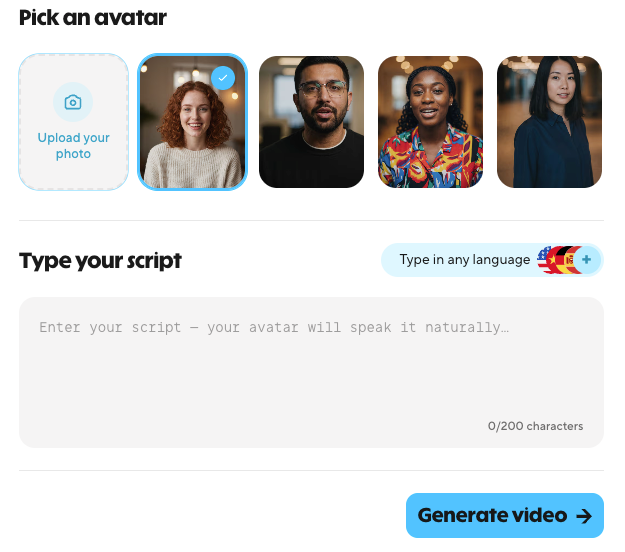
HeyGen is the tool that made me do a double-take on that LinkedIn video. Their Avatar IV technology is — and I say this after testing it myself — the most photorealistic AI avatar generation available outside enterprise contracts right now.
I recorded a two-minute clip of myself talking to a camera in natural window light, uploaded it, and had my own AI clone ready in about five minutes. Then I typed new scripts in French and Spanish (languages I do not speak) and watched my avatar deliver them with synced lip movements. I genuinely had to pause and rewatch it. The micro-expressions, the natural blinking cadence, the slight head movement between sentences — it didn’t feel like a robot. I ran the same 90-second script through five generations; consistency stayed above 95% on lip sync and gesture timing.
The things that actually surprised me during testing:
Avatar quality. The stock avatars (now 700+) are solid, but the real party trick is the Instant Avatar. Output was noticeably better than competitors even with casual webcam footage.
Multilingual support. HeyGen supports 175+ languages at the video translation layer, with lip sync that adjusts to the target language. I tested this with a Spanish version of an English video. The sync held up well — occasional slight timing drift on faster speech, but nothing broken.
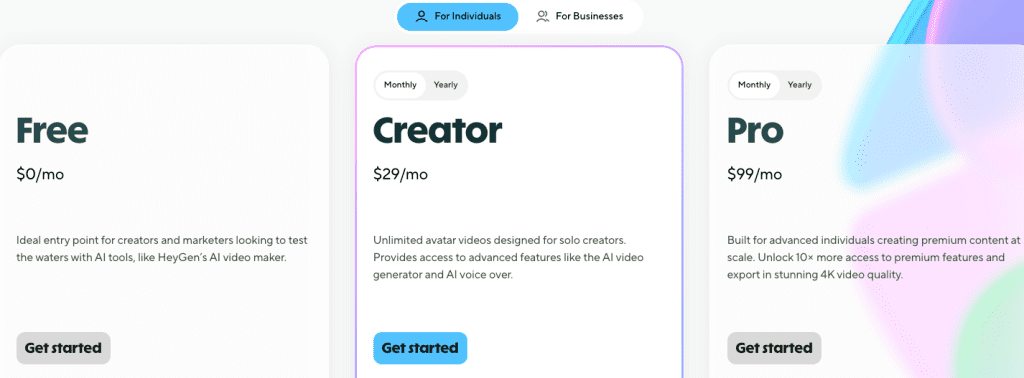
The credit thing. This is where I’d tell any friend to read carefully before committing. Per HeyGen’s subscription documentation, the Creator plan ($29/month or $24/month billed annually) says “unlimited videos” — and that’s technically true for standard avatar videos. But Avatar IV generation and lip-synced translation consume premium credits, and Creator only gives you 200/month (roughly 10 minutes of Avatar IV content at 20 credits per minute). Credits don’t roll over month to month, and if you need more, HeyGen sells top-up packs starting at $15 for 300 credits. I burned through mine faster than I expected during testing.
If Avatar IV quality is what you’re after, you’ll either need to budget credits carefully or consider the Pro plan ($99/month). Not a dealbreaker, but worth knowing before you’re two weeks in and hitting a wall.
Free plan reality check. Three videos per month, 720p, watermarked. Enough to see if the quality matches your needs. Genuinely not enough to produce anything you’d actually publish. But HeyGen deserves credit for making it a permanent free tier with no credit card required.
Best for: Creators, marketers, and small teams who need high-quality, client-facing avatar videos. Especially powerful if you’re making content in multiple languages.
Synthesia
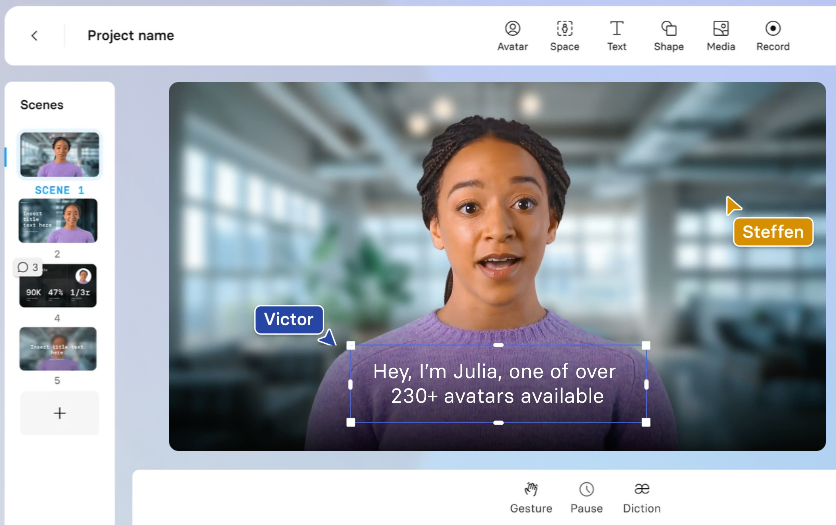
Synthesia is the oldest name in this category — they’ve been at it since 2017 — and the experience shows. Not in a flashy way. In a “this thing just works, every time, for corporate stuff” kind of way.
I set up an account and had a training video script ready. The interface walked me through it in a way that felt structured and slightly formal — exactly what it’s designed for. Pick an avatar from their 240+ library, paste your script, choose a voice, adjust the slide layout, and generate.
The result looked professional. Not as hyper-realistic as HeyGen’s Avatar IV, but clean, trustworthy, and immediately usable for internal communications. For most corporate use cases — onboarding, compliance training, product demos — that’s completely fine.
Where Synthesia really separates itself is enterprise compliance. Their security practices page lays out the full stack: SOC 2 Type II, GDPR, and most notably ISO 42001. If you’re at a company where Legal and IT have opinions about your video tools, Synthesia has the paperwork to satisfy them.
Voice cloning. Available on paid plans. The quality is good — natural inflection, clear audio. Synthesia supports 140–160+ languages depending on voice and avatar combination (vs. HeyGen’s 175+ at the translation layer), but for most teams the gap doesn’t matter.
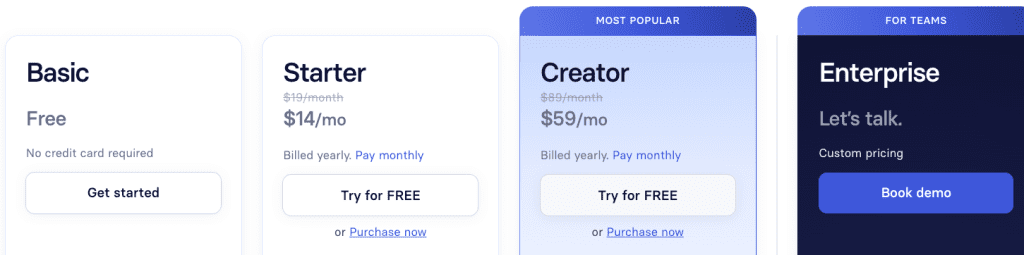
Pricing. Starter at $29/month ($18/month billed annually, approximately 10 minutes of video per month) is the current entry point. The trade-off is minute-based video limits rather than HeyGen’s unlimited-with-credit approach. SCORM export and one-click translation are locked behind Enterprise tier.
Best for: Enterprise teams, HR departments, L&D professionals. If you’re producing training videos at scale with compliance requirements, Synthesia was built for you.
D-ID
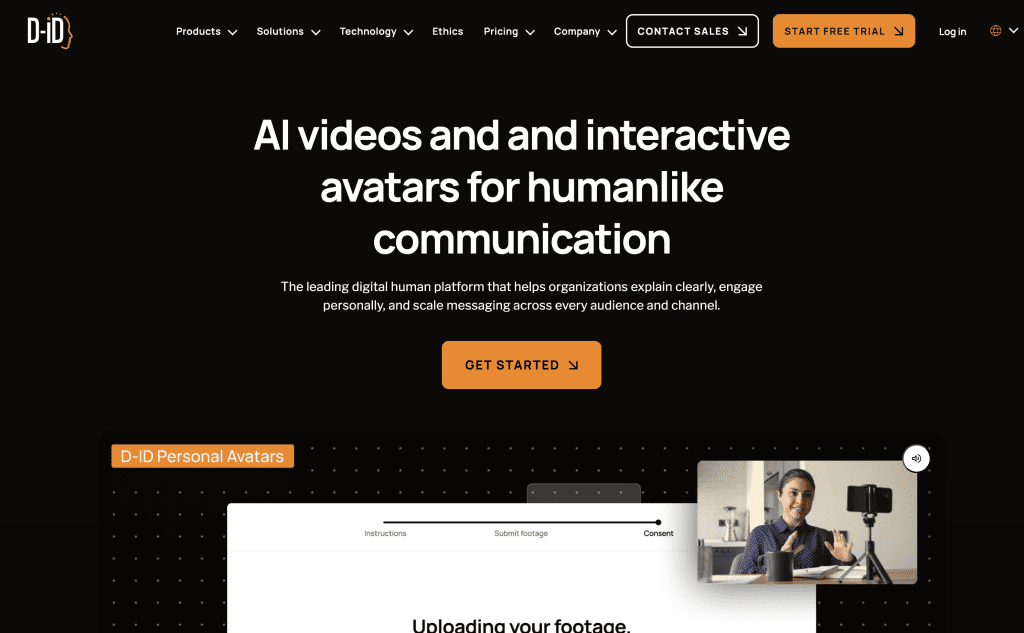
D-ID was the first tool I ever used in this category, back when the magic trick was “upload any photo and make it talk.” That still works, and it’s still impressive for quick prototypes. But the platform has evolved.
The newest version of D-ID is increasingly positioned as a developer platform and interactive AI tool. Their real-time streaming avatar capability is genuinely different. You can build a conversational interface where a digital human responds to users in real time — think customer service bots or educational tools.
For standard video creation, I’ll be honest: the output looks noticeably less polished than the other two. The avatars are photorealistic enough for quick content — I made a talking-head clip in under three minutes — but the lip sync drifted noticeably on longer takes. Reading through D-ID’s verified user reviews on G2, the pattern holds: strong for short social clips, shakier on longer videos.
The billing situation has also generated some heated user feedback on Capterra. Multiple reviews mention unexpected charges and difficulty canceling. If you sign up, read the subscription and cancellation instructions carefully before you enter a credit card.
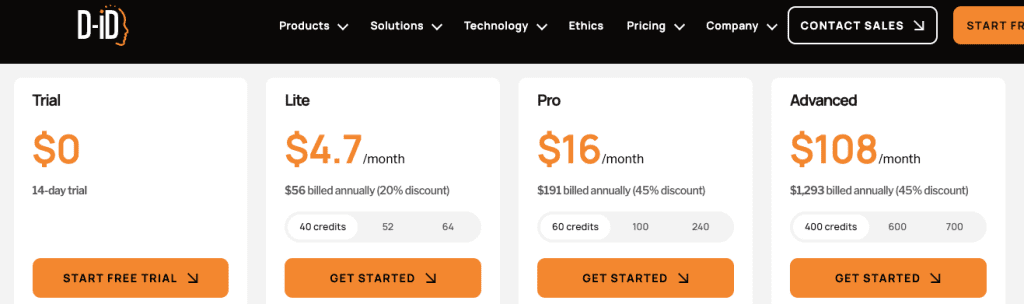
Price point. D-ID starts at $4.70/month — by far the lowest entry point in this comparison. The 14-day free trial is more functional than HeyGen’s permanent free tier if you need to test output quality seriously.
Best for: Developers building interactive applications, quick social clips, budget-conscious creators who don’t need studio-level polish. Supports 120+ languages.
Best Free Option
If you want to test avatar video without committing to a paid plan:
- D-ID’s 14-day trial gives the most functional access upfront.
- HeyGen’s permanent free plan (3 videos/month) never expires.
- Synthesia has a limited free/Basic plan (watermarked, minimal minutes) but you’re largely committing to paid for real testing.
Feature Comparison
| HeyGen | Synthesia | D-ID | |
| Avatar Realism | ⭐⭐⭐⭐⭐ | ⭐⭐⭐⭐ | ⭐⭐⭐ |
| Voice Cloning | ✅ Paid plans | ✅ Paid plans | ✅ Paid plans |
| Language Support | 175+ (translation layer) | 140–160+ | 120+ |
| Free Plan | Permanent (3 videos/mo) | Limited | 14-day trial |
| Starting Price | $29/mo ($24 annual) | $29/mo ($18 annual) | $4.70/mo |
| Enterprise Compliance | Partial | SOC2, GDPR, ISO 42001 | Partial |
| Real-time Interactive | ❌ | ❌ | ✅ |
| Best For | Creators, marketers | L&D, enterprise | Developers, quick clips |
Pricing Breakdown (as of April 2026)
HeyGen:
- Free: $0, 3 videos/month, 720p, watermarked
- Creator: $29/month ($24/month annual) — unlimited standard videos, 200 premium credits/month, credits don’t roll over
- Pro: $99/month ($79/month annual) — 2,000 premium credits/month, 4K export
- Business: $149/month — team collaboration, advanced features
- Credit top-ups: from $15 for 300 credits
- Enterprise: Custom
Synthesia:
- Starter: $29/month ($18/month annual, ~10 min video/month)
- Creator: $59/month (annual)
- Enterprise: Custom
D-ID:
- Lite/Pro/Advanced: Starting at $4.70/month (annual)
- Enterprise: Custom with API access
Who Should Use Avatar Video Generators
Use HeyGen if: You’re a creator, marketer, or small team producing client-facing video — especially multilingual. Use Synthesia if: You’re at a company with IT/compliance requirements or your main use case is L&D content at scale. Use D-ID if: You’re a developer building an interactive AI experience or you need quick, affordable short clips.
Not sure? HeyGen’s free plan gives you enough to see whether avatar video actually fits your workflow before you spend anything.
FAQ
Q: Can I use my own face as an avatar? All three support custom avatar creation. HeyGen’s Instant Avatar is fastest.
Q: Is AI avatar video detectable? Increasingly yes for trained eyes — especially on longer videos or less polished tools. The more relevant question for most creators is disclosure.
Q: Which tool has the best free plan? HeyGen’s permanent free tier never expires. D-ID’s 14-day trial gives more access upfront.
Final Thoughts
I started this comparison expecting a clear winner. What I found is that these tools aren’t actually competing for the same person.
HeyGen is the one I’d use for my own content — the avatar quality is the most convincing I’ve tested, the multilingual feature is genuinely impressive, and the free tier makes it easy to try before you commit. Just go in with eyes open about the credit system.
If I were advising an L&D team at a mid-sized company, I’d point them toward Synthesia — the compliance infrastructure and structured workflow are worth it.
And if you’re a developer who wants real-time interactive avatars, D-ID is doing something genuinely different.
The avatar video space has gotten surprisingly good in the last year. We’re past the “uncanny valley” stage — which means the decision is less about “does this look real enough” and more about which workflow actually fits how you make content.
One last note: this space moves fast. Pricing tiers, credit limits, and feature availability can shift without much warning. Before you commit to a plan, verify the current details directly on HeyGen’s pricing page, Synthesia’s site, and D-ID’s pricing page.
Previous Posts: