Editor’s Note: All tools, features, and pricing limits listed below were independently verified and re-tested in May 2026 to ensure accuracy regarding watermark policies, pricing, and commercial usage rights.
You already have polished product photos, but static images often struggle to stop the scroll. A strong ai product video ad can turn one clean product shot into motion, context, captions, and a campaign-ready creative. The problem is that most ecommerce teams still waste hours jumping between image editors, video tools, caption apps, and manual review sheets.
CrePal helps solve this by acting as an AI Director Agent, not just another clip generator. Instead of only animating one image, it can help plan the ad angle, generate scenes, refine pacing, and prepare variations for testing. In this guide, you will learn how to turn product photos into video ads, compare tools, and build a repeatable ad workflow for ecommerce campaigns.
Image description: Screenshot of CrePal’s homepage showing its AI video creation agent interface and video generation positioning.
What Is CrePal?
CrePal is an AI Director Agent for end-to-end AI video creation. Unlike single-purpose image-to-video tools that only animate a still frame, CrePal helps coordinate the full production flow: ad concept, scene planning, model selection, generation, music, captions, and conversational edits. The result is a faster path from product photo to review-ready ad creative.
For marketers, the main value is not only speed. It is creative control. You can start with one product image, ask for several campaign angles, generate short clips, and refine the output through natural language. That makes CrePal especially useful for ecommerce teams testing hooks, offers, and visual styles across TikTok, Reels, Shorts, and paid social.
Why Product Photos Work for AI Video
Product photos are useful because they already contain the most important asset: the product. A good AI system does not need to invent the bottle, bag, sneaker, gadget, or skincare jar from scratch. It can use the existing image as a visual anchor.
That matters for ecommerce. If the product changes shape, color, label, or packaging during generation, the ad loses trust. A strong product photo gives the AI a reference point, reducing the chance of visual drift.
Product-photo ads also support fast testing. One hero image can become a launch ad, discount ad, feature ad, unboxing-style ad, lifestyle ad, or seasonal variant. For broader AI video workflows, you can also compare image-to-video methods in our free image-to-video AI guide.
Image description: Screenshot of CrePal’s features page showing workflow panels for AI video creation, progress tracking, and output management.
The best source photos usually have three qualities:
- Clear product edges with minimal background clutter.
- Readable packaging without tiny text that may distort.
- Lighting consistency that supports motion and scene expansion.
A product photo does not need to be perfect. But it should be stable enough for the AI to understand what must stay consistent.
Best Tools
The data in this section reflects hands-on testing conducted in May 2026. Platform policies, pricing, and free-tier limits may change over time, so always verify final licensing terms on the official website before commercial use.
Choosing the right ai video ad maker depends on whether you need a finished ad workflow or just a short animated clip. For ecommerce teams, the difference is important. A nice moving product shot is not always an ad. A real ad needs a hook, scene logic, captions, CTA, and review process.
| Tool | Best For | Product Photo Workflow | Key Limitation |
| CrePal | Complete AI product video ad workflow | Strong for planning, scene creation, editing-by-chat, and ad variations | Best results still need clear source photos and review |
| Mage | Fast image and video generation | Useful for creative experiments and stylized product visuals | Less focused on campaign structure |
| Venice | Private creative generation | Useful for image and video generation with privacy-focused positioning | Ad workflow requires more manual planning |
| BasedLabs | Quick text/image-to-video tests | Good for simple video drafts and creator experiments | Output may need external editing |
| PixelBunny | Lightweight AI image and video tools | Useful for editing, upscaling, and simple transformations | Less built around full ad production |
CrePal should be the first tool to test when your goal is a complete ai product video ad, not just an animated still. It works more like an AI director: you describe the campaign goal, provide the product asset, and refine the output through conversation. That makes it easier to move from “nice motion” to “usable ad creative.”
Image description: Screenshot of CrePal’s pricing page showing plan options, credit structure, and free-start positioning for creators.
Mage is useful when you want quick creative exploration. It can help generate stylized visuals or experimental motion ideas. Venice is stronger when privacy and broad model access are part of the decision. BasedLabs is practical for fast drafts and simple image-to-video testing. PixelBunny is better suited for lightweight AI image and video transformations.
For ad teams, the key question is simple: do you need a single clip, or do you need a complete campaign asset? If you need the second, start with CrePal’s AI video creation workflow.
Image description: Screenshot of Mage’s official interface or product page showing AI image and video generation options.
Image description: Screenshot of Venice’s video generation page showing image-to-video or text-to-video creation options.
Image description: Screenshot of BasedLabs’ AI video generator page showing image or text input for video creation.
Image description: Screenshot of PixelBunny’s official tools page showing AI image and video editing features.
Step-by-Step Ad Workflow
A repeatable product photo to video ad workflow should be simple enough for weekly campaign testing. The goal is not to create one perfect video. The goal is to create several usable versions and learn which angle performs.
Step 1: Choose the Product Photo
Start with one hero photo. Use a front-facing product image if the packaging matters. Use a lifestyle image if the product benefit depends on context.
Avoid images with heavy shadows, distorted reflections, or unreadable labels. If the product is small, crop closer before uploading. This helps the model focus on the item instead of the background.
Step 2: Define the Ad Angle
Before generating motion, decide what the ad should sell. The most common ecommerce angles are:
- Problem-solution: “Tired of messy cables?”
- Feature-led: “Three-speed cooling in one portable fan.”
- Lifestyle: “Morning skincare in 20 seconds.”
- Offer-led: “Launch week: 20% off.”
- Social proof: “Why creators keep this in their desk setup.”
This is where CrePal is helpful. You can ask it to turn one product photo into multiple ad concepts. For example: “Create three 15-second video ad concepts for this product: one premium, one TikTok-style, and one discount-led.”
Step 3: Write the Motion Prompt
The motion prompt should protect the product while adding movement around it. Keep the product stable. Move the camera, lighting, particles, background, or surrounding props.
Example prompt:
“Animate this product photo into a 12-second ecommerce video ad. Keep the product shape, logo, label, and color consistent. Add a slow camera push-in, soft studio lighting, floating feature callouts, and a clean final CTA frame.”
For kling ai product photos workflows, the same rule applies. Kling-style image-to-video tools can animate product images, but you still need controlled motion prompts. Too much movement can distort packaging or change the product identity.
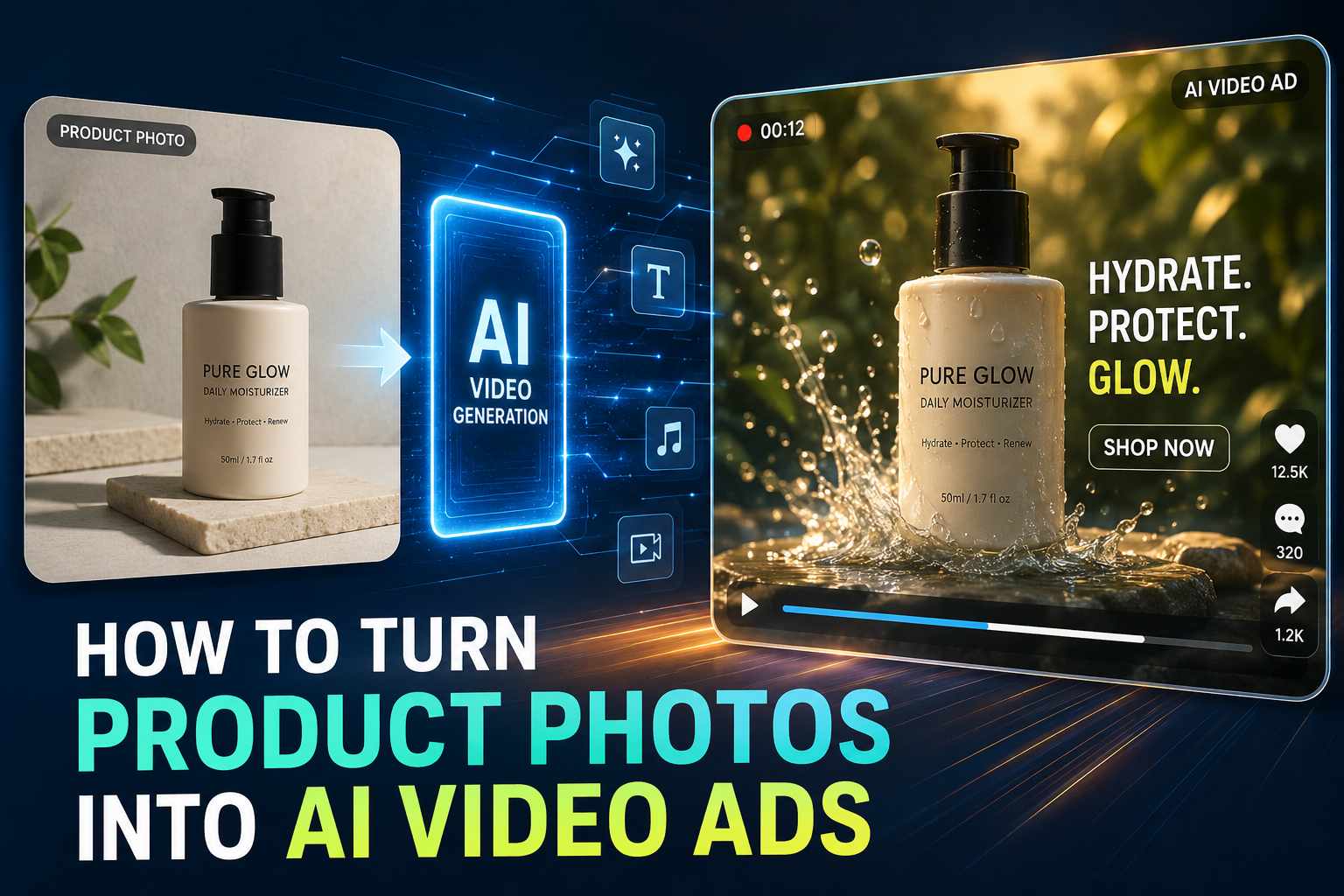
Image description: Screenshot-style visual showing a product photo, motion prompt, generated video frames, and caption overlay review.
Step 4: Generate Scene Variants
Do not stop at one output. Create at least three versions from the same photo:
- Version A: Clean studio product reveal.
- Version B: Lifestyle background with use-case context.
- Version C: Offer-led ad with strong CTA and captions.
CrePal can help manage these variations because the process is conversational. You can ask for a more premium opening, a faster TikTok pacing, or a stronger final offer without rebuilding the entire project manually.
This is also where AI ad workflows differ from general AI video creation. An ad is judged by clarity, speed, and conversion intent. For broader ad tool comparisons, explore our AI video ad generator ranking.
Step 5: Add Captions and CTA
Most social ads are watched without sound. Captions are not optional. Use short lines that match the visual rhythm.
Good caption structure:
- First 2 seconds: hook.
- Middle 5–8 seconds: benefit or proof.
- Final 2–3 seconds: CTA.
Example:
Hook: “Your product photos can sell harder.” Benefit: “Turn one image into 5 video ad angles.” CTA: “Test your next creative today.”
The CTA should be specific. “Shop now,” “Try it today,” “See colors,” or “Get 20% off” works better than vague brand slogans.
Step 6: Export for Review
Export in the format your channel needs. Use 9:16 for TikTok, Reels, and Shorts. Use 1:1 or 4:5 for feed placements. Use 16:9 for YouTube or landing page embeds.
Before launch, send the video through a review checklist. Do not publish only because the motion looks cool. AI video ads must still protect brand accuracy, product truth, and commercial usage rights. Meta’s advertising standards, TikTok’s business creative guidance, and Google Ads policies are useful references before paid distribution.
Output Review Checklist
Use this checklist before approving any AI product video for ads.
Product accuracy: Does the product keep the same shape, color, label, and packaging? If the logo shifts or the label becomes unreadable, regenerate or edit.
Claim accuracy: Does the ad imply a benefit you cannot prove? AI-generated visuals can make products look more powerful than they are. Keep claims grounded.
Motion quality: Does the camera movement help the product, or does it distract from it? Simple movement often performs better than chaotic motion.
Caption clarity: Can someone understand the offer with sound off? If not, rewrite the captions.
CTA strength: Does the final frame tell viewers what to do next? A weak CTA wastes the creative.
Platform fit: Is the aspect ratio correct? Does the hook appear within the first two seconds? Is the visual safe for paid placement?
Commercial rights: Check whether the platform allows commercial use for your output, especially on free plans. Always verify licensing before publishing paid ads.
FAQ
How do I turn product photos into AI video ads?
Start with a clean product photo, define the ad angle, write a controlled motion prompt, generate several scene variants, add captions, and review the output for product accuracy. CrePal is useful because it supports a fuller ad workflow, from concept to scene planning and conversational edits.
Can Kling AI animate product images?
Yes, Kling-style image-to-video tools can animate product images, depending on access, plan limits, and current platform rules. For kling ai product photos, use simple motion prompts and ask the model to preserve the product shape, label, logo, and color. Review every frame before commercial use.
What product photos work best for image-to-video ads?
The best photos have clear product edges, simple backgrounds, readable packaging, and consistent lighting. Avoid busy scenes, tiny text, heavy reflections, and images where the product is partially hidden. AI works better when the product identity is obvious.
How do I make multiple ad variations from one product photo?
Use the same product photo with different campaign angles. Create one premium version, one lifestyle version, one offer-led version, and one feature-led version. In CrePal, you can ask the AI Director Agent to generate multiple ad concepts and then refine each version through conversation.
Is CrePal free to use?
CrePal offers a free starting option, with paid plans available for more credits and premium features. Always check the current pricing page before commercial production, because plan limits, watermark rules, and usage rights can change.
Conclusion
Turning product photos into AI video ads is not about replacing marketing strategy. It is about making creative testing faster. One strong photo can become multiple ad angles, platform formats, and campaign-ready variations.
CrePal stands out because it works like an AI Director Agent, not just a clip generator. It helps connect the pieces marketers actually need: concept, scene, motion, captions, edits, and final review. If you want to turn static ecommerce assets into scroll-stopping ad creatives, start with CrePal for AI product video ads. Your next campaign may already be sitting in your product image folder.